mrkeyoor.com_
Wed 02 Sept 16:51 UTC
Automationevaluationupdated 02 Sept 2026

node-red review

Node-RED is a browser-based tool for building event-driven applications by wiring reusable nodes into flows. It is most useful for connecting devices, message brokers, APIs, files, and small pieces of JavaScript without building the whole runtime from scratch.

trackingstars / 7d
Verdict

Our Node-RED run built in 9 seconds and 2,843 tests passed, but 3 failed and npm audit found 7 known vulnerabilities. Use it when visual message routing will shorten the path between real devices and services, and the team can own authentication, storage, and node review. Choose a code-first workflow system when static types and conventional pull-request diffs matter more than live flow editing.

We ran it

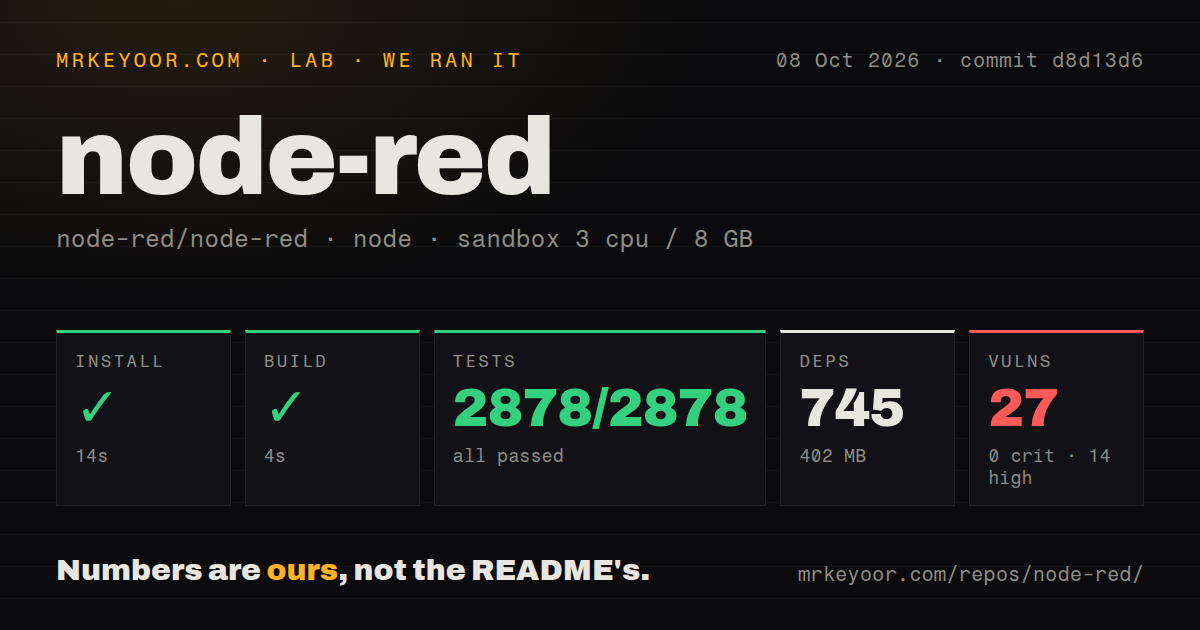
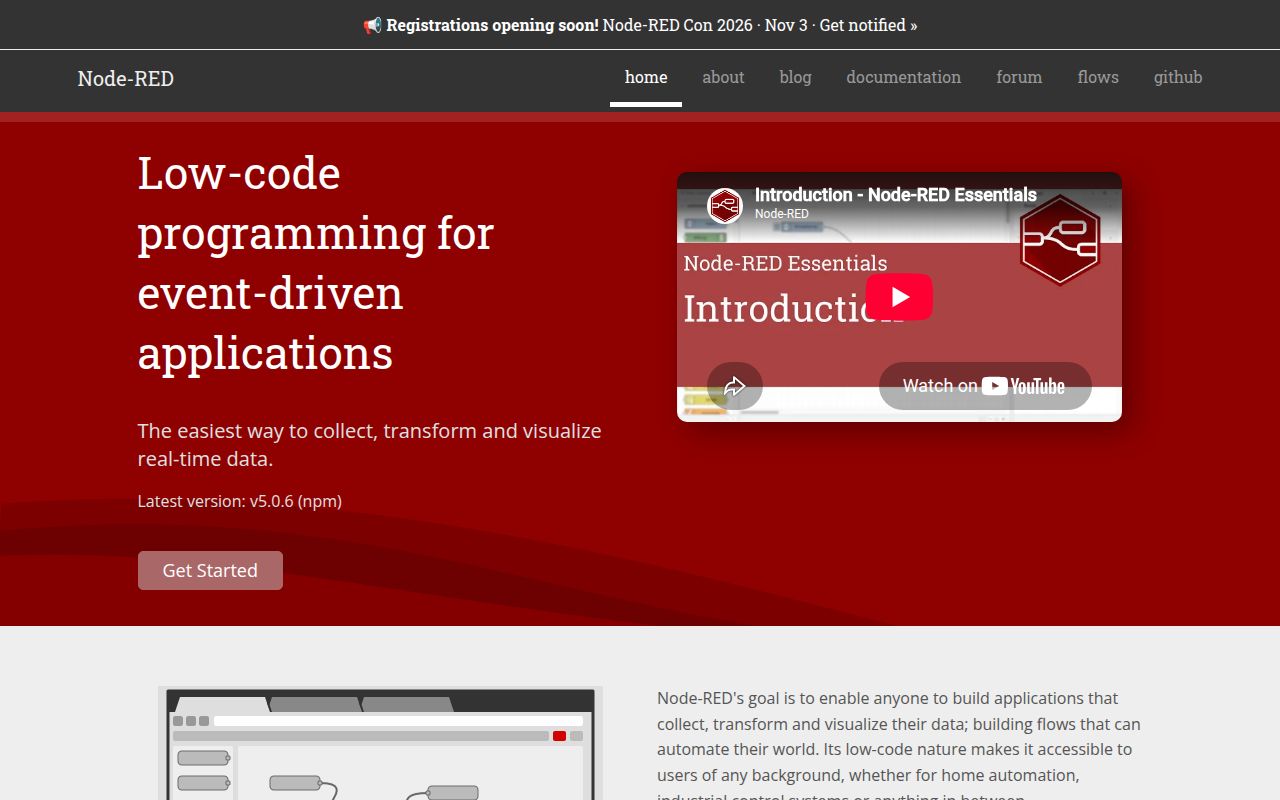
Lab card: what happened when we ran node-redScreenshot of node-red (nodered.org)
Install✓ · 42s746 packages · 395 MB
Build✓ · 9s
Tests✗ · 186s2843 passed · 3 failed of 2846 (mocha)
Known vulns70 critical · 4 high · 2 moderate · 1 low (npm audit)
Repo297 files~62,069 lines of source · 3.3 MB · 2 CI workflows · tests dir

Answers from our run

Does node-red build from source?

Dependencies installed in 42 seconds (746 packages), and the build succeeded in 9 seconds. We cloned commit 2604028 into a clean Debian container with 3 CPUs and no project-specific setup.

Do node-red's tests pass?

Not all of them: 2843 of 2846 passed and 3 failed when we ran the project's own test command (mocha). Some failures need services or credentials a bare container does not have.

Does node-red have known vulnerabilities in its dependencies?

npm audit flagged 7 known advisories in the dependency tree at the time of our run.

Who should not use node-red?

Anyone who will expose the default install to an untrusted network: the official security guide says the editor has no protection by default, so anyone who reaches it can deploy changes.

What are the alternatives to node-red?

n8n, Windmill, Activepieces. Our Node-RED run built in 9 seconds and 2,843 tests passed, but 3 failed and npm audit found 7 known vulnerabilities.

Setup4/542-second install and 9-second build; production settings come later
Docs5/5Official guides cover flows, storage, security, projects, and nodes
Community5/523,612 stars, an active forum, and September 2026 releases
Maturity4/5Version 5.0.6 is active, but 3 tests failed and 7 advisories remain

Who it’s for

Engineers connecting MQTT devices, HTTP endpoints, databases, queues, or scheduled jobs on one runtime.
Operations and prototyping teams that understand the systems being connected but prefer a visual flow over a custom service.
Developers who want reusable subflows, custom JavaScript nodes, and an installable node catalog in the same editor.
Raspberry Pi and edge users who need an established automation runtime with local deployment options.

Who it’s NOT for

Anyone who will expose the default install to an untrusted network: the official security guide says the editor has no protection by default, so anyone who reaches it can deploy changes.
Teams that need message types and node configuration checked statically before deployment: issue #5535 says current validation covers basic flow structure and treats richer type uses as future considerations.
Operators who expect state to survive restarts without planning storage: official docs say all three context scopes use memory by default and are cleared when Node-RED restarts.
Security teams unwilling to review community-node installation scripts: issue #5795 counted 72 catalog packages with install scripts while discussing npm 12 behavior.
Developers who want every change reviewed as ordinary source code: Projects adds Git around flow files, but most application logic still lives in generated JSON and visual node configuration.

Setup reality

Our sandbox installed 746 npm packages in 42 seconds and used 395 MB. The build passed in 9 seconds. Tests failed after 186 seconds: Mocha reported 2,843 passed and 3 failed out of 2,846. Npm audit found 7 known vulnerabilities, including 4 high, 2 moderate, and 1 low.

The current package requires Node.js 22.9 or newer. A global npm install starts the editor on port 1880, and the official docs also provide a container image. Basic local use needs no account or API key; the brokers, databases, APIs, and third-party nodes in a real flow bring their own addresses and credentials.

The default editor listens on all IPv4 interfaces and has no login until adminAuth is configured. HTTPS, HTTP-node authentication, credential encryption, context persistence, backups, and service startup are separate operator choices. Function nodes and community nodes can also execute code or install npm modules under the runtime account.

Port 1880 turns messages into wired flows

Node-RED opens a browser editor on port 1880 and runs the deployed flow in a Node.js process. Nodes receive messages, change or route them, and pass them along wires. The palette includes building blocks for network protocols, parsers, storage, and common control tasks. Shared configuration nodes let several flow nodes reuse a broker or service connection without copying its settings into every box.

The visual surface does not eliminate programming. Function nodes run JavaScript, custom nodes can package new behavior, and the palette manager installs npm modules from the wider Node-RED catalog. That mix is the appeal: draw the ordinary plumbing, write code for the odd part, then watch node status and debug messages in the same editor. A flow remains readable only if the team names nodes, limits wire crossings, and splits repeated logic into subflows.

Three context scopes start in volatile memory

Node-RED provides 3 context scopes: node, flow, and global. The default store holds all of them in memory, so a restart clears their values. The built-in localfilesystem store can persist them under the user directory and writes cached changes to disk every 30 seconds. Workloads that count events, remember device state, or coordinate retries need an explicit decision about which values may vanish and which require durable storage.

Flows are stored as JSON, with credentials kept in a companion file. The optional Projects feature puts application files in a Git repository, tracks dependencies in package.json, and can encrypt credentials with a key kept outside the project. It improves collaboration, but the editor runs 1 project at a time and exposes a simplified Git workflow. Teams still need backup, key distribution, environment-specific settings, and a review method for visual changes.

What happened when we ran it

Our sandbox installed commit 2604028 in 42 seconds. Npm added 746 packages and the installed tree occupied 395 MB. The build completed successfully in 9 seconds. The checkout contained 297 files, about 62,069 lines of source, and used 3.3 MB before dependencies.

The test command failed with exit code 1 after 186 seconds. Mocha reported 2,843 passing and 3 failing out of 2,846. The log tail showed the total and several successful CSV and file-handling cases, but it did not identify the 3 failing test names or their cause. The defensible finding is narrow: almost all executed cases passed, and the full suite did not pass in our stated environment.

Npm audit reported 7 known vulnerabilities: 4 high, 2 moderate, and 1 low, with none rated critical. The repository had 2 CI workflow files, a tests directory, and no Dockerfile. Our test method used a fresh unprivileged Debian container with 3 CPUs, 8 GB of RAM, Node.js 22, and no secrets.

The default 0.0.0.0 listener has no editor login

The official security guide says the editor is unsecured by default, while runtime configuration sets uiHost to 0.0.0.0. Anyone who can reach port 1880 can open the editor and deploy changes until the operator enables adminAuth or puts equivalent controls in front. That default is convenient on a trusted laptop and dangerous on a shared LAN, cloud VM, or edge gateway with broad network exposure.

Editor authentication, flow-created HTTP endpoints, and static content have separate controls. Node-RED supports HTTPS, credential-based admin users, OAuth or OpenID strategies, resource permissions, HTTP-node basic auth, and custom middleware. Those settings are capable, but none is inferred from the flow. A production checklist should cover the editor route, admin API, every HTTP In route, secrets, rate limits, and the operating-system account that runs installed nodes.

Node-RED 5 still needs runtime tests and JavaScript review

Node-RED 5 marks invalid node configuration in the editor, but flow wires do not provide a typed contract for every message property. Open issue #5535 says the runtime can validate basic flow structure and discusses richer node type definitions. Its possible uses, including message validation and generated edit forms, are explicitly future considerations rather than promised features. Important payloads still need runtime tests, validation nodes, or code around system boundaries.

An open Node-RED 5.0.4 report describes search navigation mixing nodes from different workspaces in the browser until reload, while the saved flows.json remained correct. The report does not establish whether 5.0.6 still has the bug. It does show why operators should separate editor display problems from deployed flow state and keep versioned backups before large edits.

Release 5.0.6 arrived with 321 open items

Node-RED 5.0.6 shipped on September 1, 2026, the same date as the last source push. GitHub listed 321 open issues and pull requests on September 2, and discussion continued that day. The release reverted a bcrypt dependency update because of compatibility problems on some Raspberry Pi architectures and operating systems. Shipping that correction quickly is useful evidence for an edge-focused project, where native modules and older hardware regularly expose packaging assumptions.

Node-RED is a good choice for event-driven glue that benefits from being visible while it runs. The 2,843 passing tests and current maintenance support a serious deployment, while the 3 failures, 7 audit findings, and unsecured default require local verification. Put authentication in place before network exposure, persist only the context that matters, pin community nodes, and keep the flow files under version control.

Alternatives

ProjectWhat it isPick it when
n8n gh↗A visual automation platform centered on SaaS integrations, business workflows, and hosted or self-hosted operation.pick this instead when business-app connectors and managed workflow features matter more than device and message routing.
Windmill gh↗A developer platform that turns scripts into workflows, webhooks, schedules, and internal interfaces.pick this instead when versioned scripts and typed code are the main building blocks.
Activepieces gh↗A visual integration and agent automation platform with a large catalog of packaged connectors.pick this instead when non-developers are automating cloud applications rather than edge events.

What people are saying

  1. [github-trending] node-red/node-red

Sources

  1. Node-RED repository and README
  2. Node-RED 5.0.6 release
  3. Running Node-RED locally
  4. Securing Node-RED
  5. Working with context
  6. Node-RED Projects
  7. Workspace search rendering report
  8. Node type definitions discussion

More automation reviews

Win11Debloat · XianyuAutoAgent · Sequoia-X · rclone · lego · OpenCLI · the whole board →