Mindwtr puts the full GTD loop on 5 operating systems and the web
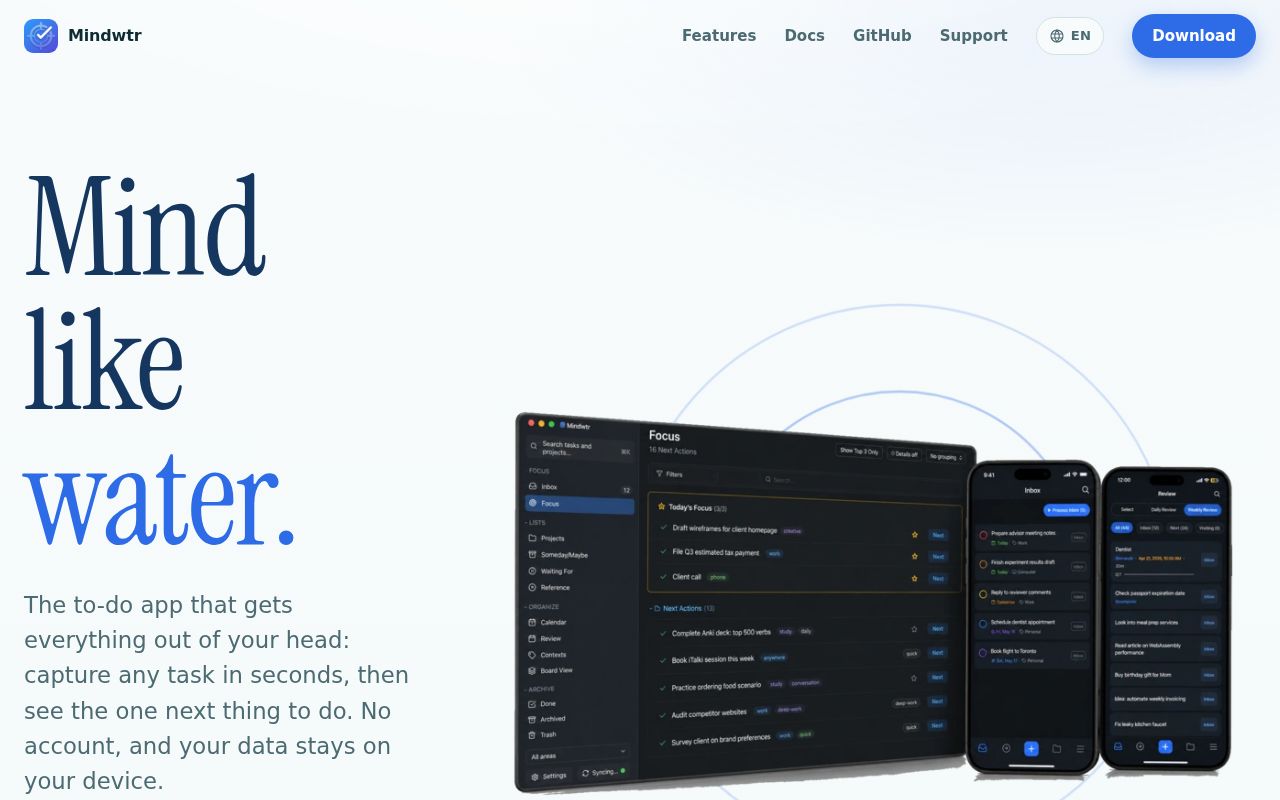
Mindwtr is built around Getting Things Done rather than a blank list with tags added later. Capture sends tasks and ideas to an Inbox. Clarify sorts them into projects, Next Actions, Waiting For, or Someday/Maybe. Focus hides work that cannot be acted on, and daily or weekly review screens bring neglected items back. The app runs on Windows, macOS, Linux, iPhone, and Android, with an offline-capable web app as another route. Basic use requires no account.
That opinionated workflow is its strongest reason to exist. A task can carry sections, contexts, dates, recurrence, attachments, Markdown notes, and manual ordering, yet the default screens try to show fewer choices. The README even calls out the 2-minute rule during Inbox processing. Someone already committed to GTD gets useful structure immediately. A person who wants a shared team board or a loose notes database will spend time working around choices that Mindwtr makes deliberately.
Sync supports several backends, but WebDAV has strict requirements
Local storage is the default, while iCloud, Dropbox, shared folders, Mindwtr Cloud, and WebDAV cover different device mixes. The WebDAV path is unusually explicit about correctness: a server must return strong ETags, honor conditional writes, reject stale changes, and pass create, replace, conflict, and cleanup checks during setup. Mindwtr refuses a provider that cannot stop one device from overwriting another generation. That caution is welcome because task data becomes hard to trust after one silent conflict.
Release v1.2.6 added more attachment recovery checks and changed WebDAV handling, yet the September 1 issue list still contained reports involving Fastmail, Nextcloud, Windows, and Android. Those reports do not prove that every server or v1.2.6 install is broken. They do make a staged migration sensible: export a backup, keep the old sync target intact, test edits from 2 devices, and confirm attachment recovery before moving the only copy of a working task library.
What happened when we ran it
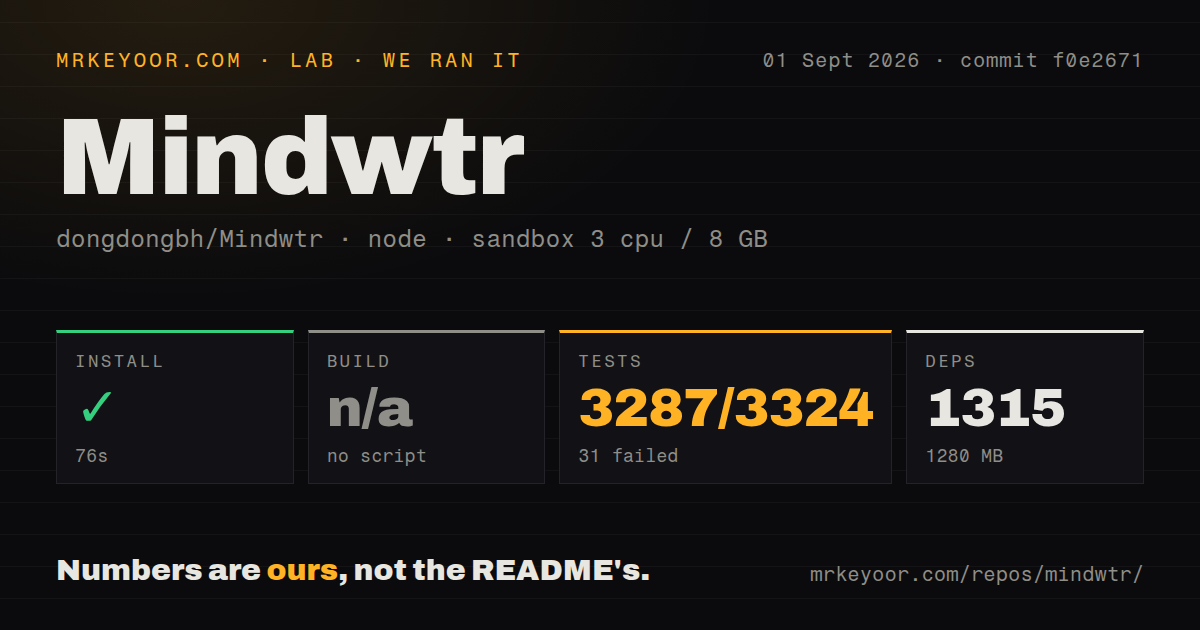
Our sandbox installed commit f0e2671 in 76 seconds. Bun added 1,315 packages, and the installed tree used 1,280 MB on disk. The checkout itself contained 2,688 files, about 610,687 source lines, and occupied 85.4 MB. No build script or target was present, so there was no build step to run. This is a large application workspace even though an end user can avoid it by downloading a packaged desktop or mobile release.
The test command failed after 291 seconds with exit code 1. Vitest reported 3,287 passed, 31 failed, and 6 skipped out of 3,324 tests. The tail showed the same direct result for the failures: each timed out after 5,000 ms. One test file failed, 176 passed, and 1 was skipped. The log does not identify why those cases exceeded the limit, so a network, resource, or product explanation would be guesswork.
Thirty-one timeouts weaken confidence for source contributors
A suite with 3,287 passing tests shows that Mindwtr has far more automated coverage than a small hobby app. It still returned a failing status in our stated container. A contributor touching core behavior cannot treat that run as a clean baseline, because a new failure could be mixed into the existing 31. The repository also spans desktop, mobile, web, cloud, CLI, MCP, and shared core packages, which raises the cost of deciding whether one local change is safe across every shipped surface.
Our scan counted 24 CI workflow files and found a workspace monorepo, but no Dockerfile or top-level tests directory at commit f0e2671. Those signals describe repository organization, not the quality of the store binaries. They do explain why building from source deserves its own evaluation. A prospective contributor should first reproduce the timed-out file on the intended machine, then check the platform-specific contribution guide before promising a fix across Tauri, React Native, and the browser.
The local API uses port 3456, and MCP access is optional
Desktop builds can expose a REST API on 127.0.0.1, with port 3456 as the default and a generated bearer token. The repository also includes a CLI helper, while the separate mindwtr-mcp package lets compatible assistants read and manage tasks over stdio. These are useful building blocks for adding a task from a script or letting an assistant complete an item. The token and client configuration still deserve the same care as the task database because the interface can change personal records.
AI assistance is off by default. Users can connect an OpenAI, Gemini, or Claude account, or point the app at a local OpenAI-compatible model. That keeps provider choice with the user, but it also means credentials and model behavior sit outside the 3,324-test result we observed. Companies should review AGPL-3.0 obligations before offering a modified network service. Individuals who only want local GTD can ignore both AI and MCP and keep the smaller trust boundary.
A September 1 push shows activity, while open sync reports show risk
GitHub recorded 1,884 stars, 99 combined issues and pull requests, and a September 1, 2026 push. Release v1.2.6 was published the same day. Recent closed issues show maintainers resolving some reports within hours, while current threads also have active replies. That is strong evidence of maintenance, but the combined open count is not a bug count and quick replies do not make a sync regression harmless. Health and release risk point in different directions here.
Mindwtr is worth trying from a store or signed package if its GTD structure matches how you work. The 76-second source install is manageable, but 1,315 packages and 31 timed-out tests make contribution work a more serious commitment. For cross-device use, prove the chosen backend with disposable data and 2-device edits before moving the real library. That practical test matters more than the long feature list, especially while the September 1 WebDAV reports remain open.