Your issue tracker can feed a personal working day
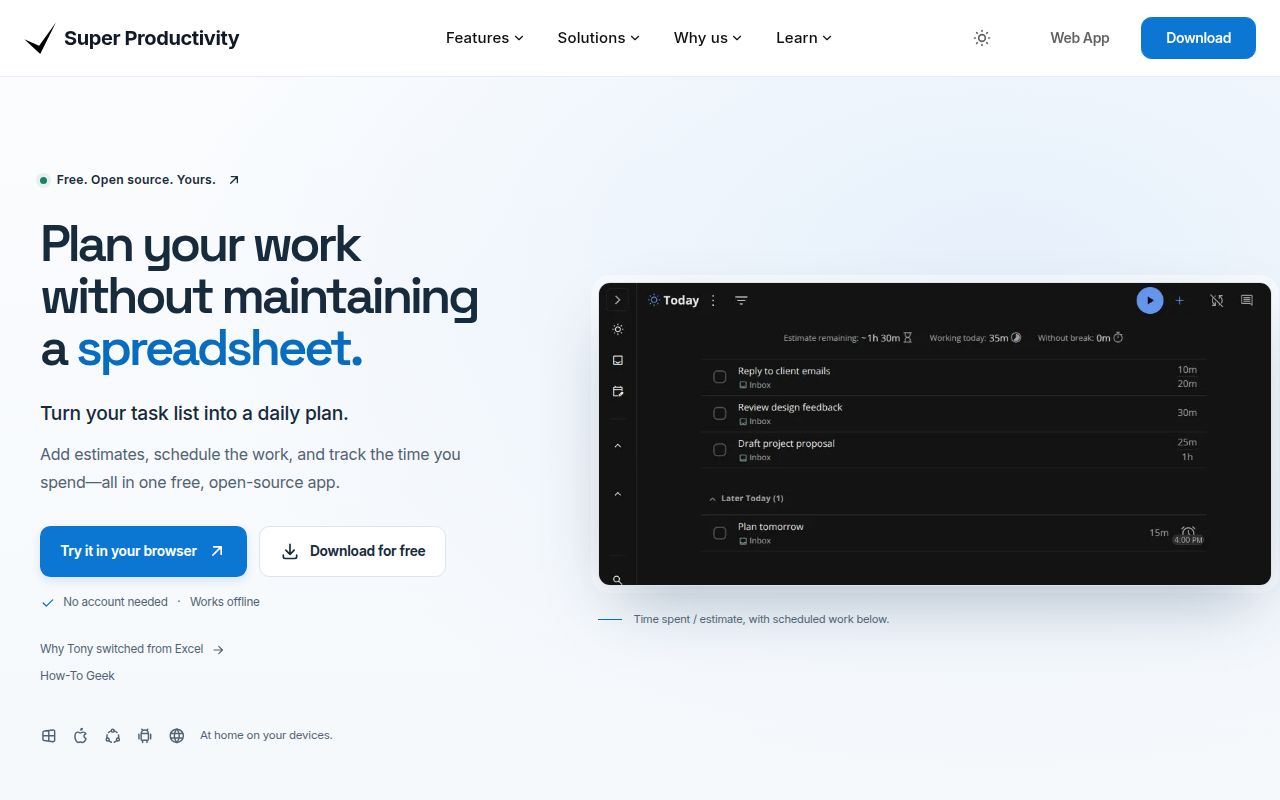
Import a GitHub issue, put it beside a calendar event, and track the time you actually spend on it. That's the reason to choose Super Productivity. Its README describes task imports from services including Jira and GitLab, a schedule timeline, and exportable work summaries. The appeal is keeping your personal plan beside the work assigned elsewhere, without making your employer replace its tracker.
The source checkout occupied 62.7 MB in our sandbox, before the working environment grew to 952 MB. This is a substantial application to maintain yourself. For everyday use, the project offers downloadable apps and a hosted web app instead. Start there unless you intend to change the code. Projects, subtasks, notes, and focus sessions already give an individual plenty to organize before adding plugins.
What happened when we ran it
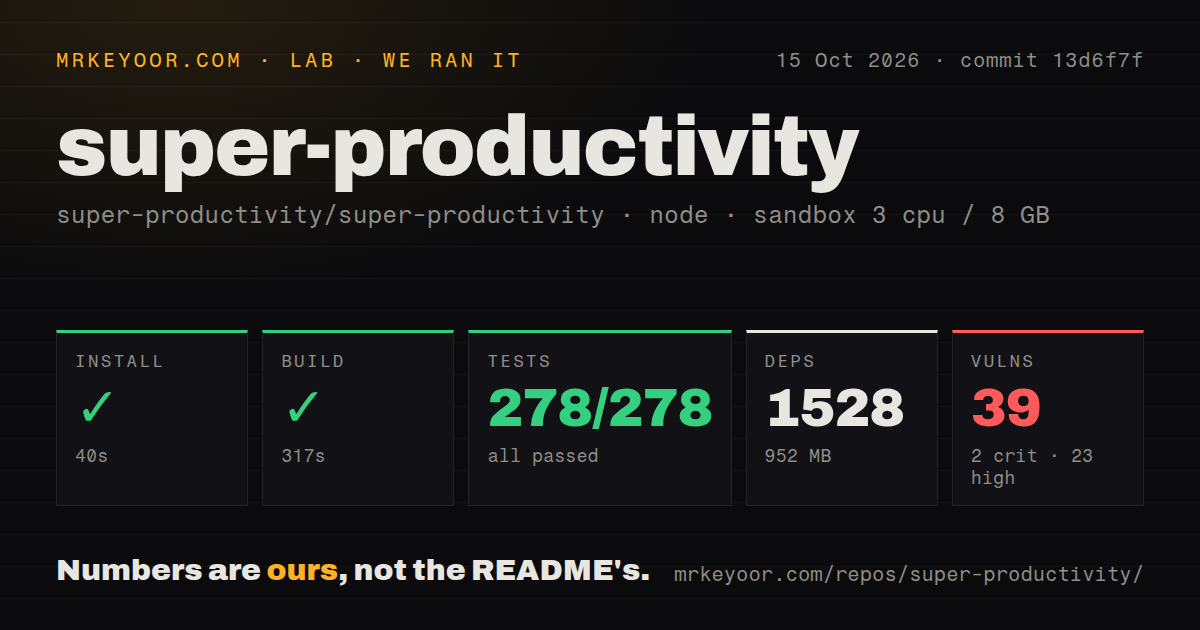
Our run installed Super Productivity commit 13d6f7f in 40 seconds and built it in 317 seconds on October 15, 2026. The fresh Debian sandbox had 3 CPUs, 8 GB of RAM, Node 22, no secrets, and no elevated privileges. Installation added 1,528 packages and occupied 952 MB. These are development-environment measurements, not timings for downloading a desktop app or opening your daily task list.
The test command failed with exit code 1 after 86 seconds, despite Vitest reporting 278 passed and 0 failed out of 278. The supplied log tail contains passing release-note checks, including duplicate filtering, commit-range handling, and AI-provider environment parsing. It does not show the error responsible for the command's failure. Calling the complete suite green would be wrong. Assigning a cause from that tail would be guessing.
Npm audit reported 39 known vulnerabilities: 2 critical, 23 high, and 14 moderate. That is enough to require dependency review before adopting the source tree inside an organization. The supplied results do not identify affected packages or show whether an advisory is reachable in the shipped application. They establish an audit finding, not a demonstrated compromise of a user's tasks.
The desktop app avoids documented browser restrictions
The web-versus-desktop reference says browser time tracking works only while the app is open. Idle detection requires the Chrome extension, and background tab throttling can affect timers. Automatic backups to the filesystem are unavailable in the browser. Anyone using tracked hours for client invoices should read those restrictions before making the hosted tab their permanent workspace. Desktop is the more convincing fit for that job.
Our sandbox's 317-second build says nothing about timer accuracy on a laptop or phone. Platform behavior needs separate checks. The same reference describes CORS restrictions affecting browser calendar and sync requests, while native clients use a different HTTP path. A successful calendar connection on desktop therefore doesn't establish browser compatibility. Use the client that supports the integration you depend on, rather than assuming every download provides identical behavior.
Optional sync brings a server and recovery decisions
Super Productivity requires no account for local use, according to its README. Cross-device work adds a choice of SuperSync, Dropbox, or WebDAV. The SuperSync server guide labels that service beta and says self-hosting support is limited. Its bundled deployment uses PostgreSQL and Caddy, a public domain, and working SMTP for verification and recovery links. That's meaningful administration for synchronizing a personal task list.
The 952 MB environment we measured covers the repository path, not proof of a working sync deployment. Release v19.2.0 explicitly lists fixes for sync behavior that could lose tracked time or overwrite concurrent task edits. It also fixes desktop backups being recorded as successful when they failed. Those changes are welcome, but they make a backup-and-restore check a sensible condition of adoption, especially if tracked hours matter financially.
Plugins deserve the same trust as application code
The official platform reference warns that plugins are not strongly isolated from the host application. Desktop plugins can request Node execution, and granting it permits full machine access. That rules out casually installing an unfamiliar plugin because its description sounds useful. Keep the initial setup small. If your workplace restricts downloaded extensions, review Super Productivity's plugin permissions against that policy before connecting company issue trackers.
Our scan found 34 CI workflow files and a workspace monorepo across 5,508 files. That suggests a broad maintenance surface, not a safety guarantee for extensions. The development guide documents environment-file generation and separate frontend and Electron processes. Its instructions are useful for contributors, but ordinary users have little reason to inherit that workflow. A packaged desktop client is the practical starting point for evaluating whether the schedule improves your day.
October maintenance is active, with recurring-task defects still reported
The repository's last push was October 16, 2026, and GitHub listed 22,874 stars and 1,457 open issues and PRs. Release v19.2.0 shipped October 11. Recent activity includes issue 10675, reporting that moving a recurring task through the local REST API leaves its repeat configuration in the old project. An open pull request addresses that behavior. Automation users should check the fix's status before relying on API-driven moves.
Vikunja deserves a look if shared task management is your main requirement. Tasks.org is a more natural shortlist entry for an Android-centered task list, while ActivityWatch records computer activity when retrospective time accounting matters more than planning tasks. For Super Productivity itself, try importing real work and restoring an exported backup before moving your entire routine. The schedule is easy to appreciate; recovering your tracked time is the part worth proving.