Local Markdown files stay usable when the network disappears
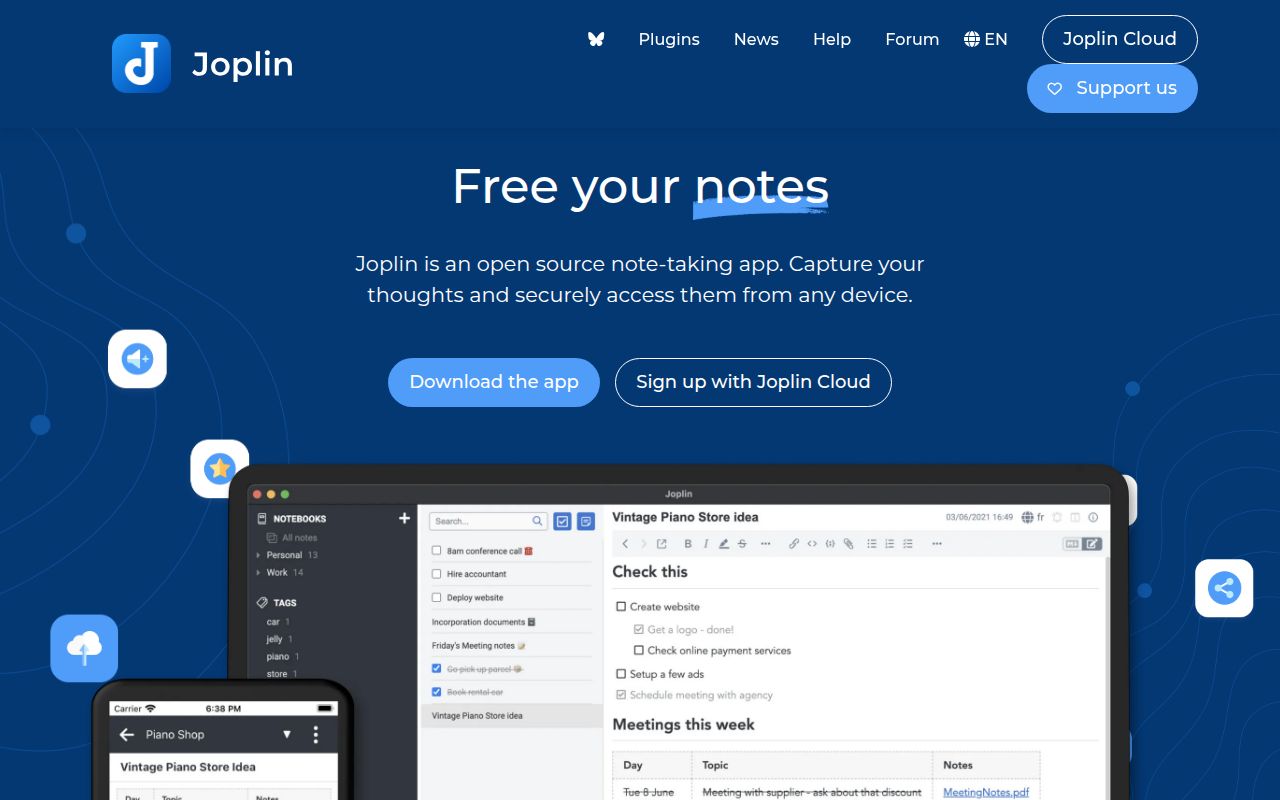
Joplin keeps a complete local copy of notes on each device. Notes are Markdown, organized into notebooks, searchable, taggable, and editable through the apps or an external editor. The desktop and mobile clients cover Windows, macOS, Linux, Android, and iOS, while a terminal client suits scripts and keyboard-heavy work. Evernote imports preserve resources and metadata such as creation dates and geolocation, which gives switchers a plausible migration path.
Sync is an added layer rather than the place where the only copy lives. Joplin supports its own cloud, Joplin Server, Nextcloud, S3, WebDAV, Dropbox, OneDrive, and a local filesystem. The terminal client can run joplin sync from cron, with the documentation showing a 30-minute example. This choice of targets is valuable if you already operate storage, though each target brings different credentials, availability, and failure modes.
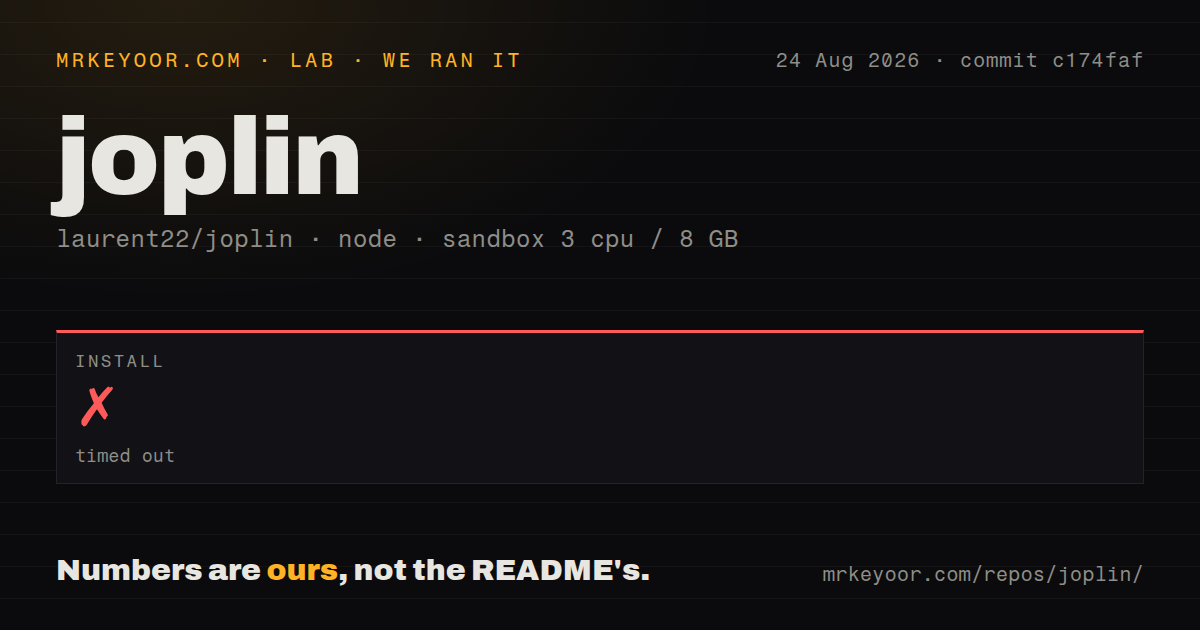
The 900-second source install did not complete
We cloned commit c174faf into an unprivileged Debian container with 3 CPUs and 8 GB of RAM. The checkout held 7,963 files, roughly 482,630 source lines, and occupied 248 MB. Yarn 4.16.0 completed resolution in 0.586 seconds and fetched dependencies in 2 minutes 3 seconds. Installation then stayed in the link step until our 900-second cap ended the run.
That timeout stopped the sequence. We did not build the applications or run tests, and the measurement block contains no package count, installed-size result, or dependency audit. The log tail does not identify a missing package or show a Yarn error after linking began. Claiming a cause would be guesswork. The useful result is that a fresh Node 22 environment did not reach a working development checkout within 15 minutes.
What happened when we ran it
Our run measured the repository mechanics at commit c174faf, not the packaged desktop or mobile experience. Installation timed out after 900 seconds, so there is no build result and no test result to interpret. The checkout had 10 CI workflow files and Yarn workspaces. Our scanner found no root Dockerfile and no root tests directory, although the contributor guide documents Jest tests within packages and the server ships through a container image.
The final Yarn output warned that --frozen-lockfile is deprecated in favor of --immutable or --immutable-cache. It then showed the resolution and fetch steps as complete before entering the link step. That warning did not say the install failed, and the log did not say why linking exceeded 900 seconds. Contributors should reproduce the install on their intended OS and follow the repository's Devbox dependency list before judging it as a code defect.
End-to-end encryption requires an ordered device rollout
Joplin's E2EE encrypts notes, notebooks, tags, and resources so the sync provider cannot read them. Enabling it starts on one desktop or terminal client, creates a master key, and sends encrypted content to the target. Each additional device must sync, receive that key, accept its password, and sync again. The guide warns against enabling encryption independently on several devices because that creates multiple keys.
The password cannot be recovered. Initial encryption also resends the data set, and the guide says a large account may need to run overnight. That is a reasonable trade for user-controlled encryption, but it needs a migration window and a verified backup. A family or small team should write down who controls the master-key password and how a replacement device is enrolled before turning the feature on.
Joplin Server needs licensing and operations decisions
The server's test route uses Docker, an environment file, port 22300, and SQLite. Production documentation points users to PostgreSQL, while optional storage drivers can move item contents to the filesystem or S3. Internet exposure calls for a reverse proxy. The initial admin login is admin@localhost with password admin, and the guide explicitly tells operators to change it and create a separate non-admin sync user.
Licensing needs a careful read. Most of the repository uses AGPL-3.0-or-later, but directories can override it. packages/server does: its personal-use license permits non-commercial use and restricts commercial operation unless Joplin authorizes it. The server README sends businesses and organizations to Joplin Server Business. A company should settle that question before spending time on PostgreSQL, TLS, storage migration, and monitoring.
Sync safety matters more than the editor feature list
Open issue 16165 asks for an absolute deletion circuit breaker in addition to the current 90 percent guard. The report says a partial S3 or R2 listing led one user to lose about 2,500 items, around 59 percent, which stayed below that percentage threshold. This is one report and an open proposal, yet it supports a basic rule: synchronized copies do not replace independent, restorable backups.
Version compatibility also deserves staged upgrades. Issue 16304 shows Joplin 3.4.13 accepting a shared notebook using the 3.7 format, then clearing a newer note field after an edit and sync. Release v3.6.16, published August 20, added support for syncing with Joplin 3.7. Mixed-client households should update deliberately and test a shared notebook before rolling a new sync format across every device.
August 2026 activity supports a serious trial
GitHub recorded 56,116 stars, 638 open issues and pull requests, and a last push on August 27, 2026. The combined open count includes pull requests and should not be read as 638 bugs. Current work covers desktop, mobile, syncing, imports, plugins, and dependency updates. The repository's size reflects that product range, and our 248 MB checkout plus stalled link step shows the cost contributors inherit.
For an end user, Joplin is easier to recommend than our source-install result might suggest because official apps bypass the monorepo build. Its offline model, Markdown storage, broad sync choices, and optional E2EE solve a clear problem. Developers and self-hosters face the heavier decision: reproduce the 900-second install, read the server license, keep real backups, and treat sync-target or client-version changes as data migrations.