Should you self-host MindsHub?
Self-host MindsHub when infrastructure control justifies managing its component projects and verifying their integration. For an initial workflow evaluation, consider the documented hosted app or macOS and Windows downloads. We did not test those distributions, so this recommendation concerns the setup route rather than their reliability or security.
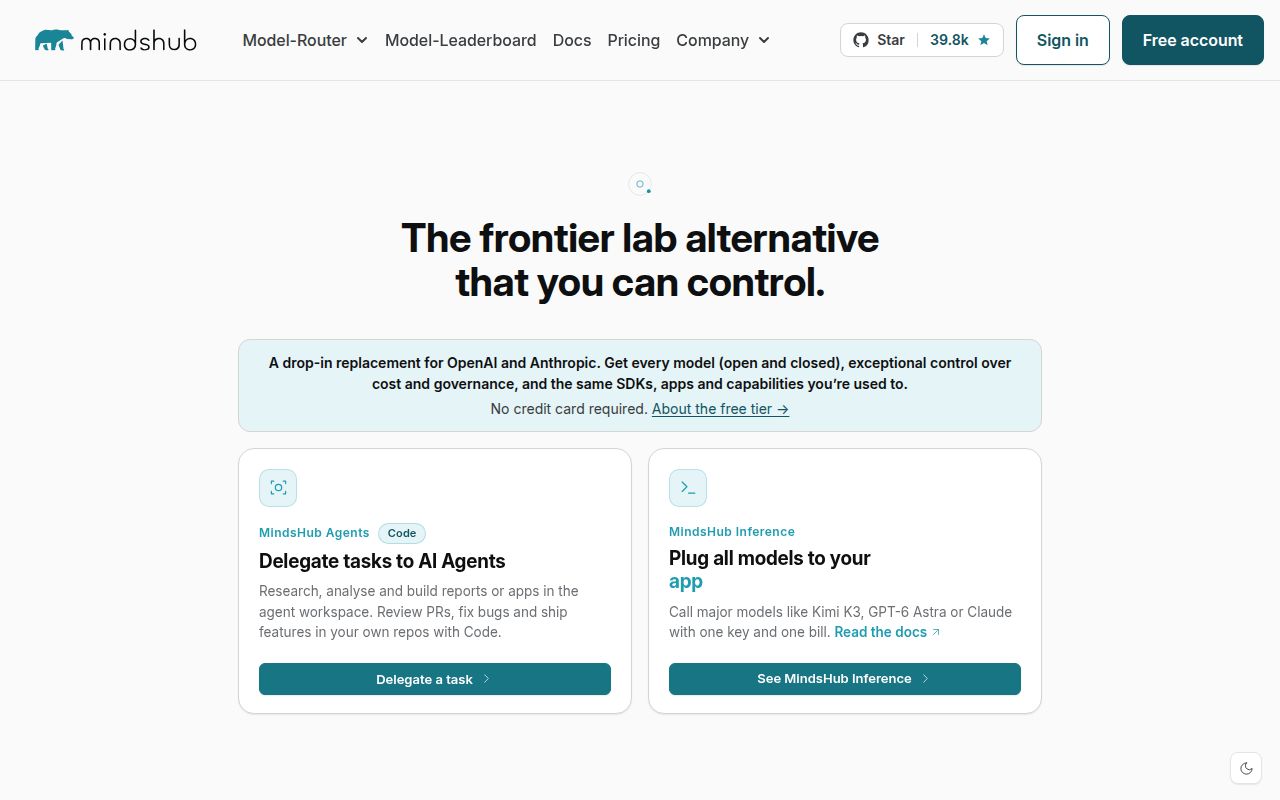
MindsHub is an open-source agent workspace for knowledge work and software development, with a choice of models and agent harnesses. The README at the measured commit describes connected data, artifacts published to live URLs, memory, reusable skills and scheduled tasks. Those are documented capabilities; our sandbox did not exercise them.
What our sandbox established
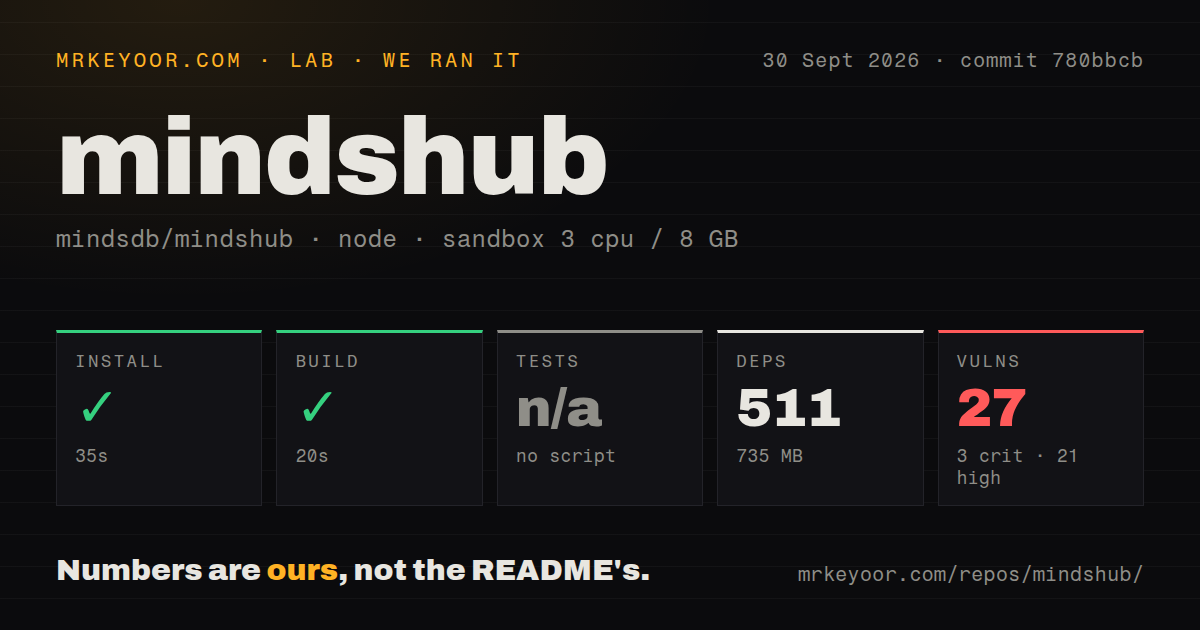
Our run on September 30, 2026, at commit 780bbcb covered the frontend directory in our sandbox. The attached record identifies the lab-node:22 image, 3 CPUs and 8 GB of memory. This review uses that stored run, with no new execution.
The harness records command outcomes as success flags, exit codes, elapsed time and timeout status, with retained output tails. Installation and building returned exit code 0 without timing out, taking a recorded 35 seconds and 20 seconds respectively. These results establish command completion in that container. They do not establish a working sign-in flow, backend deployment or completed agent task.
Tests were skipped because no test script was detected in the measured frontend path. That is neither a passing nor a failed suite, and it does not establish that the complete project has no tests. The MrKeyoor testing methodology explains how command outcomes reach our reviews; its current description does not establish which procedures applied to this older run.
What the stored summaries leave unresolved
The stored parser summaries record 511 dependencies and a 735 MB footprint. The install output reports a different package total and elapsed time. We retain the attached summary values without treating them as a reconciled package inventory. No exhaustive test-coverage or complete-log reconciliation accompanies this record.
The renderer footer reports 12.01 seconds, while the enclosing build step records 20 seconds. These timings have different boundaries. The output also contains a chunk-size warning, but the run provides no browser responsiveness measurement.
What the 27 advisories mean
Our September 30, 2026 run recorded 27 npm audit advisories. The attached breakdown is 3 critical, 21 high, 1 moderate and 2 low. These are dated observations, not a current audit of the dependency tree you would install today.
Scan coverage is unknown: the record has no scannedPackages field. We do not infer coverage from the install footer. The supplied audit summary also does not identify affected dependency paths, available fixes or exploitability in a running workspace. Before deployment, inspect advisory details against the exact dependency tree you intend to use. Build success does not resolve those advisories.
What full source setup requires
The development guide identifies four submodules: the frontend, API, Anton agent and data vault. The parent repository stores their commit pointers. A contributor must make changes in the relevant module and deliberately update the parent pins.
The guide describes browser startup and a local authentication bypass, but our run did not verify that sequence. The supplied extracts do not establish the status of the authentication issue cited by the existing page. They also provide no basis for its release-history or adoption claims, so those claims are omitted here.
Read the documentation before using make flush: it deletes conversations, saved provider keys and local application state. For a useful evaluation, pin the component commits, verify sign-in and model access, then complete one task using the data connection and artifact output you actually need. Test scheduling separately if recurring work is part of your use case.
Which alternatives fit the job?
Open WebUI supports Ollama and OpenAI-compatible APIs. Its README also documents agents, retrieval, tools and recurring automations. Evaluate it as an overlapping workspace alternative when those model interfaces are your starting requirement. The supplied evidence does not establish that it is simpler to operate or merely a chat shell.
Dify supports building and testing AI workflows on a visual canvas. Its README also describes retrieval pipelines, agents, model management and application APIs. Evaluate it when authoring workflow applications is the main task. It is an alternative platform for that job; we have not established that it replaces every MindsHub capability. Neither alternative was run for this review.
How the scores are assessed
These editorial scores use a five-point rubric, not a performance benchmark. For setup ease, 1 means a blocked measured path, 3 means a successful component build with full onboarding unverified, and 5 requires verified complete onboarding. For documentation, 1 means missing setup instructions, 3 means concrete instructions with important paths unverified, and 5 requires guidance checked through complete onboarding. Scores 2 and 4 fall between those anchors.
Community measures documented participation routes only: 1 means none, 2 means one route, 3 means support and issue-reporting routes, 4 adds contribution guidance, and 5 requires evidence of sustained maintainer responses. It does not measure adoption. For maturity, 1 means no runnable evidence, 3 means documented distribution routes and a successful component build without a verified full runtime, and 5 requires verified deployment and workload evidence. Scores 2 and 4 fall between those anchors.