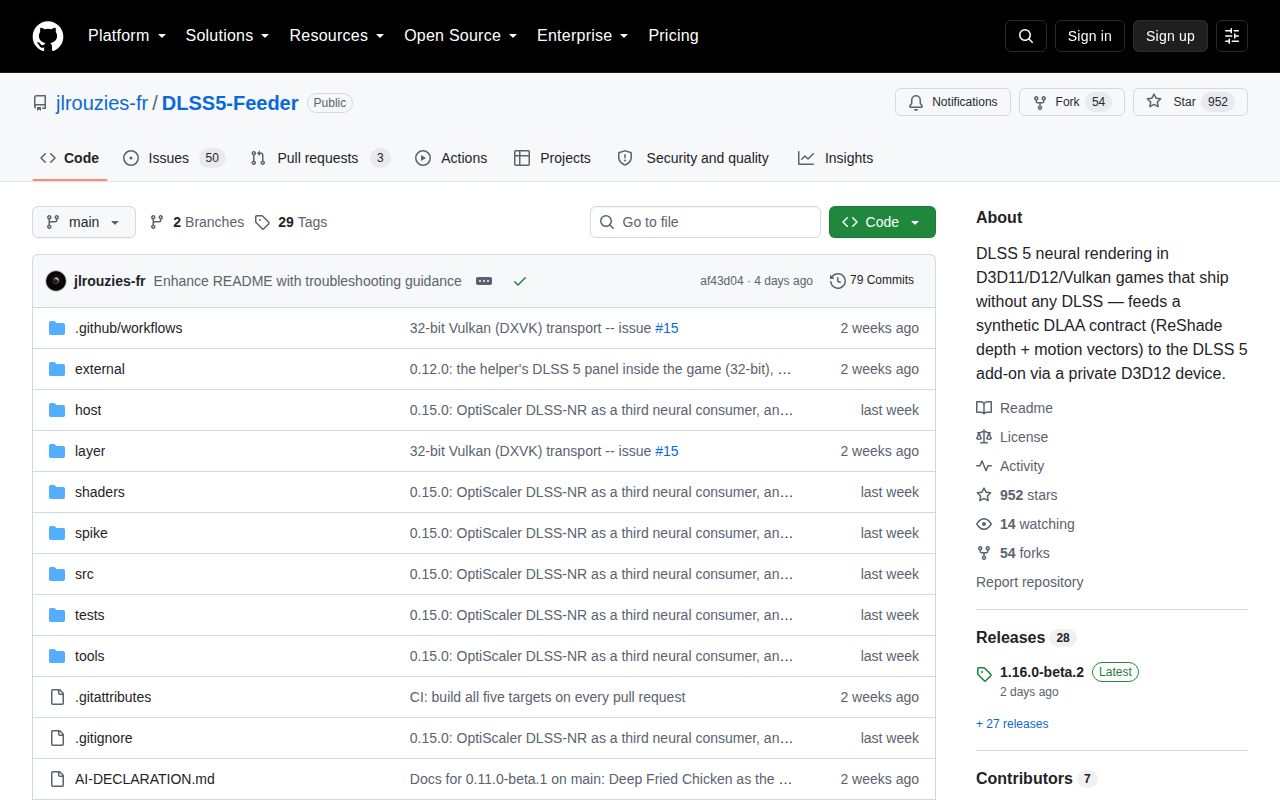
The feeder creates a DLAA contract a game never supplied
DLSS5-Feeder targets games that do not make DLSS calls. A ReShade shader gathers the current frame, a selected depth buffer, and estimated optical-flow motion vectors. The add-on turns those inputs into a synthetic DLAA request, lets a separate DLSS 5 neural consumer intercept it, then copies the processed image back into ReShade's effect chain. That is much deeper intervention than replacing one DLSS DLL in a game that already supports the technology.
The repository covers D3D10, D3D11, D3D12, Vulkan, and OpenGL, across 32-bit and 64-bit processes. Older DirectX 9 games go through a translation layer. A 32-bit game cannot load NVIDIA's 64-bit NGX runtime, so the project starts a separate 64-bit helper and shares GPU resources across the process boundary.
Many 64-bit DirectX users should choose one add-on instead
The README tells owners of 64-bit DirectX 9, 11, and 12 games to try ShortFuse's renodx-dlss by itself. That route builds the needed request without this feeder, leaving one add-on instead of two. DLSS5-Feeder remains relevant for 32-bit games, Vulkan, and a DirectX 9 path where its ReShade-derived motion handling is wanted. This is unusually useful product guidance because it narrows the audience before anyone starts copying DLLs.
Names matter here. renodx-dlss replaces the feeder, while renodx-dlss5 is a neural consumer that works alongside it. The README warns never to install two consumers at once. Deep Fried Chicken, RenoDX's neural add-on, and the supported OptiScaler fork are separate choices, with their own files and controls.
What happened when we ran it
There was no sandbox run for commit 76a08db. Our automated lab does not have a supported C++ workflow for this project, and the repository contains no Dockerfile that could supply one. We therefore have no first-party install time, build outcome, test count, dependency total, disk figure, or vulnerability scan. Upstream statements about CI compilation and game compatibility remain upstream evidence, not results reproduced by MrKeyoor.
That missing run matters more here than it would for a pure command-line utility. Meaningful validation needs Windows graphics hooks, an NVIDIA GPU, a game or suitable swapchain, ReShade, NGX files, motion vectors, and a neural consumer. A container compile would still leave the image path untested. Our review can judge the documented architecture, release practice, and reports, but it cannot tell you that a specific game and driver combination works.
The installer assembles a stack, not a single mod
The PowerShell installer detects the executable's architecture and rendering API, then places or obtains ReShade, feeder binaries, shader headers, a motion provider, NVIDIA runtimes, and the selected neural consumer. DirectX 9 can add dgVoodoo2. A 32-bit install creates a host64 directory for the helper and its 64-bit pieces.
Supply-chain care belongs in the setup. Official releases contain a ZIP and an installation notice, while several required pieces come from other projects or Discord. The README warns about similarly named malicious downloads and asks users to compare SHA-256 hashes with the GitHub release. It also says Windows Defender may flag the Deep Fried Chicken consumer because it hooks NGX, and the installer asks before adding any game-folder exclusion. Do not turn off antivirus for an unexplained bundle.
Estimated motion vectors cap image quality
Native DLSS integration can use motion data and masks produced by the engine. DLSS5-Feeder estimates motion after the fact through ReShade. Its README names ghosting in fast movement, softness on thin moving geometry, and HUD processing as expected limits. Flickering lights and transparent effects can also confuse temporal history. A configuration panel and debug views help identify bad depth or vectors, but no slider can recover engine data that was never exposed.
Current reports make that boundary visible. Issue 108 describes severe accumulation and flicker in Detroit: Become Human on Vulkan even after the installer reported a clean layout. Issue 113 reports a stale gameplay frame composited over pre-rendered video in two older DirectX 9 games. Issue 114 says a 32-bit host panel rendered correctly but did not receive mouse or keyboard input.
Release 1.16.0-beta.2 is active and still asks for retests
GitHub recorded 952 stars, 53 open issues and pull requests combined, and a last push on September 14, 2026. Release 1.16.0-beta.2 shipped the same day with fixes for a D3D12 command-list failure, crash dumps, a false Vulkan stop, version reporting, and verifier wording. The release notes also say those fixes had not been retested in the games that produced the reports and explicitly ask users to retest them.
That is healthy beta behavior: publish the limits, attach fixes to issue numbers, and ask for logs where hardware coverage is missing. It is not the same as a compatibility guarantee. The README itself says the maintainer cannot own and test every reported game. Anyone installing this should keep the original game folder recoverable, change one component at a time, and save the feeder, ReShade, host, and consumer logs from the same session.
Choose it for the compatibility gap, not the broadest claim
DLSS5-Feeder is easiest to recommend when the alternative is no neural-rendering route at all, especially for a 32-bit title or a Vulkan path the simpler add-on does not cover. Its detailed logs, verifier, automatic backups, and API-specific explanations give a capable modder somewhere to start. The same detail shows how many parts must agree before one frame is trustworthy.
Start with the README's decision table. If renodx-dlss covers the game, use the smaller stack. If the game already has DLSS, a bridge or runtime swapper is closer to the job. Reach for the feeder when its cross-process or cross-API machinery solves a real missing link, and expect to validate the picture during movement, cutscenes, HUD transitions, and restarts before keeping it installed.