What people use meal-puzzle for
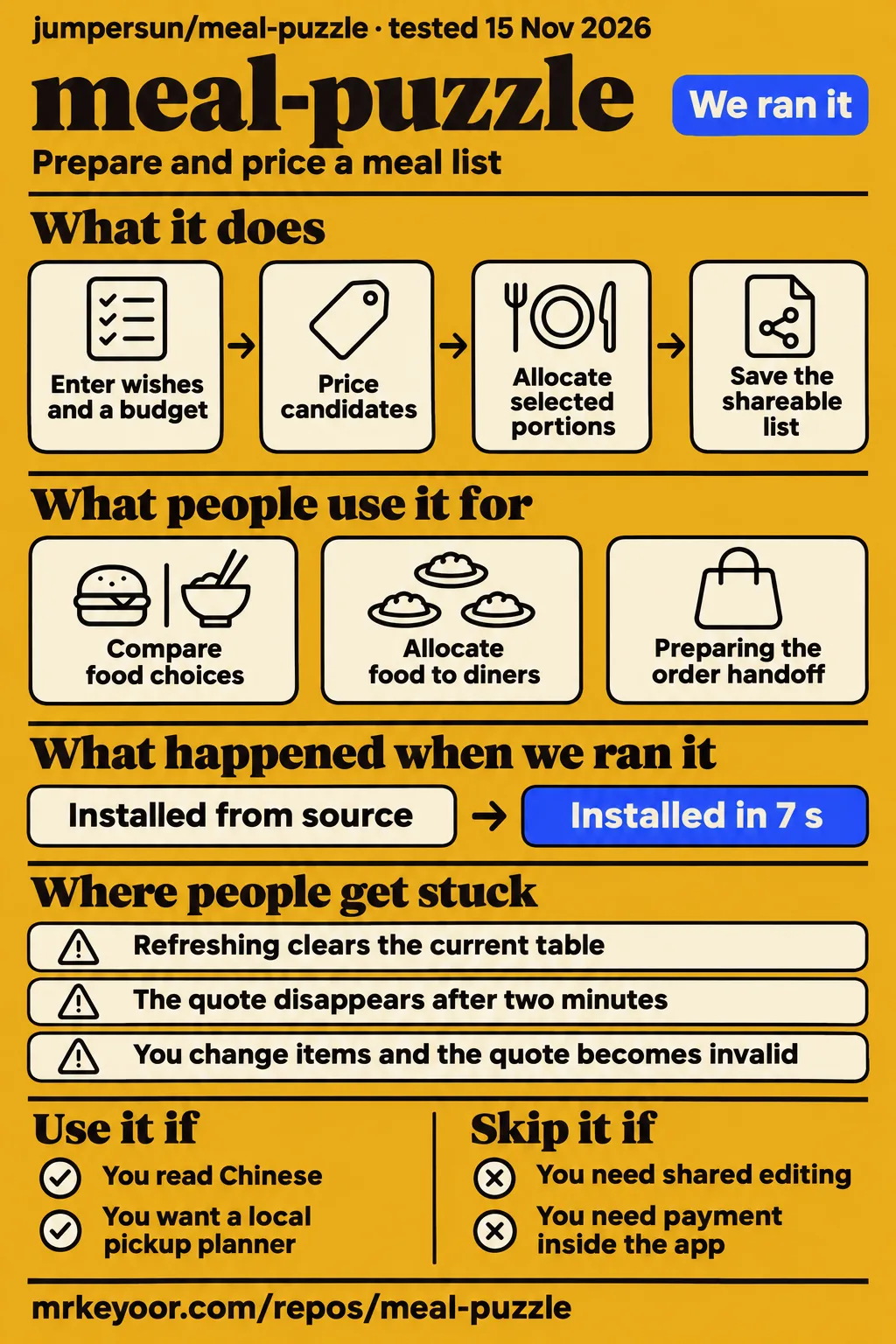
meal-puzzle documents two ways to assemble a pickup meal for one to six diners: collect individual wishes or select food first and allocate it afterwards. Use it if you read Chinese and want one local organizer to manage that process. Choose another approach if your main task is shared expense accounting or checkout. The useful distinction is food ownership: the table records which items belong to each diner and which portions everyone intends to share.
For groups that know what they want but have not chosen meals, the meal-puzzle README describes entering each person's wishes and an optional budget, then comparing up to three successfully priced proposals. For groups that already have preferred meals or individual items, it describes selecting those directly before assigning their contents. Both routes use the same table, so the organizer can change ownership and meal options without starting a separate allocation process.
A third use is preparing the handoff to the person placing the order. The README's sharing instructions describe copying or downloading a list containing the store, selections, quote time and offer conditions. Items can remain unassigned or be marked for everyone to share. This gives the organizer a concrete checklist: review the food, resolve any unassigned portions, and take the resulting list into the official ordering channel.
For developers, the README's planning explanation describes JavaScript handling combinations and allocation without an additional language model. Menu details and price calculation come from external tools. That makes the repository relevant to someone studying a bounded selection problem with explicit inputs and ranking rules. It also distinguishes this page from our mcd-budget-meal review, which concerns quoted candidates for one person's pickup meal rather than allocating food across a group.
What happened when we ran it
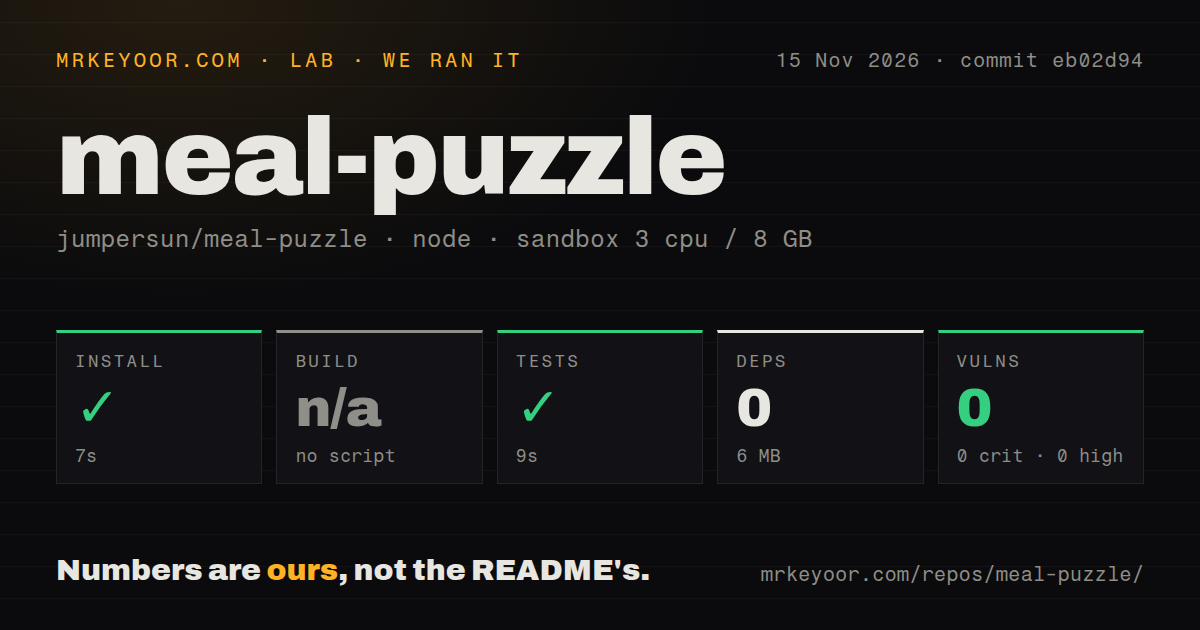
Our November 15, 2026 sandbox run at commit eb02d94 completed installation in 7 seconds and tests in 9 seconds. These are our measurements, separate from the author's README acceptance examples. The harness recorded 0 dependencies and 6 MB on disk, skipped the build because no build script or target existed, and returned 0 known vulnerabilities from npm audit. The table preserves the recorded repository and packaging observations alongside those results.
| Sandbox step or observation | Recorded result |
|---|---|
| Installation step (npm ecosystem) | Succeeded in 7 seconds |
| Dependencies recorded | 0 |
| Installed footprint | 6 MB on disk |
| Build | Skipped: no build script or target |
| Tests | Succeeded in 9 seconds |
| npm audit | 0 known vulnerabilities across critical, high, moderate and low severities |
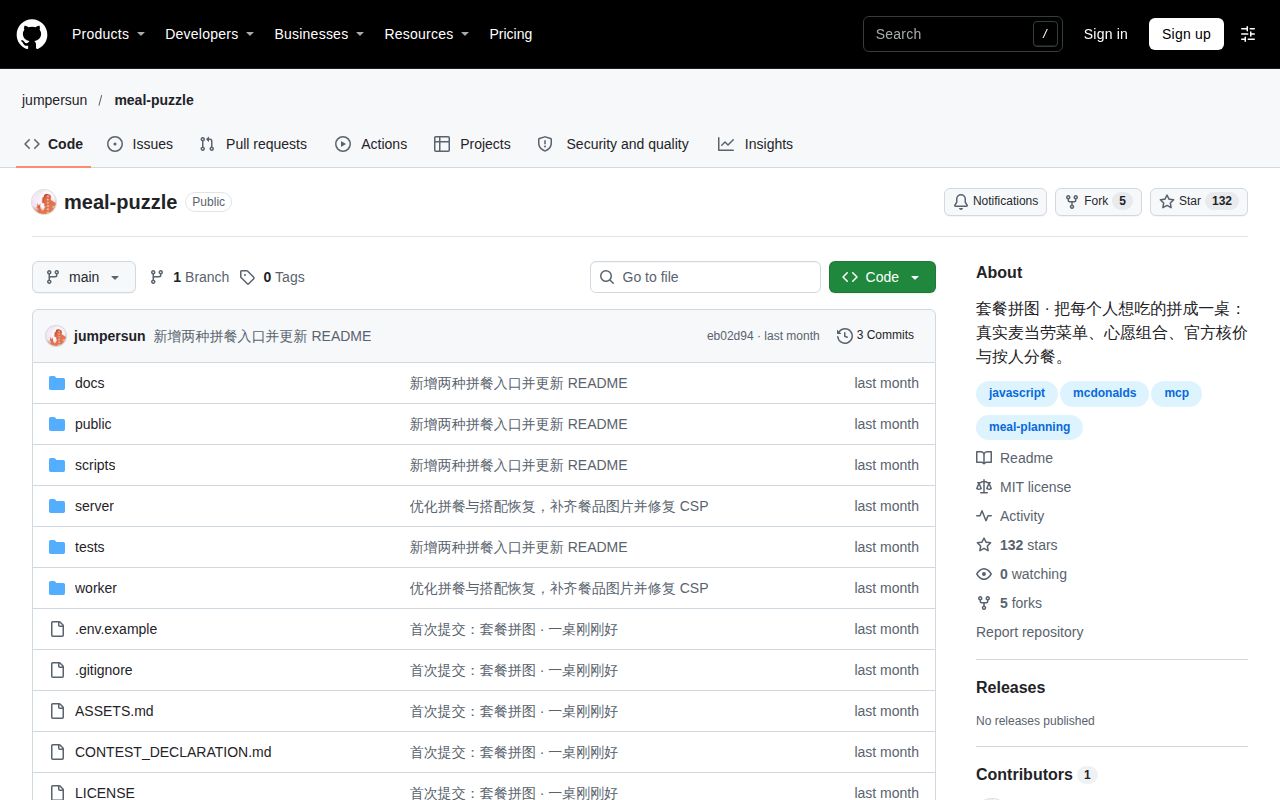
| Repository scan | 46 files, approximately 2,497 source lines, 2.9 MB checked out |
| Automation and packaging signals | 0 CI workflow files, no Dockerfile, tests directory present |
The sandbox configuration specified 3 CPUs, 8 GB of RAM and image label lab-node:22. A separate hands-on safety step failed because the runner required a Compose file and found none of compose.yaml, compose.yml, docker-compose.yaml or docker-compose.yml. The README documents direct Node startup instead. The failed step therefore identifies a mismatch with that runner's prerequisite; it supplies no diagnosis of the documented native startup path.
The hands-on run summary nevertheless says the project was deployed with its own Docker Compose on November 15, 2026, with every port bound to 127.0.0.1. That conflicts with the specific failed safety step. We give the failed step precedence rather than treating the generic summary as evidence of a working deployment. The separate teardown record reports "teardown: ok".
Where people get stuck: credentials, stale quotes and local state
The README requires a personal MCP token for real menus and price calculation, and refreshing the page clears the current table. Those instructions affect how an organizer prepares the session and saves its result. The table below translates documented behavior into actions; it is a guide to the supplied instructions rather than an account of support cases. The separate fictional demo provides a starting point before entering credentials.
| Situation | Documented explanation | Useful action |
|---|---|---|
| You want to explore without credentials | The separate demo uses fictional menus and example prices | Use it to learn the interaction, then keep its amounts out of a real order |
| The default port is occupied | README documents an alternate PORT value | Start with PORT=4318 npm start and open that port |
| You change items or the store | The old quote becomes invalid | Get a new quote before treating the list as ready |
| The quote disappears | The app expires its displayed snapshot after two minutes | Refresh the quote rather than copying an old amount |
| You need to reload the page | Names, wishes and the table are not persisted | Save the shareable list before leaving the session |
The integration guide describes the two-minute snapshot as an application display rule rather than an official price lock. It also says failed requests do not fall back to demo prices, candidates without successful pricing cannot be selected, and expired candidates hide their amounts and require regeneration. These rules distinguish a saved planning snapshot from the amount returned by a fresh price request for the current table.
Recommendations search a limited menu, not every possible bargain
The README limits planning to details for up to 20 relevant products, at most six candidate attempts and three successful price calculations. It explicitly says recommendations do not guarantee the lowest price across the whole menu. The ranking prioritizes wish satisfaction, actual total price and then extra portions. A displayed winner is therefore the preferred result within that bounded search, rather than a claim about every possible menu combination.
The integration guide says the budget shows the remaining or excess amount without silently removing wishes. Missing and extra food appear in the proposal, along with cup sizes, temperatures and offer conditions. An organizer can therefore compare the contents as well as the total. A cheaper candidate may contain a different allocation of food, so the useful next action is to read the proposal before accepting it as the group's table.
The documented input limits are one to six diners, nine wish categories, up to three portions per person per category and 18 portions across the table. Those categories include burgers or wraps, fries, nuggets, cola, coffee and breakfast items. The guide also distinguishes category matching from ingredient or allergen analysis. For a small group, the explicit bounds make the planner's job understandable: match requested food categories, price candidates and allocate the selected portions.
Security defaults favor one local operator
The integration guide says the local service listens on 127.0.0.1 and reads the MCP token on the server. It describes a four-tool allowlist covering nearby stores, menus, meal details and price calculation. The guide excludes order creation, payment, membership-card purchases and coupon claiming. That documented boundary gives the app a specific job: prepare and price a meal list while leaving the purchase in official channels.
The guide says names stay in the browser and the planning interface receives anonymous person identifiers and quantities. It also describes request-source, body-size and meal-size controls, a static directory restricted to public/, and error messages that omit upstream credentials. These are upstream descriptions of the intended implementation. Our npm audit result belongs to the separate package-audit record: it returned zero known vulnerabilities across the listed severity categories.
Public hosting changes the documented operating model. The integration guide says the current application lacks tenant-separated credentials and rate limiting for a public service, and its existing Sites deployment is restricted to the site owner. It directs other developers to run locally with their own tokens. Someone adapting the project for multiple remote users would need to address credential ownership and traffic control before offering that different service.
Chinese instructions and a mainland China service define the starting point
The supplied README and integration guide explain the workflow in Chinese, and the default location is Shanghai People's Square. Their button labels and walkthroughs are also Chinese. For an English-reading developer, the named source files and MCP tools provide useful navigation, while the operational instructions require translation. For an organizer, understanding those instructions matters because store selection, meal options and the final allocation all affect the list being prepared.
The official McDonald's China MCP guide states that the service is for mainland China, excluding Hong Kong, Macao and Taiwan. It documents a remote server at https://mcp.mcd.cn and token authentication. This is a geographic service boundary supplied by the upstream provider. The restaurant brand alone is therefore insufficient grounds to treat meal-puzzle as a planner for stores worldwide.
The README dates its own acceptance snapshots to October 14, 2026 at Shanghai Huangpu Huaxu International Building Restaurant. It describes both wish-led and manually selected meals, followed by allocation, option changes, repricing and sharing-list checks. Those examples explain the author's intended workflow and belong to the project's documentation. Our independently recorded sandbox results remain the installation, test, audit and repository observations reported above.
meal-puzzle vs manual ordering, Spliit and I hate money
Choose meal-puzzle for assigning food before checkout, and choose an expense tool for recording purchases and settling balances. Those tasks can arise during the same lunch but require different records. A food table answers who receives the burger or shared fries; an expense ledger answers who paid and who owes money. The comparison below follows documented purpose rather than assigning a speed or usability ranking.
| Approach | What the evidence describes | Pick it when |
|---|---|---|
| meal-puzzle | Wish-based combinations or manual selection, followed by food allocation and a shareable list | One local organizer wants to compare a small group's food choices before ordering |
| Manual ordering plus calculator or chat | xOcto frames its claimed advantage as an inference about repeated item changes and manual splitting | You prefer handling choices in the ordering channel and reconciling shares yourself |
| Spliit | Shared groups, expenses, balances and reimbursement expenses | The main task is recording expenses and who owes whom |
| I hate money | Tracking who bought what, when, and for whom | You want shared-budget records and help settling bills |
Spliit's README documents shared groups, group balances, reimbursement expenses and uneven splitting. It also provides a hosted instance or self-hosting instructions. Those features make it a relevant alternative when people owe different amounts after a purchase. meal-puzzle's documented allocation concerns food items, so an organizer should choose based on the record they need rather than treating food assignment and reimbursement as interchangeable outputs.
I hate money's README describes shared-budget management and bill settlement. Its stated purpose is tracking who bought what, when and for whom. Meanwhile, xOcto's meal-puzzle profile labels the proposed advantage over repeated item changes and manual arithmetic as an inference. That distinction keeps the comparison useful: the supplied evidence supports different purposes, while the manual route remains an option for someone who wants to manage the choices directly.
What the primary documentation adds
The current documentation identifies the proposed pricing connection to mcp.mcd.cn, while xOcto explicitly leaves that connection unverified. The xOcto profile describes official pricing but also says its source and connection to official systems need checking. The README and integration guide add a concrete mechanism: server-side token authentication and a calculate-price call for the selected table. That is additional documentation, rather than a demonstrated error in xOcto's acknowledged uncertainty.
The README also identifies meal-puzzle as an independent competition entry rather than an official McDonald's product. That separates the authorship of this app from the provider of its documented upstream service. The distinction matters when reading an "official pricing" description: it refers to the proposed price-calculation source, not ownership or endorsement of meal-puzzle. The guide's four-tool allowlist further separates the planner's scope from the upstream service's broader capabilities.
The supplied X search record includes roulette87104 promoting Dinner Roulette Pro, a different product. Its text concerns combining recipe ingredients into a shopping list, rather than jumpersun/meal-puzzle's restaurant workflow. That result belongs outside this repository's adoption story. The recommendation here rests on the identified repository, its supplied documentation and the recorded sandbox checks, with xOcto used only for its attributed description and inference.
Questions people ask
Real menu access requires a personal MCP token; the separate demo uses fictional menus and example prices. The README provides both paths and specifies Node.js 22+ for local use. The supplied research contains no relevant reader-question records, so these entry questions cover requirements, checkout and licensing using the project's documentation. Each answer concerns the documented local workflow rather than adding a new compatibility or deployment claim.
What do I need to run meal-puzzle locally?
The README specifies Node.js 22+ and a personal MCP token for live menus and pricing. It says the project has no third-party runtime dependencies and needs no npm install. Its sequence is to clone the repository, copy .env.example to .env, enter the token and run npm start. The default address is http://127.0.0.1:4317. For the fictional demo, leave the token empty and open /demo.html. These are README instructions, not commands newly executed for this revision.
Does meal-puzzle place the order or take payment?
Ordering and payment happen through official channels, according to the README. meal-puzzle organizes the pickup list and assigns food to diners. The integration guide limits its upstream calls to store discovery, menus, meal details and pricing. The practical handoff is the copied or downloaded list containing the selected store, food, options and quote information. Review that list when entering the purchase through the official channel. The integration guide describes this restricted scope.
Can I reuse the code under an open-source license?
The README identifies the original code as MIT licensed and separately points to terms for product images, trademarks and official statements. Code permission therefore needs to be read alongside the asset notice for any restaurant materials retained in an adaptation. The supplied official service guide also states its own usage terms for connecting to McDonald's MCP service. Start with the meal-puzzle README's licensing statement and distinguish code reuse from use of the upstream service or branding.
What we have not tested yet
The supplied evidence contains no completed independent live menu-and-price journey, screenshots or known-answer task results. Token enrollment, menu retrieval, candidate quality, quote accuracy, mobile interaction, accessibility, bill allocation and checkout handoff remain outside our completed hands-on evidence. Rendered page layout, automatic related links and recommendation modules also remain untested in this assessment, which covers the supplied text and evidence. The lab section retains the conflicting deployment records and their interpretation.
The harness supplies no passing-test count or detailed coverage record. Its image label is configuration data; actual runtime and operating-system versions require raw toolchain logs. Application memory, upstream latency, outage behavior and exercised request limits are also outside the measurements. The documented credential handling and request controls have not received an independent security audit here. A zero-vulnerability package audit answers a narrower question than an application security assessment.
The research pack supplies no relevant firsthand customer account, savings measurement, repeat-use evidence or support-resolution history. xOcto acknowledges missing usage data. The repository metadata records an October 14, 2026 last push and zero open issues and PRs observed on November 15, 2026; those dated observations do not determine support quality. The supplied video transcripts also provide no identifiable setup walkthrough that could add evidence of this repository's workflow.
A useful next evaluation is one real pickup list at a supported store: compare the selected items, options and fresh quoted amount with the official ordering channel, then account for every allocated or shared portion. Save the list and quote time together. That proposed check would address the purchasing question left open by the completed repository checks; it is a next step, not an additional result claimed by this review.