Ten tools share one cleanup history
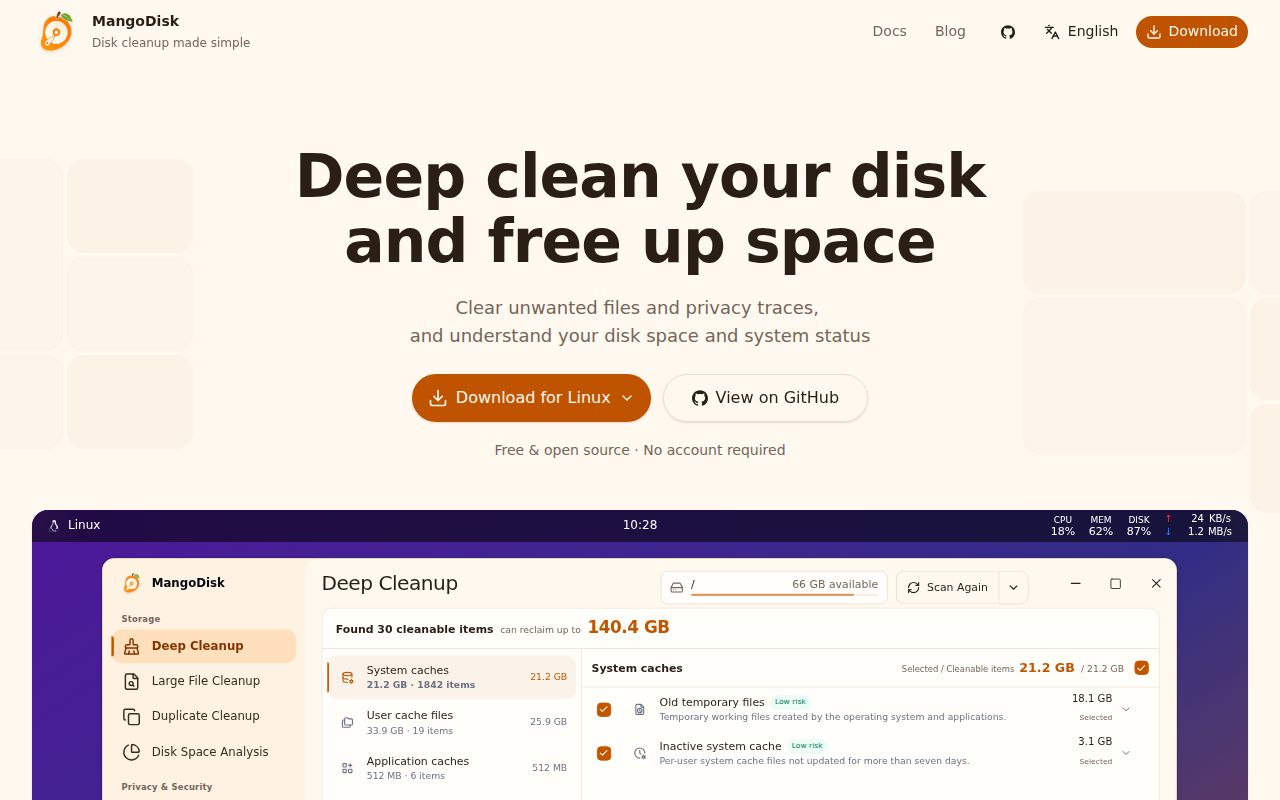
MangoDisk combines 10 jobs that usually live in separate utilities: deep cleanup, large-file search, duplicate detection, disk charts, privacy cleanup, application uninstall, startup management, system tuning, maintenance fixes, and operation history. The desktop interface runs on macOS, Windows, and Linux. A companion CLI brings the same cleanup engine to scripts on macOS and Windows, with Linux CLI users currently building from source.
The broad scope makes most sense on a developer workstation. Its rules know about package managers, IDEs, compiler caches, Xcode data, container caches, project build folders, and local AI models. Disk analysis can switch between a treemap and sunburst view. Resource monitoring, added in version 1.1.1, tracks CPU, memory, network, and disk activity from the menu bar or system tray.
Read-only scanning is the default
Running mangodisk clean scans without changing files. Applying recommendations requires a separate flag, and non-interactive cleanup needs another explicit confirmation. The desktop app also lets you review selections before deletion, then records the result in Operation History. Duplicate selection retains at least one file from every matching group, while system settings come from built-in definitions rather than arbitrary commands or registry paths.
Those controls are sensible because this app can make irreversible changes. The README tells users to keep backups and warns that cleanup, permanent deletion, and uninstall operations may not be recoverable. System changes are read back after application, with high-impact items and restart or administrator requirements called out. None of that turns an approved deletion into an undo button. Preview is the important step, especially for generated recommendations.
What happened when we ran it
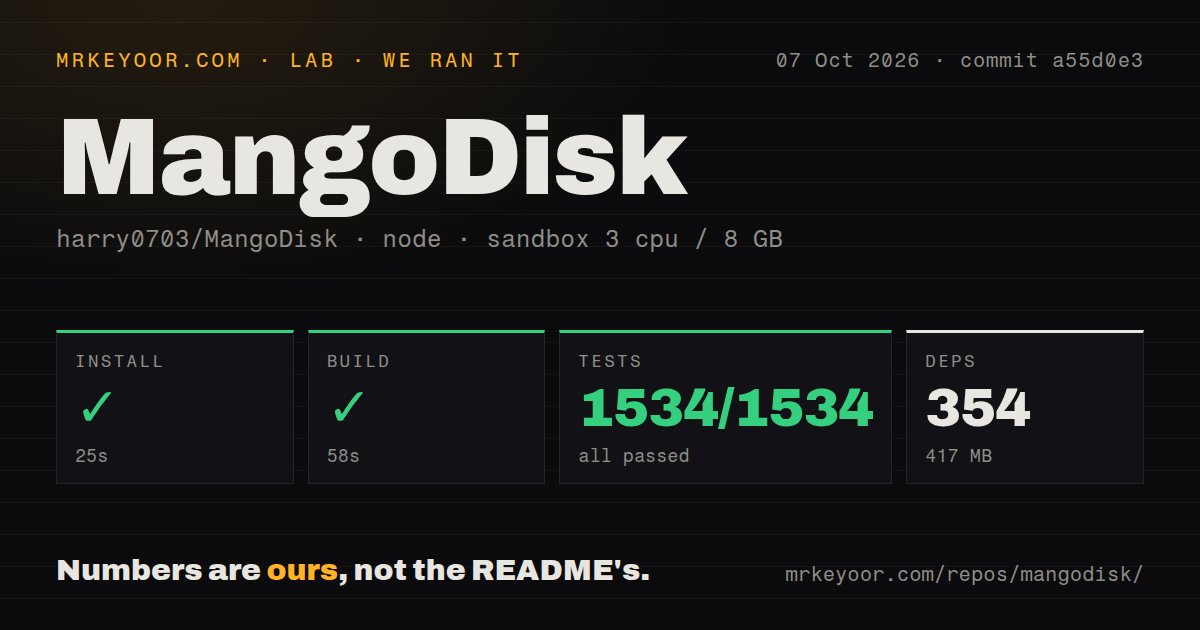
Our sandbox installed commit a55d0e3 in 25 seconds. Pnpm added 354 packages and occupied 417 MB on disk. The build completed in 58 seconds, and Vitest finished in 117 seconds with 1,534 passed and 0 failed. The container had 3 CPUs, 8 GB of RAM, Node 22, no secrets, and no elevated privileges.
The checkout itself was 15.5 MB, with 1,504 files and about 307,312 lines of source. It is a workspace monorepo with a tests directory and 1 CI workflow file, but no Dockerfile. These measurements cover dependency installation, compilation, and the supplied Vitest run. They do not show how accurately MangoDisk estimates recoverable space or whether each cleanup rule behaves correctly on macOS, Windows, and every supported Linux desktop.
A fully green 1,534-test run is meaningful for a utility trusted with deletion. It says commit a55d0e3 arrived with a working JavaScript test suite and build in our clean container. It cannot simulate a user's mounted disks, browser profiles, environment variables, permissions, or half-configured developer tools. For those paths, the preview list and a backup remain stronger protection than a passing unit test.
Drive selection does not bound every cleanup rule
Open issue 66 reports an Ollama model library being removed from another Windows drive after drive C was selected. The maintainer asked whether the action came from Deep Cleanup or Large Files and explained an important distinction: in Deep Cleanup, selected disks add project search locations but do not restrict every cleanup item. The Ollama rule follows its configured model path, including OLLAMA_MODELS, and removes the whole library when the user selects and confirms that item.
The Ollama item is unchecked by default, and the report remains open while the exact app steps are being confirmed. So this is not proof of an automatic cross-drive deletion. It is proof that the interface can invite a narrower interpretation than the rule engine uses. If a scan covers C but a selected row points to D, the path in the confirmation screen matters more than the drive picker that started the scan.
Version 1.1.6 is active and still young
MangoDisk 1.1.6 shipped on October 4, 2026. It added sunburst charts, nested treemaps, CPU rankings, more AI explanation targets, and three languages. The release also fixed double-counted disk usage and inaccurate resource readings in some cases. GitHub showed 3,793 stars and 7 open issues and pull requests on October 7, the same day as the repository's latest push.
That pace is impressive for a project created on August 1, 2026, but two months is little history for software that deletes files and changes system settings. Recent closed issues cover permissions guidance, uninstall size detection, an AI-service connection header, and Linux desktop support. Fast replies reduce waiting time; they do not create years of field experience across three operating systems.
AI explanations are optional advice
Version 1.1.0 added explanations for cleanup and system items. Official builds include a limited number each day, and users can connect another AI service. The feature receives an item's description and current scan result, then explains purpose and possible impact. It does not choose the action. The README puts the confirmation decision with the user.
That boundary is the right one. A language model can make an unfamiliar cache name readable, but it cannot know whether an untracked build folder contains your only copy of work. MangoDisk is easiest to trust when used as an inventory first: scan, sort by size, inspect paths, and delete a small reviewed batch. Its passing 1,534-test result earns a trial. Your backup earns the cleanup.