The sample config already gives you a household display
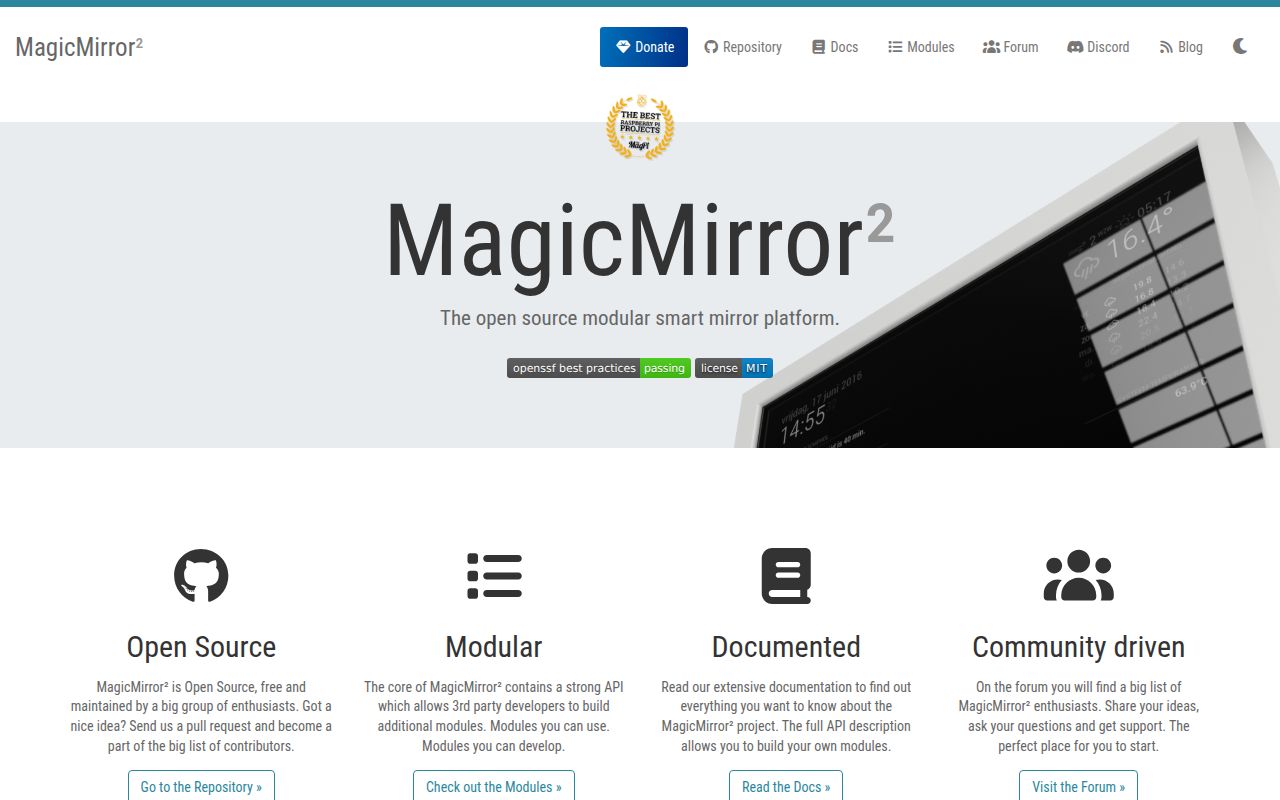
MagicMirror's sample configuration puts a clock and calendar on the left, weather on the right, and news along the bottom. You choose modules and their positions in a JavaScript file. That is enough to explain its appeal: an always-visible display can answer everyday questions without someone opening an app. The modular design suits a mirror or wall screen whose owner enjoys adjusting what appears, including writing a module when the available ones do not fit.
Our source checkout was 2.6 MB, but installing it produced a 297 MB footprint. That is a manageable disk cost for many household computers, though it says nothing about memory consumption or display smoothness. Electron wraps the interface for local use. Server-only mode lets a separate browser show the same display. Pick that deployment deliberately: the desktop session, remote browser, and feeds introduce different failure points even when they share the same configuration.
What happened when we ran it
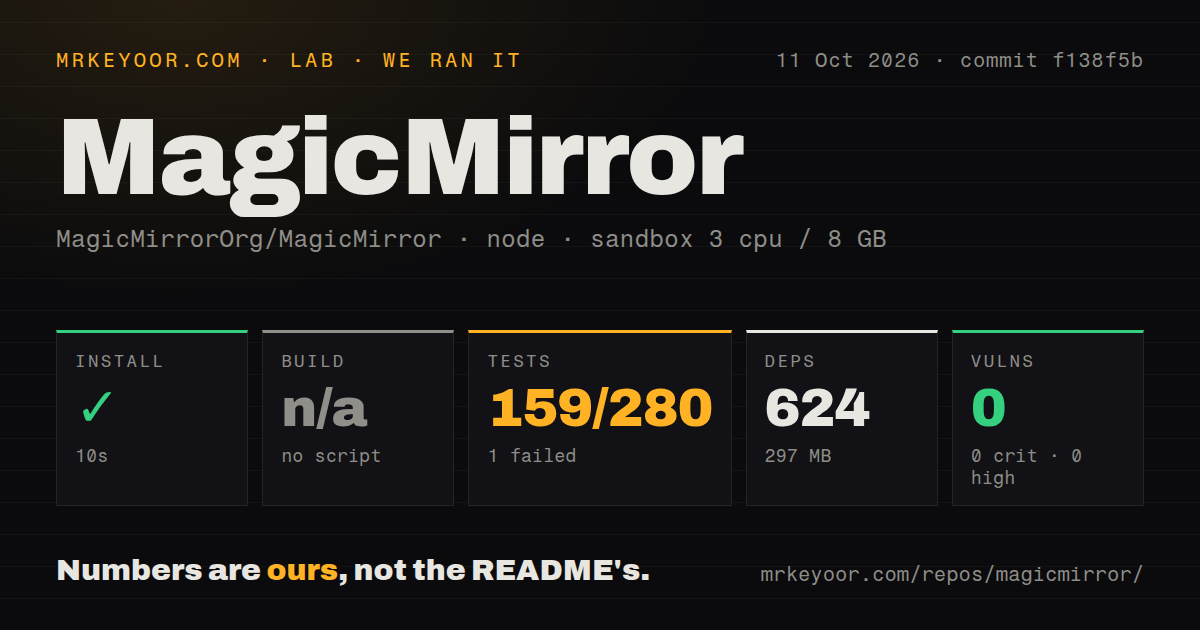
Our sandbox installed MagicMirror commit f138f5b in 10 seconds on October 11, 2026, adding 624 npm packages and occupying 297 MB. We ran it in a fresh unprivileged Debian container with 3 CPUs, 8 GB of RAM, the lab-node:22 image, and no secrets. Installation succeeded. The harness found no build script or target, so it skipped that step. There is no build result to turn into a performance claim.
Vitest failed with exit 1 after 81 seconds. The supplied summary reports 159 passed, 1 failed, and 117 skipped out of 280 tests. Those outcome counts do not account for every test in the stated total, so we retain the reported figures rather than fill the gap. The tail names tests/e2e/animateCSS_spec.js and its animateIn/animateOut integration test, with a stack location at runAnimationTest, line 63. It provides no exception message explaining the cause.
The log also reports 6 failed test files and 2 passed, with 73 files shown in the total, and lists skipped weather, clock, calendar, and compliments suites. It does not explain each file failure. Our scan found 458 repository files, about 32,518 source lines, 8 CI workflows, and a tests directory, without a Dockerfile. npm audit reported 0 known vulnerabilities across all severity levels. That clean dependency result and the failed suite answer different questions.
The runtime needs a desktop session or another browser
Release v2.38.0 requires Node >=22.22.2 <23 or >=24. The requirements guide says Electron needs a desktop environment, ruling out an unchanged Raspberry Pi OS Lite installation for the local window. Current startup defaults to Wayland, with a separate X11 command. Windows also has its own start command, and the installation guide warns that some community modules may not work there. Check these requirements before repurposing an old machine.
Our 8 GB container establishes no minimum hardware recommendation. Open issue 4287 concerns the same f138f5b release on a Raspberry Pi 3 running Debian: the server responded while the attached screen became black and the Electron renderer disappeared. The reporter says changing Electron versions changed the outcome, but leaves the underlying cause unconfirmed. This is separate from our AnimateCSS failure. A healthy HTTP response alone would miss the display problem the household actually experiences.
Configuration work continues after the quick install
The official installation guide supports manual installation, copying config.js.sample, then starting the app. Community installers and container options are documented separately and are not maintained by the core team. The README's Electron pitch removes the need to arrange a separate browser for the local window. It does not remove module configuration, account details, or checking that your chosen calendar source returns usable events.
The 624 packages in our run came from the repository install, not a household-specific collection of plugins. The sample uses an Open-Meteo weather provider with coordinates, a public holiday calendar, and a news feed. Basic clock display needs no hosted credential. Private calendars or other weather providers may need access details, and added modules can bring their own services. Start with the included modules and your actual feeds before expanding the display. That keeps troubleshooting tied to something you can see.
Network access requires explicit restrictions
The sample listens on localhost with a loopback IP allowlist, and the official guide warns against making MagicMirror directly internet-accessible. Remote use needs deliberate interface and allowlist settings. A public-facing proxy also needs authentication, HTTPS, and network restrictions. Recent release notes include client-configuration redaction and trusted-proxy client-IP fixes. Those changes are relevant to a server displaying private calendar details, even if you originally bought the screen just for weather.
Our audit's 0 known vulnerabilities cannot establish safe network exposure. The project's configuration-disclosure advisory and proxy-IP advisory both identify v2.38.0 as patched. They describe application behavior outside a dependency audit's scope. Use the patched release and preserve narrow access settings. Clearing the allowlist because a remote browser cannot connect would discard a control the project explicitly provides.
Active maintenance makes this a conditional recommendation
GitHub recorded an October 10, 2026 push, following the October 1 v2.38.0 release, with 24,031 stars and 5 open issues and PRs in the repository facts response. Recent issue activity includes the Pi display report and an October request for advisory CVE identifiers. Maintenance is active. The failed 81-second suite still prevents a clean recommendation for developers who require reproducible fresh-container checks before adopting a project.
Choose MagicMirror when you want a persistent household information display and can maintain its configuration. Home Assistant is a better starting point when controlling devices is the job. Homarr suits a dashboard for self-hosted services, with visual layout editing. Our 159 passing tests give useful evidence, but the skipped cases and failure leave display validation to your target hardware. Check the screen itself, your real calendar, and recovery after restart before mounting the computer somewhere awkward to reach.