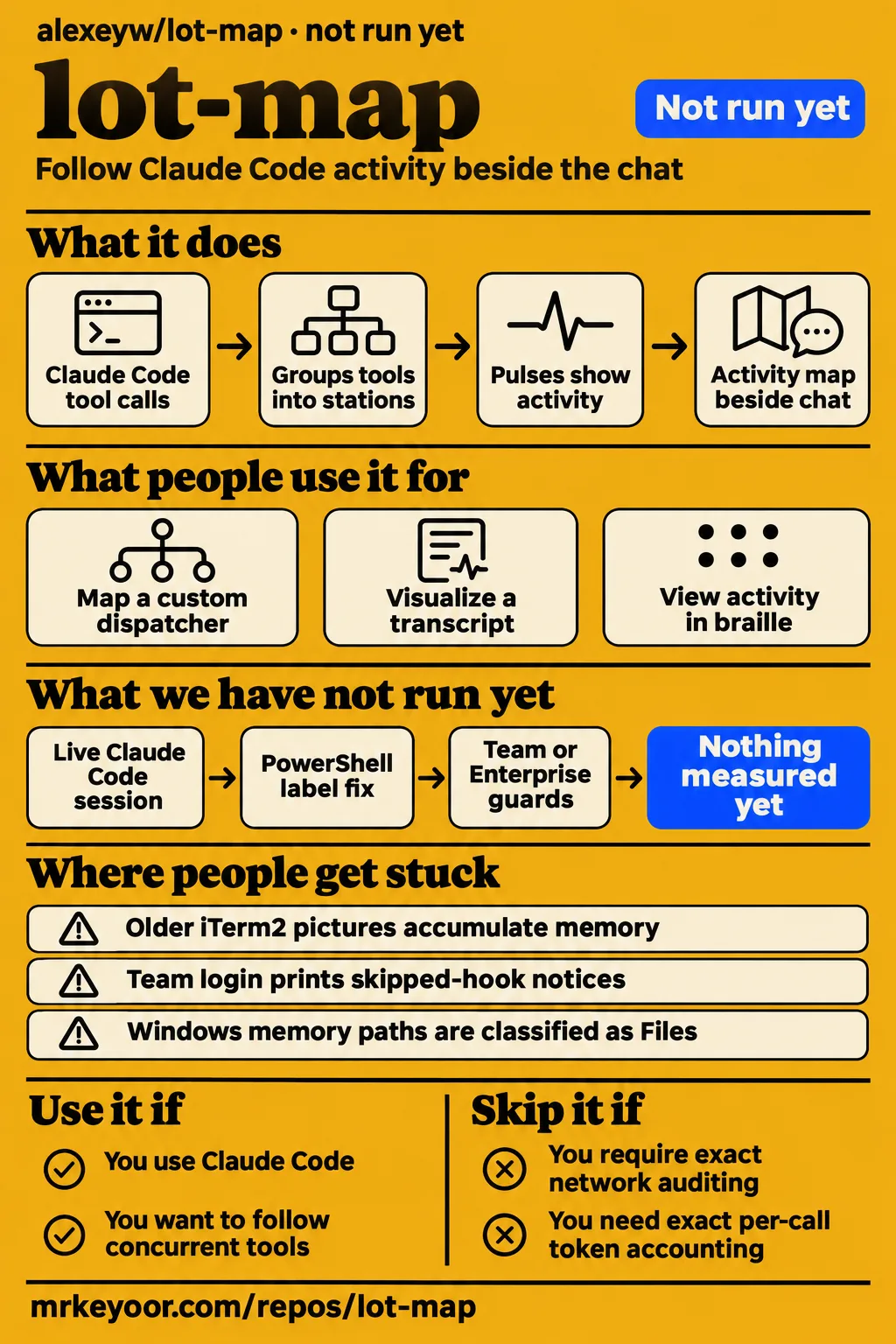
lot-map adds an activity map beside Claude Code chat, grouping tools, agents and hooks into visible stations. It suits users following concurrent work or custom dispatchers. Our November 23, 2026 harness stopped before execution at commit ea9de48. This review separates the project's documented behavior, contributor reports and our recorded setup outcome, then explains how to choose between the existing Claude Code interface, lot-map's terminal views and the separate Hermes community port.
Claude Code activity appears beside the chat
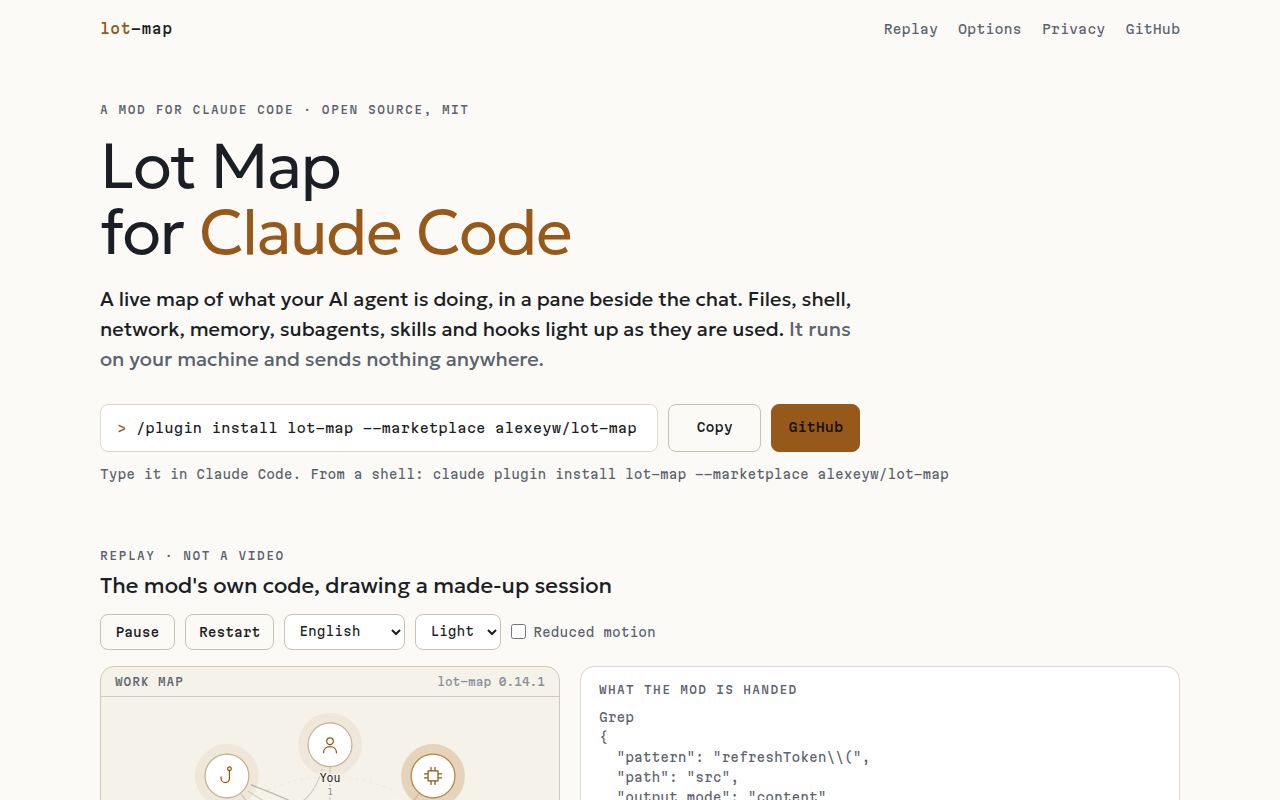
The README describes lot-map as a live map beside Claude Code chat, with pulses for tools, model steps, hooks and skills. This review concerns alexeyw/lot-map, the Claude Code plugin. Its stations include Files, Shell, Network, Browser and Agents. A pulse leaves when activity starts and returns when it finishes; refusals and errors turn red. The central ring shows context-window usage alongside the command feed.
The README describes a default feed of 16 rows, with consecutive completed calls at one station folded together. Running calls remain visible, subject to a shared space allocation when many are active. File operations collect under Files, while subagents circle Agents and their calls start there. Someone watching several kinds of work during the same turn can follow the station counts and pulses while keeping the conversation visible.
What people use lot-map for
Zhuojun Li reports that six dispatcher commands classified as Agents and a command chained to curl classified as Network. Li ran nine real command lines through the 0.13.0 classifier, then saw Agents light up in VS Code after a restart while preparing work orders. The commandStations option lets a developer place a custom dispatcher on an existing station while retaining its row label.
The creator of GitHub AI repo's video used lot-map's drawing code to visualize a transcript from a session reported to span 16 days and more than 5,600 tool calls. The workflow included producing channel videos and browser work in YouTube Studio. The creator identifies the displayed map as a transcript replay, showing how the drawing code can present the sequence of work in a long session.
GitHub user castigator reported that braille worked well during the iTerm2 picture-memory problem. A separate account-management use appears in issue #54, where whermeling tested guardedHooks off on a Claude Team login on macOS. Desktop checks used Claude Code 2.1.325 and terminal checks used 2.1.326; the terminal map showed You, Model, Files and Skills, and the reported checks produced no notices.
What happened when we ran it
Our run recorded lot-map at commit ea9de48 as not runnable because the harness supported neither its TypeScript ecosystem nor a Dockerfile route. The November 23, 2026 measurement records 3 CPUs, 8g RAM and image n/a as the sandbox configuration. Installation, build and test fields were null. The separate hands-on attempt also stopped before deployment, at a prerequisite requiring a Compose file.
| Question | Answer | Verdict | Why |
|---|---|---|---|
| Did the source harness execute lot-map? | No: unsupported ecosystem, TypeScript; no Dockerfile | Not run | The harness recorded no installation, build or test result |
| Did the separate deployment pass its safety step? | FAILED: none of compose.yaml, compose.yml, docker-compose.yaml or docker-compose.yml existed | Prerequisite failed | That runner required a Compose file |
| Did the run-summary line establish deployment? | It said deployed with its own docker compose, every port bound to 127.0.0.1 | Conflicting summary | The failed prerequisite contradicts the deployment summary |
| Did cleanup complete? | teardown: ok | Cleanup completed | The teardown record reports cleanup, not application execution |
The hands-on safety result names all four missing Compose filenames. Its phrase "unsafe repo" describes that runner's eligibility rule. The run-summary record claims deployment with ports bound to 127.0.0.1, but the failed prerequisite contradicts it. The teardown record says "teardown: ok". Together, these records support a failed deployment prerequisite followed by cleanup.
Where people get stuck: rendering, guards and stale updates
Issue #81 records an iTerm2 picture-memory problem and the restoration of pictures for iTerm2 3.7.8 in lot-map 0.12.0. The README documents the same terminal boundary. Other discussions concern guarded hooks, Windows path classification, pane startup and updating. An empty station, a skipped-hook notice and a text-only pane concern different parts of the display; the documented responses below address each symptom separately.
| Symptom | Discussion or documentation | Documented response |
|---|---|---|
| iTerm2 pictures accumulate memory | #81 records disabling pictures in 0.9.0 and restoring them in 0.12.0 for iTerm2 3.7.8+ | Upgrade iTerm2 or explicitly choose braille |
| Team or Enterprise login prints skipped-hook notices | #54 describes guardedHooks and five guarded events | Turn guardedHooks off |
| Desktop startup prints no-surface | #54 records a startup fix | Use the release containing the fix |
| Memory stays dark on Windows | #16 identifies backslash paths classified as Files; 0.3.3 normalizes separators | Update and inspect memoryPaths |
| Updating reports the old version as latest | The README requires a marketplace refresh first | Run both update commands, then start a new session |
| A tall desktop pane has unused feed space | #98 requests logRows with 16 and fill choices | Select fill for the desktop docked pane |
The maintainer's response in issue #16 identifies 0.3.3 as the Windows path fix, while the reporter had used 0.3.1. The same thread corrects an earlier update instruction. The current README's sequence is claude plugin marketplace update lot-map, then claude plugin update lot-map@lot-map, followed by a new session. Without the first command, the second can report the installed version as latest.
The logRows discussion in issue #98 describes empty space below a 16-row feed. The README now offers fill for the desktop app's docked pane while terminals, editors and the mobile app keep 16. Another appearance option addresses a different request: background=transparent lets the pane show through the map. The README explains that label rims still use the background color, which can leave a faint halo against a different shade.
Terminal graphics depend on the terminal and the pane
The terminal default is text; picture and braille are explicit terminalView choices. The README requires fullscreen Claude Code for either terminal map. If the pane sits below the conversation, /tui fullscreen selects the documented layout. Braille needs a font containing braille characters and a pane body of at least 50 columns and 25 rows. The pane can also be opened manually with /lot-map.
| Environment | Documented route | Evidence |
|---|---|---|
| macOS with Claude Code | Desktop pane or compatible terminal view | README names Claude Code 2.1.321 on macOS as its build and test environment |
| iTerm2 before 3.7.8, or without a reported version | Text rows or explicitly selected braille | README and #81 describe the picture restriction |
| iTerm2 3.7.8+ | Picture mode in lot-map 0.12.0+ | #81 records restoration and follow-up checks |
| Windows Terminal | Braille with a suitable font | README documents text-cell rendering without terminal images |
| VS Code | Map with zoom and hide controls | README describes controls for the shorter extension pane |
In issue #81, castigator reported steady memory over a day after upgrading iTerm2 to 3.7.8. Alexeyw separately reported 1,466 frames over four and a half minutes, with iTerm2 memory between 327 and 351 MB. Those two attributed checks appear in the issue's follow-up. The terminal's version determines whether pictures are enabled; braille is an explicit choice rather than an automatic graphics fallback.
Context figures estimate growth, and Network classifies commands
The README calls contextCost an estimate of context growth, shown one model step late. With the option enabled, rows show approximate growth and stations show session totals. Growth includes the model's words, hook additions and sometimes the user's message. Two or three calls in one step share growth evenly. The display associates growth with categories of activity during the session.
The contextWindow default is model, meaning the model's whole window; compaction uses a smaller auto-compaction window when one applies. The request in issue #97 illustrates the distinction with a 1M model window and a 600,000-token compaction setting. At 450,000 tokens, the example gives 45% of the model window and 75% of the compaction window. The README documents the two denominators and the fallback to model size.
Issue #55 acknowledges that a local MCP server can light Network without contacting the web. The maintainer chose configurable existing stations through serverStations, keeping server identity in row labels rather than adding an eleventh station or per-server marks. Separately, the README says shell classification follows command names: a custom script that opens a connection can still appear as Shell. Network is the name of a classification category.
Privacy depends on what reaches the plugin and what it displays
The README says lot-map makes no network requests and receives every tool call's whole input, including command lines and text written to files. Its privacy description distinguishes receiving those inputs from extracting names for display. Organizations whose policies restrict plugin access to tool inputs therefore need to consider what reaches the plugin, alongside the shorter labels that appear on the map.
The README describes labels based on file-path tails, web hosts and shell descriptions or approved command names. It says rows live for the session, while the last model name per folder is retained in Claude Code's plugin store under the folder's full path. hookReasons and subagentNames default to false. A refusal's first line can quote what a hook found, which explains the separate option for showing that text.
Zhuojun Li reports a secret-label fix in 0.13.0. The contributor's account describes a PowerShell assignment without a description being labelled with its value. This report concerns displayed labels. The README also says a marketplace added from the repository follows main, so updates bring that branch's current code. Both the installed version and the code introduced by updates belong in a reader's permission decision.
lot-map vs raw terminal logs and the Hermes community port
Keep Claude Code's existing interface when its conversation and tool output suffice; add lot-map for an activity overview, or consider the separate Hermes port if you use Hermes Agent. The Claude Code README describes a terminal coding tool that executes tasks and handles Git workflows. X user aiwaremax prefers the map when subagents and hooks run simultaneously, a stated preference for an additional view of the session.
| Choice | When it fits | Evidence-based distinction |
|---|---|---|
| Claude Code's existing interface | The conversation and tool output already answer your questions | It is the underlying coding tool |
| lot-map picture view | You want the animated map in a compatible terminal | iTerm2 pictures require 3.7.8 or later |
| lot-map braille view | You want a map rendered as text cells | Castigator reported it worked well during the picture problem |
| Existing stations with serverStations | You want MCP tools grouped by your categories | Server names remain in row labels |
| Lot Map for Hermes | You use Hermes Agent | It is an independent port with Hermes-native events |
The Hermes port is a separate project with Hermes-native events and the original SVG and braille renderers. Its README identifies it as an independent community port, unaffiliated with and unendorsed by Nous Research or the upstream author. Assess its permissions independently. The project names distinguish alexeyw/lot-map, for Claude Code, from thanhduy1706/lot-map-hermes, for Hermes Agent.
Outdated claims, corrected
HotRepo's text-only terminal description differs from the current README, which documents optional picture and braille maps. HotRepo says the terminal renders text-only; the upstream README makes text the default among three terminalView choices. HotRepo also describes labels as never containing contents. Li's report of the 0.13.0 PowerShell label fix supplies a concrete version-specific correction to that absolute wording.
The aiwaremax X post says lot-map reads runtime metadata only and never file contents. The README instead says the plugin receives each call whole and extracts names. Receiving input and retaining a label are different actions. The port has a separate stale statement: its README says it is not yet in the Hermes catalog, while a NousResearch/hermes-agent commit adds Lot Map 0.2.0 as a community plugin.
FAQ
lot-map shows tool calls, model steps, hooks, skills and subagent activity beside Claude Code chat. The README describes station pulses, error markers and a context ring. The answers below cover the questions raised about that display, including terminal graphics, account guards, Windows paths and context settings. Each points to the documentation or discussion behind the answer.
What does lot-map show while Claude Code is running?
It maps activity to stations including Files, Shell, Memory and Agents. The README describes pulses for starts and finishes, red markers for errors and refusals, and rows naming the activity. Running subagents circle Agents, while a central ring indicates context usage. Completed calls at one station can fold into a single feed row.
Who is lot-map right for?
It suits Claude Code users who want to follow concurrent tools or custom dispatchers while keeping chat visible. Li's 0.13.0 example places dispatcher commands on Agents. That configuration gives developers a way to place their own scripts in a workflow category instead of leaving them under Shell; the feed retains the command's label.
Does lot-map send my session anywhere?
The README says the plugin makes no network requests and keeps activity rows for the session. It also says the plugin receives full tool inputs and retains the last model name per folder between sessions. These are the project's disclosures about lot-map; the Claude Code repository separately describes data collection by the underlying coding tool.
How do I get graphics to appear in my terminal?
Choose picture or braille through terminalView and use fullscreen Claude Code. The README names /tui fullscreen and requires iTerm2 3.7.8 or later for iTerm2 pictures. Braille needs an appropriate font and a pane body of at least 50 columns and 25 rows. The /lot-map command opens the pane manually when it has not opened automatically.
Why does picture mode make iTerm2 use so much memory?
Older iTerm2 retained pictures sent to it, according to the README and issue #81's reproduction and follow-up. lot-map disabled that picture route in 0.9.0 and restored it in 0.12.0 for iTerm2 3.7.8 onward. Text rows and explicitly selected braille use different rendering paths from terminal pictures, which explains the workaround discussed in the issue.
How do I stop skipped-hook notices on a Team or Enterprise login?
Turn guardedHooks off, as the README instructs for guarded Team and Enterprise events. The option omits registrations for five events the organizational guard skips. In issue #54, whermeling reported no notices during desktop and terminal checks involving tool calls and skill use on a Claude Team login on macOS.
What visibility do I lose when I disable guardedHooks?
The README lists the Hooks station, hook-added records, typed slash-command rows and compaction marks as removed with guardedHooks off. A refused call still receives a failure marker but loses its blocked classification. These changes are part of the documented guardedHooks option, and explain the difference between the reduced display and the default configuration.
Why does the Memory station stay dark on Windows?
Issue #16 identifies Windows backslash paths being classified as Files instead of Memory. The maintainer says 0.3.3 normalizes incoming paths and memoryPaths values to forward slashes before matching. The reporter had used 0.3.1. The diagnosis concerns which station receives memory-folder reads and writes, with both built-in memory paths and custom memoryPaths affected.
Why does updating lot-map report my old version as latest?
The marketplace must be refreshed before the plugin update. The README specifies claude plugin marketplace update lot-map first and claude plugin update lot-map@lot-map second, followed by a new session. It explicitly says omitting the first command causes the second to report the installed version as latest. Issue #16 also corrects an earlier update instruction.
Does the context ring measure the model window or my custom auto-compaction limit?
The default contextWindow=model measures the model's whole window. Selecting compaction uses the smaller auto-compaction window when one applies, according to the README's option description. Without a smaller window, or with auto-compaction off, the two choices show the same denominator. Issue #97 illustrates the difference with a 1M model window and a 600,000-token compaction setting.
Which tool calls are filling my context window?
Enable contextCost to show estimated growth on rows and station totals. The README explains that the figures arrive after the next model step, and two or three calls in one step share growth evenly. The figures include growth associated with model words and hook additions, so the station totals describe categories associated with context growth.
Can lot-map distinguish individual MCP servers from web activity?
serverStations assigns an MCP server's tools to an existing station, while the row retains server identity. The maintainer's response in issue #55 chooses that option rather than adding a dedicated MCP station or individual server marks. The README lists the accepted station names and says memoryServers takes precedence when a server appears in both settings.
What we have not tested yet
Our sandbox produced no live Claude Code session, so installation, rendering, runtime overhead and privacy behavior have no lab result here. The image field n/a identifies no runtime or operating-system version. We have not exercised the PowerShell label fix, inspected network traffic, reproduced Team or Enterprise guards, or compared Windows, Linux, macOS and VS Code using the same workload. The latest-release metadata identifies v0.14.1; the harness records commit ea9de48, without proving an exact tag match.
The 16-day video is a transcript replay, and Li explicitly says the dispatcher work had not been watched through a full day of orders. Castigator's all-day iTerm2 report and alexeyw's 1,466-frame measurement cover their stated combinations and durations. The Windows maintainer response explicitly rests on code and a test rather than a Windows run. These observations do not support a general sustained-operation or platform-reliability score.
The README documents missing contextCost figures for some end-of-turn, interrupted and pre-compaction calls, shared growth across calls, and no direct figures for subagent contexts. Disabling guardedHooks also removes the post-compaction window refresh. No side-by-side productivity measurement, broad adoption study or independent security audit supports this review. Network classification is not an audit of actual outbound connections, and contextCost is not exact per-call token accounting. The Hermes catalog commit establishes an addition, not availability in every distributed version; the port's behavior and permissions require their own assessment.