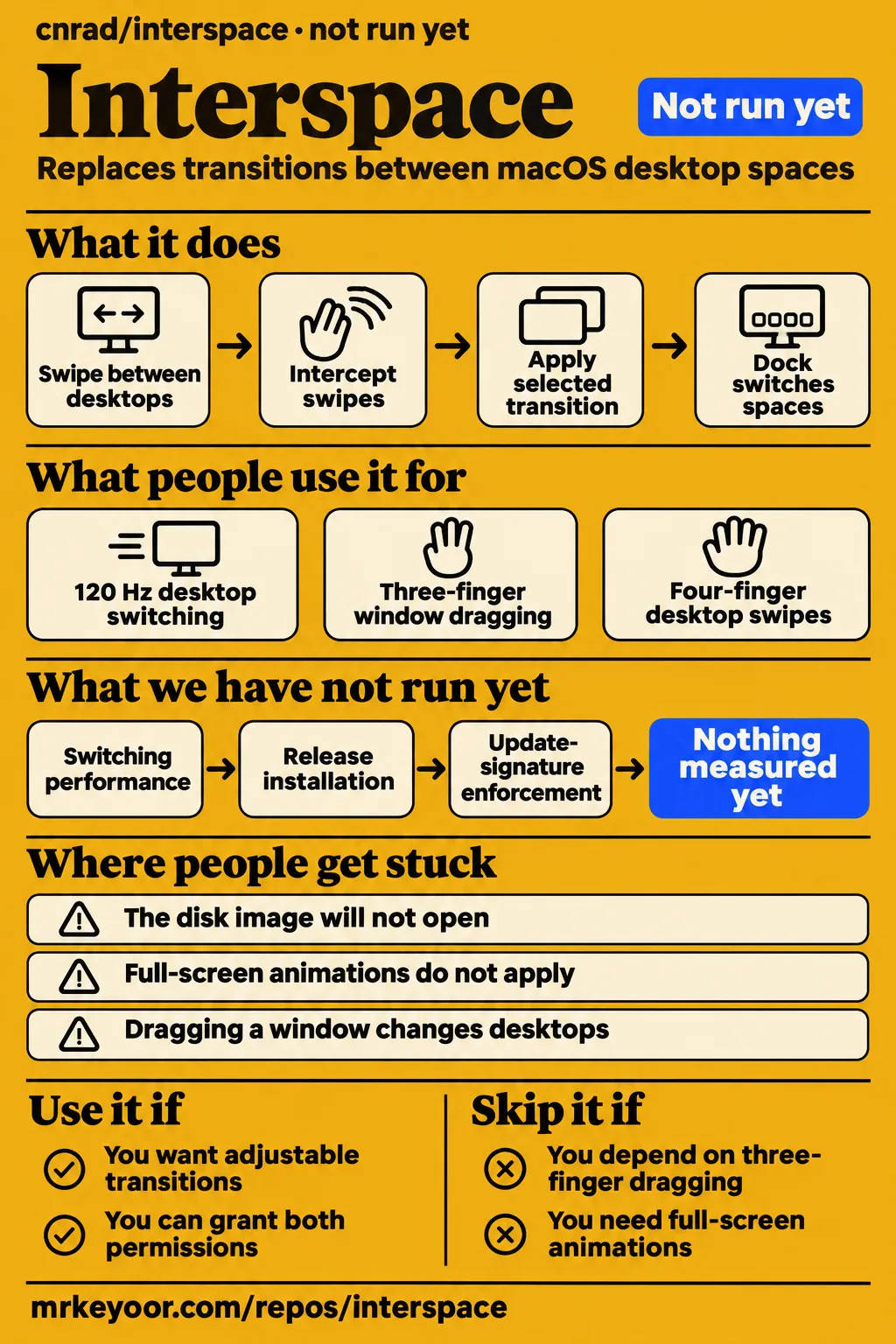
cnrad/interspace replaces transitions between macOS desktop spaces, with controls for animation speed and swipe sensitivity. One user reports that it fixed 120 Hz switching lag while also making window drags switch desktops. Use it if you want adjustable transitions and can troubleshoot gesture behavior. Skip it if reliable three-finger dragging or selected effects between full-screen apps are essential to your work. Those two navigation actions have specific reported problems.
What you can do with Interspace
Interspace replaces desktop transitions while the Dock still performs the actual space switch, according to the Interspace README. A space is a desktop you can move to while keeping windows on another desktop. Interspace changes how that movement looks and responds to input. Its documented controls concern transitions between work areas, rather than automatically arranging the windows inside them.
The README lists macOS Default, Instant, Lightweight, Magnetic, Prism and Stack transitions. Instant removes the animation; Lightweight slides the screens and pulls them back slightly; Prism turns spaces as sides of a prism. Settings also controls how quickly a transition finishes after release, how far screens move for the same finger travel, rounded corners, and whether the Dock and menu bar move with each desktop. These choices give readers a concrete reason to consider it beyond suppressing animation.
The documented mechanism combines intercepted swipe events, raw trackpad positions and a full-screen overlay showing desktop pictures. When the user releases the gesture, Interspace sends a synthetic swipe to the Dock beneath that overlay, then removes the overlay when the desktop is ready. The README also says the normal left-space and right-space keyboard shortcuts use the selected transition, and quitting Interspace immediately restores normal macOS behavior.
What people use interspace for
Author notcnrad demonstrated replacement desktop switching on a 120 Hz display, and user edu_serrano_ reported using it with three-finger dragging and four-finger desktop switching in the author demonstration and user report. Their accounts describe both the attraction and a gesture conflict. The useful distinction is between wanting a different transition and keeping the window-moving gestures already built into a daily workflow.
| Who used it | What they did | Reported outcome |
|---|---|---|
| Author notcnrad | Demonstrated standard macOS desktop switching beside the replacement on a 120 Hz display | Called the replacement faster and nicer |
| X user edu_serrano_ | Used three-finger dragging with desktop switching assigned to four fingers | Reported that Interspace fixed 120 Hz desktop-switch lag, but window drags kept switching spaces |
The same user's post says they opened a PR so Interspace would follow the macOS swipe setting. That makes dragging a window a useful adoption question alongside switching desktops: the reported benefit and interruption happened in the same person's setup. Someone who frequently repositions windows has a different decision to make from someone who primarily navigates existing desktops with keyboard shortcuts.
What happened when we ran it
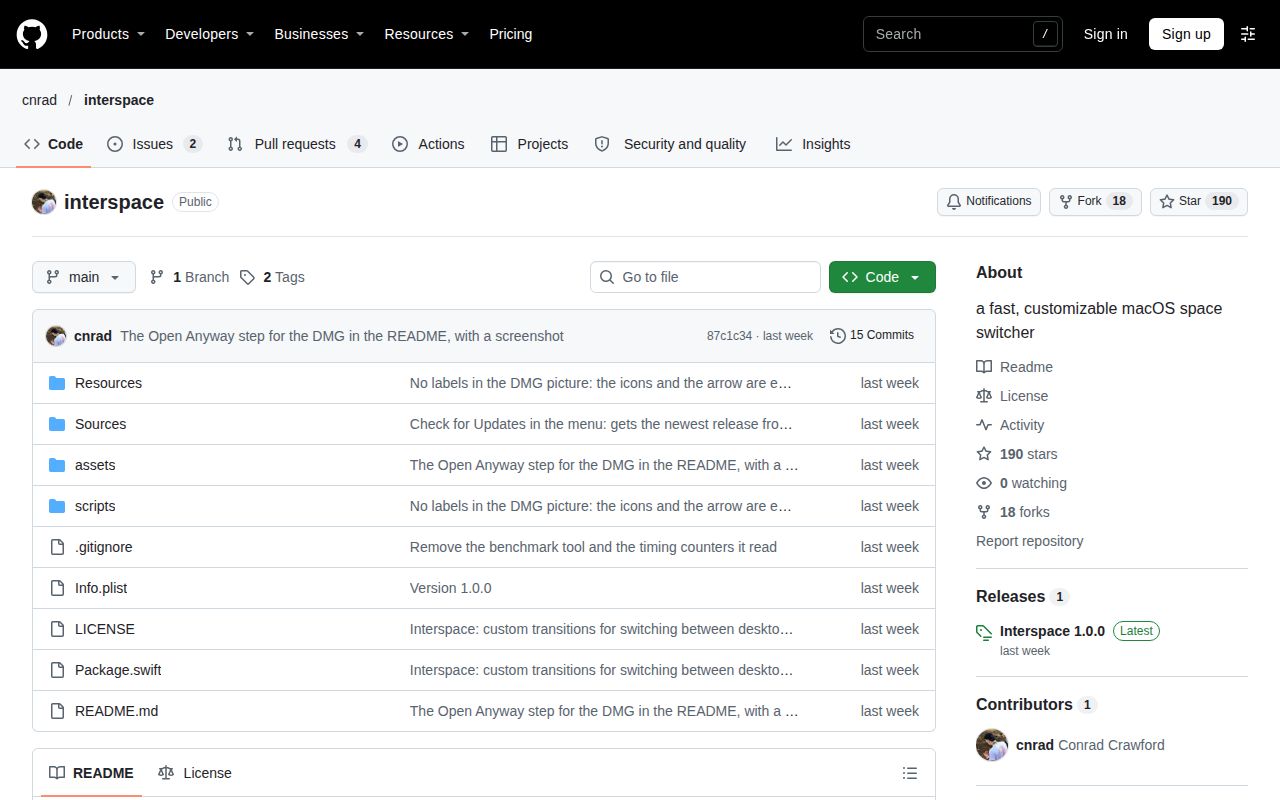
Our November 23, 2026 harness check of commit 87c1c34 lasted 4 seconds and stopped before application execution. Swift was outside the supported ecosystems, and the checkout had no Dockerfile. Four seconds is the duration of our harness check, not installation time or an app-performance result. The recorded sandbox allocation was 3 CPUs and 8 GB RAM, with image n/a, as recorded in our sandbox measurement.
| Check | Recorded result | Verdict | Why |
|---|---|---|---|
| Source checkout | commit 87c1c34, November 23, 2026 | Checkout identified | These identify the source used by the harness |
| Supported execution path | Not run: Swift unsupported, no Dockerfile | Stopped before execution | The harness had no supported execution route |
| Sandbox allocation | 3 CPUs, 8 GB RAM, image n/a | Configuration recorded | Allocation describes the sandbox |
| Separate deployment precheck | Failed because no Compose file existed | Deployment prerequisite failed | The automation required a Compose file |
| Cleanup | Teardown returned ok | Cleanup completed | The cleanup record reports success |
| Harness duration | 4 seconds | Check duration recorded | Execution stopped before installation, build or application testing |
The deployment precheck recorded the exact error unsafe repo: none of compose.yaml, compose.yml, docker-compose.yaml, docker-compose.yml exists (rule: a compose file is required). Here, unsafe repo labels the automation's failed Compose prerequisite. It does not diagnose a security defect in Interspace. The consequence was immediate and specific: this deployment route stopped before launching the application.
A run-summary entry says deployment used the project's own Docker Compose, but the step record rejects the checkout for having no Compose file. The failure record therefore contradicts the summary's deployment description. The teardown entry reports ok. Together, these records document a stopped deployment attempt followed by cleanup, rather than a running Mac utility.
Where people get stuck
Issue #6 reports a blocked v1.0.0 disk image, issue #3 reports missing selected animations between full-screen spaces, and edu_serrano_ reports accidental desktop changes while dragging windows. These concern different actions: opening the download, moving between full-screen apps and using an existing gesture configuration. Keeping those actions separate makes the reports useful without treating every obstacle as the same installation or animation problem.
| Symptom | What the reporter says | Status and decision |
|---|---|---|
| The disk image will not open | Issue #6 reports v1.0.0 rejection before mounting on macOS 27.2 Golden Gate | Open report; the reporter proposes alternative packaging |
| A selected effect disappears between full-screen spaces | Issue #3 reports that ordinary desktop transitions work as expected | Open report concerning full-screen spaces specifically |
| Dragging a window changes desktops | edu_serrano_ reports three-finger drag with four-finger desktop switching | The user says they opened a gesture-setting PR |
The disk-image report concerns reaching the application inside the download. That is a different stage from approving the application on first launch. The reporter proposes distributing an unsigned disk image or a ZIP archive and notes that application approval would still be relevant. The full-screen report draws another important boundary: its author says ordinary desktop-space transitions work, while movement between full-screen spaces does not apply the selected animation.
The README names both permissions
Interspace requires Accessibility and Screen & System Audio Recording under System Settings > Privacy & Security, according to the README's permissions instructions. Accessibility allows it to intercept swipes and tell the Dock to switch spaces. Screen & System Audio Recording allows it to capture the desktop pictures displayed during transitions. These are functional parts of the documented design, rather than optional settings for a particular effect.
After granting both permissions, the README says to choose Relaunch Interspace from its menu bar menu. Until both are allowed, it says the application does nothing and normal macOS swipes continue. That gives an installation question a specific answer: an application that opens without changing transitions may still be waiting for the permission sequence. The documented sequence includes both permission grants and the relaunch, rather than simply opening Settings once.
For source installation, the README directs users to scripts/install.sh and requires Xcode Command Line Tools. It says the script downloads source into ~/.interspace, builds the app, creates a signing identity for that Mac and installs Interspace.app in /Applications. Its coding-agent instructions explicitly say to read the script before running it. This describes the upstream installation route without presenting a newly written or executed shell example.
Private macOS interfaces shape compatibility
The README lists macOS 14 or newer on Apple silicon and Intel, while saying development and testing take place on macOS 27 only. Its limits section identifies trackpad data, synthetic swipes, the list of spaces and one screen-capture operation as private macOS behavior. It explicitly says a macOS update can break any of these. The installation minimum and the author's stated testing scope therefore answer different compatibility questions.
The README also describes a launch capture that briefly freezes the screen while Interspace visits each desktop. It says this takes about a second. A newly created desktop initially shows wallpaper, with Capture All Spaces Again available from the menu. It also names poor handling of swipes during Mission Control and periodic macOS screen-recording prompts. These are upstream descriptions of concrete behaviors to include when evaluating the utility's fit with an existing desktop routine.
For a managed Mac, the documented setup depends on permission to run a non-notarized application and grant the two system permissions. A policy that prevents those actions blocks the described installation route. For an individual Mac, the private-interface dependency makes operating-system changes part of maintaining the utility. The README's compatibility statements give a clearer basis for that decision than assuming every Mac above the minimum receives the same testing.
Screen capture and updates are documented together
The README says Interspace sends nothing about the user off the Mac and uses the network only when Check for Updates is selected. Its privacy and update description says that action asks GitHub for the newest release and downloads it with agreement. Screen capture supplies the desktop pictures used in transitions, so the recording permission follows directly from how the application presents replacement effects.
The update instructions say a downloaded update must have the expected project signature and a newer version. A locally built copy has the Mac's own signature, so the README says Check for Updates reports newer versions without replacing that copy with a project download. Source users update by running the installation command again. Choosing a local build therefore changes the documented maintenance route as well as initial installation.
Interspace vs macOS switching, InstantSpaceSwitcher and yabai
Interspace documents selectable transitions; InstantSpaceSwitcher focuses on instant native switching; yabai primarily manages window layouts. The Interspace README, InstantSpaceSwitcher README and yabai README support those different purposes. The practical choice starts with the action you want to change: watching a desktop transition, removing its animation, or arranging and controlling windows across spaces and displays.
| Choice | Reason to consider it | Decision boundary |
|---|---|---|
| Built-in macOS switching | Keep the desktop behavior already in use | The author and edu_serrano_ cite switching lag as their reason to change it |
| Interspace | Select transitions and adjust speed or swipe sensitivity | Its documented controls directly address transition behavior |
| InstantSpaceSwitcher | Use native instant workspace switching | Its README says it uses native macOS spaces without disabling SIP |
| yabai | Control windows, spaces and displays through commands | Its primary function is tiling window management |
InstantSpaceSwitcher describes native instant workspace switching on macOS. Its README also lists a simple CLI and says disabling System Integrity Protection is unnecessary. Interspace credits it for the synthetic-swipe mechanism and macOS 27 event format. That makes it a directly relevant alternative for readers whose goal is removing the wait, especially when choosing among replacement visual effects is less important than preserving native spaces.
yabai's primary function is tiling window management. Its README describes automatically arranging windows using a binary space partitioning algorithm, along with command-line control of windows, spaces and displays. It also lists disabling space-switching animations among its additional features. Choose this broader tool when layout management and commands are central to the task, rather than making an animation utility carry a window-management requirement it does not describe.
Which Interspace this review covers
This review concerns cnrad/interspace, the macOS space-switching utility. Website Planet's similarly named review concerns an Israeli hosting provider, as its opening description identifies. That distinction keeps hosting prices and hosting-support complaints attached to the business they describe. For application help, the repository owner and name, cnrad/interspace, identify the software discussed here and lead to its installation instructions and issue reports.
FAQ
edu_serrano_ reports that Interspace fixed 120 Hz desktop-switch lag while causing window drags to switch spaces with their gesture settings. That user report answers the practical speed question with a personal outcome. The installation and full-screen questions below have different sources: the README supplies the permission sequence, while issue #3 describes which kind of space transition failed for its reporter.
Does Interspace make desktop switching feel faster on a 120 Hz display?
Yes for edu_serrano_'s reported experience: they say it fixed their 120 Hz desktop-switch lag in the X report. Author notcnrad also presents the replacement as faster and nicer. The user's post adds the practical tradeoff: with three-finger dragging enabled and desktop switching assigned to four fingers, window drags kept changing spaces. Both outcomes belong to that reported configuration.
How do I install Interspace from source, and which two System Settings permissions must I enable?
The source-install instructions direct users to scripts/install.sh, require Xcode Command Line Tools and name Accessibility plus Screen & System Audio Recording. Both permissions are under Privacy & Security. The README then calls for Relaunch Interspace from the menu bar. It says a local build creates a signing identity on the Mac and installs the application in /Applications.
Why does the selected animation work between desktops but not between full-screen spaces?
Issue #3 reports that exact split: ordinary desktop-space transitions work as expected, while movement between full-screen spaces does not apply the selected transition. The issue identifies the failed action rather than an implementation cause. For someone alternating between a full-screen editor and browser, that report addresses a different workflow from a demonstration that switches between ordinary desktops.
Why does macOS reject Interspace v1.0.0's DMG before it can be mounted?
The reporter in issue #6 attributes the rejection to local signing and identifies v1.0.0 on macOS 27.2 Golden Gate. Their report concerns the disk image before mounting, rather than only opening the application after installation. This distinguishes the reported obstacle from the README's application-approval sequence and explains why the reporter asks for a change to the download's packaging.
Could an unsigned DMG or ZIP archive avoid the reported disk-image rejection?
Issue #6 proposes an unsigned DMG and a ZIP archive as alternative packaging. The reporter says a ZIP could avoid the disk-image-specific rejection while still leaving Gatekeeper warnings for the application itself. Those are requests made in the issue. They address obtaining the app from the download separately from the permission and approval steps needed to run it.
Does Interspace respect four-finger desktop switching when three-finger drag is enabled?
edu_serrano_ reports accidental switches with that configuration and says they opened a PR to follow the macOS swipe setting. The post describes three-finger window dragging and four-finger desktop switching explicitly. That makes it especially relevant to readers who use the same combination: the action being interrupted is window placement, even though the intended change concerns movement between desktops.
What we have not tested yet
We did not run Interspace on a Mac, and the 4-second harness duration measures neither installation nor switching performance. There are no first-hand latency, CPU, memory, battery, installation, build or test results. The 3-CPU, 8-GB allocation is sandbox configuration, not an application requirement. Actual runtime and operating-system versions are unknown from these records, and image n/a supplies neither. commit 87c1c34 identifies the checkout; v1.0.0 identifies the release named in the download report.
The author demonstration and user post provide no controlled latency comparison, and the alternatives have no head-to-head performance results here. The disk-image signing explanation is the reporter's diagnosis; the proposed unsigned DMG and ZIP have no successful outcome recorded. The gesture PR has no established merge or release status in these accounts. The open issues and user report describe individual experiences rather than failure rates or a compatibility matrix.
Release installation, source signing, permission grants, updates and uninstalling need a supported Mac run. Capture handling, network behavior and update-signature enforcement also need independent examination. A useful next evaluation would cover ordinary and full-screen spaces, three-finger dragging with four-finger switching, keyboard input during transitions, Mission Control and newly created desktops. Multiple displays, Apple silicon, Intel, older eligible macOS versions and OS upgrades require their own coverage rather than inheriting a result from another configuration.