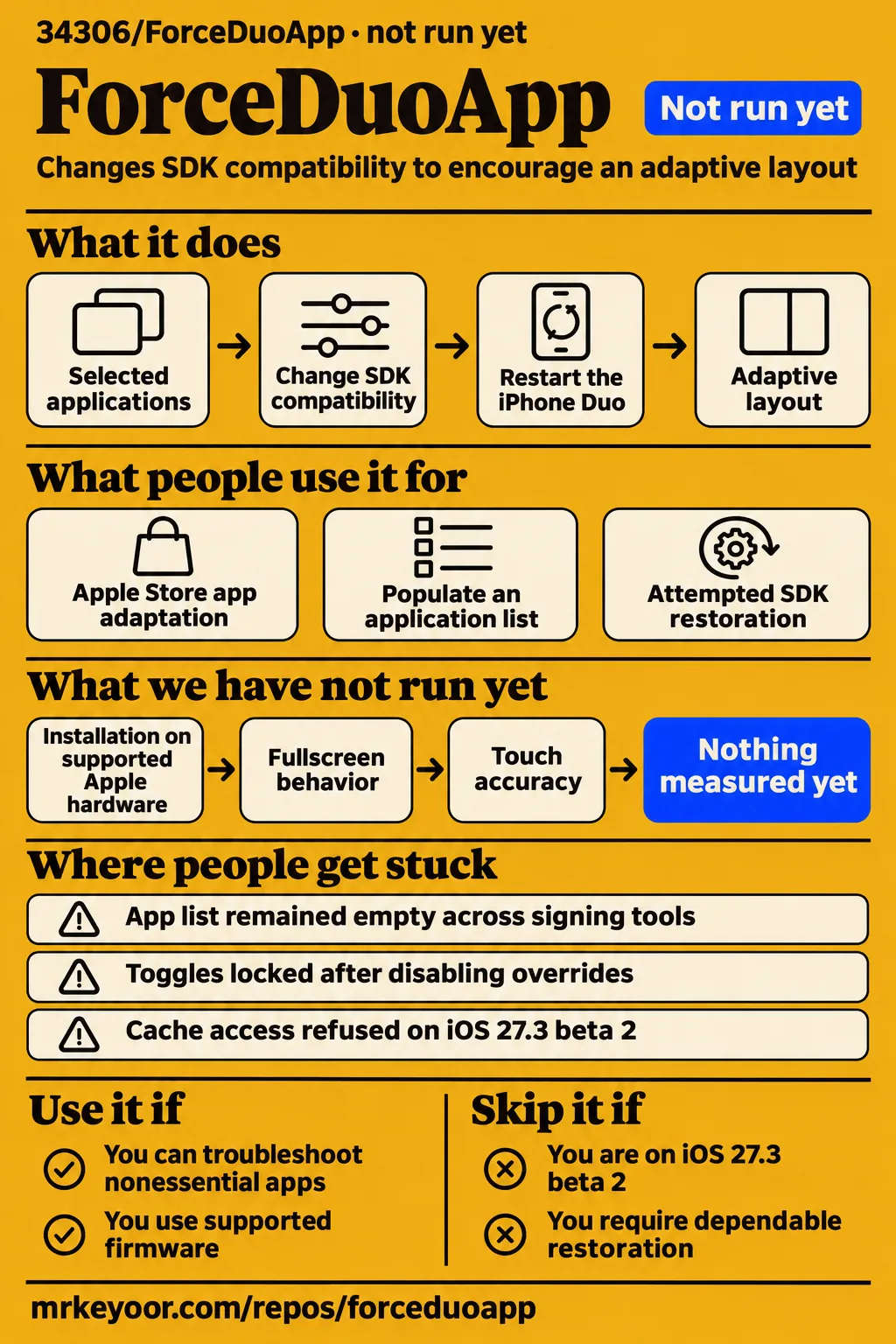
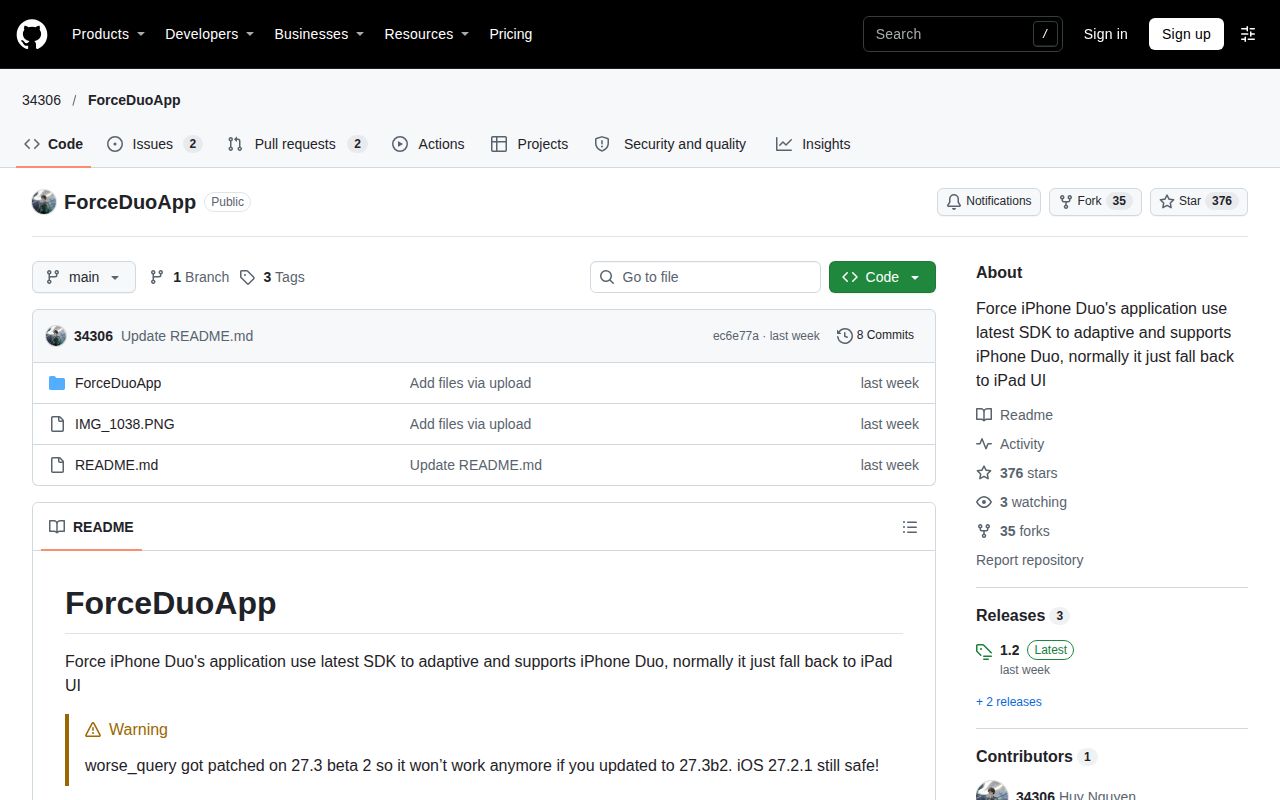
ForceDuoApp's README says iOS 27.3 beta 2 patches the exploit it needs. Use it if you are an iPhone Duo enthusiast on an advertised supported build and can troubleshoot nonessential applications; skip it if you are on beta 2 or need dependable rollback. The author's Apple Store demonstration shows the intended layout change, while GitHub issue #14's failed restoration report explains the recovery concern. Start with the README's beta 2 warning, then consider which applications you would be willing to reinstall.
SDK 27.1 overrides change compatibility behavior
The inspected source sets its SDK target to 27.1. SDK means software development kit; here, the relevant change concerns the compatibility behavior associated with an application. Silzee's description of ForceDuoApp says it does not rebuild applications or replace their original source code. Its purpose is to encourage older applications to use the Duo's larger unfolded display rather than their fallback layout. The application developer's implementation still determines how the resulting interface behaves.
The SDK target in Model.swift is explicit: major 27, minor 1, patch 0. The research synthesis also identifies the source's Re-apply needed label for an override reset by an application update or rebuild. Those details explain the distinction between selecting a compatibility override and receiving an application update written for the Duo. Issue #16's Williams Pinball crash gives a named example of an application that did not produce the desired result after the change.
What people use ForceDuoApp for
The author demonstrates the Apple Store app, and users report application discovery, SDK changes and attempted restoration. The examples below cover the earlier manual worse_query technique as well as the released utility. For an owner choosing what to change, the two-app restoration account is particularly relevant: Ssiswent reported successful initial changes, then a different outcome after disabling them and rebooting. The author demonstrated layout adaptation; the user report followed an attempted undo.
| Who | What they did | Reported outcome |
|---|---|---|
| 34306, author | Used worse_query manually with Genshin Impact before releasing ForceDuoApp | Described the earlier manual technique in the README development story. |
| 34306, author | Demonstrated the Apple Store app | Said the modified app supported iPhone Duo in the README demonstration. |
| chamao, GitHub user | Changed discovery on iOS 27.3 beta 1 | Reported finding the database in 0.12 seconds and parsing 155 apps in issue #1. |
| Ssiswent, GitHub user | Applied overrides to two apps, then disabled them | Reported successful initial changes followed by failed restoration and locked toggles in issue #14. |
| linalohomora-lang, GitHub user | Used ForceDuoApp before and after beta 2 | Reported normal operation before the update and refused cache access afterward in issue #18. |
| Stavrak2, GitHub user | Returned to an earlier iOS build using a Mac | Reported restored operation after installing a then-signed version below beta 2 in issue #22. |
The Genshin Impact account concerns the author's manual work before this release. In the README's development story, 34306 says seeing automatic patching prompted the release after using the older manual approach. That gives ForceDuoApp a concrete convenience argument: selecting applications through a utility instead of repeating the author's earlier technique. The Apple Store demonstration is the README's example of the released project's intended outcome.
What happened when we ran it
Our November 23, 2026 sandbox assessment at commit ec6e77a stopped before application execution because Objective-C was unsupported and no Dockerfile existed. The recorded sandbox measurement lists 3 CPUs, 8 GB RAM and image n/a. These are our run's configuration values. Install, build and test results are null. A separate safety step also failed because the deployment procedure required a Compose file and found none of its four accepted filenames.
| Question | Answer | Verdict | Why |
|---|---|---|---|
| Did the application execute? | No; unsupported Objective-C ecosystem and no Dockerfile | Not run | The sandbox assessment stopped before installation, building or testing. |
| What configuration was recorded? | commit ec6e77a; November 23, 2026; 3 CPUs; 8 GB RAM; image n/a | Configuration recorded | These are the harness settings. |
| Did the deployment safety step pass? | No Compose file existed | Failed | The safety log required compose.yaml, compose.yml, docker-compose.yaml or docker-compose.yml. |
| What did the deployment entry say? | Deployed with its own Docker Compose on November 23, 2026; every port bound to 127.0.0.1 | Conflicting entry | The deployment entry contradicts the failed prerequisite step. |
| What happened during cleanup? | teardown: ok | Cleanup recorded | The teardown entry records cleanup status. |
The safety log calls the repository unsafe because none of compose.yaml, compose.yml, docker-compose.yaml or docker-compose.yml exists. That wording identifies a deployment prerequisite failure, rather than a vulnerability discovered in the phone application. The contradictory deployment entry remains part of the record, alongside the failed safety step and successful cleanup label. The concrete outcome of the sandbox assessment is a stop before installation, build or tests, with no application execution to report.
Where people get stuck: discovery, access and restoration
Issue #1 reports an empty application list, while issue #18 reports refused access after finding the LaunchServices cache. The empty-list discussion includes attempts through AltStore, Sideloadly and iLoader, plus later reports that the problem persisted. The beta 2 access report instead names ForceDuoApp 1.2 and iOS build 24C5049d. A discovery change addresses locating the database; the author attributes beta 2's access failure to the worse_query patch.
| Symptom | Reported explanation or response | Thread outcome |
|---|---|---|
| Empty application list | chamao investigated database discovery; the author directed users to 1.2 | Issue #1 includes a successful discovery account. |
| App Group compatibility | Silzee says v1.1 improved compatibility with Sideloadly and AltStore | Version history separates this change from v1.2 scanning. |
| Cache found, access refused after beta 2 | The author says worse_query was patched | Issue #18 identifies ForceDuoApp 1.2 and build 24C5049d. |
| Native labels and locked toggles after disabling overrides | BabyBrett reports reinstalling the affected app | Issue #14 contains the recovery suggestion. |
| Williams Pinball crashes immediately | The reporter names the affected game | Issue #16 records the crash. |
| Repeated selection around incompatible apps | A user requests a persistent blacklist | Issue #17 contains the request and developer response. |
chamao's discovery account describes a fallback scan searching upward from inode 16 with a 20-second timeout and failing to reach the database. The contributor reported finding the database in 0.12 seconds and parsing 155 apps in issue #1's discovery account. The author subsequently directed users to update 1.2, and Silzee describes that version as fixing file scanning. The 0.12-second result and 155 applications are chamao's reported measurements.
Beta 2 ends the documented exploit route
The author confirms that worse_query was patched on iOS 27.3 beta 2. In issue #19's before-and-after report, the same device and setup still found the LaunchServices cache but lost access immediately after updating to build 24C5049d. Silzee advertises support for iOS 27.1 through 27.2.1 and iOS 27.3 beta 1. Its version history describes v1.2 as a file-scanning fix, rather than a replacement access mechanism.
In issue #21's replacement-exploit discussion, 34306 says there is no public bug for the patch to work and makes a future update conditional on another bug appearing and the tool still being needed. That is the developer's stated position in the thread. For a beta 2 owner, the relevant answer is therefore the operating-system cutoff, even if an empty-list discussion elsewhere points to the 1.2 release.
Security and recovery start with what the tool changes
Silzee describes ForceDuoApp as using the worse_query sandbox escape without a traditional jailbreak on supported firmware. Its compatibility and backup guidance recommends backing up devices and avoiding changes to applications that already work correctly. The underlying worse_query README identifies the project as a developer proof of concept and lists accessible container paths. The access mechanism makes firmware selection part of the tool's operation.
Issue #14 reports that disabling overrides left applications marked SDK 27.1 Native with locked toggles. Ssiswent describes applying changes to two apps, rebooting, confirming the changes, disabling the overrides and rebooting again. BabyBrett reports reinstalling as a workaround in the restoration discussion, and suggests offloading first when saved data matters. This recovery advice comes from a commenter responding to the failed undo, rather than from a demonstrated restoration procedure in this review.
App updates can mean another round of selection
The source's Re-apply needed state describes an override reset by an application update or rebuild. That state definition makes application maintenance relevant after an initial change: an update can return an app to a state requiring another selection. For someone managing several applications, the practical task extends beyond applying the first override. Keeping track of which applications worked also helps identify which ones belong outside subsequent bulk changes.
The requester in issue #17's blacklist discussion asks for applications to be permanently excluded because repeatedly selecting around them is annoying. The developer responds by suggesting disabling or redownloading affected applications. The request concerns a concrete workflow problem: the user wants to update multiple apps while leaving known failures alone. The response directs them back to handling the affected applications individually.
ForceDuoApp vs alternatives
ForceDuoApp automates compatibility changes that the author previously made manually with worse_query. The README development story describes that transition, while the iPhone Duo App Patcher README describes a macOS utility for simulator bundles. The useful choice depends on the environment and task: selecting applications on the phone, studying the access mechanism, or preparing applications in an iOS Simulator. These projects serve related layout goals through different workflows.
| Choice | Choose it for | Documented distinction |
|---|---|---|
| ForceDuoApp | Selecting applications for SDK compatibility changes | The author presents automation over the earlier manual approach. |
| worse_query | Studying the underlying access mechanism | Its README calls it a developer proof of concept that is not useful by itself. |
| iPhone Duo App Patcher | Patching iOS Simulator application bundles | Its README describes a portable macOS command-line utility. |
The worse_query README calls it a developer proof of concept that is not useful by itself. Its setup description requires an App Group container and lists the paths the mechanism can access. By comparison, iPhone Duo App Patcher is a portable macOS command-line utility for patching iOS Simulator application bundles. Its README describes installing stock apps into the currently booted simulator, which makes it relevant to simulator work rather than the phone workflow described by ForceDuoApp.
Outdated claims, corrected
Senumy's download wording names v1.1, while Silzee describes v1.2 and the author directs discovery complaints to update 1.2. The Senumy listing, Silzee version history and author's issue response establish the version correction. Senumy also leaves exact supported versions unresolved; Silzee lists advertised builds through beta 1, and the README identifies beta 2 as patched. Advertised firmware support and successful application behavior are separate questions.
AppleAttack's tutorial broadly excludes iOS 27.3 in the fullscreen walkthrough. The more precise boundary in the README and developer responses is iOS 27.3 beta 2. In issue #18, linalohomora-lang reports normal operation before the update, then refused cache access with ForceDuoApp 1.2 on build 24C5049d. Beta 1 and beta 2 therefore need separate entries in a compatibility description.
A Bilibili result by 朝阳李准基 promises adaptation for all software, while YoutubeBrett's X post describes optimizing every app and names the breaking update as iOS 27.3.2. The Bilibili title and X post conflict with the application-specific failures and firmware details in the issues. Williams Pinball reportedly crashes immediately in issue #16; issue #18 identifies the breaking update as iOS 27.3 beta 2, build 24C5049d.
Senumy's workflow ends with relaunching the modified application, while the inspected source's success message instructs the user to restart the iPhone Duo. The program's restart instruction is the direct account of the action it requests after a successful change. That differs from the overview's relaunch step: restarting the device and reopening one application are different instructions.
FAQ
ForceDuoApp's documented access route stops on iOS 27.3 beta 2 because worse_query was patched, according to the author in issue #18. The other recurring questions concern the application list, restoring an original SDK state and fullscreen results. The issue discussions name different symptoms for each: an empty list, Native labels with locked toggles, and an application that crashes immediately after its compatibility behavior changes.
Why does ForceDuoApp show an empty app list after sideloading?
chamao traced an empty list to a database scan that failed to reach its target. Their discovery account reports finding the database in 0.12 seconds and parsing 155 applications; the author directed users to 1.2 in the discovery thread. Silzee describes v1.2 as fixing file scanning. Its v1.1 entry concerns App Group compatibility with Sideloadly and AltStore, a separate change in the version history.
How can I restore an app's original SDK when its toggle becomes locked?
BabyBrett reports reinstalling the affected application as a workaround in the restoration thread, and suggests offloading first when saved data matters. Ssiswent's preceding account describes disabling overrides on two applications, rebooting and finding Native labels with locked toggles. The recommendation to reinstall is a user-reported response to that sequence. It is also why the verdict excludes readers who require dependable restoration for essential applications.
Can ForceDuoApp make every app display fullscreen correctly?
Williams Pinball reportedly crashes immediately after the change, and issue #14 mentions display or touch problems. The named crash in issue #16 contradicts universal successful adaptation. In the same discussion, hotcereal explains that changing SDK behavior does not rewrite the applications into ones optimized for the Duo. The author's Apple Store demonstration illustrates the intended result for one application; the issue reports document other outcomes.
What we have not tested yet
Our assessment reached no application execution, so installation on supported Apple hardware, fullscreen behavior, touch accuracy, SDK restoration and saved-data recovery are untested by us. The configuration records no actual runtime or operating-system version. The inspected source extracts come from main and are not tied here to the 1.2 release tag. Source descriptions refer to those extracts; the conflicting deployment label adds no runtime observations, and chamao's discovery timing is a community measurement rather than our benchmark.
The reports do not establish success rates across devices or applications, a universal discovery fix, a Williams Pinball repair, or an implemented persistent blacklist. Stavrak2's downgrade account describes signing availability at the time of that comment, rather than present availability. Exploit security, network traffic, saved-data retention and alternatives on identical hardware await testing. Existing internal titles and URLs were unavailable, so internal intent overlap is unchecked; rendered layout, related links and recommendation modules also remain untested.
A proposed device test would record the supported firmware build, original SDK value and behavior of one nonessential application, then repeat those observations after applying and restoring its override. That test has not been completed. Recording the undo alongside the layout result would address the sequence in issue #14: the user reported successful initial changes before encountering failed restoration. A fullscreen screenshot alone would leave that recovery question unanswered.