Short answer: the source built, but the tests failed
Use it if your platform team needs a shared visual way to review infrastructure relationships beside its existing deployment tools. Skip it if your immediate requirement is a replacement for Terraform or Argo CD: maintainer Lee Calcote explicitly positions Meshery alongside those tools.
That distinction makes the product easier to assess. You are choosing whether a shared infrastructure design helps people make and review changes. You still need to decide who owns the underlying configuration, who approves deployment and which system reconciles the running cluster with the intended state. A visual workspace earns its place when it improves a specific review your team already struggles with. A more attractive diagram alone is a weak reason to add another management system.
Shared designs support deployment and inspection
Meshery models infrastructure as shared visual designs, and its homepage describes a workflow to adapt, validate and deploy those designs. A design combines components, such as a Kubernetes Service, with relationships, such as the label selectors connecting that Service to a Deployment. Kubernetes is the system running those workloads. Meshery gives people another way to understand and work on their configuration.
The useful distinction is between drawing intent and inspecting running infrastructure. The March v1.0 announcement labels Kanvas Designer GA and Kanvas Operator Beta. GA means generally available; beta identifies a feature still presented as being in an earlier release stage. Designer is described as a place to import Helm charts, compose infrastructure and share versioned designs. Operator is described as the live resource and cluster-management surface. Don't transfer the Designer's release label to every feature in the product.
The Meshery Visualizer tutorial describes filtered cluster views, browser terminals and live container logs. Those are operational capabilities, rather than static diagram annotations. For an evaluation, choose one application with a relationship you can inspect independently: a Service and its selected Deployment, or a Pod and its storage. Compare what the design shows with the actual configuration before asking colleagues to use it for approvals.
What people use meshery for
The clearest accounts here show people setting up Meshery to contribute code, including one contributor who reached a running client and server but couldn't complete the feature.
| Person and task | What happened |
|---|---|
| GitHub contributor Saurav-Pant attempted registry sorting by count | Reported both client and server running, then asked to be unassigned because they couldn't solve the feature. |
| The creator of “Setting up Meshery Locally before I start contributing to it” investigated contextual loading indicators | Reached a running server and explored the local UI. The transcript shows exploration, rather than a completed change. |
| Forum user VidsRox deployed locally before tackling issues | Reported using WSL and a running Minikube cluster, but couldn't reach the UI. The discussion excerpt shows no successful resolution for VidsRox. |
| GitHub contributor AnkitRewar11 worked on an AI Adapter | Reported an initial proof of concept with Ollama, OpenAI and Anthropic adapters in PR #18128. This is a contributor's report about development work. |
The setup livestream is useful because it shows the gap between choosing a seemingly small UI issue and being ready to work on it. The creator starts with page-specific loading messages, looks through components and waits for the server to come up. Near the end, the creator confirms the server is on, selects the local provider and continues exploring loading states. You can learn from that sequence without turning it into a claim that the issue was solved.
On X, samtagon38824 reported a merged meshery/schemas PR and Meshery code reviews. That is a concrete sign of contributor activity. A merged schema contribution answers a different question from whether a company runs its infrastructure through Meshery every day.
What happened when we ran it
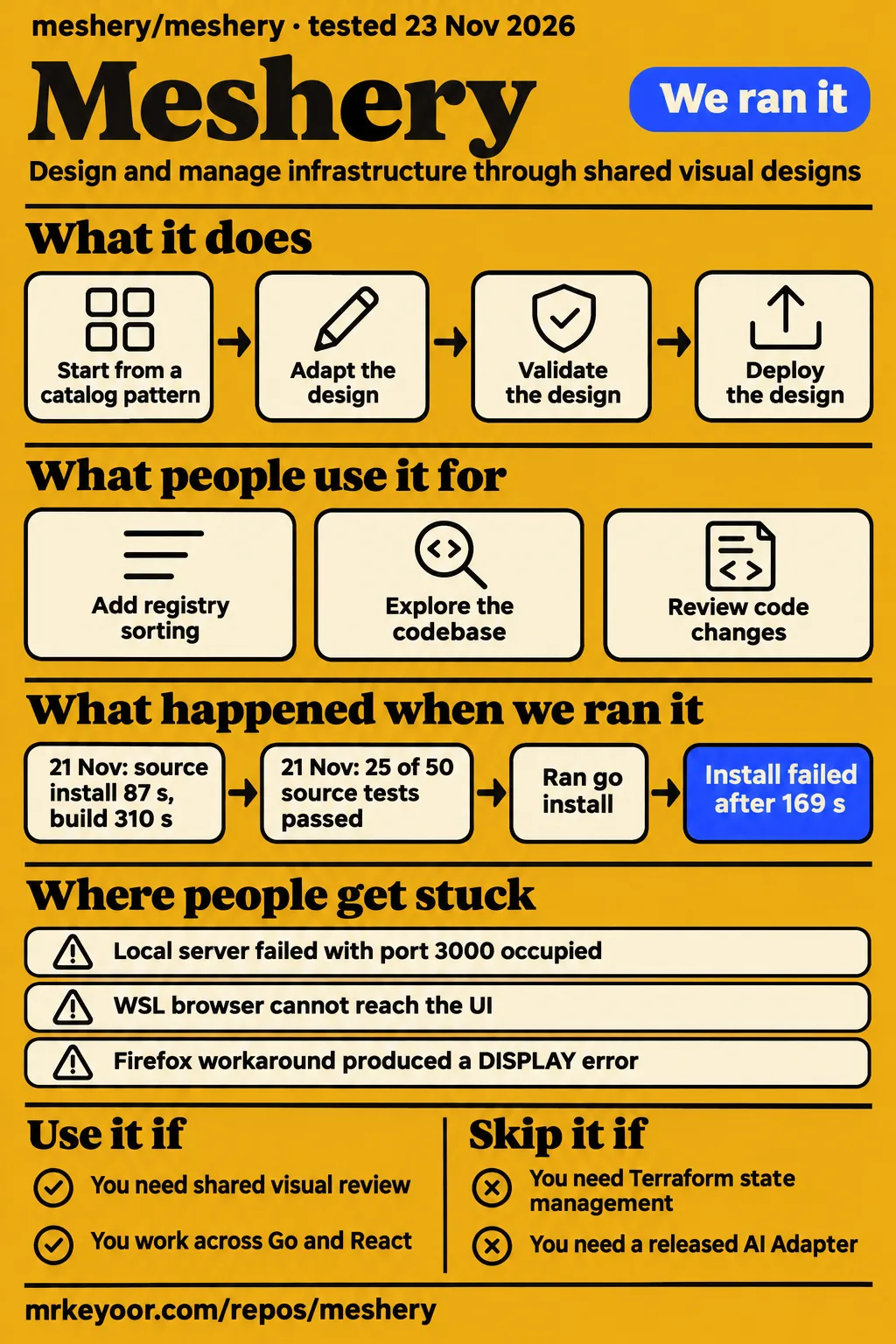
Our November 21 source run installed successfully in 87 seconds, built successfully in 310 seconds and failed its test command after 551 seconds, while a separate November 23 module-proxy attempt stopped during installation.
The newer attempt used the quickstart-lib recipe, a fresh unprivileged container with 2 CPUs and 4 GB RAM, no published ports and no secrets. Its run record names November 23 and checkout f4dc83d84ef6. The clone step completed. Then the recipe ran go get github.com/meshery/meshery@latest in a new module, fetching a module version rather than deploying the checked-out application.
Go selected Meshery v1.0.83 and reported that it required Go 1.26.4 or newer. It attempted to switch to go1.26.11. The stopping error was “github.com/meshery/meshery@latest: downloaded zip file too large”. No browser session followed that failure. The teardown completed successfully. This is a failed Go module acquisition route, not a failed Kubernetes deployment.
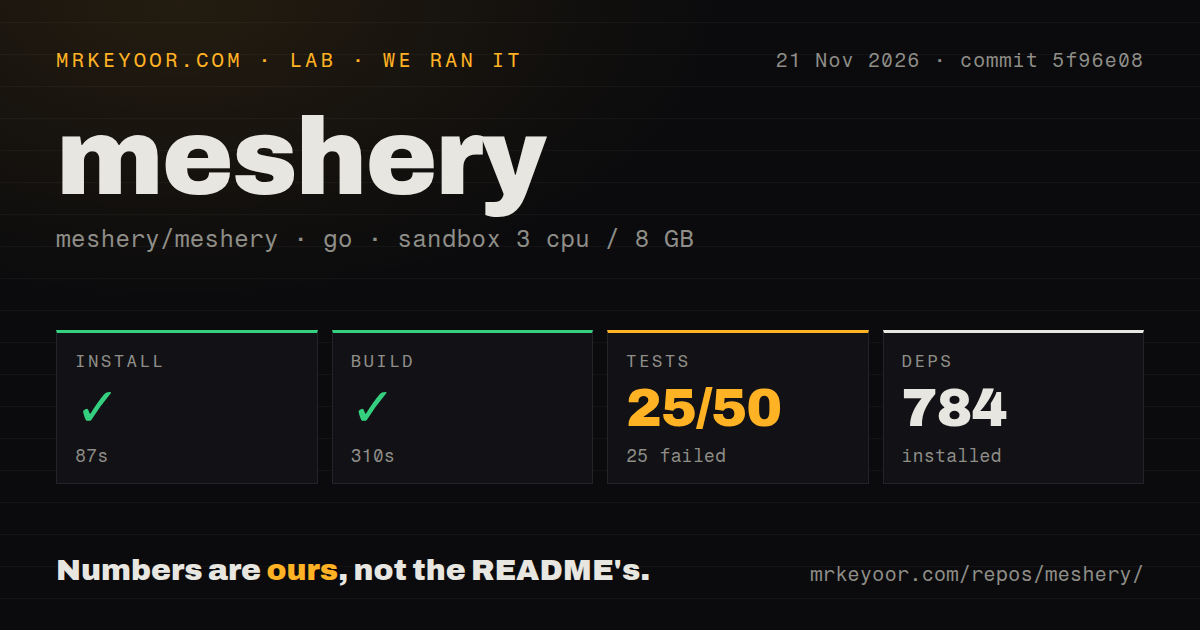
The source harness two days earlier reached further. It used commit 5f96e08, with a recorded sandbox configuration of 3 CPUs, 8 GB RAM and image label golang:1.24-bookworm.
| November 21 source-harness step | Recorded result |
|---|---|
| Dependency installation | Succeeded in 87 seconds; 784 dependencies recorded |
| Build | Succeeded in 310 seconds |
| Test command | Failed, exit 1, after 551 seconds |
| Go test summary | 25 passed and 25 failed of 50 reported results |
| Checkout | 83,799 files, approximately 435,306 source lines, 2,836.5 MB |
Installation and compilation succeeded. The test command did not. Its final lines show passing packages under HTTP utilities, model and pattern handling, Grafana and Prometheus, followed by failures in server/policies and server/router, then a final FAIL. The policy package line reports 360.219 seconds and the router line 0.053 seconds. Those are package-result lines, not explanations of what broke. The excerpt contains no assertion, exception or connection error that would justify diagnosing either failure.
The scanner also recorded 59 CI workflow files, no Dockerfile and no tests directory. The test output itself shows why a missing directory called tests cannot mean there are no tests. Similarly, finding workflow files says nothing about whether their latest executions passed. The container image label describes the configured image; actual runtime and operating-system versions need the raw toolchain logs.
Where people get stuck: deployment and development diverge
A port conflict and an unfinished Provider UI build were the two checks Lee recommended in vaibhavpnimkar's local-development thread. The first reply identifies another process listening on port 3000 and advises stopping it and rebuilding. A later reply says to ensure the Provider UI has been built. The thread contains advice, with no reported successful result from the original poster.
Start troubleshooting by naming which job you are doing. Deploying Meshery to explore infrastructure is different from building its server and frontend to change code. Lee asks exactly that question in VidsRox's WSL/Minikube thread. For a deployment, check that Meshery Server can reach Kubernetes over the network. For development, identify the failing component and build stage before changing cluster configuration.
| Symptom and source | A useful next check | Outcome in the discussion |
|---|---|---|
| Local development server won't run, vaibhavpnimkar | Identify the process occupying port 3000; check the Provider UI build | Maintainer advice, no success reply |
| Deployment message appears but WSL browser cannot reach the UI, VidsRox | Check Server-to-Kubernetes connectivity and the deployment platform | No successful resolution for the reporter |
| Related Minikube certificate/platform problem, Saurabh_Singh | Confirm Minikube is running, use the Kubernetes platform and trust the correct Minikube CA | Saurabh_Singh reports that sequence worked in a related case |
| Browser prompt in service-mesh-labs, iamsdas and hexxdump | Separate browser launching from server reachability | Firefox workaround suppressed the prompt but produced a DISPLAY error |
The Minikube discussion includes a successful sequence quoted by Saurabh_Singh, involving a running cluster, PLATFORM=kubernetes and adding the Minikube CA to the system trust store. VidsRox subsequently still reports “this site can't be reached.” Treat the certificate change as a diagnosis for the matching trust problem, rather than a universal answer to every unreachable UI. Trust-store changes should use the certificate for your own cluster.
In the closed service-mesh-labs issue #4091, changing the default browser didn't remove the prompt. Setting BROWSER=firefox suppressed it but produced Error: no DISPLAY environment variable specified. The CLI reference now documents --skip-browser for start and dashboard commands. That option addresses opening a browser in a headless session; network access to the server is a separate check.
Team adoption hurts when a diagram omits what reviewers need
Reddit user aries1980 prefers reading YAML and Terraform because diagrams can omit security, compliance, ownership and other non-functional aspects of infrastructure. That objection is specific to what an architecture view leaves out, rather than an objection to collaboration itself.
A useful adoption exercise is to take a change your team recently reviewed and ask which details informed the decision. Could a reviewer see the resource relationships, the relevant access settings and the configuration change? Which details still required reading source files? This gives you a practical acceptance criterion for the visual layer without assuming every operational concern belongs on one canvas.
Barnesdale, in the same discussion, sees value in understanding coupling but says the workflow would need everyone on board and couldn't picture a near-term implementation producing lasting value. That is a real cost: colleagues must agree where designs live and how a design review relates to an existing pull request. The source harness's repository size is a contributor concern, not a measurement of how much infrastructure the running UI can handle. Judge the team workflow and the rendering workload separately.
Feature maturity differs between Designer, Operator and AI work
The v1.0 announcement gives Designer and Operator different release labels, while AI Adapter issue #17097 is open. The issue requests natural-language infrastructure generation, interchangeable model providers and merged code, tests and documentation. Those acceptance criteria describe work to deliver, rather than a release note announcing completion.
AnkitRewar11 reports a working proof of concept and provider adapters in PR #18128. The homepage, meanwhile, advertises a Meshery MCP server, an interface through which AI assistants can access models, designs and live state. These describe different interactions: connecting an outside agent to infrastructure context is not the same feature as converting a natural-language request into a deployed design. The homepage also says AI-suggested changes become designs proposed for review, rather than being deployed by default.
If AI generation is your main reason to choose Meshery, ask for the specific released component and a demonstration of the action you need. A connector listing, an open project and a contributor's proof of concept should occupy separate rows in your evaluation.
Cluster access deserves a security review of its own
Meshery's CLI reference groups connections with their associated credentials into environments, and its README describes workspaces as an access-control point for those environments. This makes provider selection and cluster access part of configuration, rather than an afterthought once the canvas opens.
Before connecting a shared instance, decide who may use each environment, which cluster credentials it receives and who can approve changes. These are recommendations for your rollout, not claims about tested defaults. The Visualizer tutorial's browser terminals and container logs are also reasons to review access deliberately: the advertised interface reaches operational resources, not just exported diagrams.
Historical security issue #4642 concerned container images and libraries. It is closed. Its discussion belongs to the history of dependency maintenance, and this review makes no current vulnerability count from it. For a deployment decision, request a scan tied to the exact image digest you intend to run and review its credentials alongside it.
Meshery vs Terraform, Pulumi, Argo CD and Flux
Lee Calcote describes Meshery as a visual governance layer alongside infrastructure-as-code and GitOps tools, rather than their replacement. Infrastructure as code means keeping desired infrastructure in versioned configuration; GitOps reconciliation means repeatedly bringing running resources back toward the state declared in Git.
| Choice | Job described in the comparison | Choose it for this need |
|---|---|---|
| Terraform or Pulumi | Manage infrastructure state through code and pipelines | Your main problem is expressing and applying infrastructure changes in code |
| Argo CD or Flux | Reconcile Git-declared state with clusters | Your main problem is keeping Kubernetes deployments aligned with Git |
| Meshery alongside those tools | Shared visual designs, review and governance | Reviewers need to understand relationships across resources and collaborate on changes |
| Keep reading YAML and Terraform directly | Preserve the configuration detail aries1980 prefers | Your existing review process answers the team's questions without another workspace |
The table follows Calcote's positioning and aries1980's objection, rather than a performance contest. Terraform's own README describes a tool for building, changing and versioning infrastructure. Argo CD's README calls it a declarative GitOps continuous delivery tool for Kubernetes. Neither description is a reason to remove those tools simply because a visual layer can also deploy a design.
For a team already using a pipeline, the first evaluation should keep that pipeline's responsibilities explicit. Pick one proposed change, review it in Meshery and compare the decisions people can make with the decisions they make from the existing pull request. If the visual review adds no useful understanding, keeping the current workflow is a reasonable result.
Outdated claims, corrected
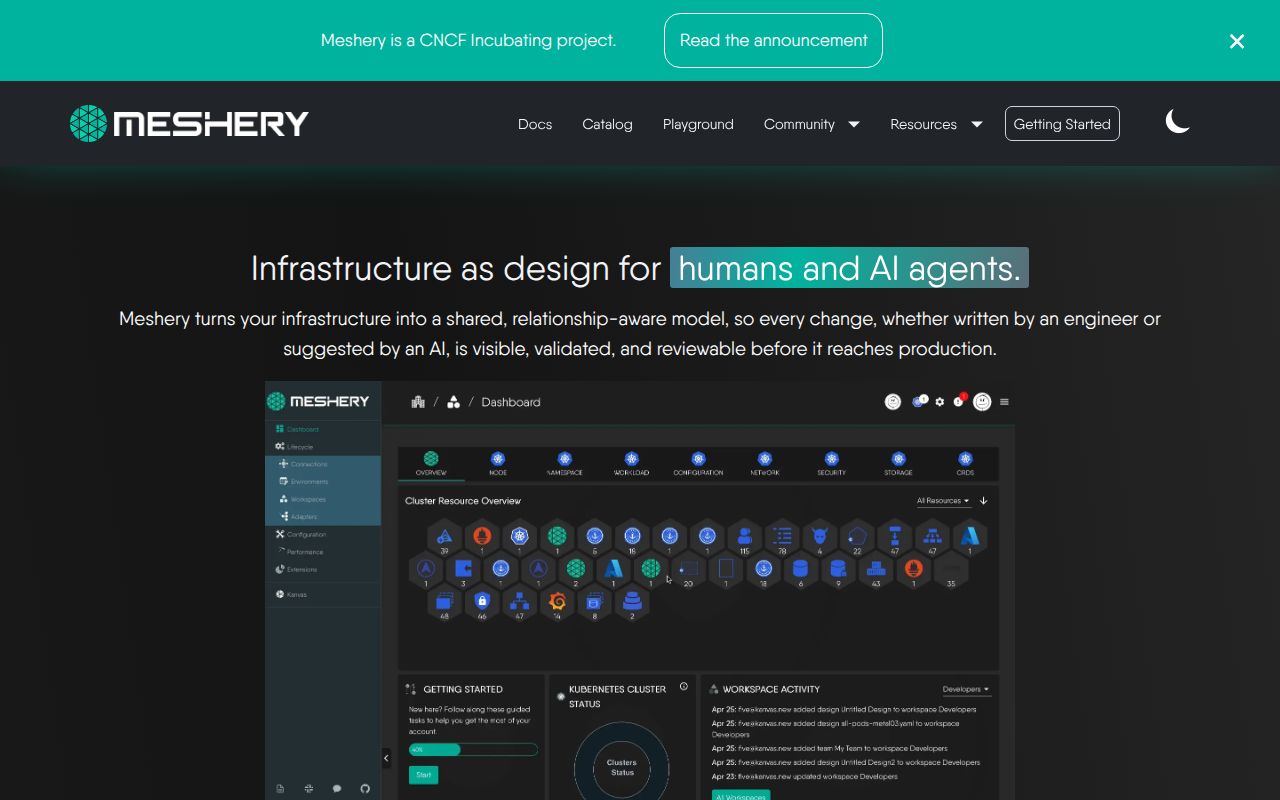
Meshery's homepage calls it a CNCF Incubating project, and the CNCF's October post reports advancement to incubation. The March v1.0 announcement's reference to Sandbox status describes an earlier point in the project's history. Reading that paragraph as today's maturity level would give you the wrong answer.
The same announcement says more than 3,000 contributors. The later CNCF post reports over 7,000 contributors. Those are dated community figures, rather than counts of companies running production workloads. The Stripe-attributed testimonial in the announcement says visual collaboration “might” eliminate cross-team friction. Its wording expresses a possible benefit, not a measured reduction in review time or incidents.
Questions people ask
Meshery is an open-source platform for collaborative infrastructure design and management, with visual designs that can be reviewed and deployed, according to its homepage.
What is Meshery?
Meshery represents infrastructure components and their relationships as shared designs. Its maintainer describes design, review, deployment and operation with human oversight. A newcomer can think of a design as a versioned infrastructure document people can inspect together.
Does Meshery actually implement infrastructure changes, or only visualize them?
Meshery supports deployment as well as visualization: its homepage says designs can be adapted, validated and deployed. Whether you use that deployment path or an existing pipeline is a workflow choice, and the Designer and Operator have separate release labels.
Does Meshery replace Terraform, Pulumi, ArgoCD or Flux?
No: Calcote positions Meshery alongside Terraform, Pulumi, ArgoCD and Flux. His explanation assigns state management through code to Terraform/Pulumi, Git reconciliation to ArgoCD/Flux and visual governance to Meshery.
What governance policies can Meshery enforce?
The homepage describes relationship-aware policies, including mounts, selectors and permissions. Calcote also describes an embedded OPA policy engine; OPA is Open Policy Agent, a system for evaluating policy rules. Match your required rule to the relevant component model before treating a generic governance claim as coverage.
Where are Meshery's GitHub repository, documentation, Slack and community resources?
The Meshery GitHub repo is meshery/meshery, Meshery docs are at docs.meshery.io, Meshery Slack starts at slack.meshery.io, and the Meshery community maintains a resource and onboarding page. The README links the forum and contributor guides too.
How do I log in to Meshery?
The CLI documents mesheryctl system login to authenticate with a Local Provider or Remote Provider and a provider-selection option. Meshery login therefore starts with the provider you intend to use; the CLI reference gives no universal username and password in that command description.
Can I try Meshery Playground without installing Kubernetes locally?
Yes: Calcote points readers to a hosted Playground with a sandbox Kubernetes cluster. The README also links the browser Playground. That is the more relevant starting point for looking at the product than fetching the application as a Go library.
What is Meshery's CNCF maturity level?
Meshery is a CNCF Incubating project according to its current homepage. Use the dated correction above when an older announcement still describes it as Sandbox.
How do I create and manage infrastructure designs in Meshery?
The homepage describes starting from a catalog pattern, adapting it, validating it and deploying it. It defines designs as versioned artifacts combining components and relationships. The CLI reference also groups design-pattern commands under mesheryctl design.
How do I set up Meshery locally before contributing?
Choose the development instructions for the component you intend to change. In issue #13958, amitamrutiya asks whether the contributor has a running local setup and can handle Go backend and React frontend changes. A client-only setup would not cover that task's stated scope.
Why is my Meshery local development server not working?
A process on port 3000 and a missing Provider UI build were Lee's checks in vaibhavpnimkar's thread. Those are concrete starting points when your symptom matches that development setup; cluster networking belongs to a different troubleshooting branch.
Why does Meshery installation prompt for input in service-mesh-labs?
Issue #4091 describes an unexpected browser prompt in that lab environment. Its Firefox workaround produced a missing-DISPLAY error. The CLI reference documents --skip-browser; the closed issue alone is no demonstration that every lab image handles browser launching correctly.
What we have not tested yet
Neither run establishes a successful deployed UI session, a completed infrastructure change or production reliability. We did not test cluster discovery, policy enforcement, rollback, multi-cluster operations, concurrent reviewers, large design rendering, permissions isolation or the MCP interface. The source harness and the module-proxy attempt used different routes and revisions, so their results are not a controlled regression comparison. The module error identifies a failed acquisition route, not an application defect.
The test-log excerpt does not explain the policy and router failures. Actual toolchain versions, complete test diagnostics and the exact supported deployment route need separate examination. The checkout size is not runtime memory use. No current image-security assessment accompanies our runs, and historical issue #4642 cannot supply one. Contributor claims about the AI Adapter do not establish a merged release or our own passing tests.
The community discussions show help being offered alongside unfinished outcomes. In closed issue #7023, contributors reported Figma export/access trouble and a deactivated Layer5 Slack workspace; closure of the icon task doesn't prove those access problems were resolved. In closed issue #3873, a contributor requested review after about a month; the discussion also requested that mesh removal wait for completion and report failures, without demonstrating the final implementation. These historical threads are not a measurement of today's support response time.
We found no measured production time savings or incident reduction in the accounts examined here. The next useful result is a supported deployment, one known infrastructure change, and a review by the people who would actually approve it.