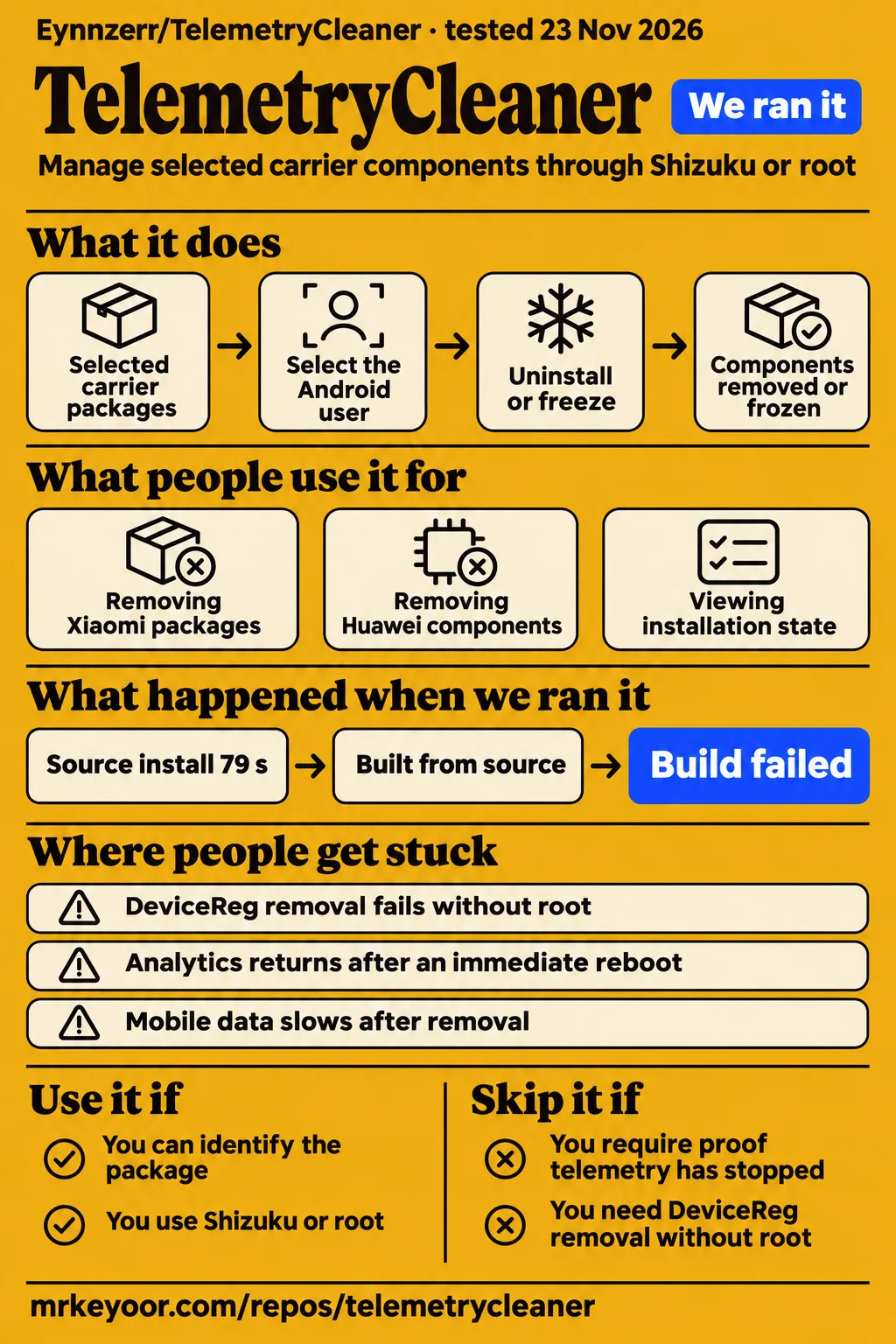
Short answer: use it for named packages on a known firmware
TelemetryCleaner manages selected preinstalled components on Chinese-market Android firmware through Shizuku or root. Use it when you can identify the package, select the Android user and compare your firmware with a documented device report. Avoid it if your requirement is protected vivo DeviceReg removal without root or demonstrated elimination of all telemetry. The TelemetryCleaner README describes inspecting installation state and permissions, uninstalling components and restoring them from retained system APKs.
The useful decision is which operation to apply to a particular package. Removing it for one Android user, disabling it while retaining its data and leaving it installed have different consequences. In issue #3, leekooyo reports successful SystemHelper removal but failed Device Management removal and disabling on the same vivo phone. That result makes the package name more useful than a broad claim that a manufacturer is supported.
What people use TelemetryCleaner for
Contributors report Xiaomi and Huawei removals, while a vivo report separates successful SystemHelper removal from failed Device Management operations. These are reports from individual devices, with different app versions and access arrangements. The table preserves the exact setup where the report gives it and retains only phone names for the additional Xiaomi and Redmi reports summarized in the research. It does not assign the first contributor's firmware or access method to everyone else.
| Who used it | Device and software | What they reported |
|---|---|---|
| lujx1024 | Xiaomi 17 Pro Max, HyperOS 4.0.5.0.XPBCNXM.D01, TelemetryCleaner v1.4, Shizuku without root | Reported removing SystemHelper, AutoRegistration, RegService, MiSightService and Analytics. |
| Contributors in issue #31 | Xiaomi 14 Pro, Xiaomi 15 Pro and REDMI K100 Pro Max | Additional removal reports were summarized as incorporated into the device feedback documentation, including a contributor's successful reboot report. |
| leekooyo | vivo V2505A, Android 16, PD2505E_A_16.0.30.14.W10, v1.3 with Shizuku | Removed SystemHelper in the main space; Device Management remained installed after removal and disabling failed. |
| Author of issue #4 | Huawei device, HarmonyOS 4.2.0.196, user 0 | Reported removing three carrier components without functional problems or automatic restoration. |
Inspection is a separate use from removal. The README describes viewing installation state and permissions across selected Android spaces before performing a batch operation. Its component list distinguishes com.mobiletools.systemhelper from manufacturer-specific packages such as com.vivo.devicereg. Recording the package, Android user, firmware and resulting state makes a report useful to another owner; a statement that cleanup worked on a brand loses the information needed to interpret both successes and refusals.
What happened when we ran it
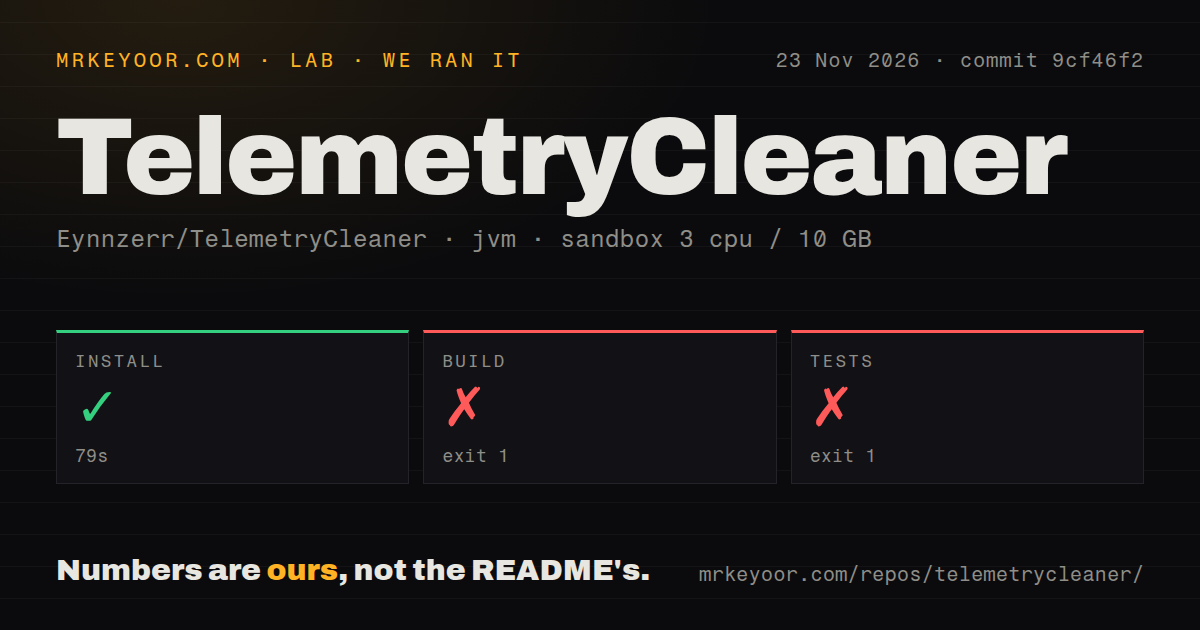
Our install step succeeded in 79 seconds; the build failed with exit 1 in 15 seconds, and tests failed with exit 1 in 18 seconds. These are our November 23, 2026 sandbox measurements at commit 9cf46f2. The recorded configuration was 3 CPUs, 10 GB RAM and image label lab-jvm:21. Both failing logs identify the Android SDK location as the stopping point, before the requested compilation and unit-test tasks could proceed.
| Step | Recorded result | What the log shows |
|---|---|---|
| Install | Succeeded in 79 seconds | The recorded install step completed. |
| Build | Failed, exit 1, in 15 seconds | Dependency determination for :app:compileDebugJavaWithJavac stopped at SDK location not found. |
| Tests | Failed, exit 1, in 18 seconds | Dependency determination for :app:testDebugUnitTest stopped at the same SDK error. |
The logs request ANDROID_HOME or sdk.dir in /work/repo/local.properties. The harness durations measure whole steps; Gradle's own log tails say BUILD FAILED in 14s for assembly and BUILD FAILED in 16s for tests. The repository scan recorded 133 files, approximately 13,254 source lines, a 1.6 MB checkout, one CI workflow file, no Dockerfile and no directory named tests. The absence of that directory is a repository-layout observation, not a count of available tests.
A separate attempt failed its safety prerequisite because no accepted Compose file existed. Its run description nevertheless says deployment used Docker Compose with every port bound to 127.0.0.1. Those records conflict; the concrete step result is the failed prerequisite. The teardown reported ok. This attempt applied a container-harness requirement to an Android repository and adds no successful phone operation to the measured results.
Where people get stuck: access setup and protected packages
Shizuku must be started and authorized, while manufacturer protections can still reject an authorized package operation. The README's access instructions distinguish starting the service from returning to TelemetryCleaner to grant access. The vivo logs show a different problem: Shizuku was already connected with shell UID 2000, but the system refused changes to a protected package. Turning on debugging and obtaining package-management permission are separate steps.
| Symptom | Reported finding | Outcome or next step |
|---|---|---|
| Prompt to obtain Shizuku after enabling debugging | d9394 asked why USB and wireless debugging were insufficient. | Issue #31 records the setup question; the README requires service startup followed by app authorization. |
| vivo DeviceReg remains installed | leekooyo recorded DELETE_FAILED_USER_RESTRICTED, followed by a disabling refusal citing no root permission. |
Issue #3 records both failed operations; the README identifies non-root removal protection. |
| Analytics returns after an immediate ADB reboot | Issue #44 describes an uninstall followed by restoration after immediate reboot. | The contributor recommends waiting for committed package state before rebooting. |
| Mobile data slows after removal | The issue #21 discussion identifies realme UI 7.0 and com.coloros.regservice. |
The research summary attributes the isolated slowdown report to this discussion. |
Issue #44 describes a direct ADB experiment with a 10-second write-scheduling delay on that firmware. The observed commit occurred about 4 seconds after uninstall because another state write was already scheduled. A later combination of delayed reboot and suspension survived one ordinary reboot. The same contributor records a process restarting at the 40-second sample after suspension and force-stop, triggered by access to OneTrackProvider. Successful command output, committed package state and background execution are distinct observations.
Freezing keeps component data; uninstalling clears it
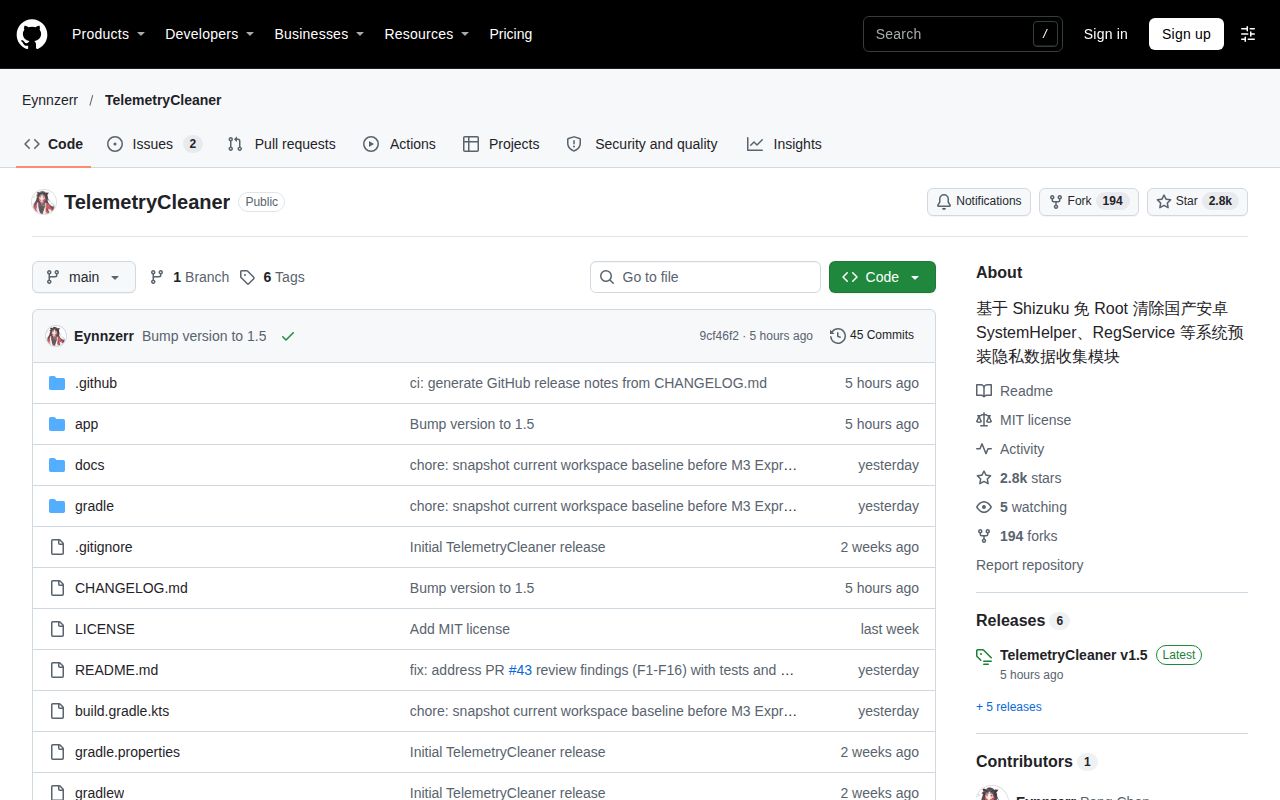
TelemetryCleaner v1.5's release notes announce a disable option that retains component data and say automatic cleanup preserves manually frozen components. The v1.5 announcement also lists interface changes, manually added test packages and a fix for slow scans or scan-triggered restarts on some devices. The release page identifies v1.5 with commit 9cf46f2, the same short commit recorded by our build harness; announcement details and measured execution results remain separate evidence.
For preinstalled system components, the maintainer says user-space uninstall retains the system APK and normally permits restoration through install-existing. The explanation in issue #22 also says an APK backup cannot recover component data already cleared by uninstalling. Restoring an installation and recovering its previous data are different operations. Choose the data-preserving operation when keeping that data is part of your requirement, rather than treating a retained installation file as a complete backup.
disable-user and pm suspend are different package operations. In issue #22, Eynnzerr declines to present suspension as a cleanup fallback, explaining that it mainly restricts foreground interaction rather than uniformly stopping background receivers, services, jobs or network activity. Issue #44 supplies a concrete example of a suspended process starting again. An instruction that says only to freeze a component is less precise than one that identifies the Android operation being used.
Access and automatic cleanup depend on the selected mode
The README says Android 10 and later can install TelemetryCleaner, and Android 11 and later support Shizuku startup through wireless debugging. In Shizuku mode, the app uses an authorized service acting through Android's shell identity. In root mode, the README describes authorization through a root manager without installing Shizuku. These are alternative access routes, rather than a requirement to install both permission systems on an already rooted phone.
The README also describes an app_process fallback calling IPackageManager.deletePackageAsUser after certain command-layer refusals. It says the app reads package state afterward and preserves the original system error when removal fails. The system package-management service still checks permissions and package state. Automatic cleanup is off by default; when enabled, it checks selected spaces and packages. Root-mode cleanup requires reconnecting from the home screen after a reboot or app-process exit.
Package names make Chinese device reports usable
The main README and the detailed Xiaomi, vivo and Huawei reports are written in Chinese, but their Android package identifiers are explicit. com.vivo.devicereg and com.mobiletools.systemhelper identify different targets even when a translation groups both under carrier components. The vivo V2505A report is a useful example: SystemHelper was removed in user 0, while Device Management remained installed after removal and disabling were refused.
Firmware and operation names deserve the same care when reading a translation. The Huawei contributor describes user 0 removal, while the vivo contributor records both an uninstall request and a disable fallback. A translated word such as disabled can hide that distinction. Preserve the literal package name, firmware string, Android user and error text alongside the translated explanation. Those details let another reader distinguish a package-manager result from a general description of cleanup.
TelemetryCleaner vs Canta, direct ADB and Shit's End Blackbox
Canta documents general app removal through Shizuku, while TelemetryCleaner's README centers on selected carrier components and their state across Android users. Blackbox's README describes permission and network controls alongside cleanup. Direct ADB disabling appears as an alternative in the research summary of issue #21 for firmware that permits it. The comparison below concerns documented scope and operation, with each option tied to the evidence behind that choice.
| Option | When to consider it | Evidence behind the choice |
|---|---|---|
| Direct ADB disabling | One known package on firmware that permits ADB disabling | The issue #21 research summary records a proposal for a one-time operation without a cleanup app or Shizuku. |
| Canta | General removal of preinstalled or user apps | Canta's README documents Shizuku access and Universal Debloat List recommendations. |
| Shit's End Blackbox | Cleanup combined with permission or network controls | Blackbox's README describes those controls and incompatible-signature placeholder failures. |
| pm suspend | Understanding a proposed suspension workaround | Issue #44 records background execution after suspension. |
Canta allows removal of preinstalled or user apps without root through Shizuku, according to its README. The same Canta README warns that removing critical apps can cause a bootloop requiring a factory reset. It also notes that some oplus apps resist removal. That makes Canta relevant for a broader app-removal task, while TelemetryCleaner's catalogue and selected-space operations address a narrower set of components.
Blackbox's README describes replacement packages with a different signature and records INSTALL_FAILED_UPDATE_INCOMPATIBLE when Android retains the original signature identity. In issue #22, Eynnzerr says TelemetryCleaner adopted operation choices and batch restoration while declining that placeholder approach. Blackbox's permission and network controls are additional documented functions; the removal-versus-disabling decision in TelemetryCleaner does not describe those functions or substitute for their configuration.
Outdated claims, corrected
Appteka's v1.2 description presents Shizuku as required, while the current README documents root mode without Shizuku. The older Appteka listing describes an earlier access arrangement. Its account of limited manufacturer testing also needs the later Xiaomi and Huawei reports alongside it. The current README distinguishes the author's SystemHelper and OPPO testing from contributors' Xiaomi and Huawei results, rather than assigning every result to the author.
LavX already states that OriginOS protects com.vivo.devicereg against Shizuku removal without root, then describes freezing as a fallback for some vivo components. That wording needs a package-specific clarification rather than a factual reversal. LavX states the removal restriction, and leekooyo reports both removal and disabling failed for Device Management. SystemHelper had a different outcome on the same phone, so the fallback wording should not be extended to every vivo package.
AIJP recounts an unnamed forum poster's all-zero SystemHelper result on a Motorola device. That is a detection report about a targeted component. The Huawei report adds a different correction to simple labels: its UEInfoCheck table identifies both China Telecom and China Unicom implementations. Package names and implementation details provide a more specific account than treating every empty scan or carrier label as a complete description of the phone.
FAQ
Issue #31 records successful non-root removals with TelemetryCleaner v1.4 on a Xiaomi 17 Pro Max using Shizuku. The recurring questions concern access, freezing, reboot behavior and recovery. The answers below use the README, release announcement and attributed device reports. They distinguish the operation a source describes from the package result a contributor recorded, particularly where a phone accepted one package change but rejected another.
Can TelemetryCleaner remove hidden carrier telemetry without root?
Issue #31 records removal of five named components on a Xiaomi 17 Pro Max using v1.4 and Shizuku without root. The report lists SystemHelper, AutoRegistration, RegService, MiSightService and Analytics. The current README also documents root mode, so Shizuku is an access route rather than a mandatory dependency for rooted devices. For protected vivo DeviceReg, the README explicitly identifies the non-root removal restriction.
Can TelemetryCleaner freeze components instead of uninstalling them?
The v1.5 release notes announce a disable option that preserves component data and say automatic cleanup respects manually frozen components. In issue #22, the maintainer describes uninstall and data-preserving freeze choices plus batch restoration. That provides a concrete reason to choose freezing when retaining data matters. The same discussion distinguishes this option from ordinary suspension, which the maintainer declines to offer as a cleanup fallback.
Is freezing safer than uninstalling carrier components?
Freezing preserves component data, while the README says uninstalling clears that data in the selected space. That is the documented difference relevant to recovery. In issue #21, the maintainer reports a week of RegService removal and a reboot without usage problems on their own ColorOS phone. The same discussion identifies a realme UI 7.0 concern involving com.coloros.regservice, so the operation name alone does not describe the device outcome.
Does removal work on HyperOS 4, and can the phone reboot afterward?
Issue #31 records successful removals on HyperOS 4.0.5.0.XPBCNXM.D01, and issue #2 contains a contributor's report of a successful HyperOS 4 reboot. These are reported outcomes from Xiaomi users, rather than results from our build sandbox. The device table retains the exact Xiaomi 17 Pro Max setup while listing the additional phones separately, so a reboot report is not silently assigned to every firmware in the discussion.
Why does vivo or iQOO Device Management fail to uninstall, and is root required?
OriginOS protects com.vivo.devicereg, according to the README, and the vivo reports show refusals after Shizuku connection. In issue #3, removal returned DELETE_FAILED_USER_RESTRICTED and disabling was refused for lack of root permission. Issue #30 records another installed-to-installed result, with a system message that only root can delete the system app for that user. These failures concern DeviceReg; SystemHelper is a separate package.
Do I install TelemetryCleaner and Shizuku on the same phone, or do I need another Android device?
The research summary of issue #31 describes installing, pairing and starting Shizuku on the same phone. The question in issue #31 came from a user who had enabled USB and wireless debugging but still saw the prompt to obtain Shizuku. The README supplies the operational distinction: start Shizuku through ADB or wireless debugging, then return to TelemetryCleaner and authorize the app before scanning and changing packages.
Why does TelemetryCleaner still ask me to obtain Shizuku after I enable USB and wireless debugging?
Enabling debugging does not itself complete the README's Shizuku startup and authorization sequence. Its instructions require starting the service and granting TelemetryCleaner access afterward. The issue #31 exchange records this exact debugging-switch question. Rooted users have a separate documented route: choose root mode, authorize TelemetryCleaner through the root manager and connect from the home screen, without installing Shizuku for that mode.
Can I uninstall Shizuku and TelemetryCleaner after cleaning the components?
Recurring cleanup requires TelemetryCleaner and its access connection, as described by the README's scheduled-cleanup instructions. An existing package state and a future cleanup operation are different things. The README says automatic cleanup checks configured packages and spaces, and root mode requires reconnection after reboot or process exit. Keeping a restoration route available also serves a different purpose from leaving automatic cleanup running.
Can TelemetryCleaner add detection for SecurityOnetrackService, MiSightService and Analytics?
Eynnzerr says the requested components were added in v1.4 in issue #2. The discussion names com.xiaomi.security.onetrack, com.miui.misightservice and com.miui.analytics. It also contains reports of Analytics returning and continued requests to Xiaomi endpoints after MiSightService removal. Detecting a package, changing its installation state and observing network requests are three different findings in that thread, even when they concern the same phone.
Can removed Xiaomi Analytics components come back after rebooting or updating apps?
Issue #44 reports Analytics returning after an immediate ADB reboot, while issue #2 links restoration to app-store activity in a contributor's observations. The issue #44 contributor recommends waiting for committed package state before an immediate reboot check. The README describes scheduled cleanup as repeated checks of selected spaces and packages, with root reconnection required after reboot or process exit. A one-time removal and a recurring cleanup configuration are different arrangements.
Can components be backed up and restored if removal causes problems?
For preinstalled system components, Eynnzerr says the retained system APK normally allows restoration through install-existing. The same issue #22 explanation says an APK backup cannot recover data already cleared by removal. Freezing retains component data instead. When planning recovery, distinguish restoring the installed program from recovering its earlier data: the retained APK addresses the first task, while choosing the data-preserving operation addresses the second.
Why can a component still read an old phone number after the number was cancelled and the phone reset?
Zhixiang_tih reported seeing a cancelled number after connecting Shizuku and scanning a phone, according to the research summary of the X discussion. That report asks about the number's origin rather than demonstrating it. The X discussion concerns TelemetryCleaner's inspection of carrier components; the app's README separately documents viewing package installation state and permissions. A visible number and a package-state result answer different questions about the phone.
What we have not tested yet
Our run stopped before a completed Android build or executed tests, and the separate Compose attempt stopped at its prerequisite. Phone installation, v1.5 freezing and restoration, root mode, call recording, mobile data, update persistence and scheduled cleanup across process exits are outside our hands-on results. Interface language was not verified: the README is Chinese, but no matching resource-file extract supports the earlier English-interface assertion. The image label also does not identify actual Java or operating-system versions.
The additional Xiaomi 14 Pro, Xiaomi 15 Pro and REDMI K100 Pro Max reports support named-device attribution, without establishing their individual firmware, TelemetryCleaner version or access mode here. The direct-ADB proposal supports firmware permitting that operation, without establishing the previously assigned OPPO model, firmware or contributor identity. Issue #44's experiment is described without assigning a phone model. Its reboot timing and suspension changed together, and the observed approximately 4-second commit is not a fixed waiting rule.
The Huawei author checked package-manager state but left post-removal code execution unanswered. Issue #44 passed one ordinary reboot and excluded OTA and factory-reset testing. The realme slowdown's cause and the source of Zhixiang_tih's old number are unresolved. Continuing Xiaomi requests do not identify their originating app, and neither those reports nor the Motorola scan demonstrates elimination of all telemetry. Comparative performance and reliability were not measured for Canta, direct ADB or Blackbox.
LavX reports a vivo call-recording warning, while issue #7 identifies a vivo X200 Ultra analysis without the result needed to settle that warning. The readable issue #31 excerpt omits the answer about uninstalling both tools after cleanup. The YouTube item has no transcript, and Bilibili results expose titles rather than a documented cleanup sequence. Installed-user counts, long-term reliability, rendered page behavior and resolved links were not measured in this review.