The effect starts below 110 degrees and leaves apps running
Lid Plane places a live image of the built-in display above the real desktop. As the lid closes below the default 110-degree activation angle, a Metal shader changes the picture's perspective and progressive blur. Your applications keep keyboard focus underneath, and the overlay lets clicks through. The result is meant to look as though desktop content holds its angle while the panel folds around it.
That last detail defines the use case. MacOS does not know that the visible pixels moved, so pointer targets stay in their original positions. The README warns that a click can land somewhere unexpected during movement. Lid Plane is suited to watching, filming, or studying the illusion. It is a poor choice for editing, gaming, or any task that needs precise interaction while the fold is visible.
One undocumented sensor decides whether the app works
The app reads hinge angle through IOKit's HID interface roughly 30 times per second while enabled. That interface is undocumented. A MacBook can have Apple silicon and still provide no readable value, so the menu-bar angle readout is the first compatibility check. There is no Intel or Windows build, and macOS 13 is the minimum.
Users can tune the activation point from 10 to 180 degrees and filter movement with up to 5 degrees of jitter tolerance. Movement mode offers another behavior: pause the hinge, wait as little as 150 milliseconds, and the view settles to a new anchor over 200 milliseconds. There is no head tracking or base-motion sensor, so moving yourself or the whole laptop can break the visual trick.
What happened when we ran it
We did not run commit ba290ff. Our sandbox has no supported Swift ecosystem, and the repository does not contain a Dockerfile. That means we have no first-party install duration, build outcome, dependency footprint, or test result for Lid Plane. Claiming that the package works from its included binaries or documentation would turn a platform gap into invented evidence.
This limitation matters more here than it would for a portable command-line utility. The useful checks need macOS ScreenCaptureKit, Metal, a real built-in display, and a MacBook lid sensor. Even a Swift build in a generic container would not establish that the hinge reports angles or that capture behaves correctly on a particular model. Our lab card should be read as not run, not as a failure.
The v0.3.3 download needs Screen Recording and Gatekeeper approval
The README offers an arm64 DMG, ZIP, checksum file, and corresponding source for v0.3.3. GitHub marks that September 13, 2026 release as a prerelease. The app has no Dock icon or normal window; you enable it from its menu-bar angle or with Control-Command-L. Each launch starts with the visual effect off.
The binary is ad-hoc signed and not notarized. MacOS may require Open Anyway under Privacy & Security, followed by Screen Recording approval. The author explicitly says not to disable Gatekeeper and not to bypass a malware warning. Developers can build from source with Apple's Command Line Tools, though replacing an ad-hoc build can invalidate the existing capture permission.
Screen frames stay in memory, with several visual limits
Lid Plane says it has no networking, recording to disk, audio capture, camera use, login helper, Accessibility permission, or Input Monitoring permission. Screen frames stay in memory, and capture stops when no visible effect is needed. That is a reassuringly narrow design for an app receiving Screen Recording access, and the source is small enough for a Swift developer to trace its capture and render paths.
The capture path is SDR. Protected video may be blank, only the built-in display is transformed, and the app will not substitute an external monitor. At 5 degrees or less, the lid is treated as closed. Capture also pauses when the built-in panel is asleep, mirrored, unavailable, or missing its sensor reading. The README says hardware combinations have not been broadly tested and idle resource use has not been benchmarked.
Five prereleases in three days show iteration, not stability
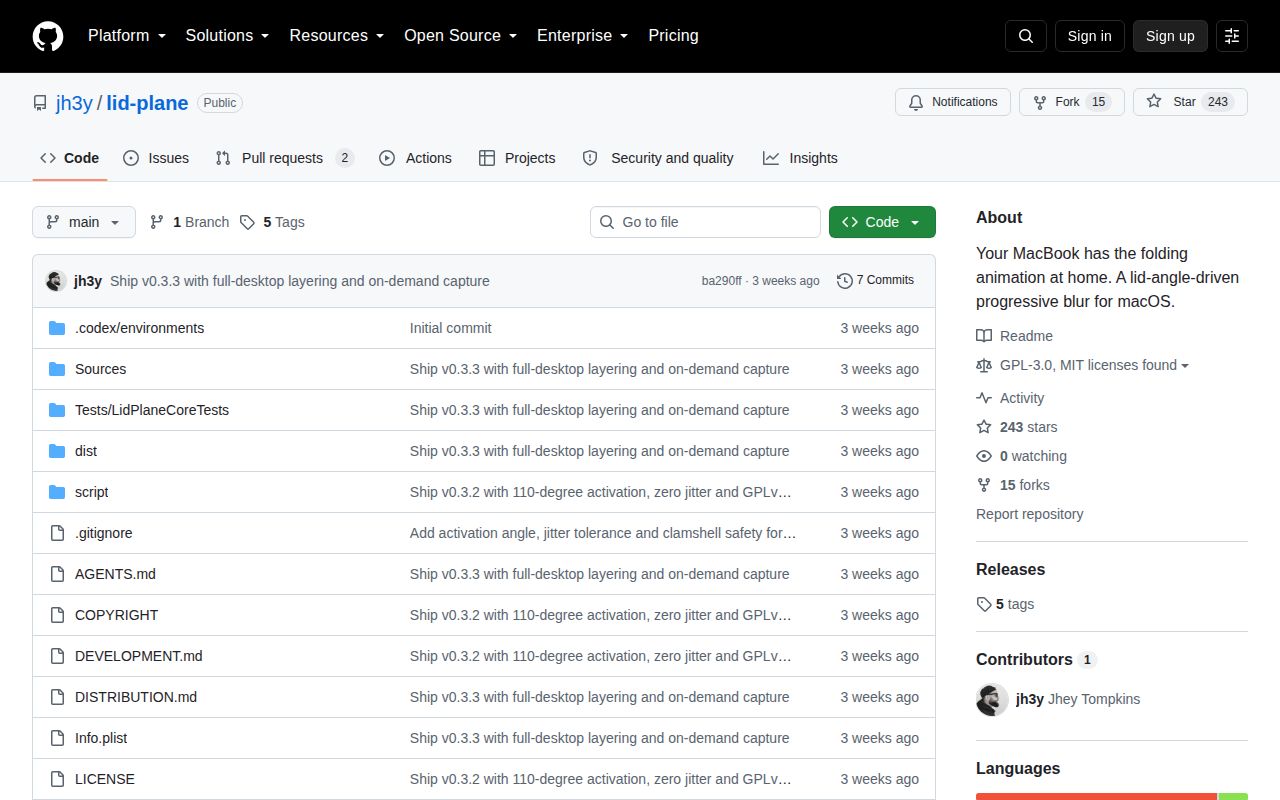
The repository was created September 10, 2026 and pushed through September 13. Tags run from v0.2.0 to v0.3.3, all published as experimental prereleases in that three-day span. GitHub showed 243 stars, 15 forks, two open pull requests, and one closed issue on October 2. The closed report concerned how the Dock looked when a window was not maximized.
Licensing also changed quickly. Versions through v0.3.1 remain MIT-licensed, while v0.3.2 and later use GPL-3.0-or-later. The current packaging script can produce source, ZIP, DMG, and checksums, with a separate notarization path for maintainers who have an Apple certificate. For users, the bigger question remains hardware: until the angle readout moves on your MacBook, none of the shader work matters.
Lid Plane is an appealing, sharply bounded experiment with unusually candid documentation. It also asks for powerful permission to create a decorative effect through an unsupported sensor interface. Use the v0.3.3 prerelease when you want exactly that trick and can test it on the target machine. Choose a conventional display utility if you need a tool that behaves predictably across multiple Macs.