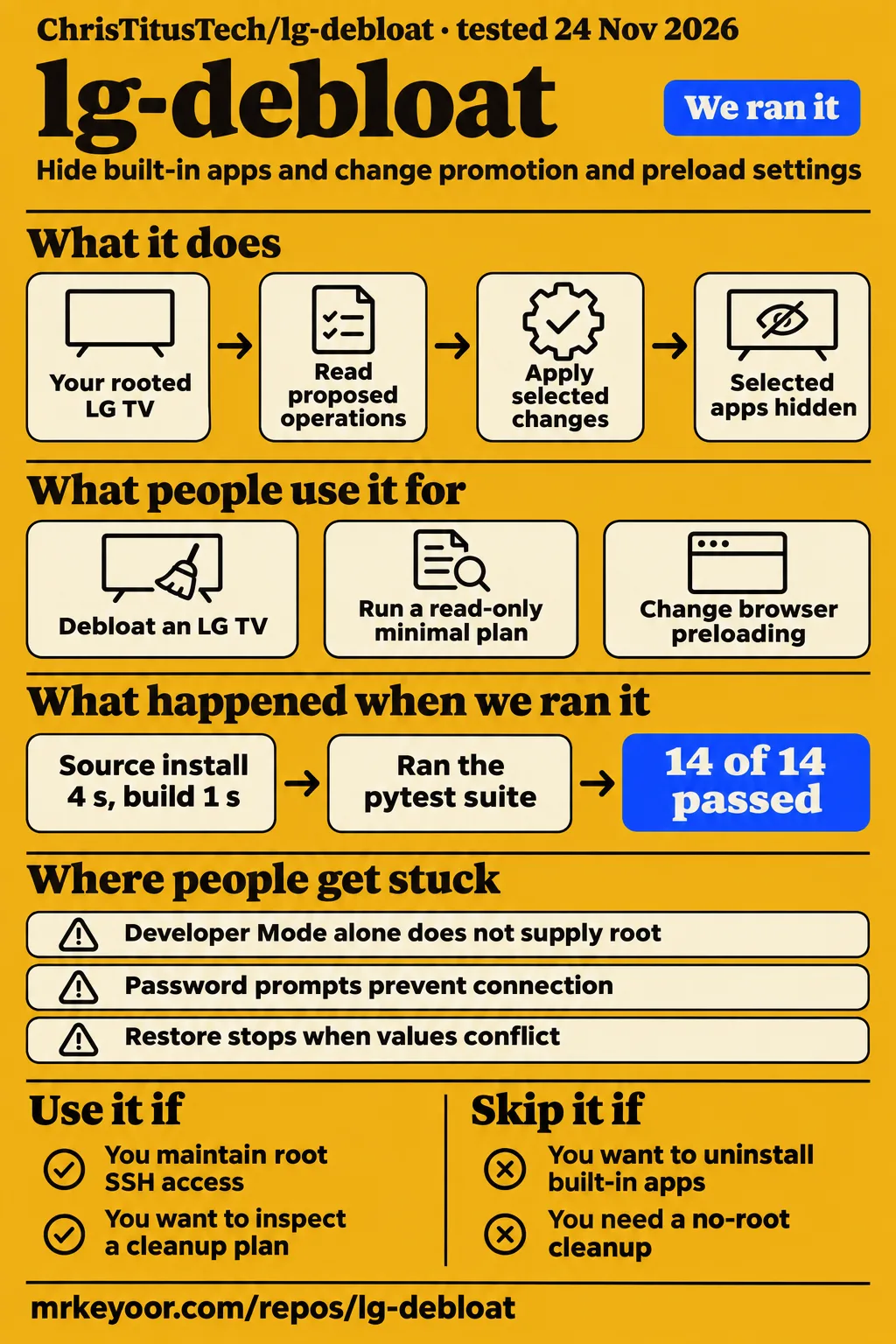
Our sandbox run passed all 14 tests, but the decision to use lg-debloat starts with root access to your television. Use it if you already maintain a rooted LG webOS TV and want to inspect a conservative cleanup plan. Skip it if you want a no-root fix for streaming-app ads: the README requires root SSH and excludes ads inside streaming services.
What you can do with lg-debloat
lg-debloat hides selected built-in apps and changes supported promotion and preload settings without uninstalling apps. The README describes a workstation script, so you run it from your computer against the TV over SSH, a remote command connection. Root means administrator access on the TV. Developer Mode by itself doesn't supply that access.
The default cleanup targets installed Advertisement, Brand Shop, Store Demo and Sync Demo tiles. The minimal profile adds selected assistant, linking, media-viewer and help tiles. Despite the name, minimal means more cleanup. You can exclude an app with --keep APP_ID, which protects it from both hiding and preload changes, according to the portable-tool guide.
Preloading means starting an app ahead of your request so it can open faster. The script can change supported policies for the browser, Google Assistant and Magic Link. Its protected list includes Plex, YouTube, stock Home, settings and inputs. The browser stays launchable after its preload policy changes. If your goal is to keep ordinary viewing intact while removing particular distractions, that separation is useful: you can read which operation is proposed before accepting it.
What people use lg-debloat for
Chris Titus reported a subjective performance improvement, while the maintainers documented a read-only hardware plan for the portable script. Those are different kinds of result, and neither should borrow the authority of the other.
| Who used it | What they did | What came out |
|---|---|---|
| Chris Titus Tech | Debloated an LG TV and shared the project documentation | His November 17 post praised the performance improvement; the follow-up linked the work-in-progress documentation and script. The post contains no performance benchmark. |
| Project maintainers | Ran the portable script's minimal plan on the case-study webOS 4.x TV | The plan recognized the legacy block format, proposed preload and promotion changes, reported missing persistence and applied no changes. |
The hardware plan proposed changes to browser, Google Assistant and Magic Link preloading, plus option/webOSPromotionVideo. Missing settings were skipped. That is a useful demonstration of capability detection: the script dealt with what the television reported instead of copying a newer model's configuration onto it. It is also a reason to start with your own plan rather than treating someone else's list as a prescription.
The owner posting as sweatyPlatypus_ on X raised a different problem: an LG B5 kept offline and used only as the display for a Google TV streamer. That question deserves a benefit assessment before a rooting tutorial. Our recommendation for that reader is to leave a working display alone unless there is a specific TV-side problem to solve.
What happened when we ran it
| Sandbox step | Recorded result | What you can conclude |
|---|---|---|
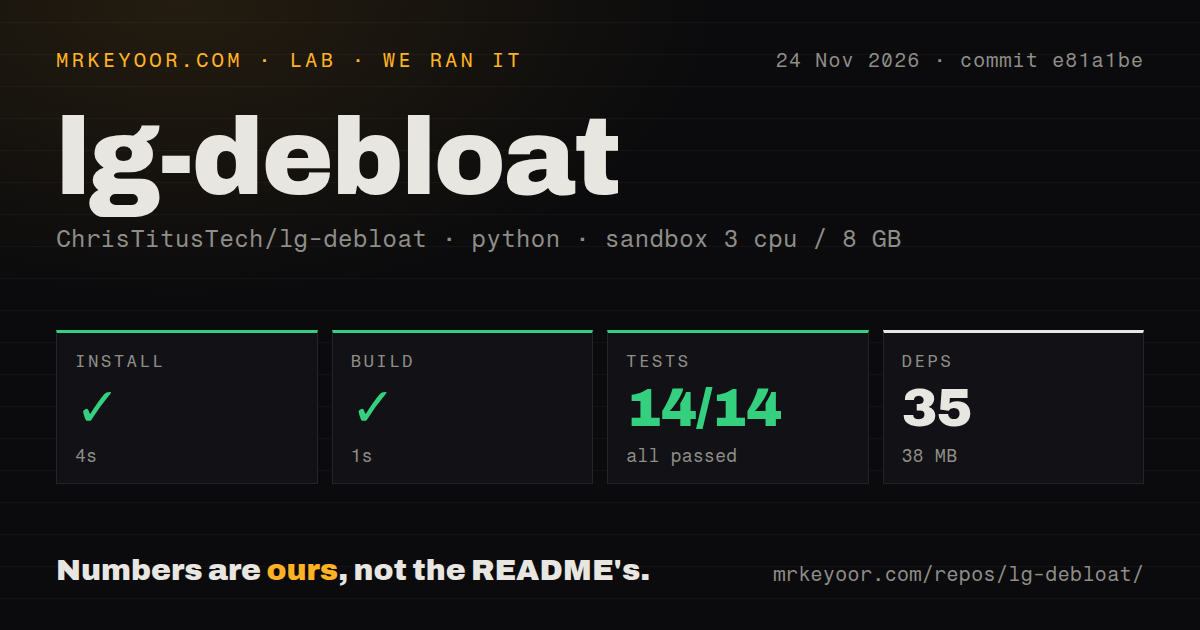
| Install | Succeeded in 4 seconds; 35 dependencies recorded; 38 MB on disk | The recorded repository environment installed successfully. |
| Build | Succeeded in 1 second | The harness build step completed. |
| Tests | Succeeded in 2 seconds; 14 passed, 0 failed of 14 | This test run passed. |
Our measurement setup specified 3 CPUs and 8 GB RAM, using image label ghcr.io/astral-sh/uv:python3.12-bookworm. Actual Python and operating-system versions need the raw toolchain logs. The checkout scan recorded 79 files, about 1,376 source lines and 0.1 MB, with a tests directory, no CI workflow files and no Dockerfile. These are repository observations, not memory measurements from a TV.
A separate hands-on attempt stopped at its safety check. The step log says no supported Compose filename existed and that a Compose file was required. That is the point where the attempt ended. The generic run summary says it was deployed with its own Docker Compose, which conflicts with the actual failed step. We treat the step result as the useful finding, rather than claim a working deployment. The teardown record says teardown completed successfully.
This deployment harness expected a Compose project; lg-debloat's documented route is a workstation script connecting to a rooted TV. A missing Compose file explains why this attempt stopped, without turning the harness requirement into a product defect. For TV behavior, the maintainers' read-only plan is the relevant hardware observation.
Where people get stuck: root, host keys and regional files
Developer Mode alone cannot satisfy lg-debloat's root requirement, and its SSH connection refuses password prompts and unknown host keys. The guide's prerequisites put access preparation ahead of cleanup. Your computer needs Python 3.9+ and OpenSSH; the TV needs root SSH, luna-send, ordinary shell tools and writable /var/preferences.
| What stops you | Documented response | What to do next |
|---|---|---|
| Developer Mode SSH without root | The tool does not turn Developer Mode access into root | Establish model- and firmware-appropriate root access separately, or choose a different approach. |
| Password prompt or unknown host key | Connection is refused | Configure key authentication and register the TV's trusted host key first. |
| Several regional block lists | The tool refuses to choose the first file | Identify the active existing regional file, then pass --region. |
| Unknown block-list schema | The tool returns an error instead of guessing | Investigate that firmware's format before changing it. |
| No recognized writable preload configuration | Changes are reported as runtime-only | Expect to check status after a reboot. |
| Outside edits conflict with recovery | Restore refuses to overwrite the conflicting value | Reconcile the external change before retrying. |
Those responses are documented tool behavior, not a survey of resolved support tickets. The practical starting command is python3 lg-debloat.py plan --host tv, with tv replaced by your address or SSH alias. Read the proposed operations, including anything skipped. When you select the minimal profile, carry the same profile into apply so the command reflects the cleanup you inspected.
Don't run another debloater alongside it. The guide requires serialized maintenance because another component can change a file between a check and a write. Atomic file replacement reduces partial-file damage, but the whole cleanup is not a transaction.
Keep the recovery journal private and tied to one TV
The recovery journal stores original values and is bound to the TV's SSH host key, rather than just its network address. The portable-tool guide specifies a separate journal per TV and mode 0600 permissions, which restrict the file to its owner. Keep the generated private/universal-state.json, or the separate state file you chose, with the script when updating it.
Apply records an operation as pending before sending it. If the TV accepts a write but the connection loses the reply, the journal still describes work that needs recovery. Restore processes operations in reverse order and retains failed entries so you can retry. It restores the original values, including a preload policy that was already disabled before cleanup, rather than turning everything back on.
That makes deleting the journal a consequential mistake. A partial failure can leave the television changed, and the guide explicitly describes no automatic rollback. If the current value matches neither the original nor the desired value, restore stops rather than overwriting someone else's edit. Keep the journal private, retain it through recovery, and investigate a changed SSH host key instead of editing away the binding.
For more than one TV, the burden is separate identity and recovery state for each device. Reusing one journal across a changing set of network addresses defeats the reason the tool binds recovery to a host key.
lg-debloat vs CleanYourTV and other webOS alternatives
The operating system decides the first comparison: Android CleanYourTV uses ADB, while lg-debloat uses root SSH on webOS. After that, choose between changing settings, replacing Home and filtering network requests. They solve different parts of the annoyance.
| Option | What its documentation describes | Choose it when |
|---|---|---|
| Gathin23/cleanyourtv | Android/Google TV package commands that cannot be reused on LG webOS | Your TV actually runs Android or Google TV. |
| cleanyourtv-WebOS | A manager with service suppression and repeated preload-policy enforcement | You want an integrated launcher workflow with controls on the TV. |
| Reveal80/lg-webos-debloat | A webOS 22 workflow whose author reports testing hiding and restoration on one TV | Your model fits that narrower documented starting point. |
| webos-vibehack | A Developer Mode launcher route described by Robert Creative, with session renewal and another device redirecting Home | You want a launcher without rooting and accept that maintenance. |
| Pi-hole or AdGuard Home with an LG list | TV-scoped filtering of server-delivered advertising domains | Network filtering addresses your problem better than changing TV settings. |
The video titled “CleanYourTV: LG WebOS debloat your LG TV!” shows launcher themes, app hiding and a manager's debloat controls. It demonstrates that alternative's interface, not Chris Titus's script.
Reveal80's hiding mechanism also prevents a hidden app from opening. lg-debloat's guide describes visibility-only hiding, which leaves execution possible. That distinction matters if you want to launch an app occasionally without restoring it first.
For lucataco's shell script, lg-debloat's maintainers reviewed revision a269896 and reported dry-run writes and restoration-state problems. They chose an independent implementation with JSON parsing and retryable recovery. That revision-specific review is a reason to inspect which script you are about to run, not a verdict on every later fork.
Update blocking and privacy settings need separate decisions
Homebrew update-host blocking is optional in lg-debloat and is enabled with --block-updates. The guide says that option takes effect through Homebrew on reboot; the separate updater-stop workflow is a different intervention. Decide whether you want that behavior before adding the flag to plan and apply.
The competing recommendations serve different goals. Reveal80's README tells readers not to update firmware to preserve rooting options. The video “Protect Your Privacy on LG WebOS Smart TVs: Essential Settings You MUST Change!” recommends automatic updates for security patches. Preserving access through a firmware vulnerability and receiving fixes for vulnerabilities pull in opposite directions. If your priority is ordinary supported viewing, a cleanup project is a poor reason to choose your update policy.
Network filtering needs its own scope decision. Reveal80's DNS guide warns that the LG blocklist includes domains used by other devices and streaming services. Apply that list to the television alone. Its aggressive list also blocks the Content Store, preventing app installation and updates. “More blocked” can mean “less usable.”
What the other reviews get wrong
Cybernews describes firmware-update blocking as a consequence of using the tool, while the portable guide makes it optional. Its November 18 article also describes general webOS service disabling. The script guide distinguishes launcher visibility, supported settings and preload policy: hiding is not service shutdown, and changing preload policy does not close an app that is already running.
The Facebook Meta AI summary mixes LG webOS with ADB workflows and promises up-to-tenfold speed gains. lg-debloat needs root SSH, uses no ADB and provides no such measured result. Repeating that figure would turn an Android-style cleanup story into a false expectation for your LG.
Robert Creative's October guide calls the launcher the whole LG project and says there is no system debloat step. That description of its launcher route doesn't cover lg-debloat's supported promotion, ACR and preload-policy changes. ACR means automatic content recognition, the viewing-recognition feature addressed by supported settings. Those changes still aren't Android package disabling.
There is also a narrower documentation correction: Reveal80 says it and cleanyourtv-WebOS do not overlap, but cleanyourtv-WebOS documents service debloating and preload controls. Their scopes overlap. That alone says nothing about a particular failure from running them together.
Questions people ask
You can use lg-debloat on a rooted LG webOS TV through root SSH; Developer Mode alone is insufficient, according to the README.
How can I debloat an LG TV?
Start with the cleanup you actually want: manual settings, a launcher, or rooted changes. For this script, establish root SSH separately, then run python3 lg-debloat.py plan --host tv. The README's workflow proceeds from reviewing that plan to apply, status and journal-backed restore. A launcher installation is optional work outside this script.
Is debloating necessary if my LG TV stays offline and only displays a Google TV streamer?
There is no demonstrated benefit here that justifies telling you to root an otherwise satisfactory offline display. sweatyPlatypus_ asked that exact usage question on X, but the captured discussion contains no measured answer. Our advice is to identify an observable TV-side problem first. The external streamer's home screen is a separate cleanup target.
Will Android TV debloat tools work on LG webOS?
No: the portable guide says CleanYourTV's ADB package commands cannot be reused on webOS. Similar project names don't make the platforms interchangeable. lg-debloat's route is SSH with root, so an Android tutorial's package-disable commands are the wrong instructions.
Can I uninstall LG Channels or Copilot?
lg-debloat does not uninstall apps. Its README describes hiding selected built-in apps, and its guide specifies profiles and capability detection rather than a universal removal command. Don't choose it for an uninstall promise. Whether either named app is targeted on your TV belongs in the plan output for that device.
Is rooting an LG TV worth it?
For an owner who only wants fewer promotions, our recommendation is to try the TV's settings before taking on root access. The privacy-settings video demonstrates a manual settings route, while lg-debloat requires an already-rooted television. Existing root access makes inspecting a cleanup plan a much smaller decision than acquiring root solely for it.
Which privacy settings differ on newer LG webOS TVs?
The privacy video does not establish a model-by-model comparison: its creator ends by asking viewers about different options on newer TVs. It walks through user agreements, Home promotions, Live Plus and advertising settings. For the script, the guide says missing capabilities are skipped, so inspect your television's reported settings instead of assuming every menu from the video walkthrough exists.
Did accepting LG's terms and conditions enable more information sharing than I intended?
Possibly: the privacy video's creator identifies viewing-information consent as optional and demonstrates withdrawing agreements without a reset. That is a reason to inspect the agreements you accepted, not proof of what your TV sent. The creator also warns that withdrawing the terms of use and privacy policy prompts built-in apps to request acceptance again.
What we have not tested yet
Our passing sandbox checks do not establish a speed improvement, successful TV writes or successful recovery. The portable guide's hardware validation stops at read-only planning on webOS 4.x; real-TV apply and restore acceptance remains outstanding. Modern firmware support is fixture-tested, not hardware-verified. The next useful acceptance record would identify the model and firmware, apply a chosen plan, exercise required apps and inputs, check reboot and standby persistence, then restore and check the original state.
We have not tested a hardware compatibility matrix, measured memory savings, timed Home or app launches, or captured tracking traffic. Fewer tiles do not prove less memory use. The script does not block ads inside streaming apps, and optional update-host blocking does not guarantee all update traffic is blocked. The author's subjective speed report cannot substitute for those measurements.
The research also lacks usable Reddit threads and GitHub issue discussions about this script. The retrieved Bilibili results and LG-phone forum pages do not establish LG-TV usage. No support-response estimate or adoption total follows from them. The public GitHub snapshot showed a November 18 last push and zero open issues and PRs, but an empty queue alone cannot tell you how a firmware-specific failure will be handled.
The offline-display question remains unanswered by a measured comparison. Raw toolchain logs are also needed before naming the actual sandbox runtime versions. Retain the recovery journal and require a checked apply-and-restore result on your own model before relying on reversibility.