Provider setup comes before translation
NextAI Translator combines translation, polishing and summarization in a desktop app and browser extension. Consider it if you want those tasks in one interface and can configure a language-model provider. Readers who need a verified packaged installation or measured translation quality will need evidence beyond this review.
The README lists OpenAI, Azure OpenAI Service, MiniMax and other providers. Its preparation section requires an API key, and its browser instructions tell users to enter that key in the extension's configuration interface. Screenshot translation, text-to-speech and vocabulary books are also documented. Our run did not verify those workflows.
What happened when we ran it
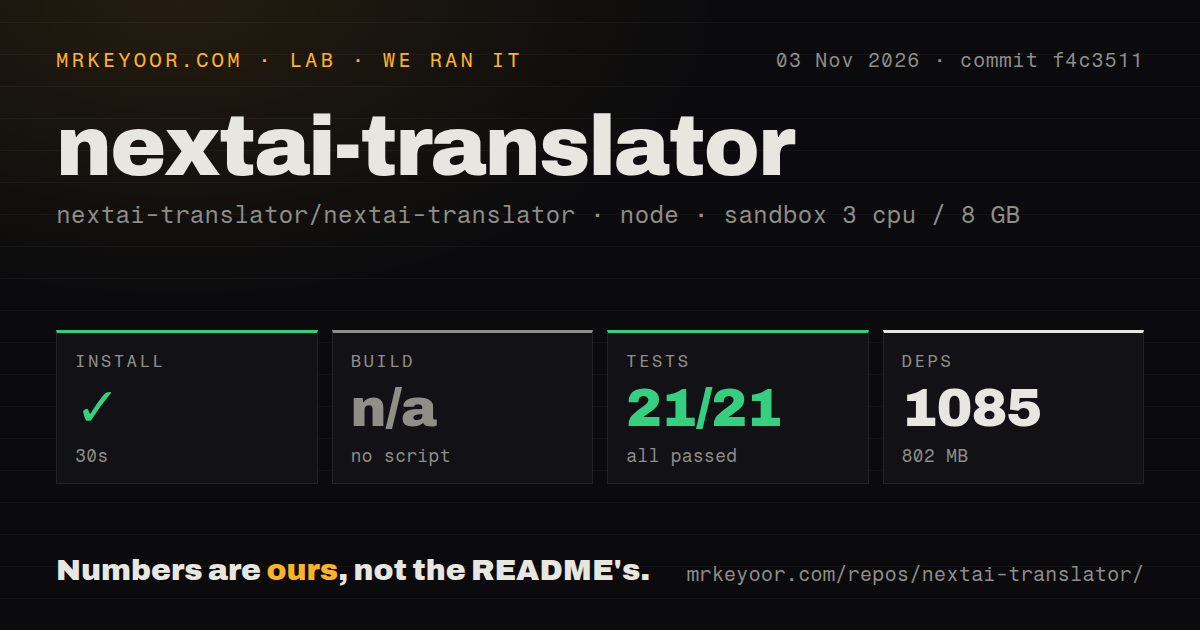
Our November 3, 2026 sandbox run used commit f4c3511. Installation succeeded in 30 seconds, with 1,085 dependencies recorded and 802 MB on disk. That is a developer-environment measurement, not a packaged download size.
Vitest reported 21 passed and zero failed. The test step took 3 seconds. The build was skipped because the harness found no build script or target. These checks did not verify a desktop executable or installable browser extension. A skipped harness build does not establish that the project's platform-specific build routes fail.
The recorded sandbox configuration specified 3 CPUs, 8 GB RAM and image lab-node:22; actual runtime and operating-system versions require the raw toolchain logs. The scan recorded six CI workflow files, no Dockerfile and no tests directory. The directory observation does not negate the recorded Vitest result.
There is no translation-quality, screenshot-recognition or provider-latency measurement in this run. It also provides no evidence about API cost, credential storage or network traffic.
Evaluate one provider and one workflow
Azure setup in the README identifies a resource name and model deployment name. The documented provider choices give readers configuration options, but do not establish that every provider path works on their platform or in their region. Our run did not connect any provider or verify the gateway's advertised savings.
Choose a service permitted for the text you intend to send. Then evaluate passages whose meaning you can independently check, including terminology that matters to your work. Compare translation and polishing requests to see whether each preserves the intended meaning. These are suggested next steps, not tests performed in our sandbox.
Check desktop installation requirements
The Windows instructions describe proceeding past an unsafe-app warning. The macOS troubleshooting section describes an unverified-developer warning, quarantine removal and permissions related to shortcut translation. Those instructions may affect whether the documented installation route fits a managed workstation.
We did not reproduce the warnings or inspect a current package's signing status. The documentation does not prove that every installation encounters them. Check the requirements for your chosen operating system and distribution before treating successful source tests as evidence of desktop readiness.
Check the installed browser version
Issue #1949, opened November 2, 2026, reports that the Chrome Web Store listing lagged behind GitHub releases. This is a user's report, not our inspection of the live store. Record the version actually installed rather than assuming it matches the repository.
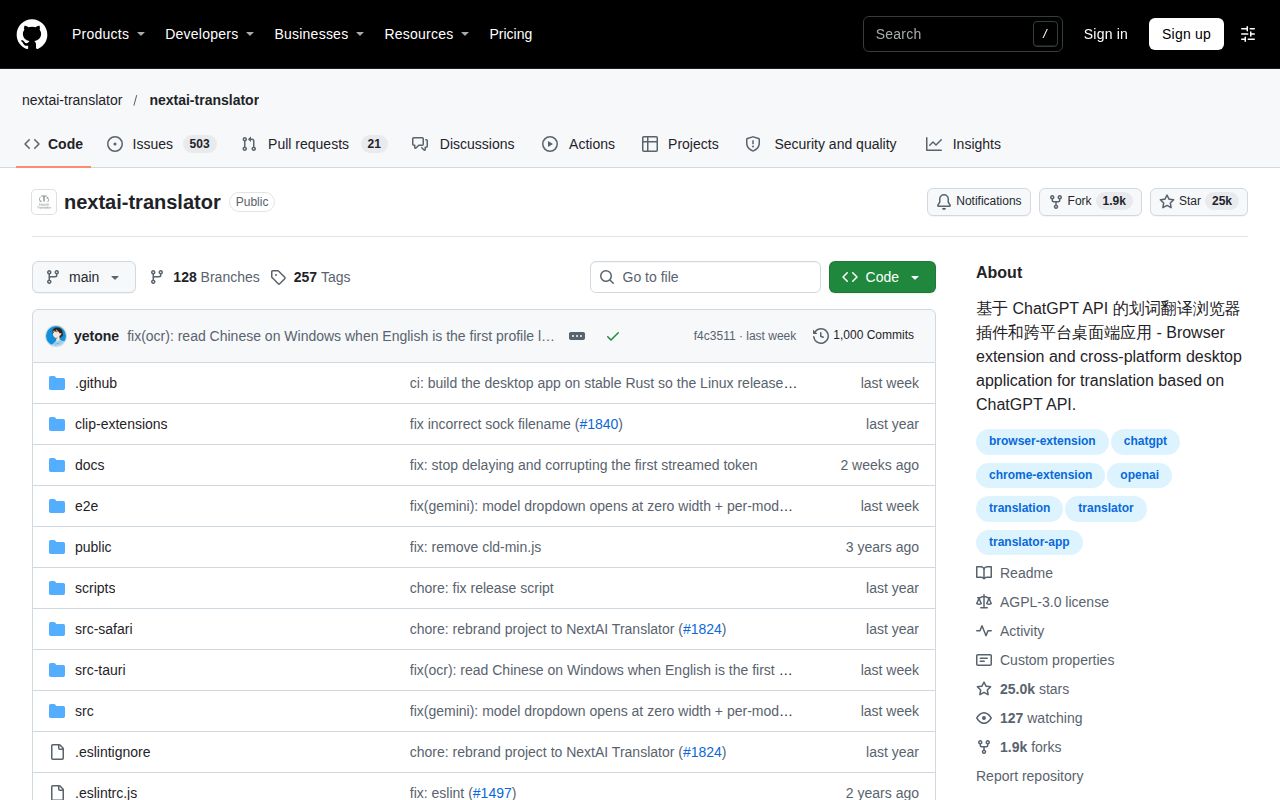
GitHub metadata records a November 2, 2026 push, and issue #1949 was opened that day; these observations do not establish maintainer responsiveness.
Read the license file and distinguish badge text
The checked LICENSE file contains the GNU Affero General Public License, version 3. The README badge's alt text says MIT, while the checked LICENSE file and GitHub metadata identify AGPL-3.0; the rendered badge was not inspected. The evidence establishes stale alt text, not a verified conflict between the rendered badge and the license file.
Read the LICENSE file before making modification or redistribution decisions. This review does not determine legal obligations for a particular use.
Alternatives depend on the reading workflow
KISS Translator documents bilingual webpage translation and custom translation rules. Consider it when reading original and translated webpage text together is your priority. The existing MrKeyoor KISS Translator review addresses that browsing workflow; its upstream README documents the features.
Translate Shell provides terminal access to translation engines. Consider it when translation belongs in your shell workflow; its README describes that interface. We did not compare either alternative's translation quality or running costs with NextAI Translator.
How the ratings should be read
The assessed dimensions use this editorial rubric: 1 means documented barriers prevent the evaluated path; 2 means substantial obstacles remain; 3 means there is a concrete evaluation path with material verification gaps; 4 means the relevant workflow has been independently verified with limited caveats; 5 means broad independent validation within the stated scope. These are editorial judgments, not performance measurements.
Setup receives 3 because source installation and tests succeeded, while packaged installation and provider configuration remain unverified. Documentation receives 3 because the README supplies provider and platform instructions, while its license-badge alt text is stale and the documented installation workflows were not reproduced. Maturity receives 3 because the passing tests and six CI workflow files support further evaluation, while packaging and live workflows remain unverified. Community support is unassessed because the supplied activity does not establish response times or maintainer capacity.
Choose a distribution, record its version and configure one permitted provider. Verify the text workflow you need before relying on it for daily work.