Papers and agent context share a workspace
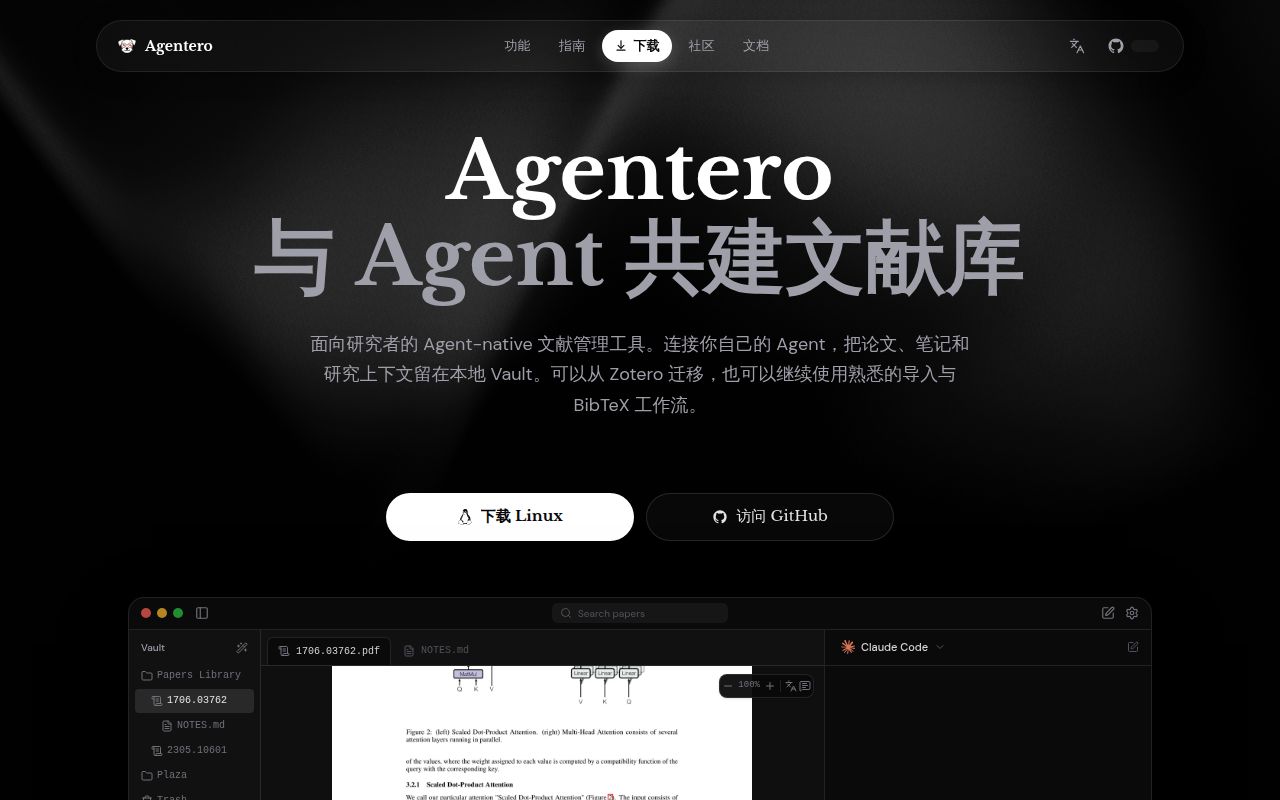
Agentero puts PDF reading, linked Markdown notes and agent interaction in one research workbench. That is a useful proposition if your current routine involves copying a passage out of a paper, finding the relevant note and pasting both into a separate conversation. Its appeal depends on how well that shared context works with your papers, something a successful repository build cannot settle.
The main README is Chinese, and an English README exists. The linked getting-started guide we read is Chinese too. English-speaking researchers can understand the product's advertised scope, but should inspect the help they will need before moving a working library. We did not assess the completeness of English interface translations or support.
The README describes PDF annotation, structured formula and table extraction, linked notes and translation. Those are upstream feature descriptions. In particular, its promise of accurate structured context needs checking against difficult source material. Our run contains no comparison between a PDF and extracted equations, and no judgment of an agent's answers about a paper.
What happened when we ran it
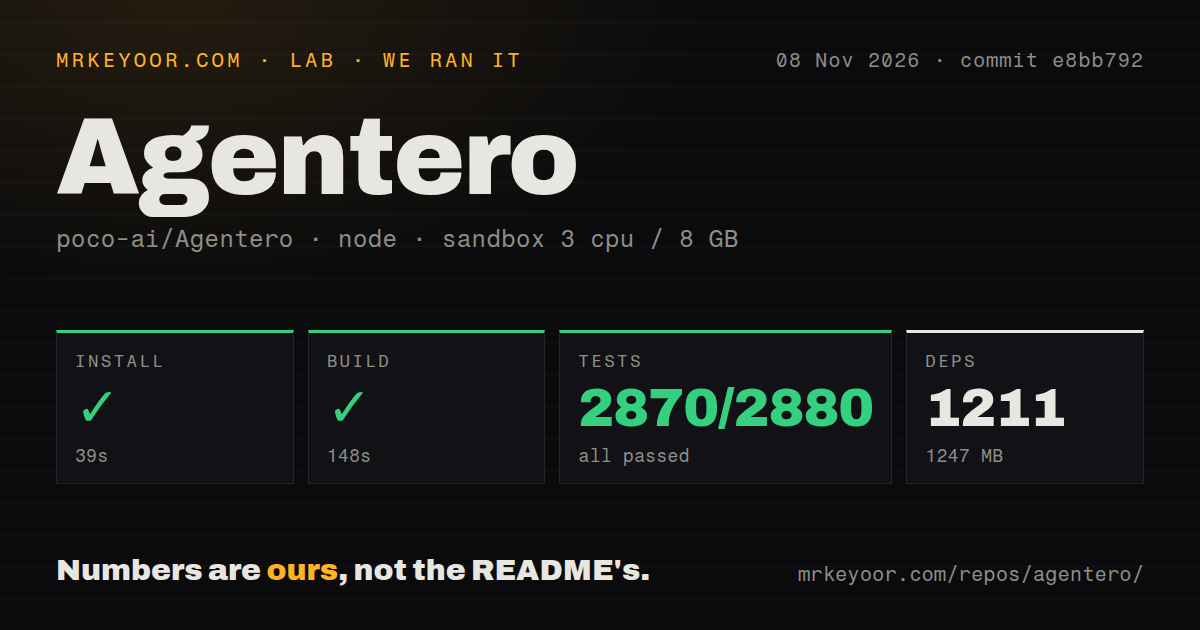
Our sandbox installed Agentero's pnpm dependencies in 39 seconds at commit e8bb792 on November 8, 2026. The record lists 1,211 dependencies and 1,247 MB on disk. The build completed in 148 seconds, and tests completed in 150 seconds. Vitest reported 2,870 passed, 0 failed and 10 skipped of 2,880.
That is a clean result for the recorded commands, with skipped tests still visible. It supports considering the source workspace for further work. It does not establish that every desktop workflow passed: the supplied record contains no packaged-app launch, Zotero migration, extraction-accuracy evaluation or completed agent request. Keep those acceptance questions separate from the passing suite.
The sandbox configuration specifies 3 CPUs, 8 GB RAM and image lab-node:22. That image label does not identify the actual Node runtime or operating-system version. The checkout scan found monorepo workspaces and a tests directory. Neither observation establishes which desktop platforms the successful commands exercised.
The dependency footprint also belongs to this source environment. Agentero documents downloadable desktop packages, so 1,247 MB should not be repeated as the size of every end-user installation. We did not measure those packages. A researcher deciding whether to try the application needs that distinction more than another source-checkout statistic.
Plain files still have a metadata catalog
Agentero's English README describes PDF and Markdown files in ordinary local folders. That is attractive when you want to open a paper or note in another editor. The getting-started guide, however, also lists .agentero/catalog.sqlite as the library's collection and metadata store. Plain files do not describe the whole backup requirement.
The guide tells users to back up the entire vault, including catalog.sqlite, and to change structured paper metadata through Agentero rather than manually editing the database. That qualifies the README's broad storage language. If you are evaluating an exit path, check what remains usable in the plain files and what depends on catalog metadata. We have not performed a restore or export-fidelity exercise.
Zotero import is documented, including retaining tags, notes and attachments. Treat that as a migration feature to verify on a copy. Compare representative papers and their metadata after import, then check the export your writing process needs. A passing source test command supplies no evidence that your particular library's attachments or annotations survived.
A local agent connection does not answer every privacy question
Agentero documents ACP connections to locally running agents, including Claude Code, OpenCode and Codex, plus an MCP server for external clients to query the library. These are different integration roles: one connects the workbench to an agent, while the other lets another client ask for library context. Choose the role you need before configuring both.
The README's local-storage language does not establish where a selected agent sends model requests. Check the actual agent and provider configuration before using private research material. Translation also has built-in channels and custom-key support. Our lab run did not inspect network traffic, authenticate a provider or verify what context any external client received.
Optional S3-compatible synchronization adds another copy of the library and another service to configure. Start the evaluation with a local vault, then add synchronization once you know what needs preserving. The supplied run contains no sync-conflict or multi-device recovery result.
Desktop compatibility deserves its own check
The setup guide specifies Ubuntu 22.04+ with webkit2gtk 4.1 for Linux desktop use. It tells users on older distributions to upgrade and suggests trying an AppImage for dependency trouble. That is a real boundary for a researcher using a managed workstation whose operating system cannot change.
First use does not require Zotero or an agent, according to the same guide. You can therefore evaluate opening a vault and reading a paper before configuring AI-assisted work. That is the smallest useful trial here: check the PDF, write a linked note and verify the saved files before granting another client access to them.
Keep the bibliography tool if it already solves your problem
Zotero collects, organizes, cites and shares research sources. If that is the job you need done, a new agent workspace needs to justify migration rather than merely offer more features. Agentero's own README frames its purpose around shared research context instead of replacing Zotero outright.
JabRef has native BibTeX and BibLaTeX support. Consider it when the bibliography is central to your writing process. We have no comparative reading-quality or operating-effort result for either alternative. For Agentero, the decisive next evidence is a copied library whose papers, notes and catalog you can use and restore.