Kumone is a native client for one specific music service
Kumone replaces NetEase Cloud Music's normal Apple clients with a SwiftUI application for macOS, iPhone, and iPad. It covers home recommendations, Personal FM, playlists, albums, artists, search, liked tracks, cloud disk, playback queues, and synchronized lyrics. On the Mac it also integrates media keys and Control Center, restores the queue after relaunch, and can keep one lyric line floating above other windows.
The project is narrow by design. macOS requires version 15 or newer, while the sideloaded mobile build supports iOS 16+. Login is not a generic username form: users scan a QR code with the official NetEase Cloud Music app, and Kumone stores and refreshes the resulting cookies locally. This is for people already inside that service, not a general local music player.
Direct NetEase calls remove a server and inherit its fragility
Requests go straight to music.163.com and interface.music.163.com. Kumone implements NetEase's weapi and eapi request encryption in Swift, so there is no third-party API server to deploy or trust with the account cookie. The repository describes about 50 API endpoints behind its client layer, covering discovery, libraries, playlists, and account actions.
That design also binds the app to private service behavior. Kumone is unofficial, and NetEase can change endpoints, encryption details, response shapes, or login policy without treating this client as a supported consumer. The code's unified track model tolerates two JSON shapes, which is practical evidence that responses already vary. Anyone using it should expect occasional breakage after a service-side change.
Gray-track unblocking raises a separate choice. When a NetEase track is unavailable or trial-only, Kumone can resolve audio through pyncmd, Kuwo, or Kugou sources. The README names UnblockNeteaseMusic as the reference for endpoint behavior and matching strategy. Some users will see that as the feature that makes the client worthwhile; others will reject the legal, policy, or provenance uncertainty and should leave the app alone.
What happened when we ran it
We did not run the repository because the lab has no supported Swift ecosystem and Kumone provides no Dockerfile. As a result, there are no measured installation seconds, dependency totals, build results, test counts, or vulnerability findings. A successful release or contributor claim cannot substitute for a sandbox result, so this review makes none.
The supported source build requires macOS 15+ and Xcode 26+. The README lists swift build, a packaging script that writes the application into .build/app, and another script that kills, repackages, and relaunches it. Those instructions are specific and short, but they depend on Apple's current SDK and cannot be reproduced in our Debian container.
macOS installation is ordinary, while iOS remains sideloaded
Mac users can install the Homebrew cask or download the release ZIP and drag the application into Applications. The app is signed with an Apple Developer ID, notarized, and updated through Sparkle. That is a much cleaner distribution story than most unofficial desktop clients, and it keeps routine updates inside the application.
Every release also includes an unsigned iOS 16+ IPA. Users must sign it with their own Apple ID through AltStore, SideStore, Sideloadly, or Xcode because Kumone is unavailable through the App Store and TestFlight. Normal updates require another download and reinstall with the same tool. TrollStore users get a special handoff that can install the new IPA, but plain sideloading cannot replace the app from within itself.
The mobile compatibility range carries UI differences. iOS 26 uses the system Liquid Glass tab-bar behavior, while iOS 16 through 25 receive a simulated glass bar. An open pull request on August 25, 2026, adds a fuller iPhone playback screen and says simulator and macOS builds passed, but physical-device interaction automation had not been run. That unchecked item matters for gesture-heavy playback UI.
The music experience is unusually complete for version 0.3.5
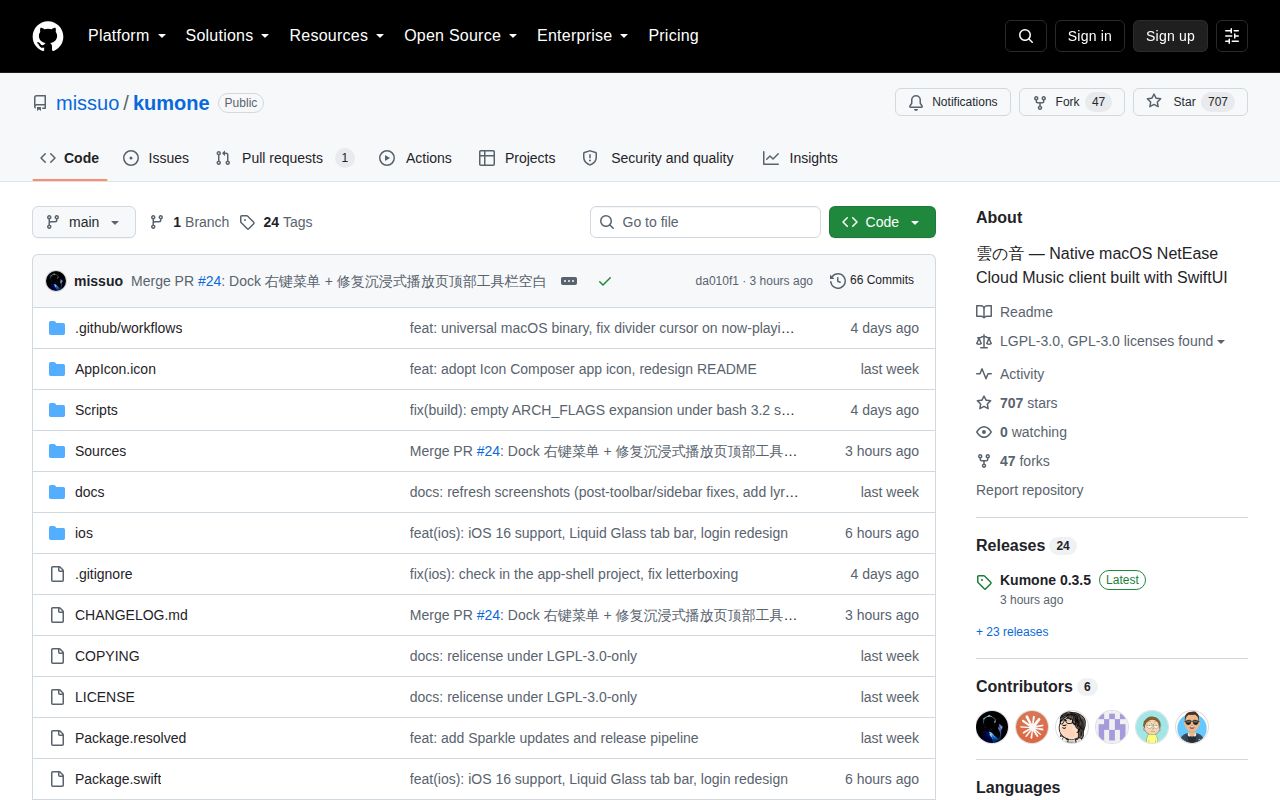
Release 0.3.5 arrived on August 25, 2026, the same day as the last repository push. It added Dock controls and shortcuts to the 6 most recent playback sources. It also added optional romanized Japanese lyrics, using NetEase data when present and offline system transcription for gaps. Fixes address a window that grew by the sidebar width and a hidden toolbar that left about 68 points of empty space.
Those notes show careful attention to native desktop behavior rather than a website placed in a window. AVPlayer handles playback, the interface follows English or Simplified Chinese system language, and the architecture separates API, models, playback, storage, design components, and feature screens. GitHub reported only 1 open item, a pull request, and 707 stars on August 25. The project is active, though still young by its 0.3.5 version.
The license does not make service rights disappear
The code is LGPL-3.0-only, with GPL text included alongside it. The README also says the project is for learning and personal use, assigns music data and rights to NetEase and the source platforms, and excludes downloading and social features. Redistributors should reconcile the software license with those stated content and service limits before packaging a fork.
For a NetEase subscriber on current Apple hardware, Kumone offers a coherent native client with desktop lyrics and direct account access. Its boundaries are equally clear: no Windows or Linux app, no store-delivered iOS build, and no official API contract. Those are sensible reasons to walk away, even if the interface itself is appealing.