Chinese screens manage files for people and agents
Knowledge Base Phase 1 stores uploaded documents in folders and lets an agent search or read the same material through MCP. Its browser interface is Chinese, including login and navigation, while the README provides English setup instructions. If you want an English interface for colleagues, that is an immediate adoption cost. For a Chinese-speaking team with files scattered across local directories, the language choice may fit perfectly.
Our checkout contained 104 files, about 14,038 source lines, and occupied 0.8 MB. The design stays understandable at that scale: FastAPI handles the backend, SQLite holds records, and a local directory holds uploaded originals and generated Markdown. The README reserves PostgreSQL and object storage for a later migration. Its task queue is a placeholder. You can judge the current file library without assuming that those later components already solve deployment or background-work needs.
What happened when we ran it
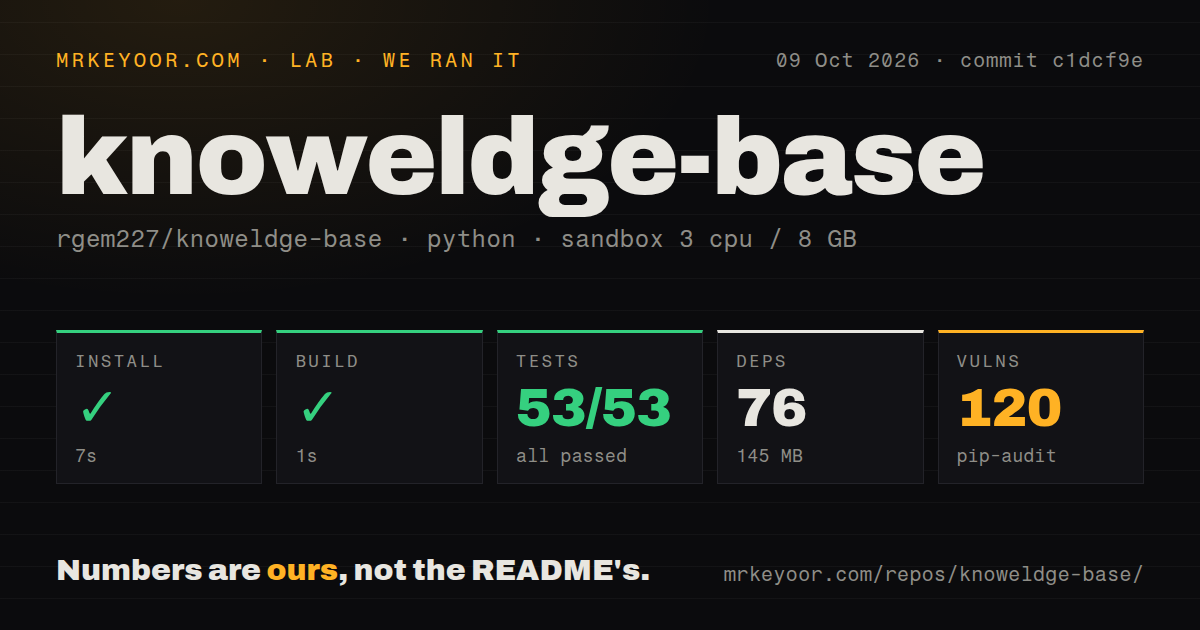
Our sandbox installed commit c1dcf9e in 7 seconds, adding 76 packages and using 145 MB on disk. The build succeeded in 1 second. Pytest then passed all 53 tests in 33 seconds, with no failures. We ran the backend in a fresh unprivileged Debian container on October 9, 2026, using the uv Python 3.12 image, 3 CPUs, 8 GB of RAM, and no secrets. These measurements cover repository setup and checks, rather than document-reading accuracy.
Pip-audit reported 120 known vulnerabilities. The supplied measurement doesn't identify affected packages, severity, fixes, or which application paths can reach them, so a count of critical flaws would be invented. Still, 120 findings are enough to withhold an unrestricted deployment recommendation. Our scan found a tests directory but no CI workflow files and no Dockerfile. Passing pytest demonstrates that the measured suite works in this container; it doesn't settle the dependency audit.
SQLite and uploaded originals need a shared backup
The README puts runtime data under backend/data/, with the database and storage directory kept separately. Copying only the SQLite file would leave uploaded originals behind. Recursive folder copying also duplicates physical files, according to the documented scope, so organizational changes can consume storage. That matters when a small server gradually becomes the team's main document cabinet. Set a backup procedure that restores both records and files before people start relying on it.
The 145 MB installed environment says little about the disk you'll need after uploads. PDFs, spreadsheets, presentations, and images stay in local storage, while browser preview fetches files into memory. The README separates that preview path from backend extraction and calls handling of legacy Office formats best effort. Try representative older documents before moving an archive. A successful preview of a modern Word file doesn't establish that an old binary Word document will produce useful searchable text.
MCP access follows the user's identity
The separate MCP process shares SQLite, storage settings, the JWT secret, and the document reader with FastAPI. Its documented tools list knowledge bases, search content, and retrieve documents or metadata. Uploads and folder management remain outside that MCP interface. A supplied KB_MCP_TOKEN identifies the user whose read permissions apply. Local stdio can instead authenticate once with a username and password, retaining the short-lived session in process memory.
Our run's 53 passing tests should not be read as a full assessment of agent access controls. The README documents remote Streamable HTTP with a bearer token and an HTTPS reverse proxy, which adds configuration beyond local stdio. The accompanying knowledge-base skill requires an imported REST API connection and protected credentials. Installing that instruction file alone doesn't connect an agent to your server. Keep each user's identity attached to the connection.
The environment template needs production edits
The checked-in environment template sets the JWT secret to a placeholder and uses development settings. The README asks you to copy it into the backend, initialize SQLite, and start Uvicorn. Replace that secret before sharing access, configure the administrator accounts, and keep the API and MCP processes pointed at the same data. The documented PowerShell service controls are convenient on Windows; Linux operators must adapt the surrounding commands to their shell.
A 7-second dependency install makes an isolated evaluation easy to justify, but the quick start doesn't provide a completed operating policy. User creation is administrator-controlled, document edits and deletion are owner-only, and administrators have user-management and audit-log pages. Work through those roles with a small collection before importing sensitive material. The repository advertises public knowledge bases in its current scope, so verify the exact visibility you want rather than reading the word knowledge base as a promise of private sharing.
Recent code has little public support history
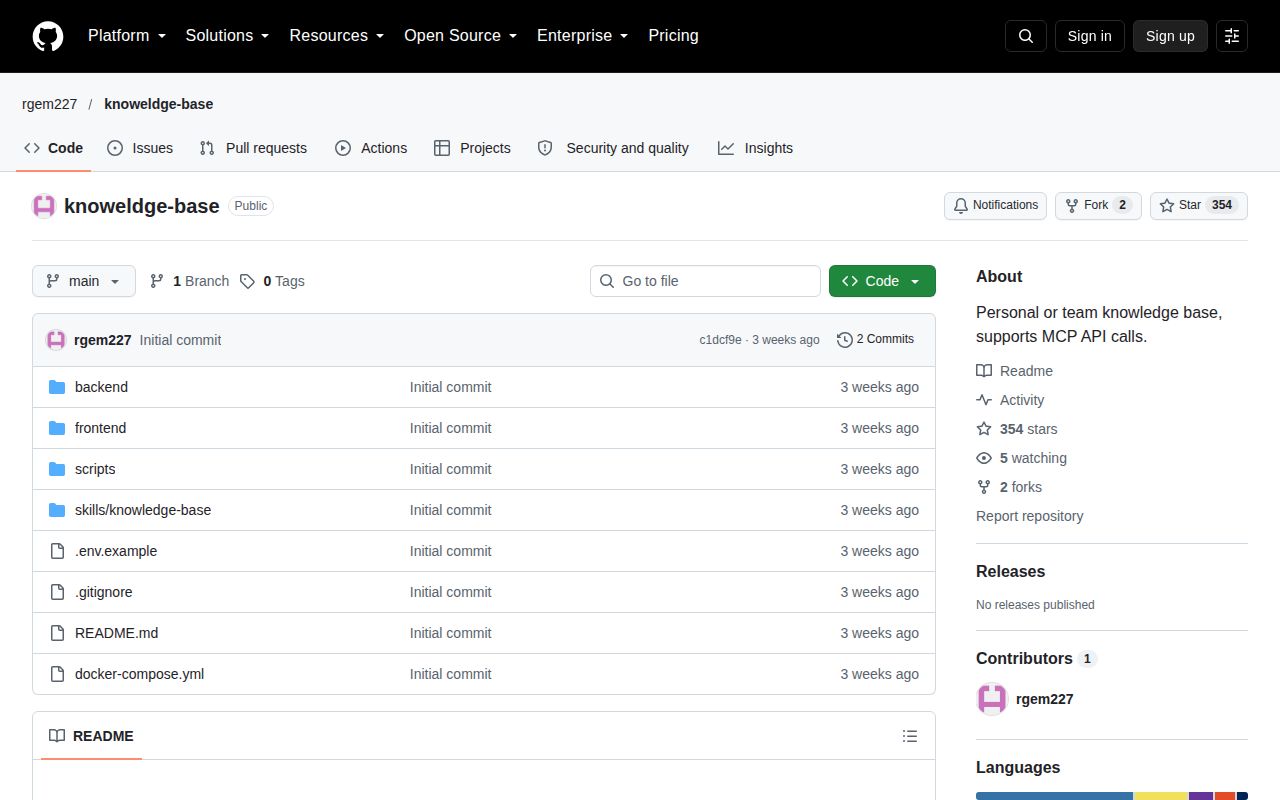
GitHub recorded a September 22, 2026 push, 354 stars, and no open issues or PRs. The issue listing was empty and the latest-release endpoint returned no release. Recent code activity makes abandonment an unsupported conclusion, but the empty discussion history also supplies no evidence of maintainer response to user problems. GitHub detected no repository license, and the root tree contained no license file. Teams with a license-approval process have a separate reason to pause.
The 76-package environment is manageable enough for a private trial, provided somebody owns the 120 audit findings and the storage backup. Choose Docmost when collaborative page editing and page history are central, or Outline for a team knowledge workspace centered on authored documents. This project's particular appeal is a local file collection with identity-aware agent reads. Before uploading the team's archive, restore a backup and confirm that an agent using a restricted account sees only the intended documents.