mrkeyoor.com_
Tue 06 Oct 06:33 UTC
AI Toolsevaluationupdated 06 Oct 2026

jev-visual review

Jev Visual is an English-language educational project, with a Simplified Chinese README too, that uses a small vision-language model on Apple Silicon to answer typed questions about an image. It reuses shared visual context and scores candidate answers directly, giving you a local UI, CLI, and HTTP API for learning the technique.

Verdict

Our Jev Visual run passed all 14 tests after a 33-second install, making it the cleanest learning project in this batch for Apple Silicon owners. Use it to understand shared visual prefill and candidate scoring, or to prototype a bounded image decision locally. Do not mistake its relative option probabilities or simplified demos for calibrated visual judgment.

We ran it

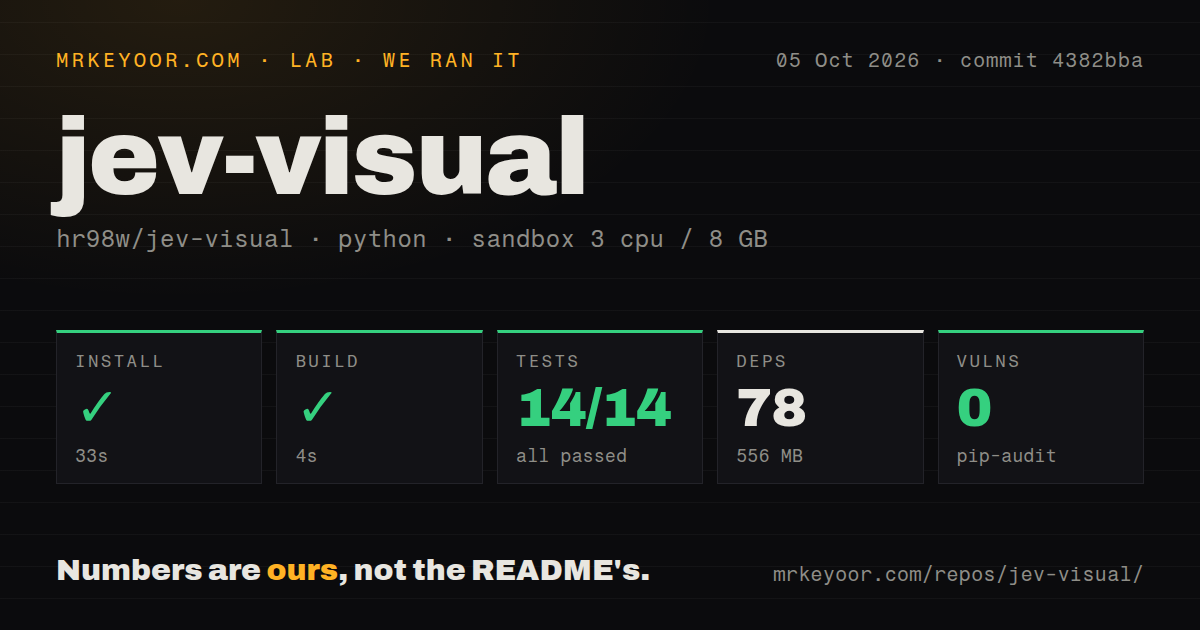
Lab card: what happened when we ran jev-visualScreenshot of jev-visual (github.com/hr98w/jev-visual)
Install✓ · 33s78 packages · 556 MB
Build✓ · 4s
Tests✓ · 8s14 passed · 0 failed of 14 (pytest)
Known vulns0(pip-audit)
Repo99 files~4,255 lines of source · 20.9 MB · 0 CI workflows · tests dir

Answers from our run

Does jev-visual build from source?

Dependencies installed in 33 seconds (78 packages), and the build succeeded in 4 seconds. We cloned commit 4382bba into a clean Debian container with 3 CPUs and no project-specific setup.

Do jev-visual's tests pass?

Yes: 14 of 14 passed when we ran the project's own test command (pytest). Some failures need services or credentials a bare container does not have.

Does jev-visual have known vulnerabilities in its dependencies?

pip-audit found none in the dependency tree at the time of our run.

Who should not use jev-visual?

Linux, Windows, or Intel Mac users: the documented inference path requires Apple Silicon and Metal.

What are the alternatives to jev-visual?

MLX-VLM, SGLang, Ollama. Our Jev Visual run passed all 14 tests after a 33-second install, making it the cleanest learning project in this batch for Apple Silicon owners.

Setup4/5Clean lab run, but real inference requires Apple Silicon and Metal
Docs5/5Clear limits, code-reading order, demos, and inference method
Community2/5308 stars and 1 open issue in a repository under one month old
Maturity3/5All 14 tests pass, though only one model adapter is verified

Who it’s for

Apple Silicon developers learning how shared-prefix visual inference works in MLX.
Researchers comparing generated JSON with direct candidate scoring.
Educators who want runnable image-classification and game-control demos.
Mac app developers prototyping local typed decisions over images.

Who it’s NOT for

Linux, Windows, or Intel Mac users: the documented inference path requires Apple Silicon and Metal.
Teams seeking a drop-in replica of TypeSafe Jev: the README disclaims Jev's architecture, training, calibration, and serving system.
Production API operators: the server is documented for local use and should run with one worker.
Buyers who need calibrated correctness probabilities: the scores are relative to the supplied options and are not correctness estimates.
Projects needing more than 26 options, more than 64 questions, or verified model families beyond Qwen3.5.
General game-playing systems: the Breakout demo reduces play to region classification, and the README says the current model cannot reliably solve the included cube.

Setup reality

Our sandbox installed commit 4382bba in 33 seconds, adding 78 packages and using 556 MB. The build passed in 4 seconds. Pytest passed all 14 tests in 8 seconds, and pip-audit reported 0 known vulnerabilities.

Real inference requires an Apple Silicon Mac with Metal, Python 3.13 in the documented setup, and about 596 MiB of downloaded Qwen3.5-0.8B-4bit weights. No hosted credential is required after the model is available locally.

The local server binds to port 8788 and should use one worker. Our Debian run verified packaging and the supplied non-model tests, not Metal inference or visual accuracy. The repository has no Dockerfile or CI workflow, so you must reproduce those checks on the Mac that will run it.

Shared visual context turns many questions into one bounded job

Jev Visual takes one image and asks up to 64 typed questions about it. A question can be yes or no, a choice among candidates, or an ordered score. Instead of asking Qwen3.5-0.8B-4bit to generate a JSON object, it prepares the image and context once, copies the model state for each question, and scores candidate answers from logits. Code then normalizes those scores and assembles the typed response.

That design is narrow on purpose. It supports 2 to 26 options per question, uses verified single-token labels where possible, and can score complete answer sequences including the end token. The shared cache exists only within one request and is copied rather than shared without duplication. Only the Qwen3.5 adapter is verified. These constraints make the implementation readable, which matters more here than supporting every multimodal model.

The scores rank supplied options but do not predict correctness

The returned probability says how strongly the model prefers one supplied candidate relative to the others. It is not a calibrated estimate that the answer is true. The project uses existing model weights with no new training or calibration. A high score can still be confidently wrong, especially when the image is unclear, the options omit the right answer, or the question asks more than the 0.8B model can infer.

The README states that boundary several ways and separates this experiment from TypeSafe Jev. It does not claim to reproduce Jev's proprietary architecture, RLCD training, calibration, or serving system. That candor is a strength. You can study shared context and direct scoring without pretending the result carries the same behavior or guarantees as a commercial decision model.

What happened when we ran it

Our sandbox installed commit 4382bba in 33 seconds, pulling 78 Python packages and using 556 MB on disk. The build succeeded in 4 seconds. Pytest then passed all 14 tests in 8 seconds, and pip-audit reported 0 known vulnerabilities. The checkout contained 99 files, about 4,255 lines of source, and occupied 20.9 MB. No measured step failed.

Those tests do not prove that image inference works on the machine we used. The lab ran Python 3.12 in a fresh Debian container with 3 CPUs, 8 GB of RAM, no secrets, and no elevated privileges. The README says model inference requires an Apple Silicon Mac with Metal. The supplied test command covers unit and API behavior without model inference, so our clean result is packaging evidence rather than a visual-accuracy result.

A Mac, 596 MiB of weights, and one worker are the real setup

The documented route creates a Python 3.13 environment, installs the locked requirements and editable package, then downloads about 596 MiB of Qwen3.5-0.8B-4bit weights. The README says the project was tested on an M4 Mac with 16 GB of memory and macOS 15.1. Once the weights are present, inference stays local and does not need a hosted model credential.

The web server listens on 127.0.0.1:8788 and exposes API documentation at /docs. The author recommends one worker and warns that first inference can be slower. This is a local learning server, not a hardened public service. Our scan found no Dockerfile and no CI workflows, which is understandable for Metal-specific code but leaves Mac-side reproduction to the adopter.

The demos reveal the model's limits instead of hiding them

Included demos cover a sorting line, camera gestures, Breakout, and a 2 by 2 cube. Breakout originally asked the model to track the ball or choose left and right, but repeated choices could pin the paddle at an edge. The working version draws 5 numbered regions, enlarges the ball and paddle, slows the game, and asks which region contains the ball. Ordinary code moves the paddle toward that region.

That is a useful lesson in task design. The demo succeeds by turning control into a bounded classification problem, the sort of job direct candidate scoring can handle. It is not evidence that the model learned general game play. The README says the current model cannot reliably solve the cube, and it does not blame quantization without an experiment that isolates the cause.

A small, young repository can still be the right teaching tool

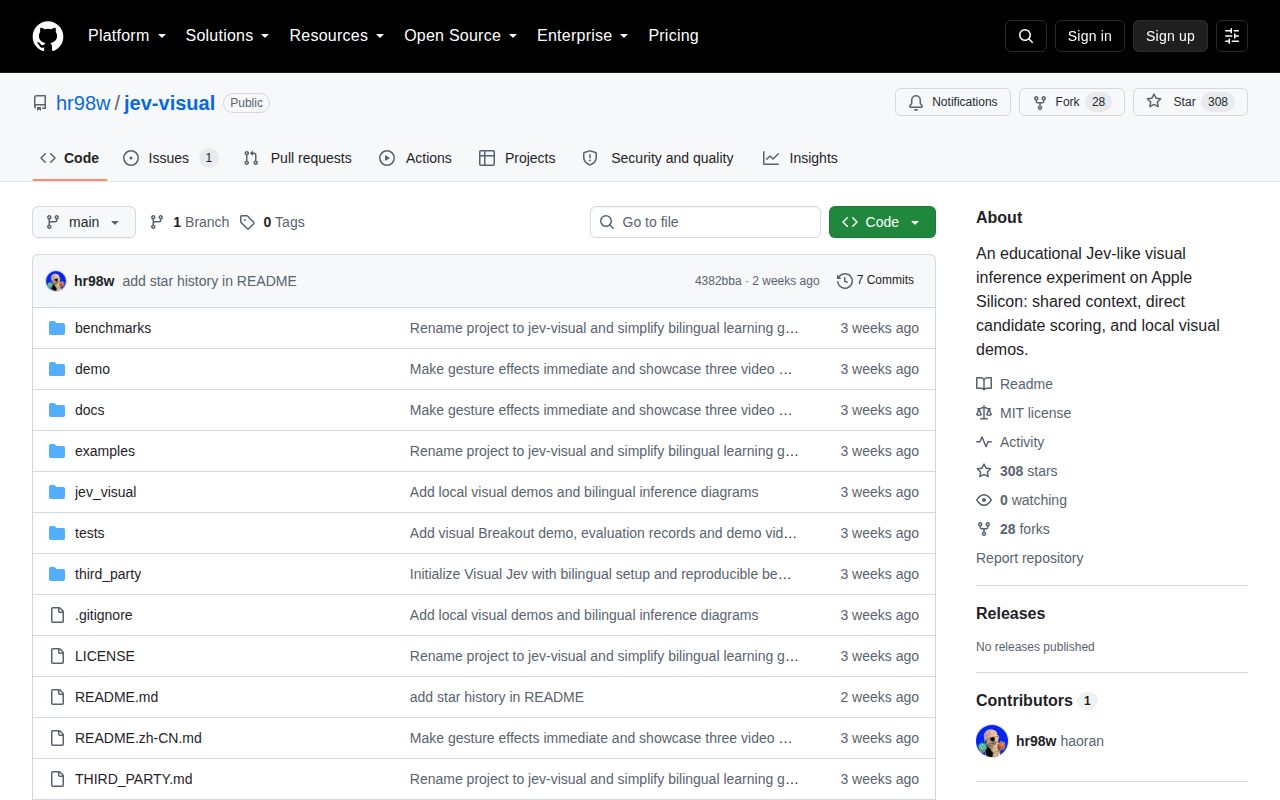
GitHub showed 308 stars, 1 open issue, an MIT license, and a last push on September 21, 2026. The repository was created only 4 days earlier and has no published release. The sole open issue asks for coordinates at a specified image position, a feature beyond the current answer-shape focus. This is active early work, not a versioned library with a long compatibility record.

Choose Jev Visual when you own an Apple Silicon Mac and want the candidate-scoring path exposed in roughly 4,255 lines rather than buried inside a large serving system. MLX-VLM is the better base for broad model support, while SGLang fits production GPU serving. Our 14 passing tests make Jev Visual easy to recommend for study. Its uncalibrated scores and one-adapter boundary should keep it out of unsupervised high-stakes decisions.

Alternatives

ProjectWhat it isPick it when
MLX-VLMA broader MLX package for running and fine-tuning vision-language models on Mac.pick this instead when you need wider model support or fine-tuning rather than a Jev-like teaching example.
SGLang gh↗A production-oriented server for language and multimodal models.pick this instead when GPU serving, concurrency, and a maintained decisions endpoint matter more than Apple Silicon study code.
Ollama gh↗A simple local model runtime with support for several vision-capable model families.pick this instead when you mainly want to run local multimodal models and do not need direct candidate-scoring internals.

What people are saying

  1. [velocity-scout] hr98w/jev-visual

Sources

  1. Jev Visual README
  2. Jev Visual repository facts
  3. Jev Visual inference details
  4. Jev Visual open issue

More ai tools reviews

guizang-product-video-skill · nimble · localjev · jev-review · laya · artcraft · the whole board →