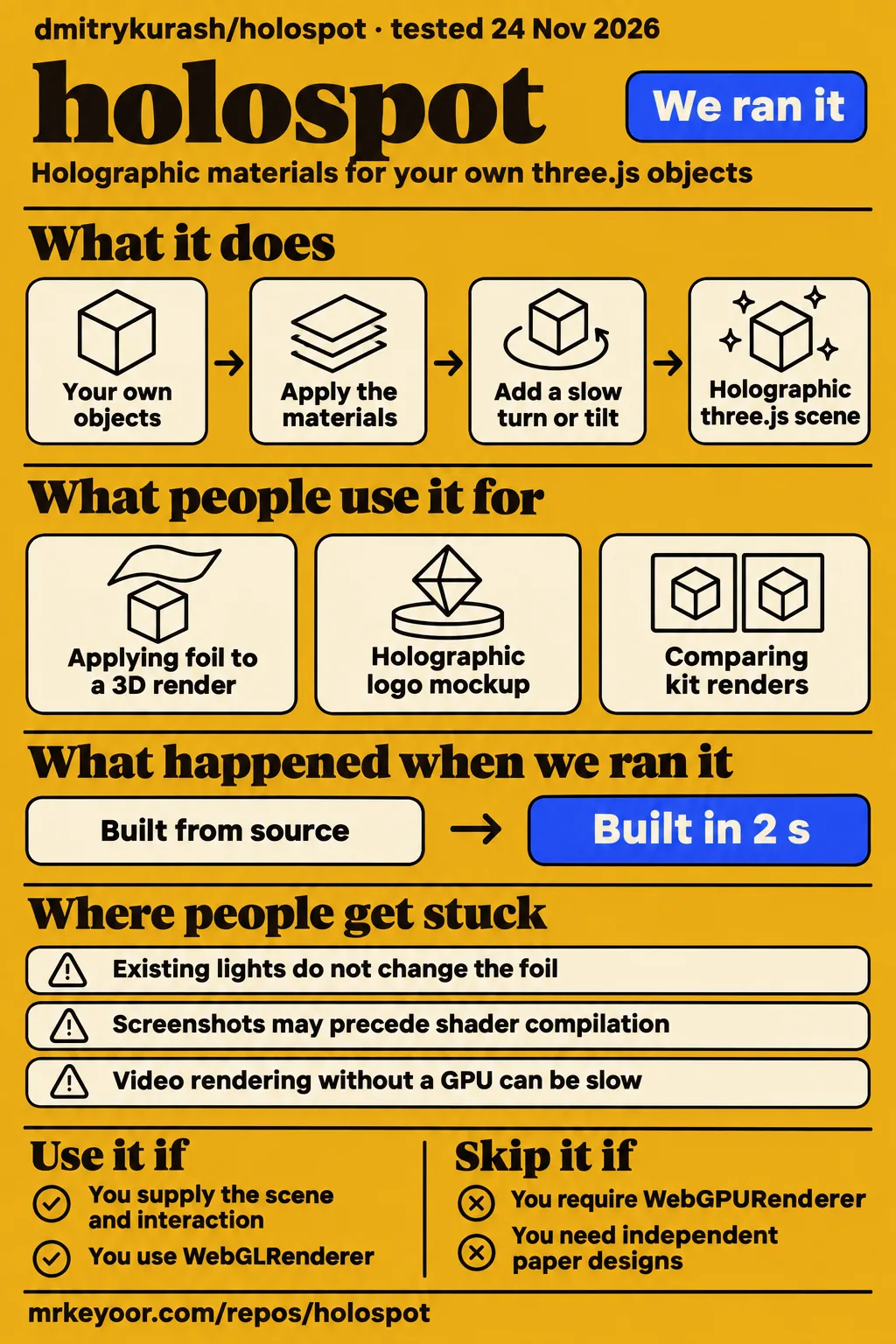
Dmitry Kurash's holospot puts holographic materials on your own three.js objects. Our run at commit 7ca9873 completed installation, build and tests. Use the kit when you can supply the scene and interaction around those materials. Skip it when your requirement is the website's complete animated flag, pullable cloth or peelable-sticker experience: the README assigns those moving scenes to holo.spot.
The kit puts foil on your own three.js objects
Dmitry Kurash's holospot supplies holographic foil, glitter and hologram materials for three.js scenes. The README describes the materials and their intended objects: product models, cards, logos and short videos. A material controls an object's surface appearance; three.js draws the surrounding scene. You bring the object and decide how a visitor moves it or views it. That division gives a developer a concrete integration brief: keep the scene-building work and add the desired surface treatment.
The author describes a specific rendering method: calculating which colours a grooved surface sends toward the viewer from each lamp. That is the basis of the README's comparison with moving-gradient effects. For someone commissioning a page, the practical brief still needs an object, an appearance and an interaction. A bottle with rainbow foil and a card that tilts under the cursor require different geometry and controls, even when both use the same material kit.
What people use holospot for
Two X users shared a 3D-render use case and a logo-artifact workflow, while the author reported eleven render comparisons. These examples cover applying the materials to artwork, requesting an interactive mockup and comparing the kit with the browser studio. Each result belongs to its named source: the user posts describe creative work, and the numerical picture comparison comes from the author.
- X user yiannifive reported applying holospot to a 3D render in progress, writing that they had already put it to use on a render they were working on.
- X user Snakesan shared a Claude prompt and playable link for a holographic logo mockup. The prompt requests clicking, dragging and rotation so the effect becomes visible.
- The author reports eleven kit-versus-website render comparisons: nine identical pictures and two differing by at most 2 on a scale of 255.
Snakesan's prompt is useful as a brief because it names both the artwork and the interaction. The README follows the same pattern with requests for a holographic bottle, a cursor-responsive trading card and a foil logo on paper. Someone handing this work to an agent can describe the object, material and movement together. The README asks for a project folder containing an existing website or a new page or video.
What happened when we ran it
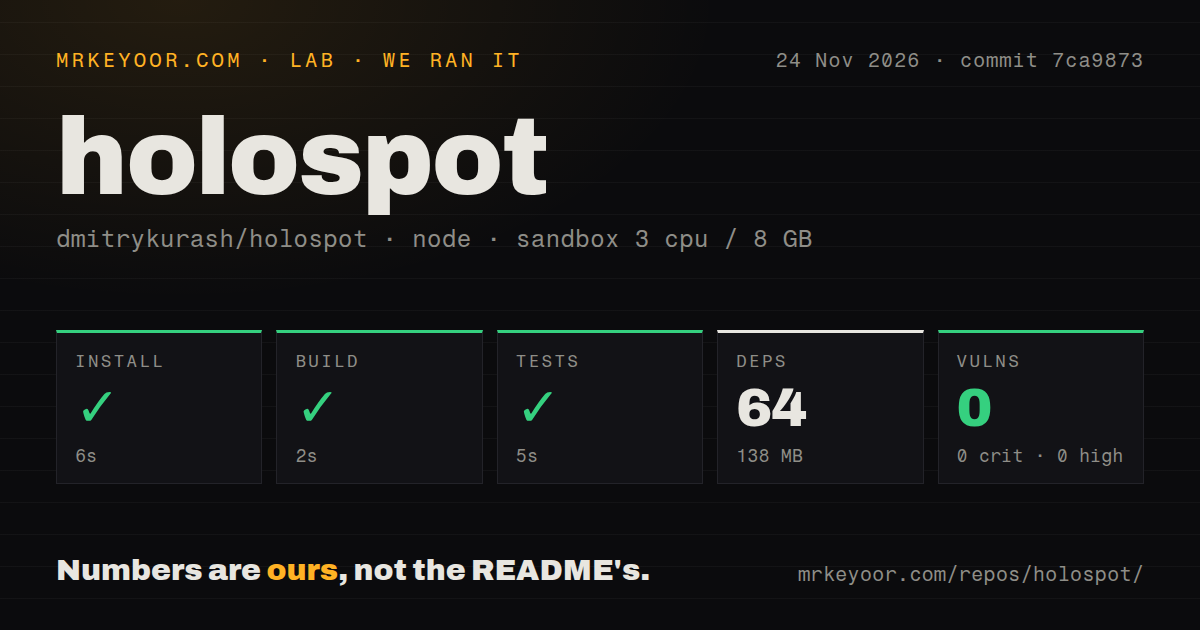
Our November 24, 2026 run at commit 7ca9873 completed installation, build and tests in 6, 2 and 5 seconds respectively. Our sandbox measurements also recorded 64 dependencies occupying 138 MB, a 16.3 MB checkout and zero known npm audit vulnerabilities. The recorded configuration was 3 CPUs, 8 GB RAM and image label lab-node:22. These numbers describe the development run and its files.
| Sandbox check | Recorded result | What it tells you |
|---|---|---|
| npm install | Succeeded in 6 seconds | Dependency installation completed in our sandbox |
| Build | Succeeded in 2 seconds | The recorded build step completed |
| Tests | Succeeded in 5 seconds | The recorded test step completed; no test count was reported |
| Dependencies | 64 recorded, 138 MB on disk | Installed dependency footprint in this run |
| npm audit | 0 known vulnerabilities; 0 critical, high, moderate and low | The audit returned no known findings |
| Repository scan | 236 files, approximately 20,547 source lines, 16.3 MB checked out | Checkout size and source inventory |
| Automation and packaging scan | 0 CI workflow files, no Dockerfile, tests directory present | Files detected by the harness |
The separate hands-on attempt failed its safety step because none of the accepted Compose filenames existed. Its exact error was unsafe repo: none of compose.yaml, compose.yml, docker-compose.yaml, docker-compose.yml exists (rule: a compose file is required). That records a lab packaging requirement. It is a different outcome from the successful npm installation, build and test steps above.
The hands-on summary described deployment with Docker Compose, including ports bound to 127.0.0.1, but the safety record reports failure. The failed step is the concrete execution outcome used here. The teardown record says teardown: ok. The summary, failure and teardown therefore remain separate observations rather than a single successful deployment result.
Where people get stuck: renderer, lights and capture order
holospot requires three.js r170 or newer, THREE.WebGLRenderer and WebGL 2, according to its integration guide. The same requirements passage says WebGPURenderer is unsupported and identifies r187 as the version on which the author built and checked it. Renderer selection is therefore an early integration decision. The documented requirement is more specific than simply having a three.js scene already on the page.
Holographic objects use the kit's own lighting rather than the lamps already in your scene. The README describes separate studio lights that users can move and change. For a developer adjusting the appearance, that means working with the kit's lighting controls. Adding another ordinary scene lamp is a different operation from changing the illumination used to draw the holographic surface.
| Symptom or integration choice | Documented action | Source |
|---|---|---|
| Foil looks flat or dull | Add a slow turn or tilt; check real-world size and the dark-or-light setting | README troubleshooting |
| Existing lights do not change the foil | Configure the kit's studio settings or a preset | Studio-lighting guide |
| Capture begins before the object appears | Await object readiness or kit readiness | Shader-readiness instructions |
| Assets live outside the default location | Pass an explicit assets address | Asset-location instructions |
| A model or logo needs to become a hologram subject | Use the documented subject-baking workflow | README hologram-subject instructions |
The README asks for the object's real-world size, the intended material and whether the page is dark or light. Its example is a 12 cm bottle. Those details belong in an integration request because they describe the intended appearance. The README explains that foil grain appears coarser on a small object and finer on a large one, so scale belongs in the brief alongside colour and movement.
Hosting starts with the module and its assets
The integration guide documents hosting dist/holo.js with the assets/ folder, keeping the locations holo/dist/holo.js and holo/assets/.... Its self-hosting instructions also show an import mapping from holospot to ./holo/dist/holo.js. This is the supported starting point for describing file placement: the JavaScript module and its supporting assets need the documented relationship when copied into a project.
The kit loads its assets from ../assets/ relative to holo.js, according to the integration guide's asset-location instructions. If those files live elsewhere, the guide documents passing an explicit assets address. For a bundled project, it says to import dist/holo.js and serve assets/ as static files. File placement and static hosting are therefore part of the integration work, alongside the object and its material settings.
The browser studio supplies another route into the appearance settings. The README's design workflow says to choose an object on holo.spot, adjust materials, lights and colours, then use the Copy settings button in the Object tab. Those settings can become part of an agent request. Naming the finish and carrying over the settings gives the implementation a concrete appearance target.
MIT licensing and hosting are separate decisions
The README permits commercial use under MIT while retaining the licence text with the code. Its commercial-use answer explicitly permits using, changing and shipping the project. The same README says nothing is loaded from holo.spot at runtime. A developer can use the website to design an appearance, then host the integration with the module and asset arrangement described in the integration guide.
The README identifies its pictured skull as someone else's model and says that model is absent from the repository. It names seven small hologram subjects as the included model content. This separates the material engine's licence from the artwork placed inside a scene. A shop bringing a bottle model or a designer bringing a logo has a separate asset to account for alongside the engine code.
holospot vs holo.spot and scene libraries
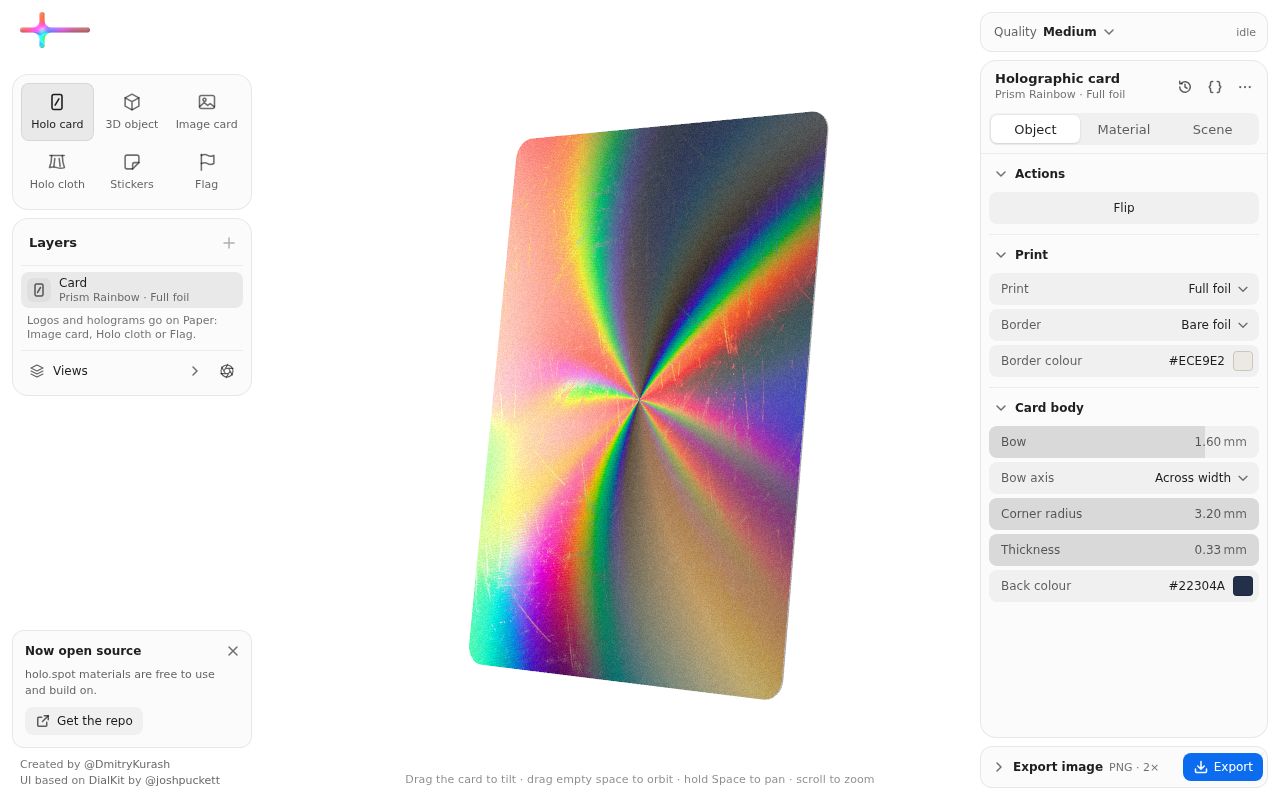
holo.spot is the visual design studio; holospot carries its materials into your own three.js scene. The README presents designing a look and bringing it over as successive steps. The useful comparison is the job each option performs. The studio provides appearance controls, the kit supplies holographic materials, and the scene libraries provide ways to construct the surrounding page's 3D content.
| Option | Documented role | Choose it for |
|---|---|---|
| holospot | Holographic materials for your own objects | Applying the kit's foil, glitter or hologram appearance |
| holo.spot | Browser studio with appearance controls and copied settings | Designing the look before integration |
| three.js | General-purpose JavaScript 3D library with WebGL and WebGPU renderers | Constructing the surrounding scene directly |
| React Three Fiber | React renderer for three.js | Describing the scene with reusable components that respond to state |
The three.js README says current builds include WebGL and WebGPU renderers. The React Three Fiber README describes reusable components that react to state. Those descriptions support choosing a scene architecture. For a holospot project, its documented WebGLRenderer requirement still determines the renderer used with the material kit, while React components are a separate choice about how to express the scene.
The studio listing describes website scenes
Toolfolio describes a browser studio covering cards, stickers, cloth, flags and dropped models. Its holospot listing names Dmitry Kurash and WebGL 2. The repository README separately assigns the animated website scenes to holo.spot. Read together, the descriptions identify a studio and a material kit with different contents. The README's exclusion of the moving scenes is the relevant distinction when planning repository-based work.
The name also appears on unrelated products. HoloSpot's robotics page describes mixed-reality remote robot control, while HoloSpot: Color Puzzle describes a colour-and-logic game. Dmitry Kurash's dmitrykurash/holospot repository is the graphics project reviewed here. Including that owner and repository name in a search gives a reader a concrete way to distinguish integration information from similarly named projects.
FAQ
The README says an agent can integrate holospot without the user writing the code, provided it has a project to work in. Its answer names an existing website or an empty folder for a new page or video. The questions below come from the README and the recorded user workflows. They cover what to hand an agent, what the licence permits and which documented controls address common appearance problems.
Do I need to write code to use holospot?
No, according to the README, if you work with an agent that has a project folder. The documented agent workflow asks you to give it the repository and describe the result. Its examples include a holographic bottle, a tilting trading card and a foil logo. You specify what the page should contain and how its object should move.
Can I use holospot in a commercial project?
Yes: the README permits commercial use under MIT if the licence text stays with the code. That permission covers using, changing and shipping the project. For artwork, the README gives a concrete distinction: the pictured skull belongs to a credited creator and is excluded from the repository, while seven small hologram subjects are included.
Can holospot make a video?
Yes: the README says the kit can draw a scene frame by frame and assemble a video file. Its answer asks users to specify the clip's length and size. Those two details belong in an agent brief alongside the object, material and movement. The README also gives a six-second looping-video request as an example of the result to describe.
Does holospot need the holo.spot website to run?
No: the README says nothing is loaded from the website at runtime. It describes holo.spot as a place to design a look. A self-hosted integration still needs the JavaScript module and supporting assets in the arrangement documented by the integration guide; copied appearance settings are one part of that project rather than its hosting configuration.
Why does my holospot material look flat or dull?
The README recommends a slow turn or tilt and checking the real-world size and dark-or-light setting. Its explanation is that holographic foil needs light and movement. These are specific adjustments to try in an appearance brief: describe the object's scale, the page background and the intended motion, rather than asking only for a more colourful surface.
Does the kit produce the same picture as holo.spot?
The author reports eleven comparisons: nine identical pictures and two differing by at most 2 on a scale of 255. The README describes drawing the same object with the website code and the kit, then comparing the pictures pixel by pixel. These are the author's reported render comparisons, separate from the installation, build and test-step timings in our run table.
How can I create a holographic logo mockup that I can drag and rotate?
Snakesan's shared Claude prompt requests a holographic artifact with clicking, dragging and rotation. The README also gives a foil-logo request using a named SVG file on a paper card. Together, these provide a concrete way to describe the task: identify the logo asset, the intended surface and the interaction that should reveal the effect.
How can I apply holographic foil to an object in my existing scene?
The README describes keeping an existing 3D scene and making one or several objects holographic. Its bottle example asks the agent to apply rainbow foil to an object already in the scene. The integration guide adds the renderer and asset requirements discussed above. The object, real-world size, material and page lighting are the details the README asks you to supply.
How can I wrap my GLB model in holographic foil?
The README's documented division of work is to bring your own model and apply the kit's materials to it. The integration-guide question explicitly names wrapping a GLB model in holographic foil. For the request itself, the README asks for the object's real-world size, desired material and dark-or-light page setting. Those details describe the intended result alongside the model file.
What we have not tested yet
Mobile frame rate, browser memory, page-load cost and supported-phone coverage are unmeasured in this review. The author says the kit was tuned on a recent laptop and recommends the lowest of three quality levels for phones. Our development checks contain no rendered browser result. The image label lab-node:22 supplies no captured runtime or operating-system version, and the release metadata does not establish a latest release.
The integration guide documents three additional boundaries: skinned and morph-animated meshes retain their application-time pose; mixed scenes and transparent canvases use compositing without depth of field; and paper cards share one design per page. These documented technical boundaries are acceptance criteria for a project with those requirements. This review includes no execution result for those cases, independent paper designs or workarounds for live skinning and morphing.
The author's eleven picture comparisons are separate from our measurements, and Snakesan's interaction request is separate from an independently exercised artifact. The Prism guide calls its suggested settings starting points whose pictures nobody has checked. Offline video throughput is also unmeasured here; the integration guide warns of minutes per frame without a GPU. No documented instruction in this review is presented as newly executed code.
GitHub metadata recorded 225 stars, zero open issues and PRs, and a last push of November 17, 2026. Those dated repository facts describe activity and counts rather than support responsiveness or sustained production use. This review follows no support incident through resolution and includes no measured React Three Fiber integration. Rendered layout, assets, accessibility and site-generated recommendation modules also fall outside these text and development observations.