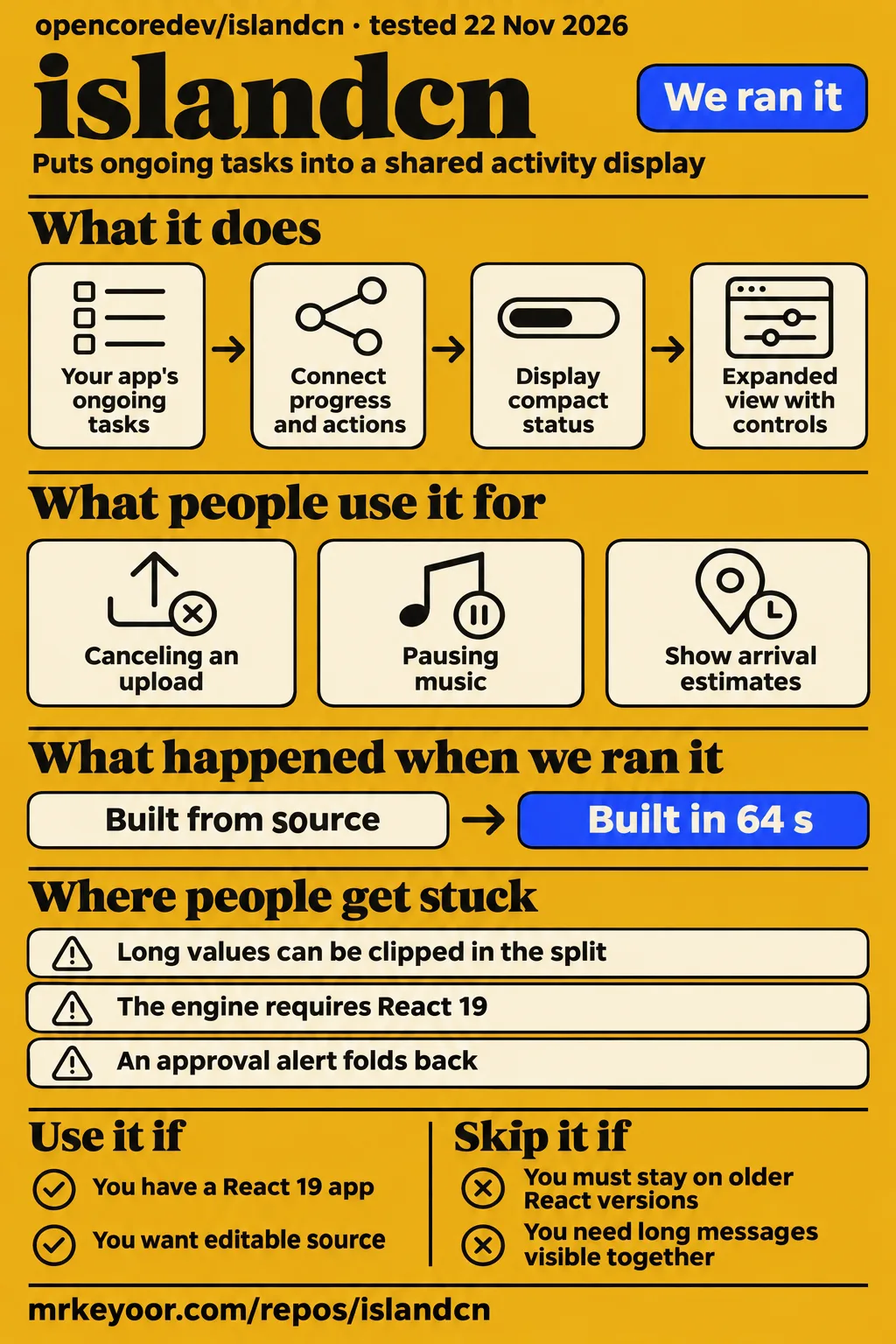
Our islandcn source build succeeded in 64 seconds, after a 29-second install, and the tests succeeded in 17 seconds in our November 22 sandbox. Use it if you have a React 19 app and want to own the source for a shared, animated activity display. Skip it if your app must stay on an older React version or needs several long status messages visible together: the installation skill requires React 19 and describes a small split capsule with tight text limits.
What you can do with islandcn
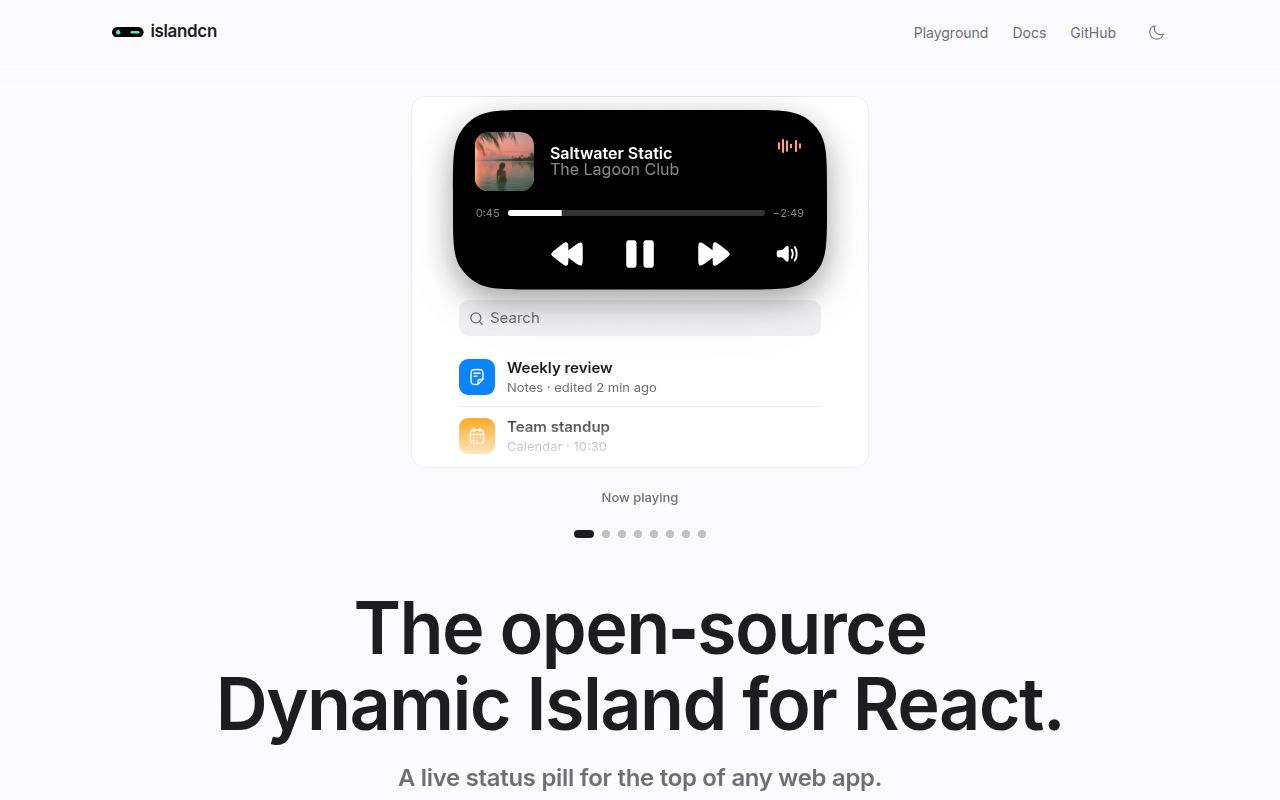
islandcn puts ongoing React app activities into one Dynamic Island-style display, with compact status and an expanded view for details and controls. The README's upload example starts an activity, updates its progress and ends it. That is the useful part of the project: you get an activity lifecycle to connect to your feature, along with the changing shape around it.
The installation command is npx shadcn@latest add https://islandcn.dev/r/island-core.json. shadcn is the tool that adds the component's source to your project. The jqueryscript post describes that delivery as editable source through shadcn. You can change the implementation locally, which also means your team owns the changes it makes.
The engine handles the activity stack, presentations, long-press expansion, alerts and reduced motion, according to the README. You provide the meaning: which task started, what a glance should show, which controls belong in the expanded view and when the task ends. Don't choose it merely to put a moving black shape above an otherwise unchanged page. Choose it when a user has something ongoing to return to while doing other work.
What people use islandcn for
The project author has built example presets for uploads, timers, music, incoming calls, arrival estimates and other ongoing tasks. The README lists the presets as individual files built on the engine.
| Who built it | What they built | What the example demonstrates |
|---|---|---|
| The islandcn project author | Upload, timer, now playing, incoming call, ride or delivery ETA, recording, nearby transfer, battery and split presets | Different activity displays built on the same engine, each described as one file in the README |
These examples help you decide what to copy and what to write yourself. The installation skill explicitly calls the presets examples rather than a menu. A file export might borrow the upload's progress ring, while an order tracker needs your own stages and actions. Neither example supplies the application's upload service or order tracking logic.
On X, jqueryscript describes an upload followed by a timer, with the island splitting into two live activities and expanding on long-press. That is a clear description of the intended interaction. It is also a short project announcement, rather than a report of running an upload service with real users. The distinction matters when you are choosing a dependency for a product rather than collecting interface ideas.
What happened when we ran it
Our November 23 hands-on attempt stopped at the safety step because the lab required a Compose file and found none. The failure names all four filenames it checked: compose.yaml, compose.yml, docker-compose.yaml and docker-compose.yml. There was no recorded browser task after that stop.
The sequence is easy to misread. The run summary says it was deployed with its own Docker Compose, but the detailed step says the prerequisite failed. We treat that attempt as blocked. The teardown returned ok. A deployment label cannot turn a failed prerequisite into an observed interface.
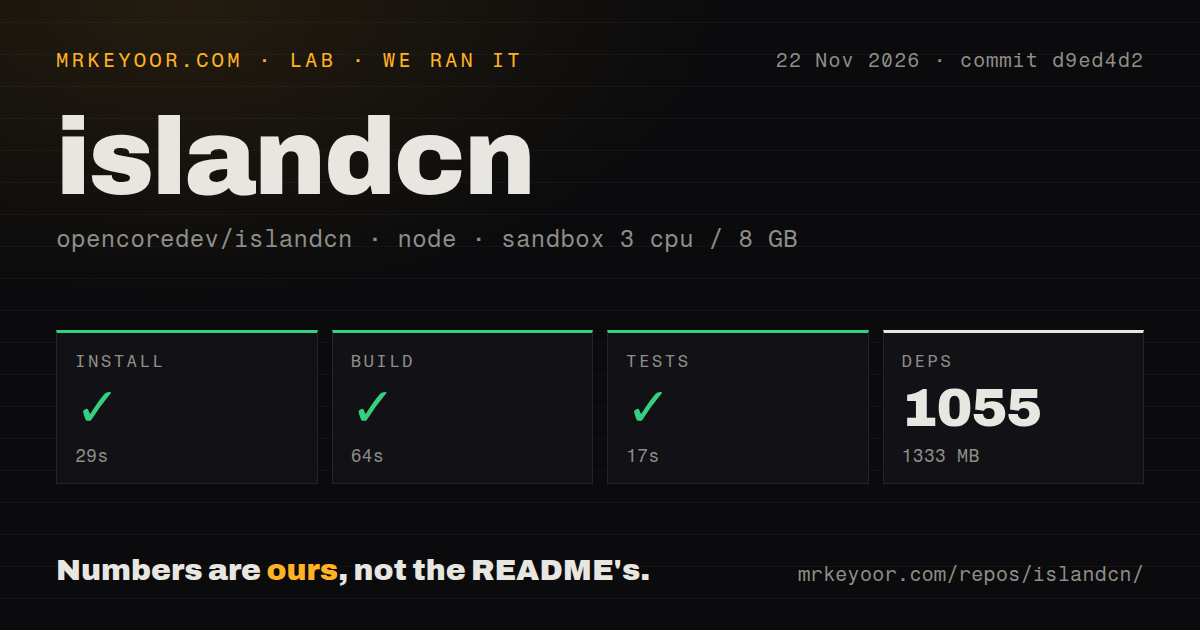
The earlier source run is useful on its own. At commit d9ed4d2, on November 22, 2026, our install succeeded in 29 seconds, build in 64 seconds and tests in 17 seconds. The sandbox configuration recorded 3 CPUs, 8 GB RAM and image label lab-node:22.
| November 22 source-run step | Result | Recorded duration |
|---|---|---|
| pnpm install | Succeeded | 29 seconds |
| Build | Succeeded | 64 seconds |
| Tests | Succeeded | 17 seconds |
The checkout contained 313 files, approximately 37,289 source lines and 3.7 MB. Installation recorded 1,055 dependencies and 1,333 MB on disk. That footprint belongs to the repository workspace we installed. It is not the download size of the engine copied into your application. The scan found monorepo workspaces, a tests directory, zero CI workflow files and no Dockerfile.
The practical result is a successful development-source run and a separate blocked deployment attempt. If you only need the component, the documented registry route is the relevant starting point. Reproducing the entire website workspace answers a different setup question.
Where people get stuck: split text and competing activities
The installation skill says the second activity's capsule leaves about 20 points for trailing content after its glyph. It recommends one or two digits or a short meter. A time string that looks fine in the main pill can therefore become a poor choice when another task starts.
| Situation | Documented adjustment | What it changes |
|---|---|---|
| A trailing value is too wide in the split | Use withBubble(compact, bubble) or a shorter value |
The capsule gets a ring, glyph or abbreviated reading instead of the wider pair |
| Several activities come from one source | Give them the same group |
They take turns instead of splitting |
| An urgent task competes for the main pill | Set a higher priority |
Higher priority wins the attached pill, with earlier start breaking a tie |
| An approval needs an answer | Call island.expand(id) |
Expansion stays under your control instead of using a temporary alert |
Each adjustment comes from the installation skill's presentation and event mapping guidance. These are integration decisions you need to make deliberately. For example, the skill uses a timer and music as tasks that can sit side by side, while orders from one shop share a group. Grouping by source avoids presenting every new order as a separate competing activity.
The same guidance reserves alerts for something a user must notice now, such as a failed job or an arriving delivery. Routine progress should update in place. If every percentage change opens the expanded surface, the integration has ignored the project's own advice about attention.
React 19 and one provider are the starting requirements
The engine requires React 19, and the installation skill tells you to mount one island inside one provider. The Next.js guidance puts that provider in a client component rendered by the root layout. In Vite, the same wrapper belongs around the app in main.tsx.
Start by checking whether lib/island/index.ts already exists under your project's configured alias. The instructions say to look for an existing IslandProvider before mounting another. With placement="viewport", the island is pinned to the top center of the window. Without that setting, it sits at the top of a positioned container, useful for a contained preview or phone-shaped frame.
For state wiring, the README exposes useIsland(), start, update and end. The content kit offers useActivity, which starts on mount, updates when inputs change and ends on unmount, as described in the skill. Pick the lifecycle that matches the feature you already have. A component that exists only while an export runs can use the mount-based approach; a longer-lived application service can call the engine as its own events arrive.
Approvals need explicit expansion
For an approval, the installation skill says to call island.expand(id) and collapse it once answered. Its temporary alert behavior expands and then folds back, so an alert is the wrong interaction when a choice must remain available.
This is also where you should keep the application's permission checks clear. Displaying an Approve or Pay button is interface work. Your existing application still decides whether the signed-in user can perform the action and what happens if it fails. Treat the island as a view onto that state, so the same result appears wherever the task is shown.
The distinction helps with less sensitive controls too. Pausing music, canceling an upload and acknowledging a failed job are different operations, even if each fits inside a rounded button. The expanded view gives you room to name the action and show detail. Keep the compact value for the glance that brought the user there.
islandcn vs Sonner and react-hot-toast
Sonner and react-hot-toast are alternatives when you need notifications rather than a persistent activity surface. Their own READMEs describe toast components: brief messages rendered through a shared Toaster. The choice here is about the interaction you want, not a measured speed contest.
| Project | Documented model | Pick it when |
|---|---|---|
| islandcn | Activity stack with compact, split and expanded presentations, described in its README | A user should revisit ongoing work and its controls in one place |
| Sonner | React toast component with Toaster and toast(), shown in the Sonner README |
Your job is to show a notification from an app event |
| react-hot-toast | React notifications with a promise API and headless hooks, listed in its README | You want promise-driven notifications or to build a toast interface with its hooks |
A toast can tell you that an export finished. islandcn is more interesting while the export is still running and there is progress or a cancel action to revisit. That is our selection advice based on the documented models. Adding a whole activity vocabulary to a page that only needs a completion message creates work you don't need.
What the docs get wrong
The installation skill contradicts itself about the content kit: one paragraph says it adds no npm packages, while a later paragraph names the Hugeicons packages it installs. The later statement names @hugeicons/core-free-icons and @hugeicons/react. Keep the engine-only statement separate from the optional content kit when planning what enters your project.
The other correction is compatibility language. The README introduces islandcn as a component for any React app, while the skill gives the concrete requirement: React 19. Read the broad introduction together with that prerequisite. A team holding an older React application steady should resolve the framework upgrade decision before spending time shaping activities.
There is a second distinction in the promotional coverage. The linuxuser1996 post says motion matches frame-by-frame recordings. That is the author's motion claim as repeated by a promoter. The README explains what is available for checking it, covered in the final section below.
Recent pushes and scanner labels answer different questions
GitHub reported a last push on November 21, 2026, and 844 stars when checked on November 23. Its API response also listed one open issue or pull request. Those facts show recent repository attention. They don't tell you how many production apps use the component or how quickly your bug report will receive a useful answer.
RepoTrust labels the project with AI provenance derived from attributed commits. Its methodology says the comparison group has too few lines for a fair comparison. That is a reason to read the method before treating the label as a verdict about code quality. Attribution to an AI-assisted commit is not a line-by-line authorship inspection, and it cannot substitute for a failing reproduction of an actual runtime defect.
Our run's lack of detected CI workflow files is a separate, concrete maintenance consideration. A local green run is useful for the checked commit. For changes you make to copied source, your application's own checks become the place to catch regressions.
Questions people ask
Yes: islandcn is a free, MIT-licensed Dynamic Island-style component for React, with its source added through shadcn. The README gives the installation command and MIT license.
Should web apps use system-style Dynamic Island interactions?
Use this pattern for ongoing work that benefits from compact status and expandable controls, rather than for every notification. That is our recommendation from the documented upload lifecycle and activity presentations. KOF97AI asked this design question on X, and the practical answer depends on your workflow: does the user need to return to a running task while working elsewhere, or only learn that something finished?
Is there a free, open-source Dynamic Island component for React?
Yes. islandcn is MIT licensed, and the README says it copies the appearance and motion without using Apple's assets. It also states that it is not affiliated with Apple. The installation skill requires React 19. The license answers the source-availability question adrien_ninet raised on X; it doesn't turn a website component into Apple's operating-system feature.
What is a coding agent in the context of installing islandcn?
A coding agent here means a coding assistant such as Claude Code or Cursor that can use the optional Markdown instructions to add the engine and connect an activity to your app's state. The agent-skill documentation says this helper is optional. N3v3rmd's X reply asks for a simpler explanation of an agent, which is a useful reminder: you can use islandcn through the normal installation route without adding an AI assistant to your workflow.
What we have not tested yet
The November source run measured repository setup, build and tests, not the quality of the browser interaction in a real application. We have not tested keyboard navigation, screen-reader announcements, reduced-motion behavior, mobile touch conflicts, long-running activity churn, browser memory use or the effect on your application's bundle. The image label lab-node:22 does not establish the actual runtime or operating-system version; those need raw toolchain logs. No passing-test count was recorded in the measurement summary.
The README says the motion reference recordings are absent. /lab plays built-in transitions during development, while /compare has no recordings to show and the recording-dependent test is skipped. That prevents independently repeating the advertised recording comparison from the public checkout. It is a reproducibility limit, not a measured animation defect.
Independent production outcomes and measured usability remain unestablished by the demonstrations and X posts we examined. The video results yielded no relevant islandcn setup transcript: the nonempty transcript describes an unrelated island visit. Enterprise-browser reviews, browser status pages and kitchen-island results also concern different things. They add no evidence about this React component's reliability.
RepoTrust's dependency-security and testing labels are a dated scanner assessment, not our audit results. We have not reproduced its findings or established affected application paths, current advisory coverage or remediation from that page. Our successful test command is not a security audit. Before adopting the copied engine, exercise one representative task in your own app, including a second competing activity and the action that ends the first.