Goose is easiest to adopt as an app, not as a Rust workspace
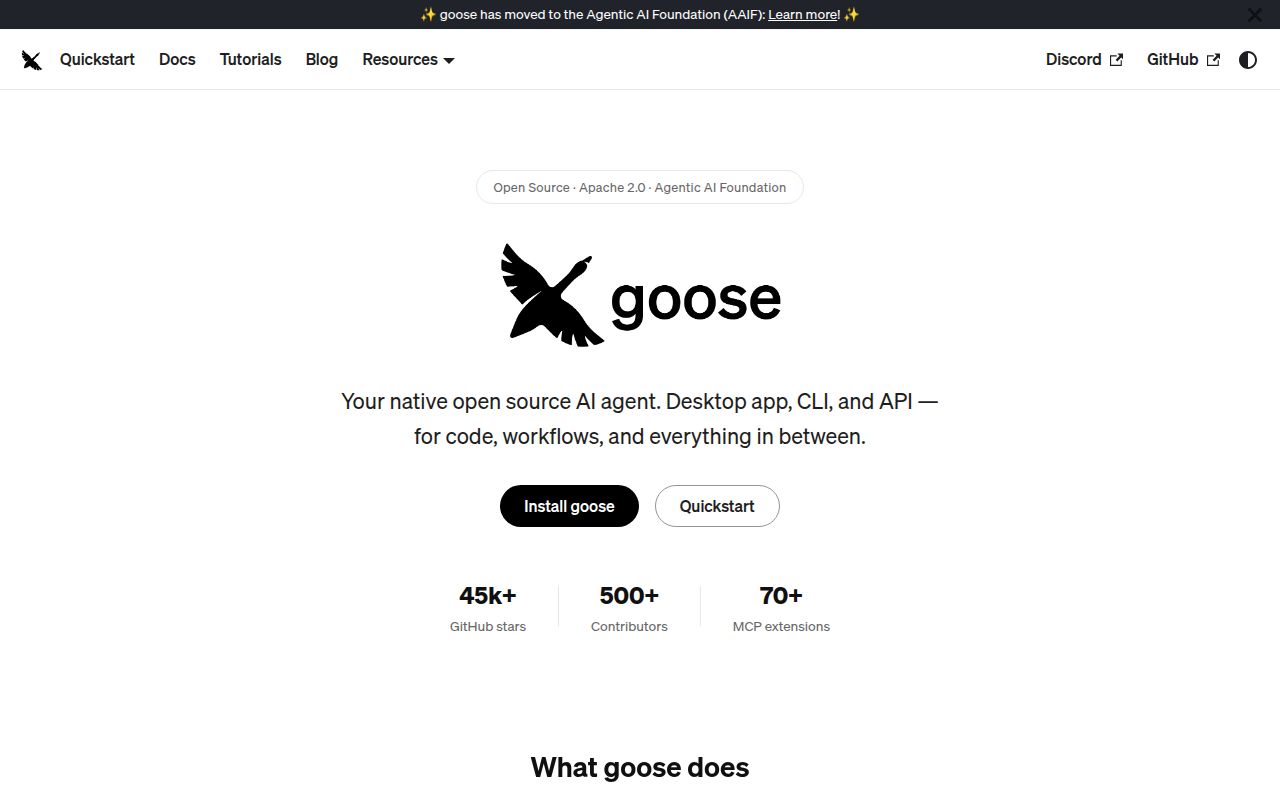
Goose gives you three ways into the same local agent: a native desktop app, a terminal interface, and an API for embedding it elsewhere. It can read and edit files, execute commands, and call external tools. The README lists more than 15 model providers and more than 70 MCP extensions, so the appeal is choice. You can change the model supplier without replacing the agent interface, then add tools for the job in front of you.
That breadth can hide an important purchasing decision. Someone downloading the release is getting a finished application. Someone cloning the repository is taking on 2,488 files, roughly 429,650 lines of source, and a 360.7 MB checkout before compilation. Goose may feel like a compact local assistant from the user side, but it is a large Rust workspace from the contributor side. Our run makes that difference hard to ignore.
Provider choice still means bringing credentials or local inference
The README supports Anthropic, OpenAI, Google, OpenRouter, Azure, Bedrock, Ollama, and other providers. It also describes ACP access through existing Claude, ChatGPT, or Gemini subscriptions. This is useful if your team already has an approved supplier or wants a local model. Goose does not include the model itself, though. A working session still depends on a configured provider, its limits, and whatever billing or hardware that provider needs.
Extensions widen the same tradeoff. MCP lets Goose connect to outside services without baking every integration into the core app, and the catalog claims more than 70 choices. Each enabled server can bring another executable, credential, or network boundary. Goose's permission guide provides Always Allow, Ask Before, and Never Allow settings for individual tools. It also advises keeping fewer than 25 tools enabled for better performance and lower context use.
What happened when we ran it
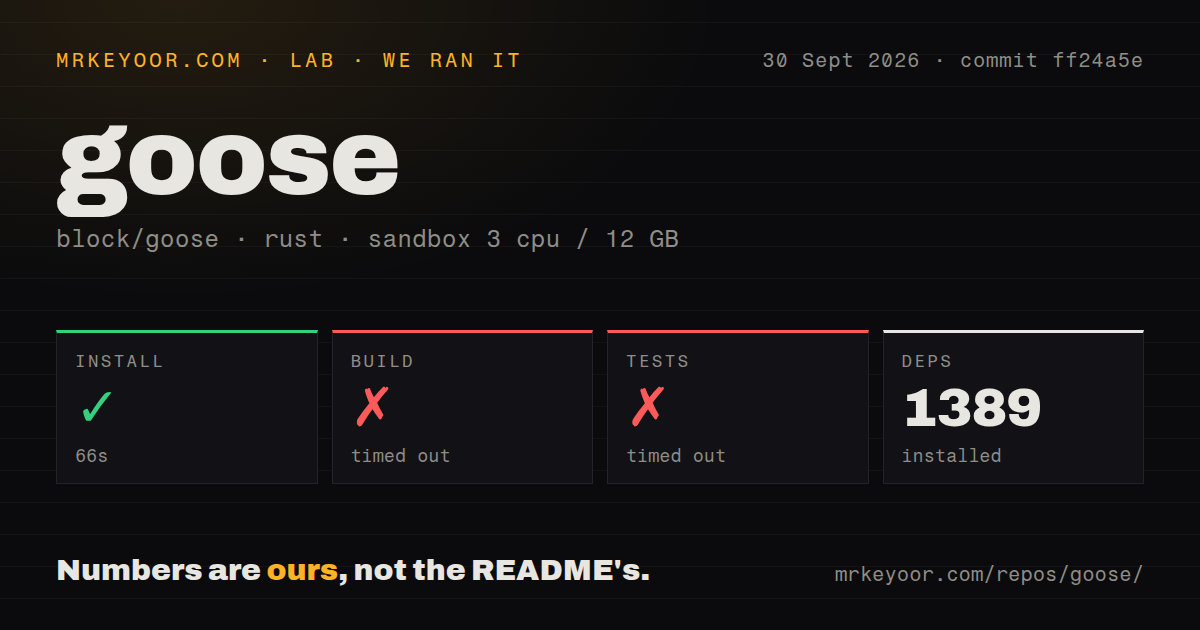
Our sandbox installed commit ff24a5e in 66 seconds, pulling 1,389 packages. We used an unprivileged container with 3 CPUs, 12 GB of RAM, no secrets, and the lab-rust:1 image. The repository had 43 CI workflow files and a Dockerfile, while our scan found no tests directory. Installation completed. The next two steps did not finish within the lab limits.
The build reached the 900-second cap and timed out. The test command separately ran for 900 seconds and timed out as well. Its final lines show Rust compiling n0-watcher, tokio-rustls-acme, iroh, and several Goose crates. The tail ends on goose-roaming, goose-test, goose-sdk, and goose-cli. There is no compiler error or failed assertion in those lines, so calling this a broken build would go beyond the evidence.
The useful finding is the waiting time. On this fresh Debian box, neither source check produced a result after 15 minutes. A faster machine or a warm cache may behave differently, but our measurements do not establish how much differently. If you plan to contribute, run the exact workspace commands on your own CI hardware before promising quick pull-request feedback. If you only plan to use Goose, start with the published app or CLI installer.
Tool permissions deserve setup time before the first real task
Goose is designed to act, not merely answer. That means the developer extension may read files, change code, and run system commands. The official permission guide gives a sensible control surface: allow harmless reads, prompt before edits or commands, and deny access to credentials or critical files. Those settings matter more than the model brand because a mistaken tool call affects the machine where Goose runs.
Release v1.52.0 tightened this area in several places. Its notes say recipes now require consent before a new session starts extensions, the roaming TCP bridge became opt-in, and unsupported socket MCP servers are omitted. Those are useful defaults. They also show that extension startup, networking, and agent-created sessions are live security boundaries rather than details you can leave for later.
Concurrent schedules have two open failure reports
Goose is under active development. The block/goose address now resolves to aaif-goose/goose, and the README says the project sits under the Agentic AI Foundation. GitHub showed 54,824 stars, 414 combined issues and pull requests, and a push on September 30, 2026. Releases v1.49.0 through v1.52.0 arrived during September, which is a much stronger health signal than the size of the queue alone.
Fast movement does not make every workflow settled. Issues 12613 and 12614, both active on October 1, describe schedule-file conflicts between Goose processes. One report says a new schedule can overwrite another process's recipe. The other says schedules added from the CLI can disappear while Desktop is running. If scheduled automation is why you are considering Goose, reproduce those cases with your exact CLI and Desktop pattern before trusting it unattended.
Goose earns a trial when provider choice, MCP extensions, and both graphical and terminal access belong in one agent. The packaged release is the practical starting point. Source contributors should budget for the 1,389-package graph and a first build that exceeded our 900-second window, while automation users should wait for the concurrent schedule reports to close or keep one writer in charge of that file.