Eight stages take a synopsis to a merged episode
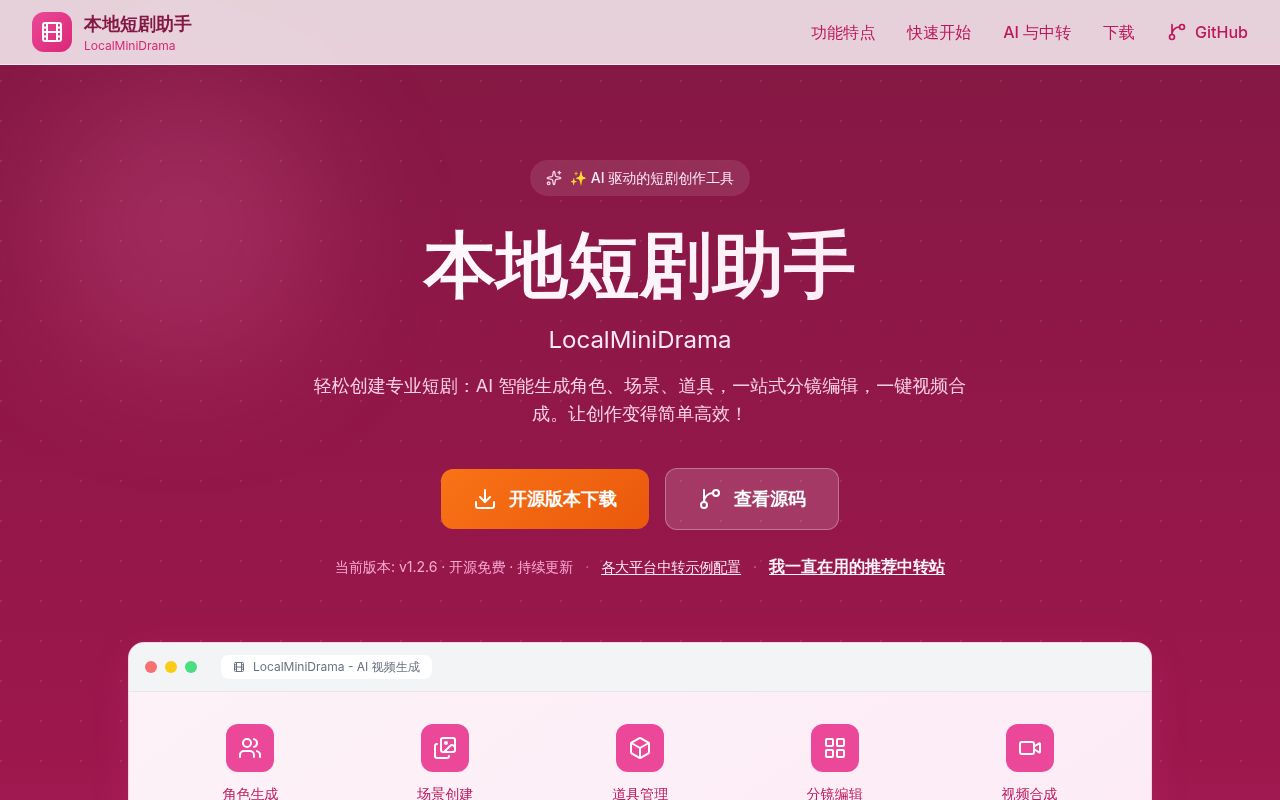
LocalMiniDrama gives short-drama production a fixed sequence: story, script, characters, scenes, props, storyboard, generated media, and final video. Each episode lives in a project with reusable assets. A creator can edit prompts and references shot by shot, choose landscape, portrait, or square output, then merge the finished clips. The canvas view places the same project data into a node layout for rerunning a selected group of shots.
That structure is the reason to choose this project over a general image workflow. ComfyUI gives you lower-level control, while LocalMiniDrama remembers which character, scene, line of dialogue, and clip belongs to an episode. It exports projects as ZIP files and episode storyboards as HTML. Those features suit one person producing a serial story more than a model researcher comparing samplers.
The packaged route is Windows-first. Version 1.2.8 offers an installer and a portable executable, both of which start an embedded backend and create configuration under %APPDATA%. The main README is Chinese. An English guide covers the main workflow and source setup, but the detailed configuration and quickstart documents remain primarily Chinese. Translation quality and coverage should be part of an English-only team's trial.
Local files do not keep every generation request offline
Projects use SQLite and local media directories, so the editor itself does not require a hosted project database. That is useful for backups and ownership. The stronger README language about data staying on the machine needs qualification, though. The app asks you to connect AI providers for script, image, and video work. Those requests go to the endpoints you configure.
A local OpenAI-compatible server such as Ollama can fill the text slot. The configuration guide says this local route does not cover image or video generation, which usually needs a dedicated cloud API. Some Gemini and Seedance 2.0 operations also need local images to be reachable by a provider. LocalMiniDrama handles that through an image_proxy setting, with a default public relay when no custom upload URL is supplied.
Treat local as a description of project storage, not a blanket privacy guarantee. Decide which provider receives scripts, faces, scene references, and finished frames. Use your own relay if the default is unacceptable, then test expiry. A production team should also record provider retention rules outside the app, because a YAML file cannot control what a remote model service keeps.
What happened when we ran it
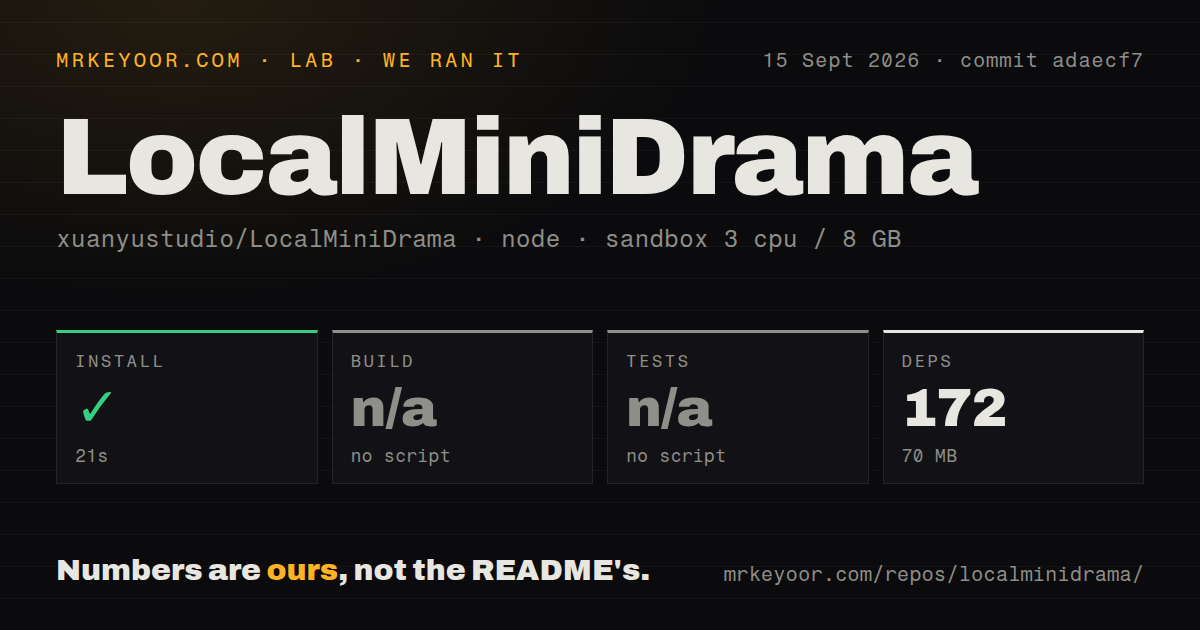
Our sandbox installed the backend-node project at commit adaecf7 in 21 seconds. Npm added 172 packages and occupied 70 MB. The repository checkout itself was 111.9 MB, with 349 files and about 62,933 source lines. We found one CI workflow, no Dockerfile, and a tests directory.
There was no build script or target in the measured backend package, so the build step was skipped. There was also no tests script or target, so our harness could not run its tests. These are absences rather than failures, and they matter: a directory named tests does not give a new contributor one documented command that proves the checked-out backend works.
The successful 21-second dependency install only covers one part of source setup. We did not count a frontend or Electron install in that result, and we did not generate a drama. The documented development route separately installs the Vue frontend, copies config.example.yaml, initializes SQLite with npm run migrate, and starts services on ports 5679 and 3013. Provider credentials are needed before the main AI workflow does useful work.
Windows has the only packaged desktop target
The desktop shell uses Electron 28 and its packaging instructions generate an NSIS installer plus a portable executable. The quickstart says Windows is the only tested platform and the only configured desktop target. Node and Vue may run elsewhere in development mode, but the documentation describes Mac and Linux support as theoretical. That is not enough for a creator who needs a supported Mac download.
Source mode has two long-running processes. The Express backend owns SQLite, project files, generation jobs, and media merging. Vite serves the Vue interface and proxies API traffic to the backend. Video merge and tail-frame extraction depend on ffmpeg being available on the path. The repository had no Dockerfile in our measured commit, despite the docs linking to wider deployment guidance, so container deployment needs its own work.
Provider adapters can fail in provider-specific ways
Three independent slots let you mix a text model from one company with image and video models from others. The README lists DashScope, Volcengine, Kling, Agnes, Gemini, Vidu, and OpenAI-compatible endpoints, with capabilities varying by media type. Retries help with rate limits, while per-shot prompts avoid restarting an episode.
Breadth raises the testing burden. Issue 35 reports that a custom video provider configured for the Volcengine Jimeng protocol still used an OpenAI-style query endpoint. Issue 32 reports an Agnes video task that reached completed status but did not return a video URL through the app, even though a direct curl request did. These reports concern named adapters, so test the exact provider, model, and request mode you plan to use.
September changes have moved beyond release v1.2.8
Release v1.2.8 was published on July 1, 2026, while GitHub recorded the last repository push on September 14. The project had 1,659 stars and 28 combined open issues and pull requests when fetched. An active v1.2.9 pull request includes security, dependency, asset-library, and frontend performance work, which shows maintenance after the latest tag without turning an unmerged change into a released promise.
LocalMiniDrama earns a trial by giving storyboard production more shape than a loose folder of prompts and clips. Its limits are equally concrete: Windows gets the packaged experience, the deeper docs assume Chinese, and cloud generation weakens the broad offline claim. Start with one short episode, inspect which assets cross each provider boundary, and keep the project export until the exact adapters you chose finish every shot and the final merge.