Glow reads repository Markdown without opening a browser
Glow accepts a file path, standard input, a web URL, or a GitHub or GitLab repository address and renders the result with terminal styling. Running glow by itself opens a text interface that discovers Markdown in the current directory and its subdirectories. Inside a Git checkout, it searches that repository. The pager borrows familiar less keys, and ? displays the available shortcuts. This is a focused reader rather than a notes database or documentation host.
That focus keeps the source approachable. Our checkout of commit 7b2431d contained 46 files, about 3,618 lines of source, and occupied 0.6 MB. Glow still has a proper release setup: the repository includes a Dockerfile and 6 CI workflow files. There is no tests directory, although the Go test command found and passed tests elsewhere in the tree. Developers can understand the whole utility without first mapping a sprawling workspace.
Version 3 changes the Go path while leaving the interface familiar
Glow 3.0.0 was released on August 11, 2026. Its main change is an upgrade to version 2 of Bubble Tea, Lip Gloss, and Bubbles, the Charm libraries underneath the interface. The release notes say there are no user-interface changes, and the README still describes the same two modes: a repository browser when invoked alone and a direct renderer when given input. Existing shell habits should transfer cleanly.
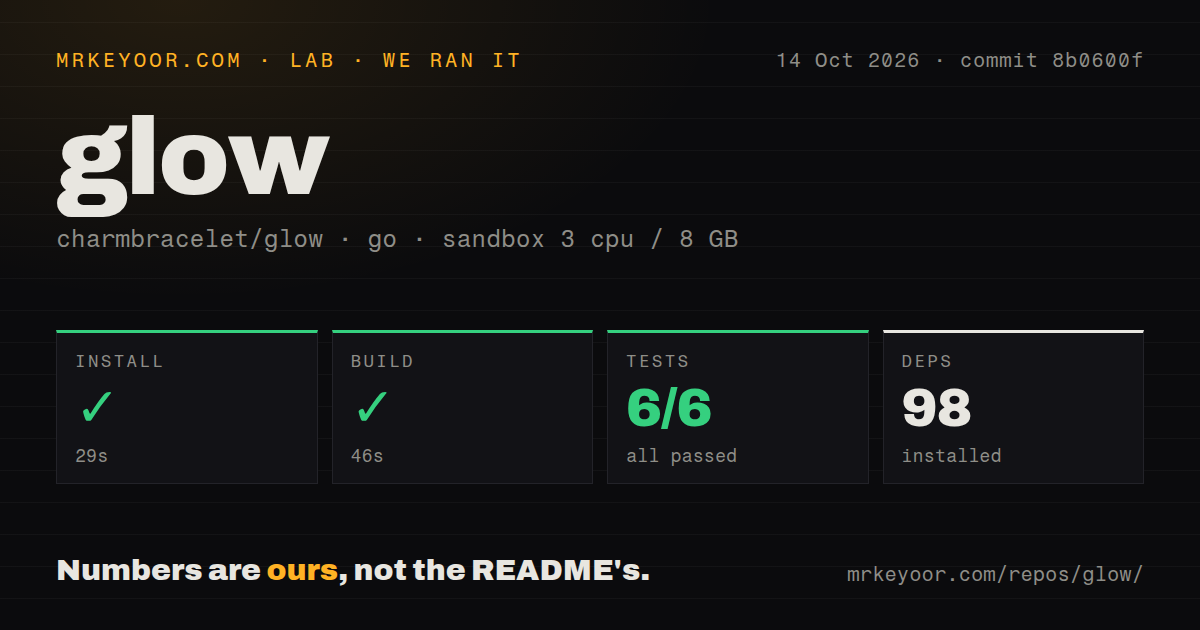
The source install path did change to charm.land/glow/v3@latest, and building requires Go 1.21 or newer. Our clean Go 1.24 environment resolved 98 packages in 69 seconds. People who do not want a compiler can use Homebrew, MacPorts, Arch, Void, Nix, FreeBSD, Solus, Windows package managers, Snap, Debian or Ubuntu packages, Fedora or RHEL packages, or downloadable release binaries. The release page also supplies checksums and Sigstore material for artifact verification.
What happened when we ran it
Our sandbox installed Glow in 69 seconds, then completed the build in 43 seconds. The checkout and dependencies were run in an unprivileged Debian container with 3 CPUs, 8 GB of RAM, and no secrets. Installation added 98 Go packages. Nothing in either command failed, and the project did not require a service, database, browser, token, or interactive setup to reach a compiled binary.
The tests completed in 10 seconds: go test reported 2 passed and 0 failed out of 2. Those are the only test results from our run, so they should not be mistaken for broad coverage of every terminal and input type. Our scan found no dedicated tests directory, while the repository had 6 CI workflow files and a Dockerfile. The useful conclusion is simple: commit 7b2431d built and passed its available tests in the stated container.
Glow 3.0.0 can choose the wrong style on a light terminal
The README says the default auto style detects whether the terminal background is light or dark. Open issue 1022 documents a regression in Glow 3.0.0 where Markdown takes the dark style before that check runs. The reporter reproduced light gray output on a light background and traced the affected path. This is more than a cosmetic quibble because poor contrast can make ordinary documentation uncomfortable or unreadable.
There is a direct workaround in the documented interface: pass -s light or -s dark, or set a fixed style in glow.yml. A custom JSON stylesheet is also accepted. That keeps the 46-file utility usable while the report remains open, but it removes the convenience of carrying one automatic config between light and dark terminals. Teams that standardize terminal themes can set the style once and avoid the affected detection path.
File discovery lacks search, and image support is not released
Glow can find Markdown across subdirectories, yet it cannot search within the displayed text using the familiar less shortcuts. Issue 183 asks for forward, backward, repeated, and cross-file search and has remained open since October 2020. For long manuals, piping rendered output to an external pager may be more practical. The README says -p uses an ANSI-aware less -r by default when $PAGER is not set, which gives users a separate paging route.
Inline images are another boundary. Pull request 1028 proposes Kitty and Sixel rendering, but it was still open on September 2, 2026. The released README does not document image display. A 0.6 MB terminal reader is attractive partly because it stays narrow, so this omission will be harmless for many READMEs. Architecture diagrams, screenshots, and image-heavy tutorials still need a browser or a different renderer.
September activity supports adoption despite a 230-item queue
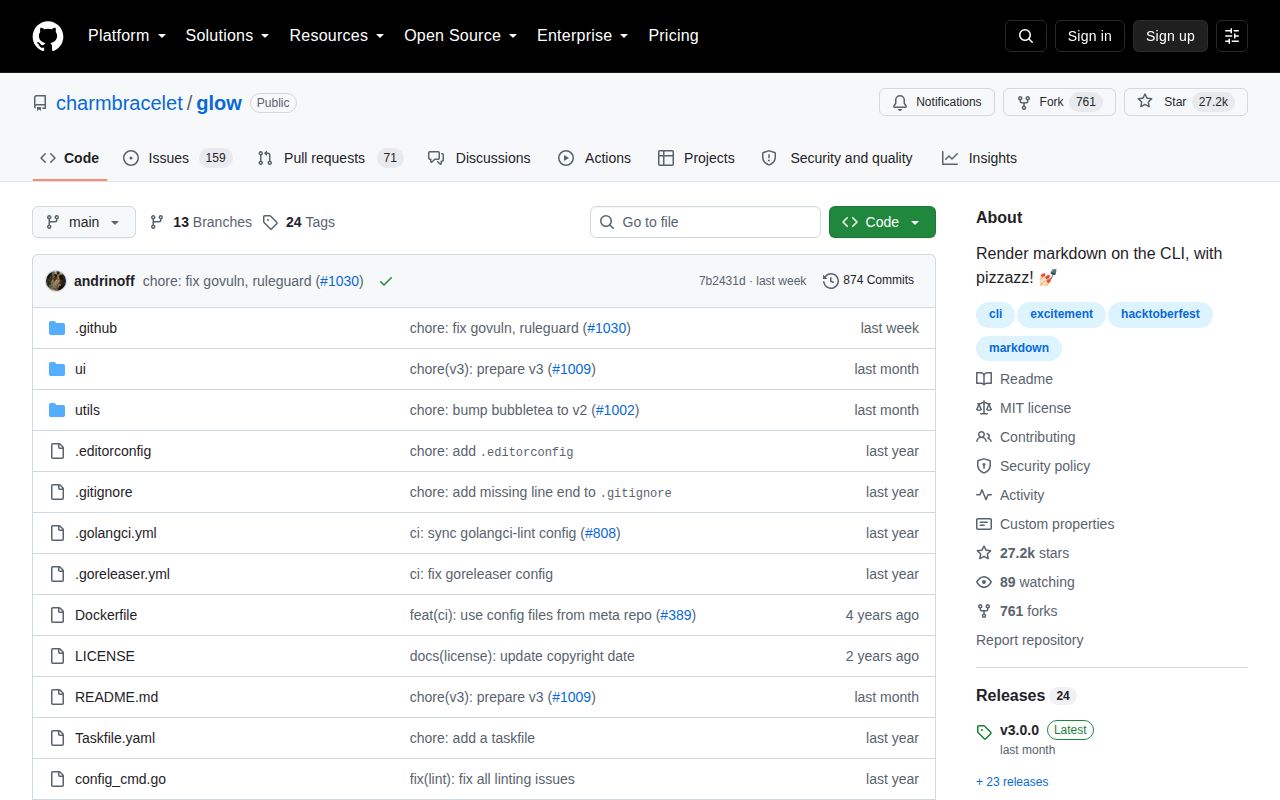
GitHub recorded 27,233 stars, 230 open issues and pull requests combined, and a last push on September 7, 2026. A pull request received an update on September 8, one day later, so the queue is not sitting untouched. Version 3.0.0 had shipped less than a month earlier. The combined open count includes proposed code and should not be treated as 230 defects, though old requests such as search show that popular asks can wait for years.
Glow is best treated as a pleasant terminal reader with a few sharp limits. Our 69-second install and clean 2-test result make evaluation cheap, while explicit style flags contain the current background-detection regression. Use it beside a code editor and browser, not as a replacement for either. If search is central, bat or an external pager will be more useful; if the Markdown must become a browsable manual, mdBook fits that job better.