
Remote terminal access starts enabled on the host
Before pairing your phone with DeepSeek Harness Remote, decide whether it should open a terminal on the work computer. The README says terminal access starts enabled and runs as the host user, independently of agent approvals. That's a useful capability when a coding session needs intervention. It also means an agent's permission prompt doesn't describe every action a connected person can take. Review the separate terminal setting before choosing who can connect.
DeepSeek Harness Remote keeps the agent and its workspaces on the original computer. The remote client provides another way into that environment, including its native Harness conversation interface. It fits someone who already has a useful Harness session and wants to return from another device. A new user still needs the underlying host and project setup. Remote doesn't supply an independently configured coding environment on the phone.
What happened when we ran it
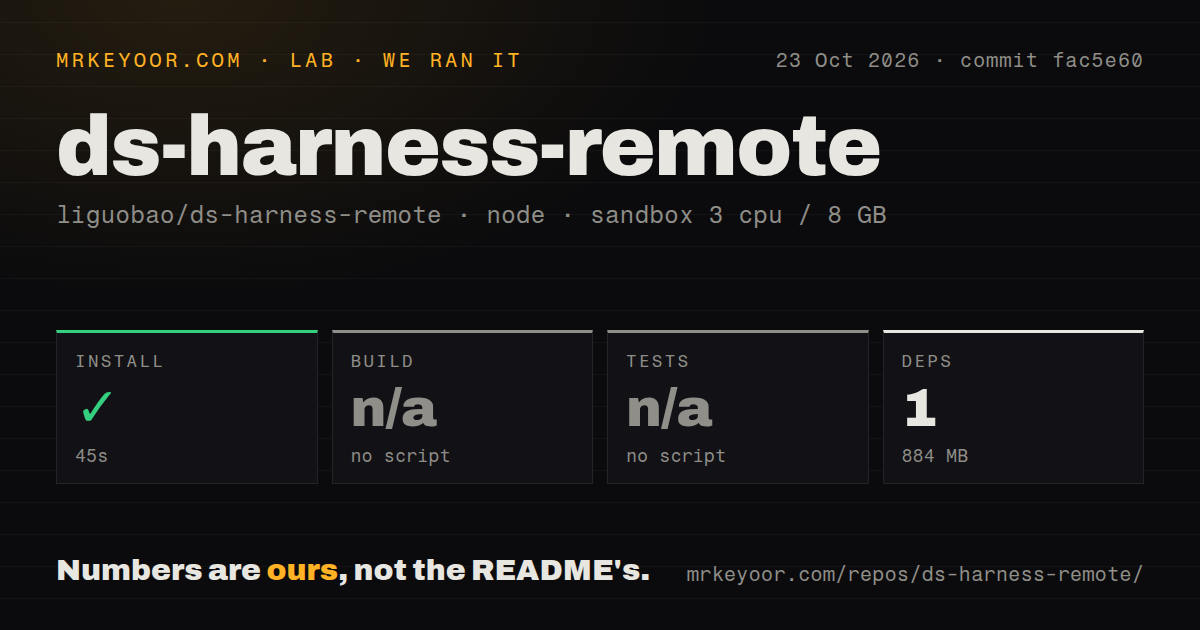
Our sandbox installed DeepSeek Harness Remote commit fac5e60 with pnpm in 45 seconds on October 23, 2026. It recorded 1 dependency and 884 MB on disk. Build and tests were skipped because the harness found no script or target for either. That result establishes dependency installation through the measured path. It doesn't establish that a host paired successfully, a terminal opened, or a conversation survived a reconnect.
The checkout contained 642 files, about 104,009 source lines, and occupied 22.8 MB before dependencies. Our scan found two CI workflow files and monorepo workspaces, with no Dockerfile or tests directory. A root scan can miss package-specific workflows. The self-hosting guide documents component commands, so the skipped root steps shouldn't be read as a claim that the repository has no way to check its components.
The recorded sandbox configuration was 3 CPUs, 8 GB RAM, and image label lab-node:22. The label doesn't establish exact runtime or operating-system versions. There was no vulnerability-audit result in the supplied measurement. The recorded dependency count also doesn't explain the entire 884 MB footprint. Budget that measured disk use for source evaluation without treating the count as a complete inventory of every package used by the application.
The Linux installer makes the permission choice larger
The README describes different installation paths. Desktop users can add the npm plugin through Harness plugin management and restart the application. The Linux installer instead requires root and configures a systemd system service. Under that route, the host, agent tools, and remote terminals run as root. That's a concrete reason to reject the supplied installer when your development host must run without those permissions.
Remote access is therefore more than a convenient chat window. The README also says creating a Harness workspace can create missing host directories independently of the terminal switch. Disabling interactive terminals narrows one capability without making every host operation read-only. For an evaluation, use a workspace and account whose authority you understand, then check which operations remain available with terminal access disabled. We didn't perform that device-level evaluation in our sandbox.
The relay avoids an inbound host port and still needs an account
According to the README, the host opens outbound connections and negotiates local, peer-to-peer, TURN, and relay paths. The project describes end-to-end encryption with account membership and locally pinned device identities both required for access. The service can still observe routing and connection metadata. These are documented design claims, without an independent cryptographic audit from us. Our successful installation didn't exercise a handshake or a fallback transport.
The default route uses the project's hosted server, with host and client signed into the same account. Self-hosting changes the server you depend on, along with the work you own. The minimal server guide describes a single-account relay with credentials configured through environment variables. Its Web surface covers sign-in and device status. The README warns that this minimal page doesn't reproduce the hosted conversation interface.
Self-hosting adds a proxy and persistent device state
The server guide requires Node 22 and pnpm 9.15.4 for local operation. Host and client must use the same server URL and account. Public deployment needs an HTTPS reverse proxy with WebSocket support, and device credentials persist on the server. Changing the account password requires devices to authorize again. Those are operating responsibilities beyond adding a plugin to a local Harness profile.
Recent development is visible: GitHub recorded a push on October 23, 2026, and release v0.5.18 was published that day. Its notes address queued-message visibility and malformed tool-reply handling. The server guide also documents recovery from older images unable to resolve the protocol package. These details show active correction work, without promising an uneventful deployment. The release explicitly says it added no new native-device or cross-device acceptance validation.
Client support determines whether it fits your device
The README lists Android, browser, and Desktop routes as supported, while iOS remains a TestFlight beta. Its VS Code client is experimental, with cross-machine validation unfinished. Optional agent adapters have their own limits: the Claude adapter lacks image input and direct Files or Terminal access. Choose the exact client and backend combination you need before reading the general feature list as a compatibility promise.
Tailscale provides private WireGuard networking. Choose it when you need network reachability for an existing service. RustDesk provides remote desktop access and allows a self-hosted relay, which suits work beyond the Harness interface. For Harness Remote itself, pair the intended devices in a nonessential workspace, verify terminal permissions, and check reconnect behavior before relying on it to resume work while you're away.