mrkeyoor.com_
Sat 19 Sept 03:37 UTC
Dev Toolsevaluationupdated 19 Sept 2026

mdBook review

mdBook turns a folder of Markdown chapters into a searchable static book website. It is a Rust command-line tool built for manuals, courses, and long technical guides where chapter order matters more than a general-purpose website layout.

Verdict

Our mdBook checkout installed 112 npm packages in 27 seconds, but it exposed no npm build or test target, so that clean audit cannot stand in for a Rust build. Use mdBook when your product is genuinely a book: ordered Markdown chapters, static hosting, and strong Rust code treatment. Pick a documentation-site generator when navigation, component-rich pages, or multiple content types matter more than linear reading.

We ran it

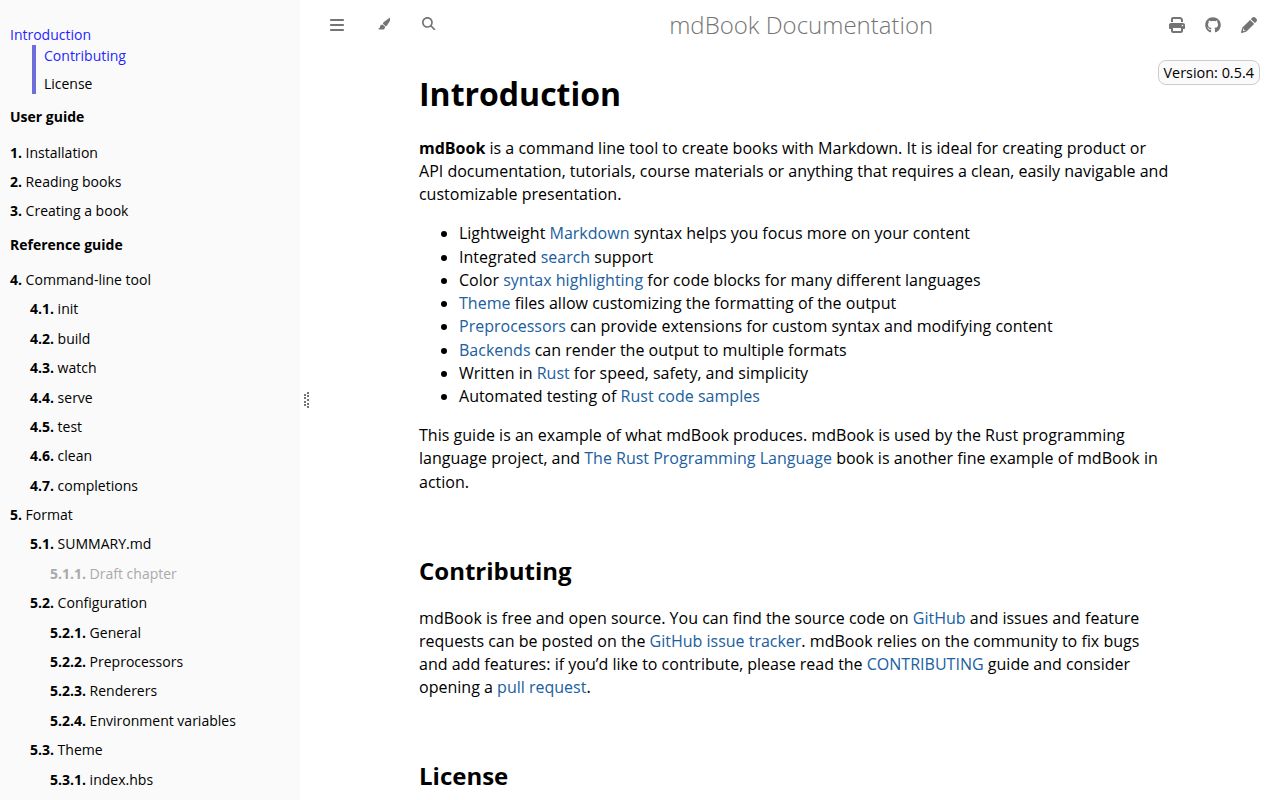
Lab card: what happened when we ran mdBookScreenshot of mdBook (rust-lang.github.io/mdBook)
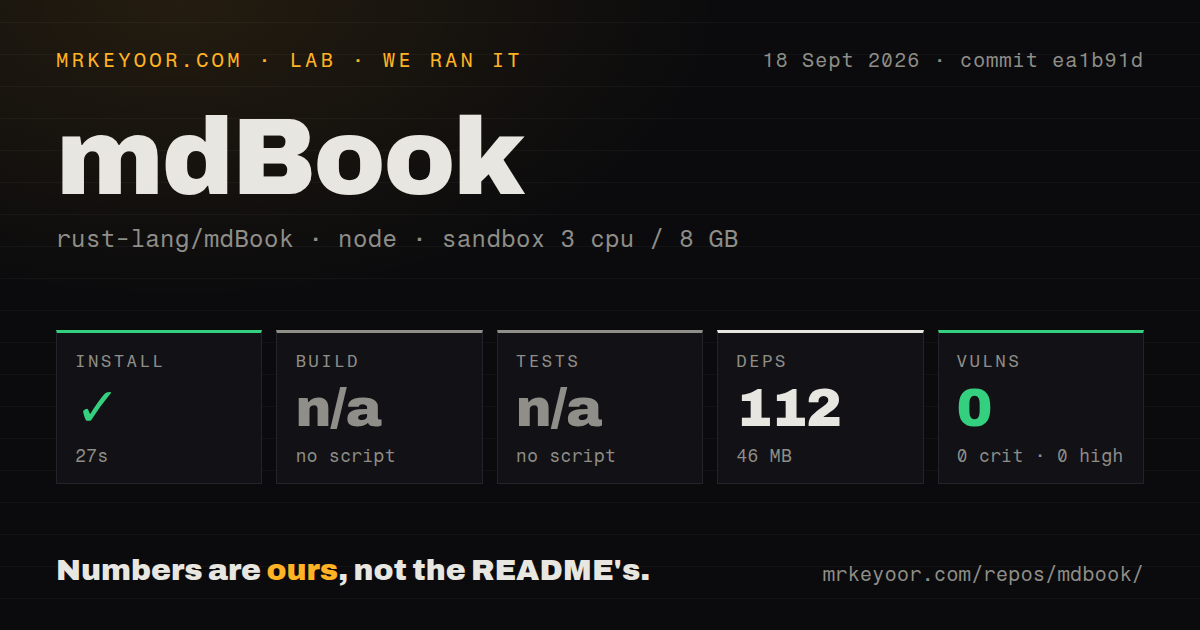
Install✓ · 27s112 packages · 46 MB
Buildn/ano build script
Testsn/ano test script
Known vulns00 critical · 0 high · 0 moderate · 0 low (npm audit)
Repo681 files~19,744 lines of source · 2.3 MB · 4 CI workflows · tests dir

Answers from our run

Does mdBook build from source?

Dependencies installed in 27 seconds (112 packages), and the project has no separate build step. We cloned commit ea1b91d into a clean Debian container with 3 CPUs and no project-specific setup.

Does mdBook have tests you can run?

Not through a standard command: the project exposes no test script or target that our harness could run.

Does mdBook have known vulnerabilities in its dependencies?

npm audit found none in the dependency tree at the time of our run.

Who should not use mdBook?

Teams expecting npm install to produce the mdBook executable: our npm run installed only the repository's JavaScript development packages and exposed no build or test script.

What are the alternatives to mdBook?

HonKit, Material for MkDocs, Docusaurus. Our mdBook checkout installed 112 npm packages in 27 seconds, but it exposed no npm build or test target, so that clean audit cannot stand in for a Rust build.

Setup4/5Prebuilt binaries are simple; source installs require Rust 1.88
Docs5/5The maintained guide covers writing, configuration, extensions, and CI
Community5/522,158 stars and September 2026 code and issue activity
Maturity4/5A decade old and active, with 0.5 migration and access issues

Discussed on

  1. hnMdBook – A command line tool to create books with Markdown452 points
  2. hnmdBook – A utility to create modern online books from Markdown files258 points
  3. hnMdBook – a command line tool to create books with Markdown184 points

Who it’s for

Technical writers who want Markdown, Git, and a small book.toml file to remain the source of truth.
Rust projects that benefit from runnable code blocks and checks on Rust examples.
Teams publishing manuals as static files through GitHub Pages or another plain Web host.
Developers who need custom preprocessors or renderers and accept a command-line extension model.

Who it’s NOT for

Teams expecting npm install to produce the mdBook executable: our npm run installed only the repository's JavaScript development packages and exposed no build or test script.
Documentation sites that need pages outside a book hierarchy: every visible chapter must be arranged in src/SUMMARY.md.
Owners of heavily customized 0.4 books who cannot budget migration work: the 0.5 guide lists breaking changes to themes, preprocessors, renderers, configuration, and HTML.
Publishers requiring clean accessibility checks without theme work: issue 3212 reports unnamed task-list checkboxes under WCAG 2.1 Level A.
Windows contributors who need the browser test suite to work locally without patches: issue 3067 documents npm command, drive-letter, and path-separator failures.

Setup reality

Our sandbox installed 112 npm packages in 27 seconds and used 46 MB. It found no npm build script or target, so build was skipped, and it found no npm test script or target, so tests were skipped. npm audit reported 0 known vulnerabilities across critical, high, moderate, and low severities.

That npm result covers mdBook's JavaScript development layer, not the Rust executable. Readers can download a precompiled binary for Windows, macOS, or Linux. Building from source needs Cargo and Rust 1.88 or newer, followed by cargo install mdbook.

A book needs book.toml, src/SUMMARY.md, and Markdown chapter files. mdbook serve --open rebuilds and refreshes during editing, while mdbook build writes static HTML. Custom themes and extensions deserve extra checking when moving from 0.4 to 0.5.

Markdown plus SUMMARY.md produces a static book

mdBook starts with a strict and useful constraint: your publication is an ordered book. book.toml stores settings, src/SUMMARY.md lists the visible chapters, and the remaining Markdown files hold the text. Running mdbook build produces static HTML that can live on any Web server. There is no database, hosted account, or client framework to keep alive after deployment.

That structure is excellent for a manual that should read from chapter 1 onward. It is less comfortable for a sprawling product site. A chapter does not appear until it is added to SUMMARY.md, and the source folder layout becomes part of the output URL layout. Draft entries, nested chapters, part titles, prefix pages, and suffix pages give an author enough control without turning navigation into application code.

Rust examples receive first-class treatment

Rust code blocks can gain a play button, run in the Rust Playground, hide setup lines, or carry rustdoc-style attributes such as ignore, no_run, and compile_fail. The mdbook test command checks Rust examples. File includes can pull a whole source file, a line range, or a named anchor into a chapter, which reduces the chance that teaching code and compiled code drift apart.

The bias is deliberate. Authors documenting another language still get syntax highlighting and can define custom hidden-line prefixes, but the built-in example testing path is about Rust. Extensions can fill gaps through preprocessors and renderers. That power comes with process boundaries and configuration: mdBook sends structured data to external commands, and those commands have to stay installed and compatible in local and CI environments.

What happened when we ran it

Our sandbox installed 112 npm packages in 27 seconds, leaving 46 MB on disk. The checkout at commit ea1b91d contained 681 files, about 19,744 lines of source, and occupied 2.3 MB before that install. The environment was an unprivileged container with 3 CPUs and 8 GB of RAM. npm audit found 0 known vulnerabilities, including 0 at each reported severity.

There was no npm build script or target, so our harness skipped the build. There was also no npm test script or target, so it skipped tests. Those are findings, not passes. The repository's package.json contains lint scripts and two JavaScript development dependencies, while the product itself is written in Rust. Our 27-second npm result therefore says nothing about whether the Rust CLI compiled or its Rust test suite passed.

The repository does contain 4 CI workflow files and a tests directory. It does not contain a Dockerfile, which is unsurprising for a tool distributed as native executables and a Cargo package. Anyone evaluating source changes should run the Rust commands required by the contribution guide. Our supplied lab block did not do that, so this review makes no claim about their outcome.

Precompiled binaries avoid the Rust toolchain

The user guide offers ready-made executables for Windows, macOS, and Linux. Put the binary on PATH, run mdbook init, then use mdbook serve --open while writing. The server rebuilds after a saved edit and refreshes the browser. Publishing is equally plain: mdbook build writes the book directory, which can be copied to static hosting.

A source install needs Cargo and Rust 1.88 or newer. That is reasonable for Rust teams and unnecessary weight for a writing team, so the binary is the better default. The project does not need npm for ordinary book authoring. npm appears in contributor-facing browser and lint work, which explains why our harness found a valid package installation even though it could not build mdBook.

Version 0.5 requires a careful custom-theme migration

Release 0.5.4 arrived on July 6, 2026 with zoomable images, dependency updates, and several layout and packaging fixes. The larger 0.5 line changed much more. Its migration guide names breaking changes across custom themes, preprocessors, renderers, configuration keys, generated HTML, and the Rust API. Unknown configuration fields now error, and several older options were removed or renamed.

A plain Markdown book should be easier to move than a themed publication with third-party commands. Test the generated pages side by side before upgrading. Issue 3170 reports that an optional missing renderer can still fail a Linux build with a broken pipe under 0.5.4, while the same setup behaves correctly on macOS. That is exactly the sort of extension edge a simple sample book will not reveal.

The default HTML still has accessibility defects

Issue 3212 shows task-list checkboxes rendered without an accessible name in version 0.5.4. The report ties the output to WCAG 2.1 success criterion 4.1.2 and includes a small reproduction. Issue 3199 describes the / search shortcut failing on keyboard layouts that require Shift and colliding with Firefox Quick Find. A pull request opened on September 18 addresses that shortcut, which also shows the project responding to current reports.

Health is strong by ordinary repository signals. GitHub recorded a push on September 18, 2026, recent issue and pull-request movement, 22,158 stars, and 656 combined open issues and pull requests. The last number is a queue, not a bug total. mdBook remains a sound choice when its opinionated book structure matches the job. Its constraints become friction only when the publication wants to behave like a full website.

Alternatives

ProjectWhat it isPick it when
HonKitA JavaScript fork of the original GitBook tool for building books from Markdown.pick this instead when GitBook-style plugins or a Node-based book tool fit your existing workflow.
Material for MkDocsA feature-rich MkDocs theme for documentation sites written in Markdown.pick this instead when site navigation, Python plugins, and polished documentation pages matter more than a book model.
Docusaurus gh↗A React-based system for documentation sites, blogs, and versioned content.pick this instead when you need React components, versioned docs, or a broader site around the manual.

What people are saying

  1. [velocity-scout] rust-lang/mdBook

Sources

  1. mdBook repository
  2. mdBook installation guide
  3. Creating a book with mdBook
  4. mdBook-specific Markdown features
  5. mdBook 0.5.4 release
  6. Issue 3212: unnamed task-list checkboxes
  7. Issue 3170: optional renderer failure

More dev tools reviews

opcode · lore · OhMyKeymint · tty7 · makepad · Codex-X · the whole board →