One process covers the terminal, browser, API, and exports
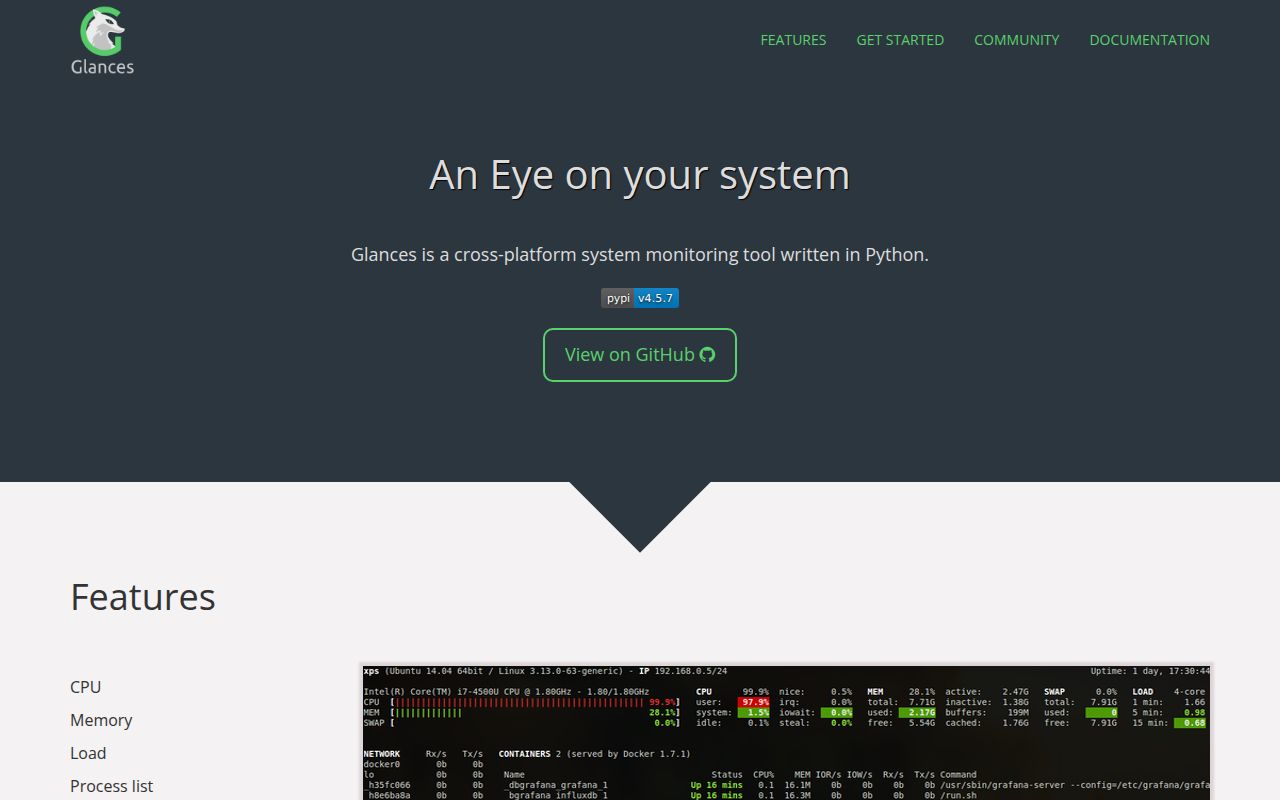
Glances v4.5.7 can replace several small diagnostic commands when you need a quick read on one machine. Its terminal view covers CPU, memory, load, filesystems, network traffic, processes, temperatures, fans, and supported container engines. Run it with -w and the same collector becomes a Web dashboard on port 61208. Client/server discovery, raw stdout, CSV, JSON, and a Python API give scripts access to the same readings.
The broader appeal is transport. Glances exports to Prometheus, InfluxDB, PostgreSQL and TimescaleDB, ClickHouse, Kafka, NATS, and other targets named in the README. Since version 4.5.1, the Web mode can also expose an MCP server for assistants such as Claude and Cursor. That makes Glances useful as a local inspector and as a bridge into another monitoring system, but each extra adds dependencies and configuration.
The measured source install is much larger than the checkout
The shortest route is pip install glances, and the core package requires Python 3.10 or newer. Web, containers, GPU data, sensors, exports, SNMP, Wi-Fi, and MCP are split into optional extras. This is a sensible package design. A machine that only needs the terminal view does not need database clients or an AI protocol server. The README also warns that building psutil may require Python headers and a compiler.
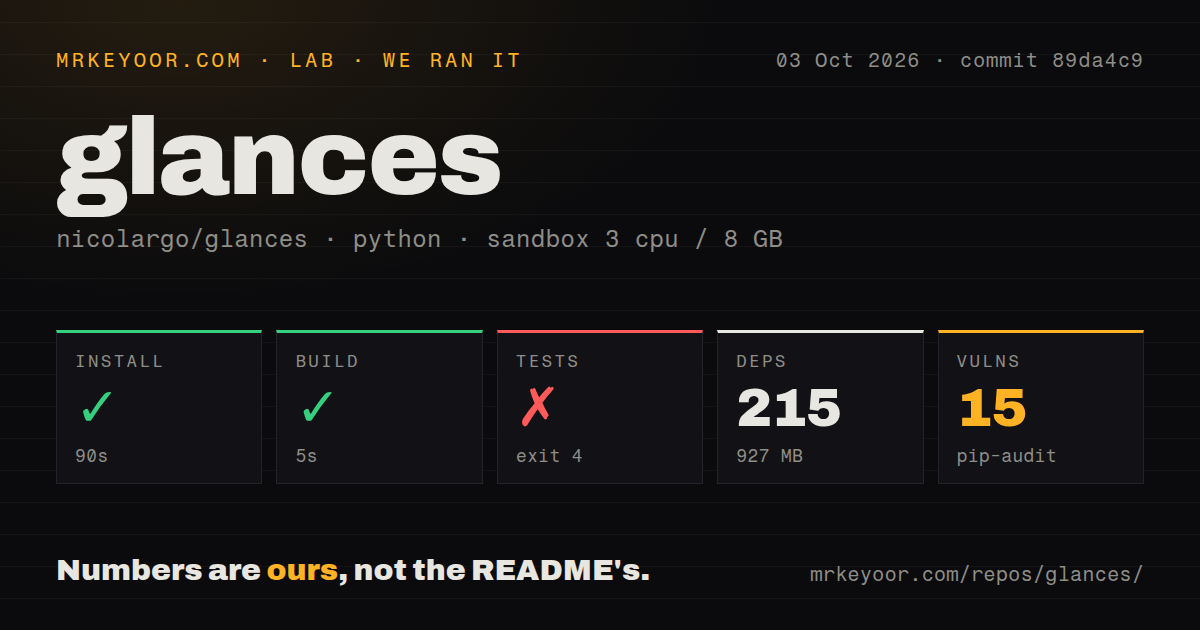
Our source installation took 90 seconds, pulled 215 packages, and occupied 927 MB. The checkout itself was 14.2 MB, with 589 files and about 54,736 lines of source. Those figures describe the environment we tested. The README exposes a glances[all] option, but you should choose extras per host instead of copying the broadest package set into every server image.
What happened when we ran it
Our sandbox installed commit 89da4c9 successfully in 90 seconds and built it in 5 seconds. We measured that checkout in a Debian sandbox with 3 CPUs and 8 GB of RAM. Our measurement setup used Python 3.12 with no secrets or elevated privileges. Pip-audit reported 15 known vulnerabilities in the resulting 927 MB environment. We did not measure dashboard latency, sampling overhead, or exporter throughput, so these results should not be read as performance numbers.
The test command failed with exit 4 after 7 seconds, before pytest collected the suite. Importing glances.logger builds a log filename with getpass.getuser(). Python then called pwd.getpwuid(os.getuid()) for UID 1000, and that lookup raised KeyError: 'getpwuid(): uid not found: 1000'. The log shows an identity lookup failure. It does not show a failed monitor plugin, a broken exporter, or a test count.
An unnamed UID blocks this checkout before test collection
commit 89da4c9 did not complete its test gate in an unprivileged container whose UID 1000 had no passwd entry. That is a concrete problem for containerized CI systems that assign numeric identities without adding them to /etc/passwd. A green result from a developer laptop would not answer this case. Reproduce the suite under the same identity model used by your build workers before accepting the project.
The repository still shows substantial test infrastructure: our scan found a tests directory and 10 CI workflow files. It had no Dockerfile in the checkout, although the README supplies commands for official Alpine and Ubuntu images plus Docker Compose. Those examples mount the Docker or Podman socket, use the host PID namespace, and may use host networking. Review those permissions rather than treating the sample command as a neutral default.
Web and MCP access increase the patching stakes
Glances starts the Web UI and REST API on port 61208, while --enable-mcp adds an SSE endpoint under /mcp/sse. Version 4.5.7 fixed an unauthenticated credential disclosure in the ports plugin, a ClickHouse export SQL injection, another credentials leak through published plugin limits, and argument injection in alert commands. Those fixes are a direct reason to pin a current release when any interface is reachable beyond localhost.
The full feature set also crosses trust boundaries. Container monitoring reads engine sockets, exporters hold database destinations, and MCP lets an assistant query host statistics. Glances documents separate extras and configuration files, but an operator still owns network exposure and credentials. For a laptop dashboard this is manageable. For a shared server, place the Web endpoint behind the same access controls and update policy used for other administration tools.
October activity is strong, while 91 issues remain open
GitHub showed 33,725 stars and a last push on October 3, 2026, the same date as the measured commit. Release v4.5.7 arrived on September 26 with a long fix list, including Web UI, container, export, and security changes. The repository had 105 combined open issues and pull requests: GitHub search separated that into 91 issues and 14 pull requests. The queue is large, but recent commits and release work show active maintenance.
Glances earns its place when you genuinely use more than one of its faces. The terminal, Web UI, REST output, exporters, and MCP endpoint can keep host inspection consistent across jobs and operating systems. If you only want to sort processes, htop or btop asks less of the machine. If you adopt Glances, test the unnamed-UID case we hit and account for all 215 packages before the full install enters production.