Ghostex puts several coding agents in one workspace
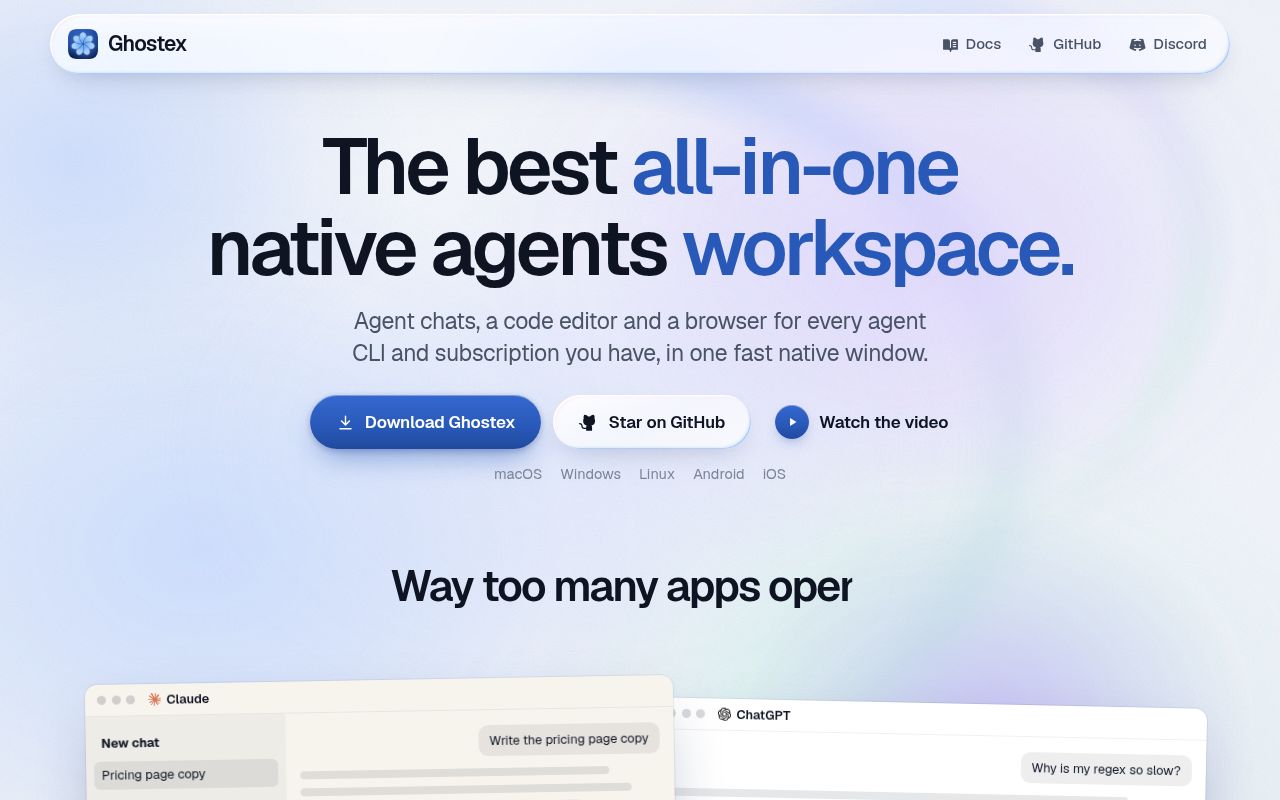
Ghostex gives each coding agent a chat view alongside terminal access, with embedded browser panes and a mobile companion. The README describes a native Rust/GPUI shell. I'd consider it when switching between agent sessions has become a daily coordination problem, especially if you want to follow those sessions from a phone.
The useful distinction is between gathering sessions and supervising them. Ghostex documents both ordinary agent sessions and an orchestrator that directs other agents. A shared window does not tell you which mode is running. That distinction matters more to an adoption decision than the length of the supported-agent list, because you need to know who is watching the helpers and how results return.
What happened when we ran it
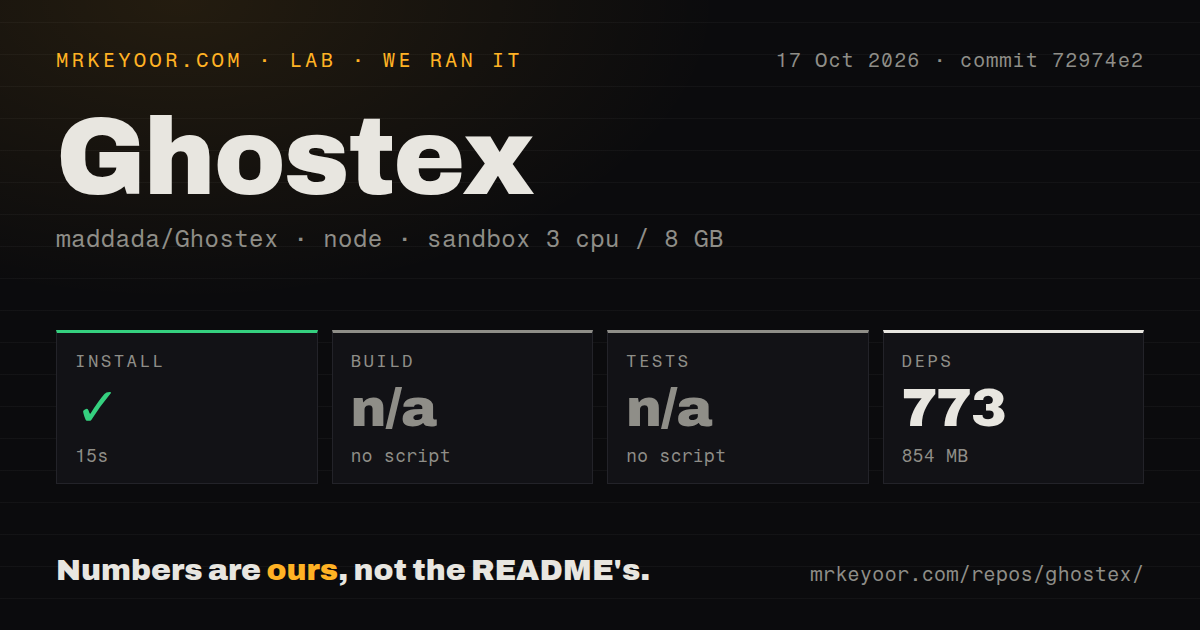
Our sandbox installed Ghostex commit 72974e2 in 15 seconds, recorded 773 dependencies, and occupied 854 MB on disk. The October 17, 2026 run used 3 CPUs and 8 GB of RAM. The lab classified the detected package path as Node with Bun. Its recorded image, lab-node:22, does not establish an actual Node or operating-system version.
The build step was skipped because the harness found no build script or target. The test step was also skipped because it found no tests script or target. Those are skipped checks, with no passing build or suite result to report. They do not prove the repository has no native build machinery or tests elsewhere.
The measured checkout contained 36,740 files, about 7,634,054 source lines, and occupied 690.9 MB. The scan found 21 CI workflow files, no Dockerfile, and no tests directory. Those totals describe what the lab checked out. They do not tell us how much code the maintainers wrote themselves or whether the desktop package starts correctly.
Our run establishes successful dependency installation for the detected path. The current Rust/GPUI application description makes the remaining boundary especially important: we have no measured desktop launch, session recovery, browser behavior, or mobile pairing result. Evaluate a packaged application on its intended platform before relying on its session persistence claims.
Platform packages need their own acceptance check
The README lists desktop downloads for macOS, Windows, and Linux, plus Android and iOS routes. Windows defaults to native PowerShell, with a setting to switch to WSL. On Linux, Ghostex offers to add Chromium when you first open the browser or code editor. A successful Bun dependency step says nothing about those platform-specific experiences.
The iOS route uses TestFlight access arranged through Discord. That is a concrete reason to skip Ghostex if your evaluation requires an immediately available ordinary iOS download. On Windows, release v10.28.0 warns that beta packages are not Authenticode-signed and may trigger SmartScreen. Organizations requiring signed Windows packages have a separate acceptance problem before they reach the agent interface.
Bring the coding agent you already use and its own authentication. Easy Connect pairing is described as needing no extra accounts, with Tailscale offered as another route. That phone-pairing statement does not establish credential-free model access. The provider-backed agents still have their own requirements, which our package run did not exercise.
Managed orchestration must be activated deliberately
Issue #262 reports a new user's difficulty discovering managed orchestration. In that report, an agent created helper sessions but remained in an ordinary session and supervised them through repeated terminal checks. The reporter says promoting the lead and linking the helpers worked afterward. The issue concerns Desktop 10.27.0 and remained open on October 20, 2026.
That is a user report, separate from our sandbox. It supports a narrow warning: asking for subagents did not automatically select the intended managed workflow in that case. It does not prove Ghostex cannot orchestrate. Before assigning a substantial task, check that the lead is an orchestrator and that helpers appear as managed threads. Ask how completion reaches the lead, then observe the answer in a disposable project.
The README also documents queued prompts and structured question forms. These features address supervision work you would otherwise do by watching terminals. Their value depends on delivery: a queued instruction needs to reach the intended agent, and an answer needs to return to the session that requested it. Those are useful acceptance checks for your selected agents, rather than capabilities our lab verified.
October activity shows development beyond our checkout
GitHub records a last push of October 20, 2026, and release v10.28.0 was published that day. Recent issue activity includes the orchestration-discovery request and a report about editor line navigation. This is an actively changing project. Recent changes also mean the October 17 package result cannot stand in for the latest desktop release.
Cmux is a macOS terminal with vertical tabs and agent notifications. Consider it if that terminal-centered interface is what you want. Tmux can detach from a screen, continue running in the background, and later reattach. Choose it when persistent terminal sessions are the requirement and you're content to handle agent coordination yourself. Neither alternative has a comparative performance result here.
Start a Ghostex trial with one disposable repository and the agents you already trust. Confirm the lead's mode, send a queued follow-up, then restart and inspect what resumes. If phone access is the reason you're considering it, include pairing and reconnection in that trial. The decision is whether this workspace makes your actual sessions easier to supervise, something our successful dependency installation cannot answer.