Codync keeps a named bot attached to its project and permissions
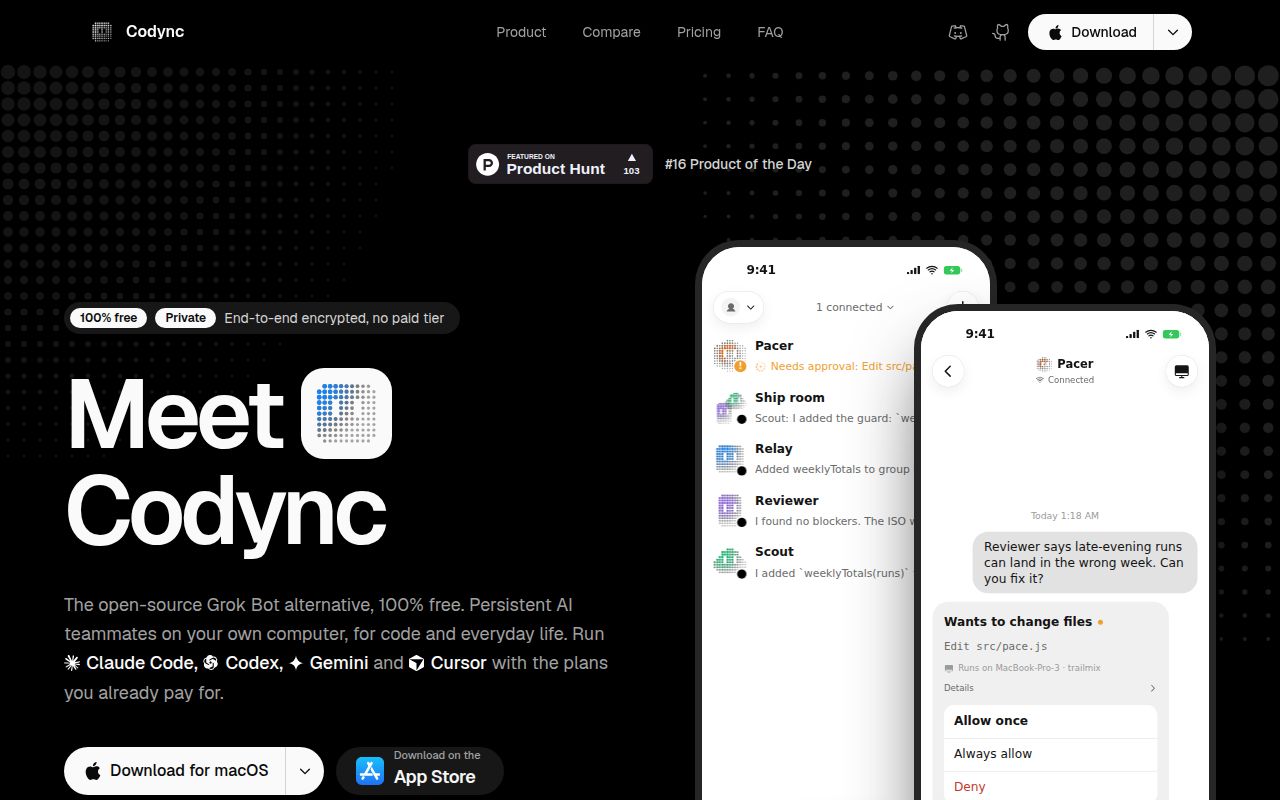
An agent waiting for approval on your computer can leave useful work stalled while you are elsewhere. Codync puts that interaction into a chat with a persistent named bot. The README gives each bot an agent backend, project folder, standing instructions, and permission policy. You open the bot you recognize instead of first hunting for the right terminal session.
That is a useful organizing idea for someone who already delegates work to coding agents. Codync supplies a host and interfaces around those agents, including an iPhone app, a desktop app, and a terminal UI. The agents still run on the working computer with their existing accounts. This adds a remote control surface; it does not establish that an agent will make better edits.
What happened when we ran it
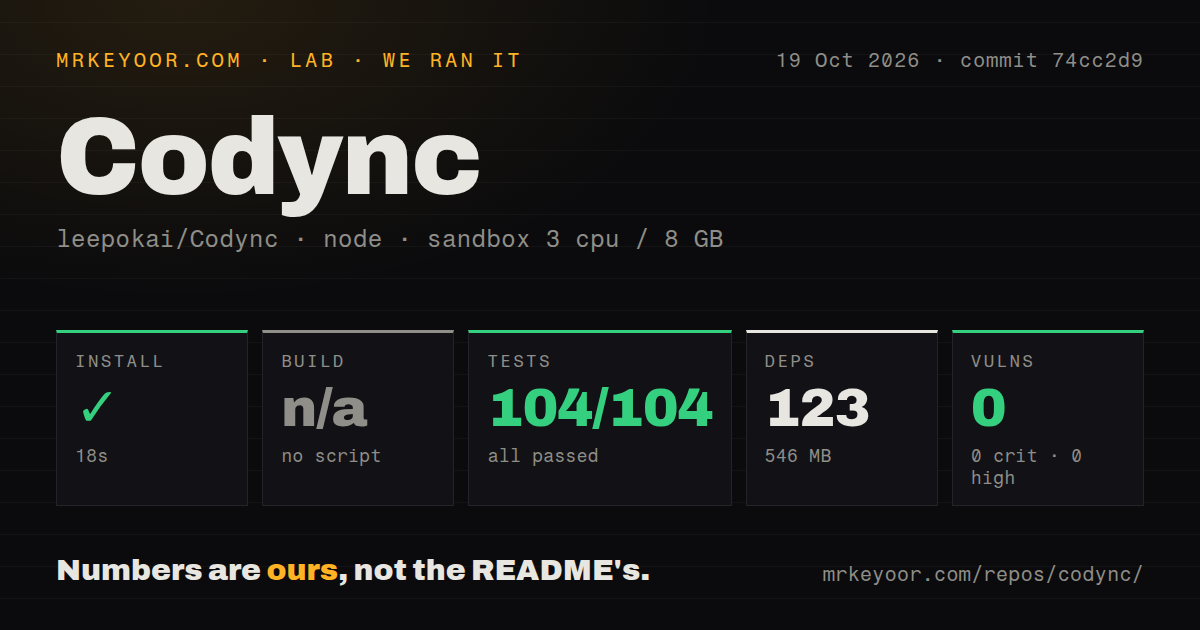
Our sandbox installed Codync's cloud/ project in 18 seconds and passed 104 Vitest tests in 18 seconds, with 0 failures out of 104. Installation recorded 123 dependencies and 546 MB on disk. There was no build script or target, so the build step was skipped. Npm audit reported 0 known vulnerabilities.
We ran commit 74cc2d9 on 2026-10-19 with 3 CPUs and 8 GB RAM. The recorded image was lab-node:22, which does not establish the actual Node runtime or operating-system version. The checkout occupied 19.4 MB before installation. The dependency footprint is worth distinguishing from the size of a downloaded desktop application, which we did not measure.
The important boundary is cloud/. The repository places the Rust host, device clients, and push relay in separate directories. Our result covers the selected cloud project, not a complete product acceptance run. It does not demonstrate a successful phone pairing, a delivered approval request, a completed coding task, or the claimed confidentiality of remote traffic. A clean package audit cannot answer those questions either.
Pairing gives a device access to a working computer
The README describes QR pairing without an account, with optional account sign-in for discovering computers. It says each computer approves access for each device. It also distinguishes the local loopback bearer token from remote-device keys and grants, and tells users to revoke a lost device through device management. That distinction matters when deciding how you would recover from losing a phone.
Codync describes its remote traffic as encrypted between the client and the computer, with the relay forwarding ciphertext. Treat that as the project's architecture claim. Our sandbox did not perform a cryptographic review or observe traffic between physical devices. A useful personal trial should include denying an approval, reconnecting after a network change, and revoking a paired device, rather than stopping when the first chat message arrives.
Agent access is another prerequisite. The README says agents must already be installed and signed in, and some adapters use Node.js. Keep the host's user account and agent permissions in view when setting this up. A permission card is useful only if the underlying agent follows the policy you intended.
Windows and headless Linux have specific limits
The README says Windows lacks remote screen, on-device speech, and the Claude Code status-line hook. It also says the Windows installer is not code-signed. Those are practical reasons to pause if your adoption process requires a signed installer or your remote workflow depends on seeing and controlling the desktop. Our passing cloud tests do not change those documented limits.
The Linux server guide says remote screen and the computer tool need a graphical session. A headless host can be a useful place to run agents, but it cannot supply a desktop that does not exist. Choose a task that works through agent messages before moving the host to a server.
That guide also says the production cloud is not live yet and describes one computer per account. The current README advertises an included hosted relay and multiple computers. These statements conflict. Confirm the actual release and connection path you intend to use instead of treating every documentation page as an equally current setup recipe.
The included cloud is for personal use
The name and cloud policy says hosted, resold, or multi-tenant services must run their own cloud. The code license does not grant access to Codync Cloud or rights to its name and logo. A developer trying Codync on personal machines faces a different deployment decision from someone packaging it as a service.
The built-in team MCP server lets bots discover other visible bots and request help, according to the README. That can suit personal delegation across projects. It does not by itself establish organization-wide isolation or an approval policy for a hosted customer service. Keep that distinction when moving beyond your own computers.
Happy and HAPI offer other ways to reach existing agents
Happy documents a CLI that wraps Claude Code and Codex so you can continue from a phone. HAPI documents native apps, Web/PWA, and a Telegram Mini App for remote agent sessions. Try those when session continuity or your preferred client matters more than Codync's named-bot organization. We did not compare their performance here.
Codync's documentation score of 3/5 means it explains the main workflow but contains contradictory deployment guidance. Complete setup, support quality, and production maturity remain unscored. Start with a disposable project and require the approval, reconnect, and revocation checks to work on your actual devices before leaving an agent unattended.