cmux makes parallel agent sessions visible
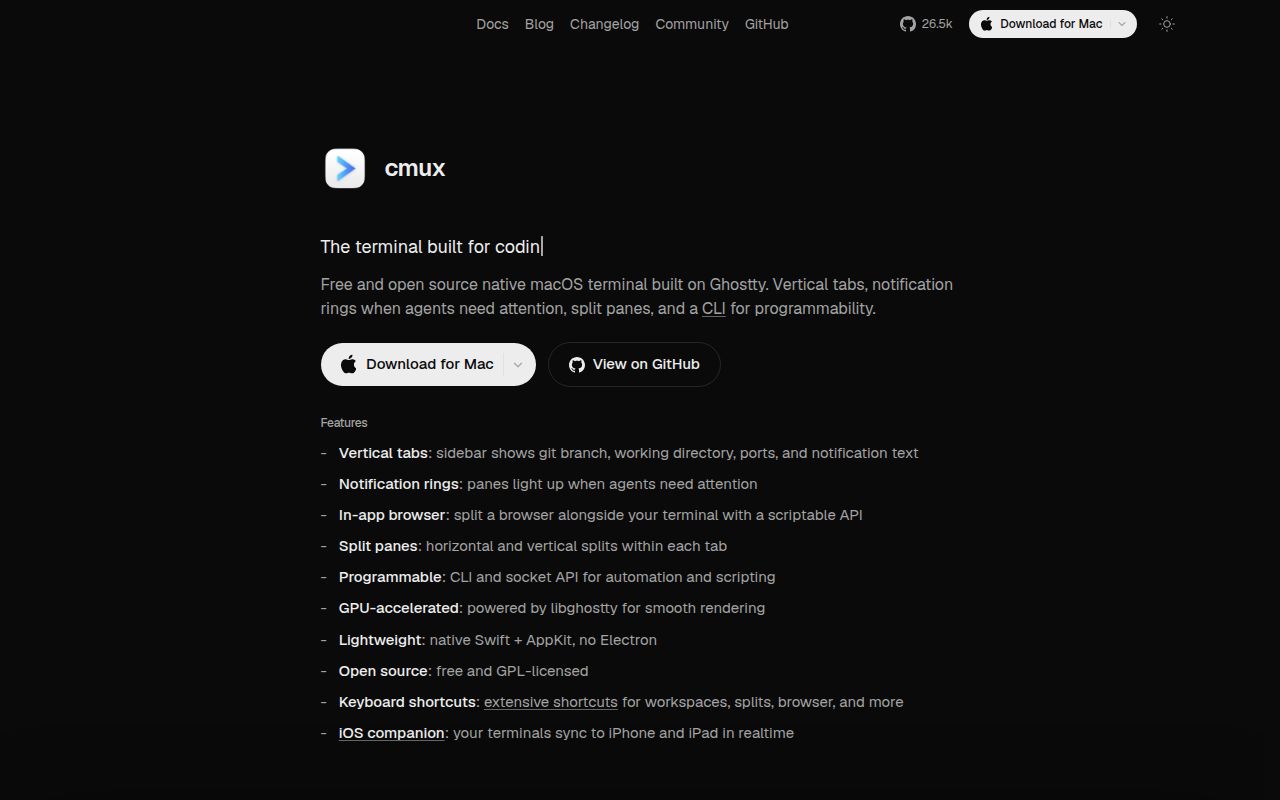
cmux starts with a familiar terminal and adds the information that disappears when many coding agents run at once. Its sidebar can show a workspace's directory, Git branch, linked pull request, listening ports, and latest notification. A pane gets a ring when an agent needs attention, and one shortcut jumps to the newest unread item. That is more useful than a stack of identical system notifications saying an agent is waiting.
The app is native Swift and AppKit, with libghostty handling terminal rendering. It reads an existing Ghostty configuration for fonts, colors, themes, and terminal behavior. Workspaces contain horizontal or vertical splits, and each surface can be a terminal or browser. The design stays close to terminal habits instead of replacing the shell with a task dashboard.
The audience is narrow by choice. The FAQ says cmux is macOS only, although an iOS companion is in beta. Anyone moving between Linux, Windows, and macOS will get more consistency from WezTerm or tmux. A Mac developer already running several agent sessions is much more likely to notice the benefit within an hour.
What happened when we ran it
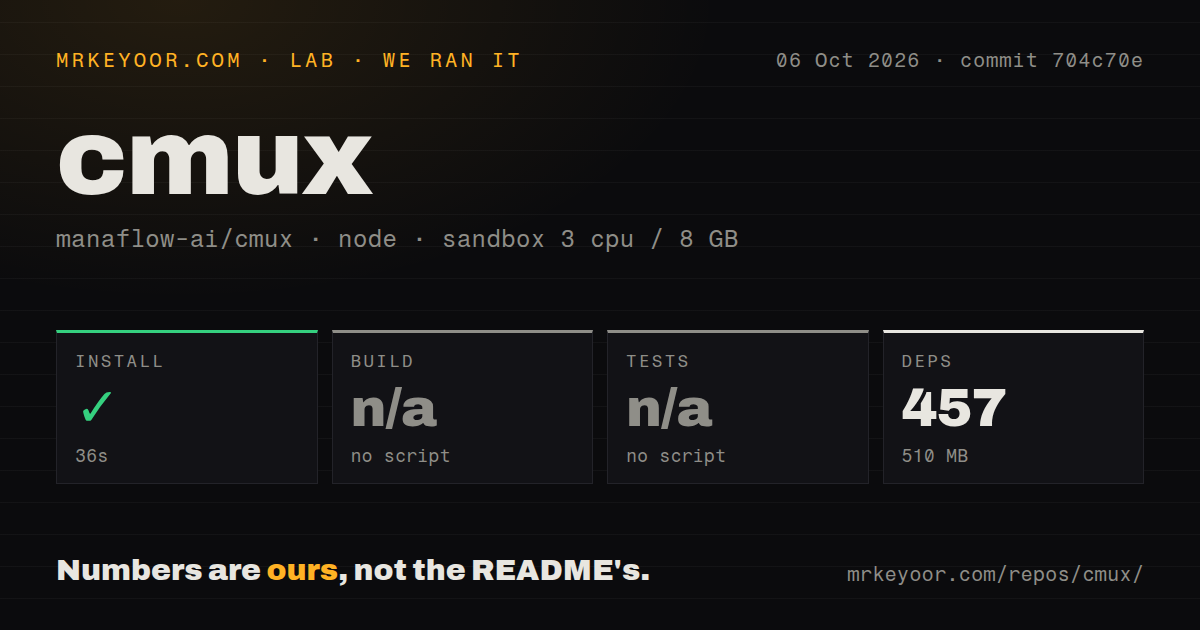
Our sandbox cloned commit 7a28edc into an unprivileged Debian container with 3 CPUs and 8 GB of RAM. The checkout contained 19,457 files, about 2,887,156 lines of source, and occupied 353 MB. Bun installation succeeded in 49 seconds, adding 457 packages and using 510 MB on disk.
There was no build script or target in the measured project, so the harness skipped build. It also found no test script or target and skipped tests, despite a tests directory existing in the checkout. Those are unavailable results, not passes. The repository scan found 50 CI workflow files and no Dockerfile.
The platform mismatch sets a hard limit on our evidence. cmux is a native Swift/AppKit macOS application, while our run used a Node 22 Debian image. We did not launch the app, render a terminal, restore a session, connect over SSH, or drive its browser. The 49-second install only describes the Bun dependency path selected by the harness.
The embedded browser gives agents a local feedback loop
A browser surface can sit beside the terminal. Through the CLI and Unix socket, an agent can navigate, read an accessibility snapshot, click referenced elements, fill forms, evaluate JavaScript, and inspect console or network activity. For web work, this keeps implementation and verification in one workspace without making the browser a separate automation service.
Browser import can bring cookies, history, and sessions from Chrome, Firefox, Arc, and more than 20 browsers. That convenience deserves a security decision because authenticated browser state is sensitive. Teams should decide which profile can be imported and which agent commands may access it, especially when a terminal session can also send keystrokes and control surfaces through the socket API.
SSH support follows the same workspace model. cmux ssh opens a remote workspace, can run an initial command, routes browser panes through the remote network, and uploads a dragged image with scp. Remote tmux attachment is documented as beta. This is attractive for agents running near a server, but it does not replace SSH key policy or the remote host's own session management.
Session restore has a clear process boundary
On relaunch, cmux saves windows, workspace and pane layout, working directories, browser navigation, and terminal scrollback on a best-effort basis. Supported agents can resume when hooks have recorded a native session ID. The README lists Claude Code, Codex, OpenCode, Gemini, Copilot, and other integrations, while custom commands can attach a tmux checkpoint to a surface.
The boundary is stated plainly: cmux does not checkpoint arbitrary live processes. Shells, editors, tmux, and unsupported terminal programs reopen as normal terminals unless an approved resume command handles them. Stored commands have trust controls, and sensitive environment names such as tokens and passwords are dropped before a binding is saved. Users can disable automatic agent resume while retaining the visual layout.
That is safer than silently rerunning any saved shell line, but approval is still meaningful. Restoring an agent command can change a repository or contact external services with the credentials available in that new process. Inspect approved prefixes and treat the saved workspace as an automation configuration, not merely window state.
GPL terms and macOS support narrow the buyer list
The README states that cmux is GPL-3.0-or-later. It also says commercial terms may be available for portions Manaflow can relicense, while third-party material and outside contributions are excluded from that promise. A company that distributes a modified build or embeds pieces should have its licensing requirements reviewed before committing to a fork.
Development is unusually active. GitHub recorded the last push on August 26, 2026, with 26,488 stars and 4,537 open issues and pull requests combined. Release v0.64.22 was published August 3 and included fixes for shell integration, agent restore, SSH startup, notifications, and a workflow that previously allowed zero selected tests. The open count is a work-queue signal, not 4,537 confirmed defects.
cmux has a specific reason to exist: one Mac screen can hold many agents without hiding who needs attention. The measured repository gave us no runnable build or tests, so adoption should begin with the signed app and a real workflow trial. If its notification rings and browser surface do not save attention, Ghostty alone is the cleaner tool.