The source checkout failed before we could convert a file
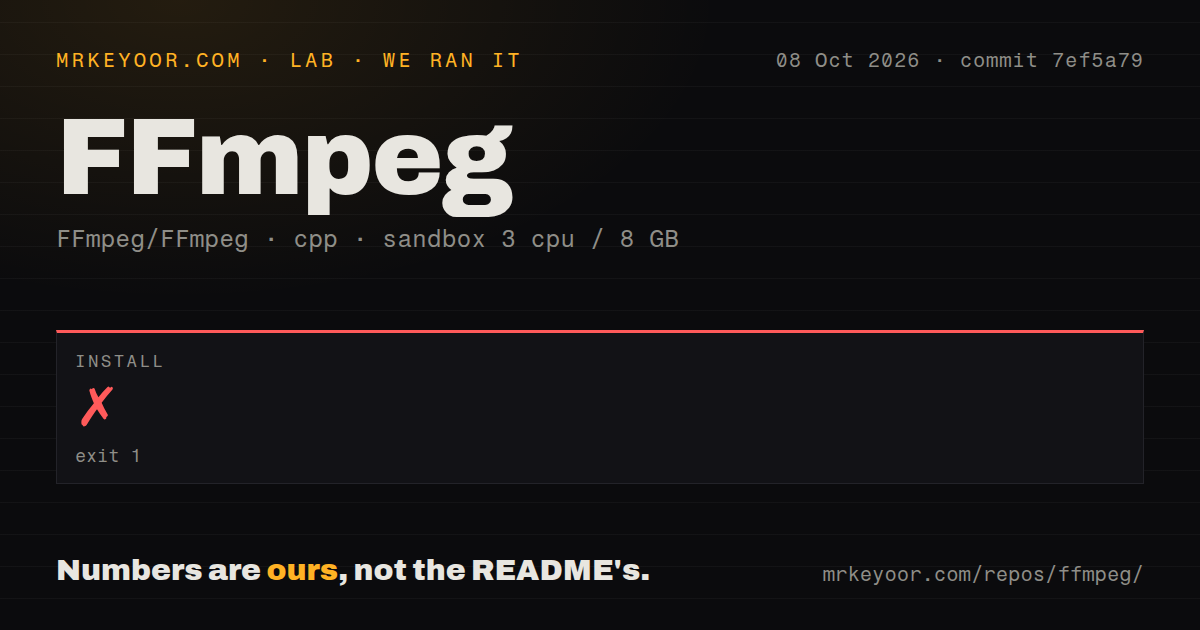
FFmpeg failed to install in our sandbox after 3 seconds because configure could not find a suitable NASM assembler. That is an awkward introduction to software whose README starts with converting and processing media. The distinction matters if you're choosing between using FFmpeg and working on FFmpeg itself. A ready-made executable can serve a conversion job. This source checkout stopped before we had one.
The 92.7 MB checkout includes tools for audio, video, subtitles, and metadata, alongside libraries you can embed in your own software, as the README describes. For a media worker, I'd start with ffprobe: its JSON output lets an application inspect streams before deciding what to do with them. A podcast importer could use that information to identify the audio it wants instead of treating every uploaded file alike.
What happened when we ran it
Our run of commit 7ef5a79 on 2026-10-08 failed at the install step in 3 seconds with exit code 1. The log said NASM was missing or too old. It offered installing or updating NASM, or using --disable-x86asm for a configuration without hand-optimized assembly. We did not measure a successful retry, so neither remedy earns a success claim here.
The measurement setup was a fresh Debian sandbox with 3 CPUs and 8 GB of RAM, using image lab-cpp:1. The container was unprivileged and held no secrets. The error does not tell us whether NASM was absent or merely too old, and it does not point to insufficient memory. It also asks for ffbuild/config.log when reporting a suspected configure mistake.
The checkout contained 10,839 files and roughly 1,864,519 lines of source, occupying 92.7 MB. Our scan found 0 CI workflow files, no Dockerfile, and a tests directory. A directory is evidence that test material exists, not a passing suite. The supplied results contain no completed build or test outcome, and they say nothing about encoding speed, output quality, or hardware acceleration.
The README omits the NASM requirement
The root README names doc/ and doc/examples/ and links to the website and wiki, but it doesn't mention NASM. For someone starting with a fresh Debian container, that missing requirement becomes the first practical obstacle. The 3-second failure supports a low setup score for the source route. It does not establish how much work would remain after resolving the assembler check, since our run stopped there.
You don't need a hosted API account to process local media. You do need accessible input files and decisions about the desired output. FFmpeg's download page links to executable providers and distribution packages, while upstream supplies source code. I'd choose that packaged route for an ordinary conversion worker unless there is a specific reason to maintain a custom executable. We haven't measured those packages here.
Automatic stream selection can choose the wrong track
The command reference says automatic selection favors the audio stream with the most channels. A surround commentary track can therefore win over the dialogue you wanted. Use explicit -map selections when track identity matters. Options also apply to the next input or output, so their position changes their meaning. Those rules make a copied command a poor substitute for understanding your files.
Stream copying with -c copy transfers encoded packets without re-encoding, but it cannot apply filters and the destination container may reject the content. For HDR image work, upstream issue 25027 reports clipping during conversion of half-float EXR data through swscale. The report concerns that conversion path, not every FFmpeg operation. Treat it as a reason to check your exact pixel formats before trusting an unattended workflow. Our sandbox did not investigate it.
GitHub's small queue hides the upstream workload
The mirror's last push was 2026-10-13, and GitHub showed 65,115 stars and 3 open issues and PRs with GitHub issues disabled. Meanwhile, the EXR report was updated on October 13 in FFmpeg's own tracker. Together, the push and current issue activity show ongoing work. The tiny GitHub count cannot describe the upstream backlog. The GitHub latest-release endpoint returned no release record, which says little about releases published elsewhere.
Contributors also face a specific workflow: the README directs patches to ffmpeg-devel and says GitHub pull requests are ignored. Before embedding the libraries, read LICENSE.md. Most code falls under LGPL v2.1 or later, while enabling optional GPL components changes the applicable license. The file also explains external-library combinations and the nonfree option. A team requiring a uniformly permissive dependency should rule FFmpeg out rather than rely on GitHub's generic license label.
HandBrake and LosslessCut spare you command editing
HandBrake is my pick when a person wants to convert existing video for a playback device. Its scope centers on transcoding into MP4, MKV, or WebM. LosslessCut is the better choice for visually selecting cuts or removing tracks while preserving encoded media where its operation allows. Both use FFmpeg underneath. Choosing either changes the interface and the amount of command syntax you must own.
Maintaining a checkout with 10,839 files makes sense when you need to change the libraries or control a custom configuration. For routine uploads, keep FFmpeg behind an application that decides which streams belong in the output and checks the result. Before committing to that worker, take a representative file with multiple audio tracks and write down which track must survive. If you can't express that choice yet, start with the graphical tool.