Editable geometry makes the agent interface worth examining
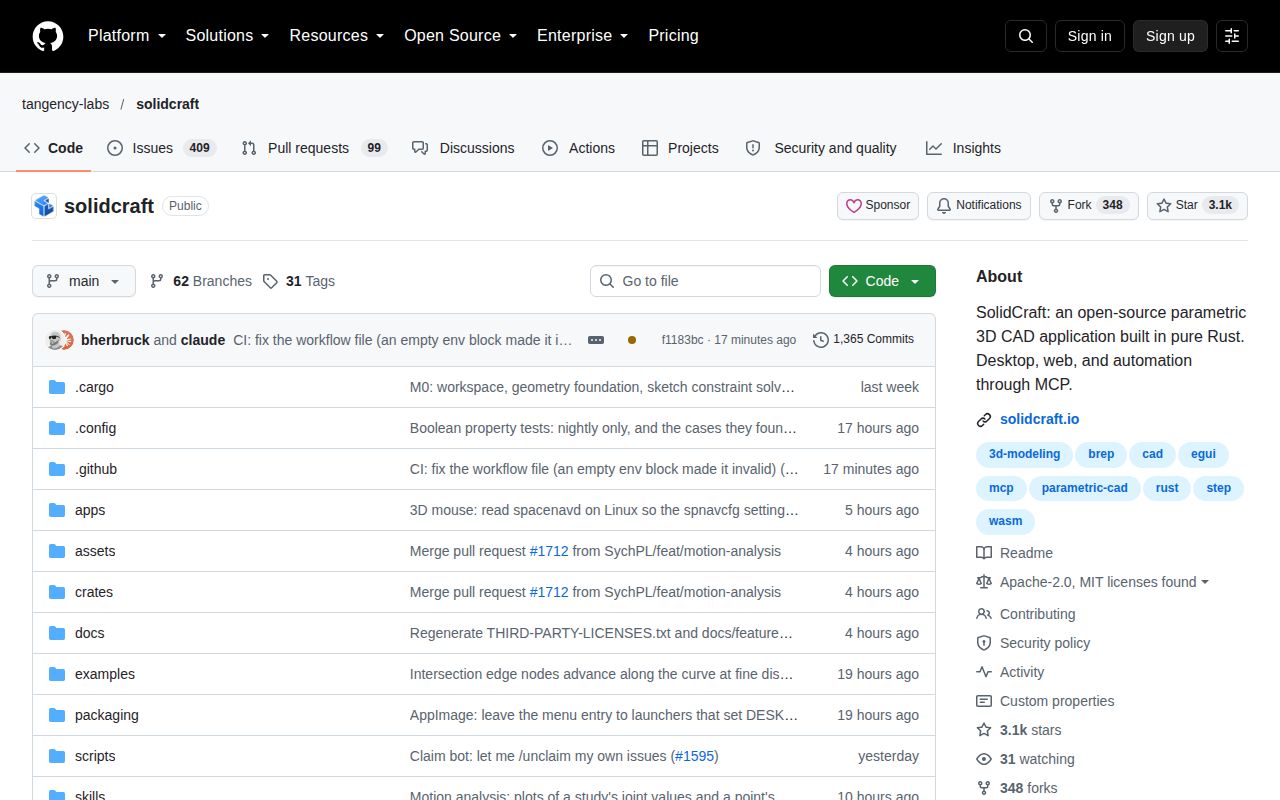
SolidCraft lets you sketch a part, constrain its dimensions, and build solids through an editable feature timeline. Change a parameter and the model rebuilds from that history. The same engine commands are available through the desktop interface, scripts, and an MCP server. That gives an agent a way to change an inspectable design, with dimensions and features you can revisit after the conversation ends.
Our 79.5 MB checkout held 1,466 files and roughly 376,469 lines of source. This is a sizable CAD application, with a geometry kernel, desktop interface, and automation machinery to evaluate. The README calls it early and suitable for simple parts. That's the right starting expectation. A successful demonstration of an enclosure doesn't establish that a complicated imported assembly or a delicate sequence of cuts will behave correctly.
What happened when we ran it
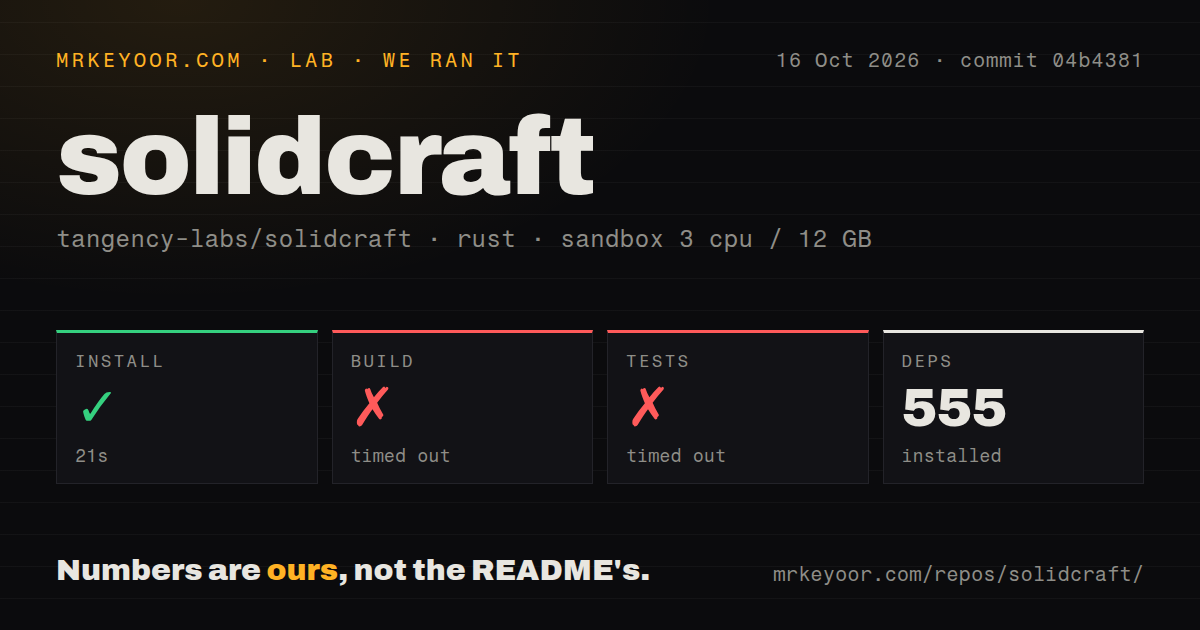
Our run installed SolidCraft at commit 04b4381 in 21 seconds and fetched 555 packages. The build then timed out after 900 seconds. The test command also timed out after 900 seconds. We used the lab-rust:1 image on October 16, 2026, inside an unprivileged sandbox with 3 CPUs, 12 GB of RAM, and no secrets. Neither command produced a completed result within its cap.
The test log tail still shows compilation, including vello_cpu, harfrust, skrifa, and epaint. It contains no completed test summary or assertion failure. The evidence supports a timeout during the visible compilation work, without identifying why the commands didn't finish. It doesn't establish broken geometry, missing system libraries, or exhausted memory. Those would require evidence beyond the supplied log, and no runtime CAD performance follows from this result.
The scan found 11 CI workflow files and a tests directory, with no Dockerfile. That's useful context for a contributor looking for upstream checks, but it doesn't substitute for a finished local run. Our measurement leaves source verification unresolved at this revision. If a short, predictable fresh build is part of your adoption requirement, set aside a larger build window and verify the result before depending on it.
Downloads offer a separate route from compiling the application
The README links desktop downloads for Windows, macOS, and Linux, plus a browser application. Those are sensible ways to examine the interface before committing to a source environment. The downloads are unsigned, which the project states directly. That may rule them out for a managed workstation. The browser route also has graphics requirements: the documented options include WebGPU and a WebGL fallback.
Our 900-second build timeout says nothing about whether a downloaded application launches on your laptop. We didn't establish that result in this sandbox. Source users need the documented Rust toolchain, while ordinary local modeling doesn't require a language-model credential. AI automation adds a compatible client and its model setup. Keep those routes separate when estimating effort: compiling the app, opening a part, and connecting an agent are different checks.
Mesh imports don't automatically become editable solids
SolidCraft documents STEP and IGES import as base features for later solid operations. STL, OBJ, and glTF imports enter as mesh bodies that can render, move, and export. Solid features require boundary-representation bodies, which describe surfaces and their connections. The conversion command supports certain closed parts with a constant cross-section. It isn't a promise to turn any downloaded mesh into a fully editable mechanical design.
The 555-package install doesn't validate either import route. Before adopting SolidCraft for an existing library, choose a representative file and check the operations you actually need after opening it. A visible model is only the beginning. The latest release notes also acknowledge slow fillets and booleans. Teams whose daily work depends on rounding difficult edges or repeatedly combining complex solids should treat that statement as a reason for a careful trial.
MCP can inspect the design as well as change it
The MCP documentation describes headless sessions and a bridge to the running desktop app. Tools can inspect a design, measure bodies, and capture views, alongside commands that change or save the model. SolidCraft also supplies Claude Code skills for modeling and checking. This is useful when you want an agent to verify dimensions after an edit rather than accept an attractive screenshot as proof.
With build and test commands each stopped at 900 seconds, our run didn't verify that automation workflow. The documented file boundaries still matter to the adoption decision: the MCP server limits file access to allowed design, recovery, scratch, and explicitly granted folders. Grant a dedicated design directory. A desktop bridge needs access to the app's control token, and bridged screenshots require both processes on the same machine. Those are configuration details to resolve before unattended modeling.
Active releases also bring file compatibility decisions
The last push was October 17, 2026, with issue activity that day. GitHub reported 3,120 stars and 508 open issues and PRs. Release v0.14.0 shipped on October 16 and explicitly warns that designs it saves won't open in v0.13.x or earlier. Recent issue 1878 reports a rejected sketch attachment. That concerns this application's face-history handling, and remains a user report rather than a finding from our run.
Our 21-second install is enough to justify further investigation by a Rust or CAD developer, while the unfinished commands keep the recommendation provisional. FreeCAD is the first alternative I'd compare for a broader parametric workflow. OpenSCAD suits script-defined parts, and SolveSpace offers another constraint-based route. For SolidCraft, use a disposable copy of a simple part and verify its dimensions after changing a parameter, saving it, and reopening it. Keep the original design available outside the new file format.