mrkeyoor.com_
Tue 29 Sept 06:37 UTC
Automationevaluationupdated 29 Sept 2026

ffmpeg-skill review

ffmpeg-skill gives Claude Code, Cursor, Codex, and MCP clients a structured local video-editing toolkit built on FFmpeg. It packages 42 Python tools for cuts, captions, audio work, reframing, exports, and checks, while keeping media on the user's machine.

Verdict

Our ffmpeg-skill run installed 0 npm packages in 6 seconds, but its 71-test suite ended with 1 failure and 16 errors after FFmpeg was missing from PATH. Use it when you want guardrails around an FFmpeg installation you already manage, especially from Claude Code or an MCP client. Skip it if you expect npm to supply the media stack or the agent to make editorial decisions for you.

We ran it

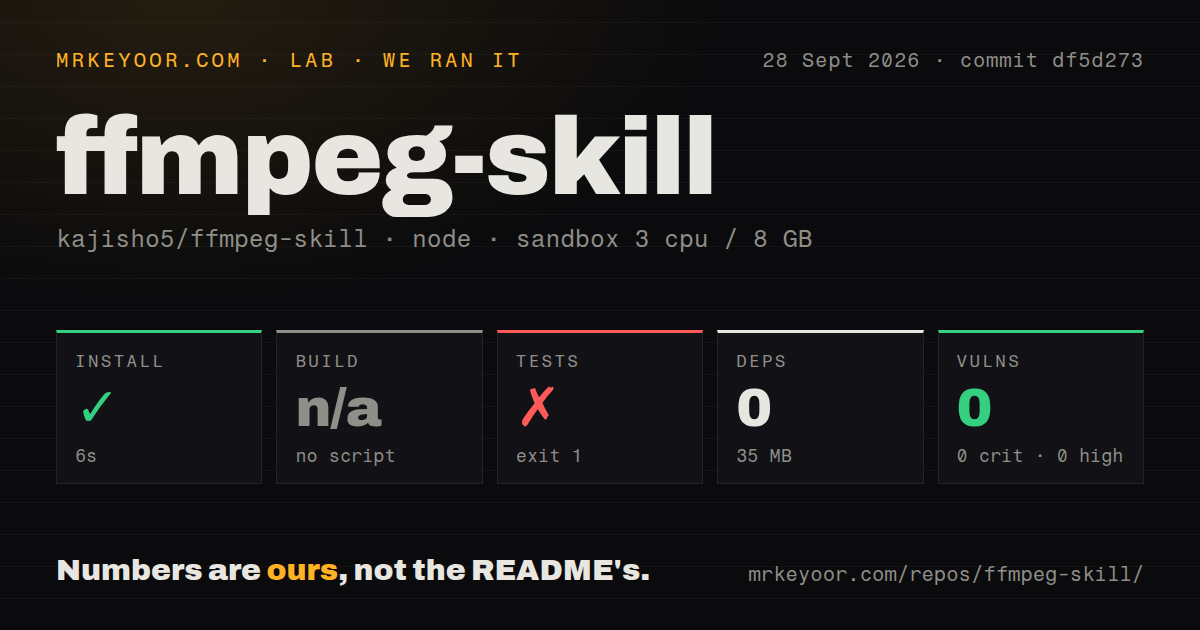
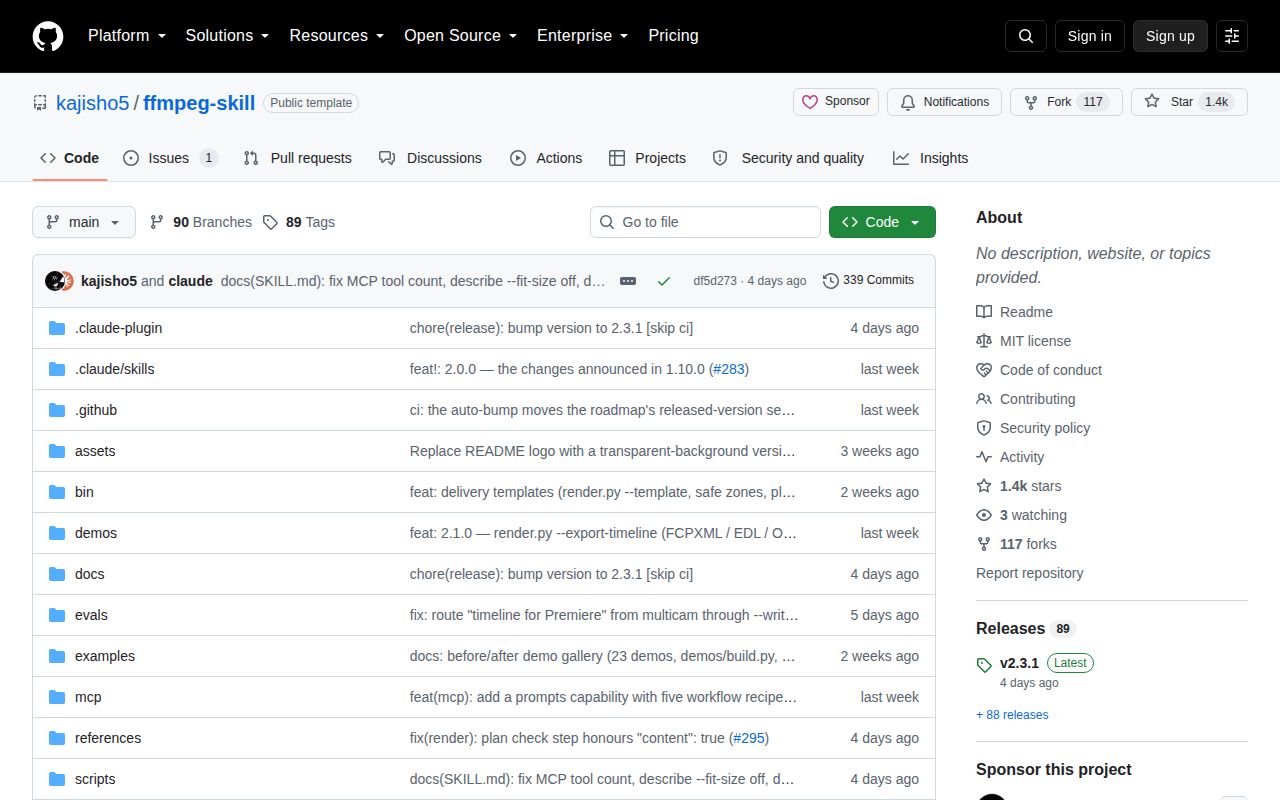
Lab card: what happened when we ran ffmpeg-skillScreenshot of ffmpeg-skill (github.com/kajisho5/ffmpeg-skill)
Install✓ · 6s0 packages · 35 MB
Buildn/ano build script
Tests✗ · 6sran, no count parsed
Known vulns00 critical · 0 high · 0 moderate · 0 low (npm audit)
Repo317 files~37,871 lines of source · 19.2 MB · 5 CI workflows · tests dir

Answers from our run

Does ffmpeg-skill build from source?

Dependencies installed in 6 seconds (0 packages), and the project has no separate build step. We cloned commit df5d273 into a clean Debian container with 3 CPUs and no project-specific setup.

Do ffmpeg-skill's tests pass?

The test command failed in our container, and its output did not report a pass or fail count.

Does ffmpeg-skill have known vulnerabilities in its dependencies?

npm audit found none in the dependency tree at the time of our run.

Who should not use ffmpeg-skill?

Machines where FFmpeg cannot be installed or placed on PATH: our 71-test run failed with 1 failure and 16 errors, and the named failure said FFmpeg was missing.

What are the alternatives to ffmpeg-skill?

LosslessCut, Remotion, MoviePy. Our ffmpeg-skill run installed 0 npm packages in 6 seconds, but its 71-test suite ended with 1 failure and 16 errors after FFmpeg was missing from PATH.

Setup3/5The npx step is light, but FFmpeg and its filters are separate
Docs5/5Exact tools, contracts, platform limits, and verification are documented
Community4/51,431 stars, 117 forks, recent fixes, and 1 open issue
Maturity4/5v2.3.1 has broad CI, though outside-user checks remain open

Who it’s for

Claude Code, Cursor, or Codex users who want repeatable local edits instead of improvised FFmpeg command strings.
Teams building an MCP media workflow around typed inputs and machine-readable results.
Developers who need dry runs, explicit overwrite consent, and output verification around FFmpeg.
Editors comfortable letting an agent execute routine transforms while they retain visual and editorial judgment.

Who it’s NOT for

Machines where FFmpeg cannot be installed or placed on PATH: our 71-test run failed with 1 failure and 16 errors, and the named failure said FFmpeg was missing.
Users expecting the npm command to install the media engine: the package has no npm dependencies and requires FFmpeg 5.0 or newer plus specific codecs and filters.
Editors who want automatic subject-aware reframing or semantic highlight selection: the README says cropping defaults to center and highlight ranking uses audio or duration proxies.
Teams requiring externally reproduced Windows, Cursor, and Codex installs: open issue 143 says those checks on non-maintainer machines remain unfinished.
Anyone who needs an in-place editor: the tools preserve inputs and refuse existing output paths unless overwrite consent is explicit.

Setup reality

Our sandbox installed commit df5d273 in 6 seconds, adding 0 npm packages and using 35 MB on disk. There was no build script, so build was skipped. The test step failed in 6 seconds: 71 tests ran with 1 failure, 16 errors, and 5 skips.

The log tail names one concrete cause: test_build_one_demo_and_stay_under_the_preview_budget raised ffmpeg not on PATH. The supplied tail does not show the causes of the other 16 errors. Npm audit reported 0 known vulnerabilities across all severities.

Real use needs Python 3.9 or newer and FFmpeg 5.0 or newer with required encoders and filters. There are no cloud credentials or Python packages to configure, but doctor must inspect the local FFmpeg build before an agent edits media.

Forty-two tools turn FFmpeg into an agent-sized interface

ffmpeg-skill is useful because it narrows a huge command-line program into named operations an agent can call safely. Its 42 Python tools cover probing, cuts, joins, captions, loudness, silence removal, crops, overlays, color work, multicam sync, platform exports, and project rendering. Each tool uses typed arguments rather than accepting an arbitrary filter graph. The same parser generates the command-line and MCP input schema, so a new flag cannot appear on one surface and disappear from the other.

The workflow is equally opinionated. Probe the input, plan the change, prefer stream copies, render only when needed, inspect the result, and report what was verified. Every tool supports a dry run, explicit timeouts, structured JSON, and an overwrite flag. Inputs remain untouched. Those constraints address common agent failures: inventing media properties, picking an invalid codec-container pair, or declaring success without opening the output. The contract documentation makes those behaviors readable by both people and software.

Zero npm dependencies do not include FFmpeg

The one-line installer can create the wrong impression. npx ffmpeg-skill copies the skill for Claude Code, while --cursor, --codex, and --all target other agent directories. The npm package has 0 runtime dependencies and its tools use Python's standard library. The actual media engine is a system prerequisite. You need Python 3.9 or newer plus FFmpeg 5.0 or newer, including named encoders and filters such as libx264, AAC, subtitles, loudnorm, xfade, and tile.

That separation is sensible because FFmpeg packaging differs across Linux, macOS, and Windows. It also means a successful npm install says little about whether captions, HDR conversion, or a specific export will work. The doctor command reads the local encoders, filters, and bitstream filters, then reports usability per tool. A plain Homebrew build can pass the overall check while captioning remains unavailable because libass is missing. Run doctor --json before giving an agent footage.

What happened when we ran it

Our sandbox installed commit df5d273 in 6 seconds, added 0 npm packages, and occupied 35 MB on disk. The repository contained 317 files and roughly 37,871 lines of source in a 19.2 MB checkout. There was no build script or target, so the build step was skipped. Npm audit found 0 known vulnerabilities: 0 critical, 0 high, 0 moderate, and 0 low.

The tests failed after 6 seconds. The runner reported 71 tests, with 1 failure, 16 errors, and 5 skips. The supplied log tail identifies the failure in test_build_one_demo_and_stay_under_the_preview_budget: it raised AssertionError: ffmpeg not on PATH, calling that a broken CI install step. The tail does not include the exception text for the 16 errors, so assigning all of them to the missing binary would be guesswork. Our result proves the npm layer installs cleanly, while the full suite needs the documented system tool.

Twelve default MCP schemas keep the context smaller

The MCP server lists a core set of 12 tools by default, although all 42 remain callable by name. Setting FFMPEG_SKILL_MCP_FULL=1 exposes every schema. That is a practical choice for agents because tool descriptions consume context before any footage is touched. The server also publishes five workflow prompts for reels, podcasts, multicam edits, delivery checks, and HDR jobs. Those prompts compose existing calls rather than creating hidden editing behavior.

The contract is the strongest part of the project. It records requirements, output shapes, verification policy, whether a visual check is needed, and that inputs are not mutated. It does not make the agent visually intelligent. look.py creates a contact sheet, then the calling agent must inspect it. Automatic highlight ranking uses measured audio or scene duration, not story value. A non-visual caller must supply crop anchors because the default is a center crop. This is execution infrastructure, not an editor's taste.

Version 2.3.1 is active, but outside-user proof is unfinished

Release v2.3.1 shipped on September 25, 2026, the same date as the last repository push, and fixed content checks in rendered plans. GitHub showed 1,431 stars, 117 forks, and 1 open issue when checked. Five CI workflow files cover multiple operating systems and FFmpeg versions. That activity supports the project's 2.x stability promise more than the star count does.

The remaining issue is unusually candid. Issue 143 asks for real installs on non-maintainer Windows, Cursor, Codex, and macOS machines, plus reviews by three working editors. It cites a prior Codex install path that stayed wrong through 23 releases because nobody with Codex had tried it. That is a fair warning. ffmpeg-skill is thoughtfully engineered and worth adopting for controlled local automation, but test your exact agent, FFmpeg build, and footage before making it part of a delivery pipeline.

Alternatives

ProjectWhat it isPick it when
LosslessCutA desktop interface for fast cuts and remuxing with minimal re-encoding.pick this instead when a person wants a visual desktop editor for straightforward lossless trimming.
Remotion gh↗A React framework for rendering designed videos from code.pick this instead when the job is a custom motion-graphics composition rather than editing existing footage through an agent.
MoviePyA Python library for scripting video composition and transformation.pick this instead when developers want a direct Python API and will design their own workflow and checks.

What people are saying

  1. [velocity-scout] kajisho5/ffmpeg-skill

Sources

  1. ffmpeg-skill README
  2. ffmpeg-skill contract documentation
  3. ffmpeg-skill v2.3.1 release
  4. Issue 143: outside-user verification

More automation reviews

fable-orchestrator · DLSS5-Swapper · runner-images · agent-fleet-manager · kargo · Rose · the whole board →