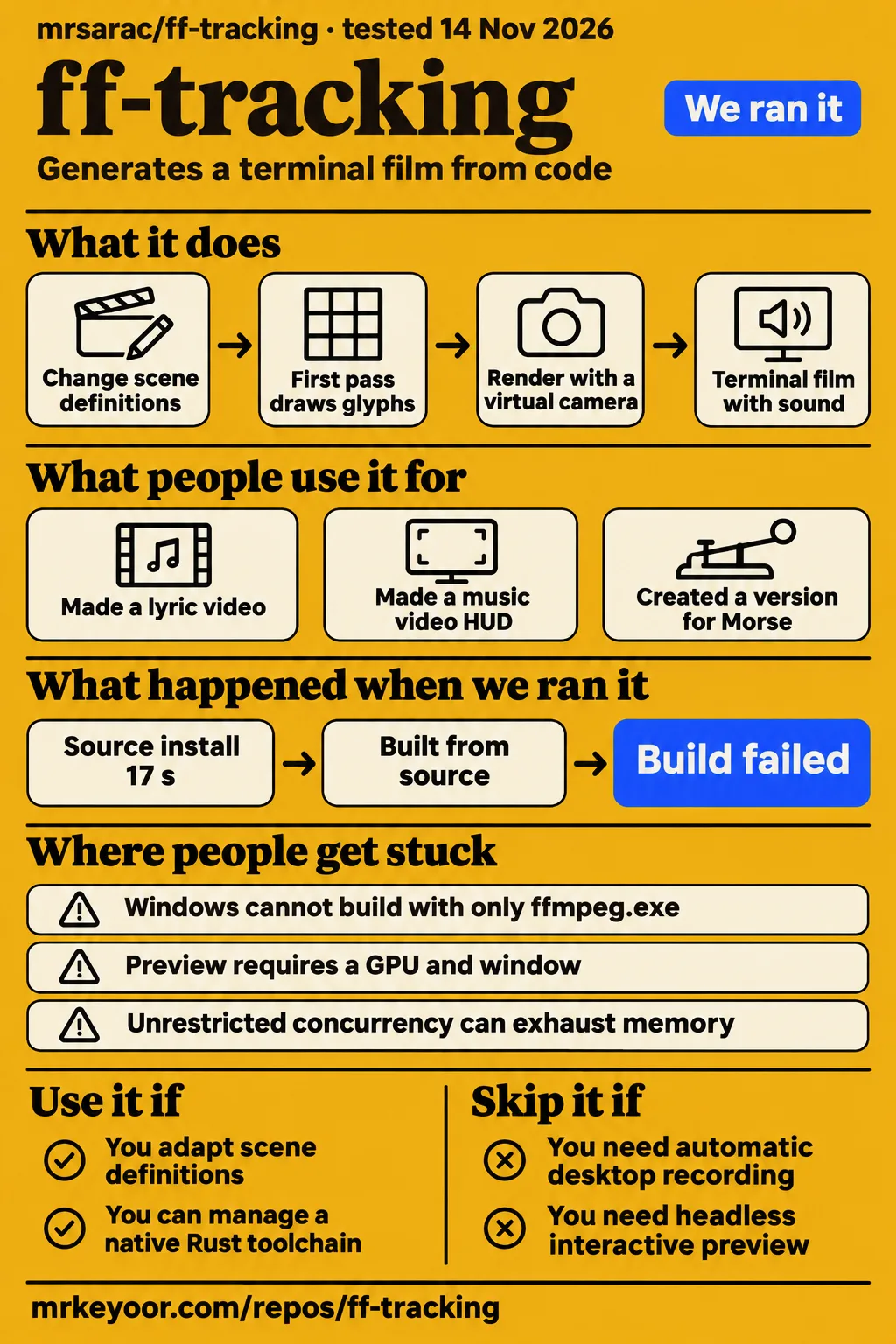
ff-tracking generates a terminal film from code, using a virtual camera and sound tied to shared scene events. Our build at commit 579f5be stopped at a missing x264 link library after 802 seconds. The useful choice is whether to adapt this particular film structure: it gives creative developers coordinated text, camera movement and audio, while its documented workflow involves source editing and native rendering tools. Upstream architecture and workflow
What people use ff-tracking for
The author reports lyric-video, music-video HUD and Morse adaptations of ff-tracking, alongside the original six-second terminal film. PurzBeats supplies a more specific account of the lyric-video use: the project suited kinetic typography, but a few lines caused difficulty. These reports identify subjects people have tried and distinguish a finished creative adaptation from a general expression of interest. Community adaptation reports
| Who used it | What they made | What the source actually tells us |
|---|---|---|
| mrsarac, the project author | A six-second procedural terminal film | The original combines two fframes passes with one SkSL shader and code-generated sound. README |
| PurzBeats, following SyntaxDiffusion's idea | A kinetic typography lyric video | PurzBeats reported stumbling on a few lines while describing ff-tracking as good for kinetic typography lyric videos. User report |
| isitqday, credited by mrsarac | A music video HUD | The author lists the HUD as a community adaptation. Author's report |
| joinmorse, credited by mrsarac | A version for Morse | The author names the adaptation. Author's report |
| tanzim31, credited by mrsarac | A Windows port | The platform guide describes Vulkan and a PowerShell rendering pipeline. Credit, Windows guide |
| nooga / MGasperowicz, Slab's author | An alternative score and editable music project | The contributor supplied a generator and project; mrsarac closed the explanation as documentation. Issue #2 |
The lyric-video example gives a developer a concrete reason to investigate the scene structure: the project already places and tracks individual glyphs. The music contribution provides a different starting point, an editable score rather than just a finished clip. Together, those examples suggest two practical editing routes: change the text and camera relationships, or work on an arrangement that consumes the scene's event and camera data. Scene and score documentation
What happened when we ran it
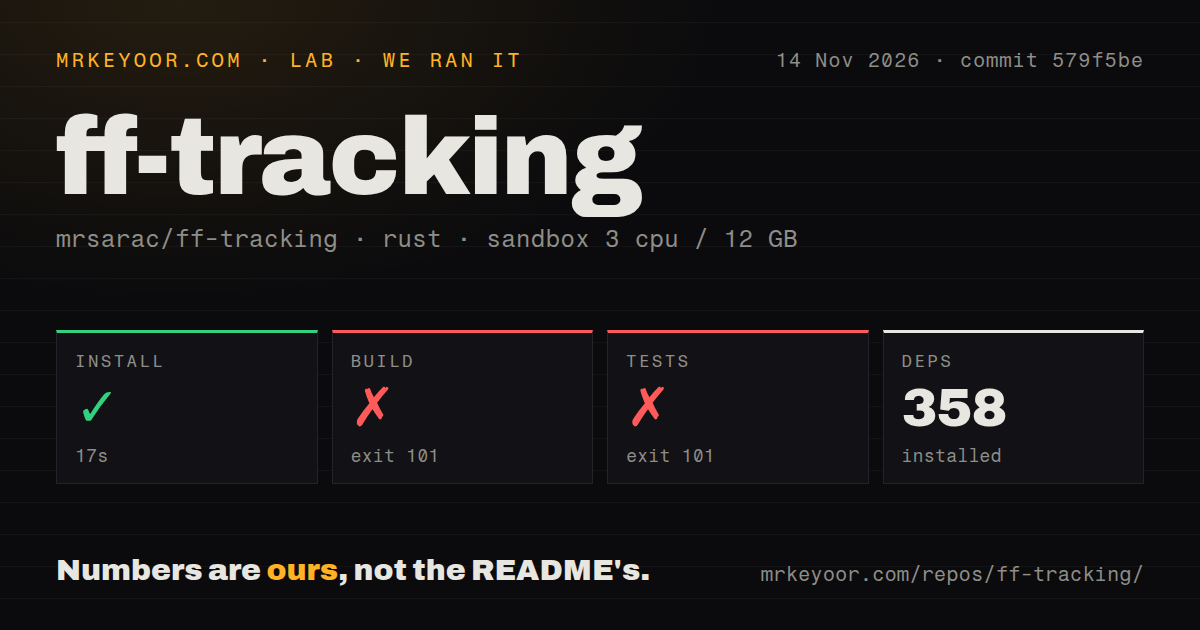
Our run at commit 579f5be on 2026-11-14 completed installation in 17 seconds, then failed during the build after 802 seconds. Tests failed after 2 seconds. Both failures ended with the linker unable to find -lx264. The recorded sandbox configuration was 3 CPUs, 12g RAM and image lab-rust:1; the combined recorded duration was 823 seconds. These are our build-harness observations, separate from the Compose-based hands-on attempt.
| Sandbox step or observation | Recorded result | What it means for the decision |
|---|---|---|
| Install | Succeeded in 17 seconds; 358 dependencies recorded | Dependency installation completed. |
| Build | Failed, exit 101, after 802 seconds | The log ends with the linker unable to find -lx264 while compiling the lens binary. |
| Tests | Failed, exit 101, after 2 seconds | The flat test binary also hit the missing link library. |
| Repository scan | 47 files, about 3,724 source lines, 7 MB checked out | The checkout contains a compact source project connected to native media libraries. |
| Automation and packaging signals | 0 CI workflow files, no Dockerfile, no tests directory | These are file-scan observations; upstream separately documents crate test commands. |
The build log names the immediate failure: rust-lld: error: unable to find library -lx264, followed by collect2: error: ld returned 1 exit status. Compilation of the lens binary then stops. The test log repeats those linker messages for the flat test binary. A developer assessing setup should start with that exact failure rather than treating the elapsed build time as a rendering benchmark.
The separate hands-on attempt failed its safety step because none of compose.yaml, compose.yml, docker-compose.yaml or docker-compose.yml existed. Its summary records the date 2026-11-14 and describes deployment with Docker Compose with every port bound to 127.0.0.1, but the failed prerequisite contradicts that deployment wording. The final record says teardown: ok.
Where people get stuck: native libraries and the wrong rendering mode
Windows requires shared FFmpeg development libraries; a standalone ffmpeg executable is insufficient. Rust links against the libraries, and build-time media processing loads their DLLs. The platform guide therefore requires a shared FFmpeg 9.0 development distribution with bin, include and lib directories, and keeps bin on PATH when running the built programs. Windows requirements
| Obstacle | Documented response | Evidence and status |
|---|---|---|
| Windows has only ffmpeg.exe | Use the shared FFmpeg development distribution with bin, include and lib directories; keep bin on PATH. | Upstream setup requirement. Windows guide |
| GPU context creation fails during offline rendering | Automatic backend selection reports a CPU fallback; explicit CPU mode avoids creating a GPU context. | Documented fallback. README |
| A headless machine needs interactive preview | Preview requires a GPU and window; the CPU path renders offline. | Documented mode boundary. README |
| Windows workers consume too much memory | The supplied pipeline limits GPU contexts and encoder workers and keeps the queue small. | Documented concurrency control. Windows guide |
| A lyric adaptation stumbles on some lines | PurzBeats reported difficulty with a few lines. | Contributor report. X record |
The remaining Windows prerequisites are 64-bit Windows, a Vulkan-capable GPU with current drivers, Rust's MSVC toolchain, Visual Studio C++ build tools with a Windows SDK, Python with numpy and scipy, and LLVM/libclang. The PowerShell script accepts a Python executable, stops on failed steps and honors Cargo's configured target directory. These details make the platform guide the appropriate setup entry point. Windows setup and script behavior
Linux's documented requirements include a Vulkan loader and GPU driver, C/C++ tools, pkg-config, libclang, fontconfig and OpenGL development libraries. macOS uses Metal on Apple silicon. For the default soundtrack, the README also requires Python 3 with numpy and scipy or uv. Those platform and audio dependencies belong to the rendering workflow, so changing scene data comes after preparing the tools that build and render it. Platform requirements
The camera knows where the text is because the code placed it
The first pass draws one text element per glyph, giving the renderer exact character positions; the second pass films that image through a lens shader. Both passes and the sound read the shared hud crate. That shared layout explains the close coordination between focus, labels and lock sounds: the system already has the target coordinates as part of constructing the scene. Rendering architecture
The README puts each shot in SCENE_LIST in hud/src/lib.rs. Its illustrated scene definition includes text, palette, camera settings, line position and font size. Changing those values and rerunning the rendering script is the documented customization route. This gives a developer a specific place to begin reading, while the shared scene data explains why changing a line can also move its tracking graphics and associated sound. Scene editing
The original film uses twelve shots with a cut every 0.5 seconds. Its lock event includes two red frames, a scanline tear and a beep panned to the box; fourteen boxes later collapse into a Done pill. Those are upstream scene details, useful for understanding the existing timing structure. A different clip can start by changing one shot while retaining these relationships before taking on a broader redesign. Original scene description
Longer edits put pressure on decoded frames
The Windows pipeline limits rendering to two GPU contexts, two encoder workers and a small queue because each worker decodes the 4K first pass. The guide says unrestricted concurrency can exhaust memory, especially on longer edits. Increasing workers therefore changes memory demand as well as parallel work; the supplied limits have an explicit reason tied to the two-pass architecture. Windows concurrency explanation
CPU rendering uses different paths for the two passes. The flat pass uses tiny-skia, while the lens pass uses fframes' SkiaCpuCtx raster compatibility backend because tiny-skia cannot run SkSL. Upstream says the original lens shader still runs, but the CPU route is slower and SVG antialiasing or filter kernels can differ. Backend selection is printed to stderr, and invalid backend values fail. CPU backend documentation
Stars show attention; contributions show reuse
Trendshift records 595 stars gained and four merged pull requests across its 38-day reporting window. Those are repository-activity figures. The named lyric video, music video HUD, Morse adaptation, Windows port and contributed score describe what people changed or made. For someone deciding whether to adapt a creative code study, those reported outputs answer a more specific question than the number of people who starred it. Trendshift activity, community adaptations
Issue #2 documents a completed soundtrack contribution. Slab's author supplied the Python generator and editable project; mrsarac thanked the contributor, linked the explanation from the README and closed the issue as documentation. That sequence gives the issue a clear meaning when assessing repository activity: it records a contribution and its explanation, rather than an unresolved audio fault. Soundtrack contribution and closure
ff-tracking vs fframes and Slab: choose the part you need
Adapt ff-tracking for its terminal scene, choose fframes for a different visual system, and choose Slab for score editing on its documented Mac platform. Slab's supplied README requires an Apple Silicon Mac with macOS 13 or later. ff-tracking includes a committed score WAV for the existing arrangement, so using that soundtrack does not require regenerating it in Slab. Slab platform requirements, committed score workflow
fframes is a framework for rendering videos from code. ff-tracking builds its particular terminal-film structure on that framework, while Slab is the audio workstation used for the contributed score. Choose between them according to the part you intend to change: the existing terminal scene, the visual system underneath it, or the music arrangement. fframes framework, ff-tracking architecture, Slab workstation
| Choice | How it works in this project | Pick it when |
|---|---|---|
| Default synthesized effects | Tracking data drives hum, keystrokes, glitches and lock beeps. | You want sound effects coupled to the terminal action. README |
| Slab score | The alternative pipeline uses a committed score WAV for the existing arrangement; regeneration uses Slab and camera/event data. | Use the committed WAV for the existing score. Choose editing or regeneration with Slab on its documented Apple Silicon Mac platform with macOS 13 or later. Score workflow, Slab requirements, contributor's account |
The README sets the default effects to -14 LUFS and describes the Slab score as around -10.7 LUFS with a -1 dBTP true peak. It also describes the score as 120 BPM, with cuts landing on beats. These upstream audio figures help explain what changes with the soundtrack choice: the arrangement and documented loudness differ even though both routes use scene events. Soundtrack documentation
Slab's author describes the contributed project as fully editable. The contributor also expresses a preference for Slab's sound. That account supplies a reason to explore the editable arrangement, while ff-tracking's README explains the two practical routes: use the committed audio for the existing score, or invoke Slab externally to regenerate music from the scene's timing and camera data on Slab's documented Mac platform. Contributor's account, score workflow, Slab requirements
Security and licensing: inspect the scripts you will run
The documented workflow runs local scripts and native rendering tools, and the Windows invocation applies its execution-policy option only to that PowerShell process. The guide also explains which FFmpeg directory remains on PATH and how the script selects Python. These are concrete operational details to read before running the workflow, alongside the shell or PowerShell script appropriate to the machine. Windows invocation and script behavior
The README offers the contributed Python generator, editable project and WAV under the repository's MIT license. It separately identifies Python slabkit as a dependency shipped with Slab under GPL-3.0. The Rust score and slabkit-rs are MIT licensed and invoke Slab externally. Slab's own README describes its license as GPL-3.0-or-later with the Slab Machine Exception, so the video repository and external workstation have distinct licensing descriptions. Contribution license note, Slab license
What the other reviews get wrong
The lookred/ff-tracking page describes a desktop screen-capture workflow, while upstream documents a generated screen and source-based rendering pipeline. Lookred's screen selection, presets and export-control descriptions therefore direct readers toward a different interaction model. The consequential identity check is the repository owner: this review concerns mrsarac/ff-tracking and its scene definitions, rendering passes and shared event data. Lookred description, upstream workflow
Lookred's download-and-double-click Windows account also differs from upstream's development setup, and the supplied lookred releases page says there are no releases. That observation concerns lookred's repository. The supplied upstream release metadata identifies v1.0.0, dated 2026-10-09; our measured checkout is commit 579f5be. Keeping those identities separate prevents a releases-page observation about one owner from becoming a claim about another. Lookred releases, upstream Windows setup
The Instagram description promises instant audiovisual updates and sound synthesized in real time. Upstream instead describes exporting tracks, rendering pass 1, synthesizing sound and rendering pass 2. Its author reports about 40 seconds on an M3 Pro, plus the first build. That documented sequence corrects the promotional speed implication and distinguishes generating the soundtrack from playing sound during preview. Instagram description, upstream rendering sequence
Questions people ask
mrsarac/ff-tracking generates terminal films from code; mayckol/fftracking is a separate file-history tool. Follow mrsarac's repository for the two-pass animation workflow and mayckol's repository for file snapshots and history. Checking the full owner/name before following setup instructions resolves the practical ambiguity: one project renders a virtual camera filming generated text, while the other watches folders and records changes to files. Animation project, file-history project
What is ff-tracking?
mrsarac/ff-tracking is a procedural terminal-film project with two rendering passes and synchronized generated sound. The first pass draws glyphs and tracking boxes; the second uses the rendered image as input to a virtual lens. Developers change scene definitions for text, palettes and camera settings, then rerender. This is the source workflow described by the upstream README. Project explanation
Where is ff-tracking on GitHub?
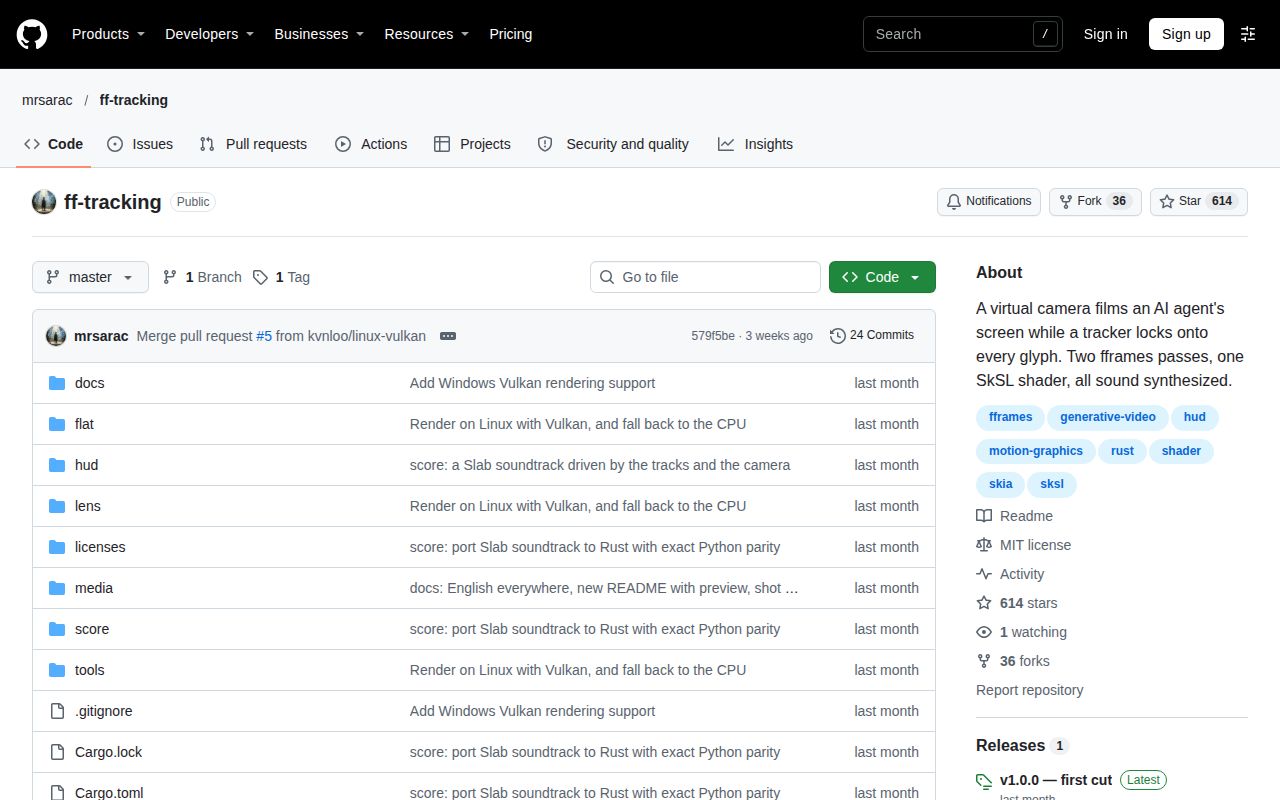
The repository reviewed here is mrsarac/ff-tracking on GitHub. Its README identifies the six-second camera study and documents the shared scene data, platform requirements and rendering scripts. Use that owner/name when following installation instructions or discussing this review's measured commit, 579f5be, so a similarly named result does not send you into another project's workflow. Upstream identity and instructions
Which ff-tracking GitHub result is the file-history tool?
mayckol/fftracking is the separate local file-history and breaking-point tracker, described as independent of Git. Its supplied description covers recursive folder watching, snapshots, timeline browsing and reverting work. Those functions concern file history rather than the virtual-camera film discussed here. Checking the repository owner resolves the ambiguity before following either project's setup instructions. File-history project description
What we have not tested yet
Our build stopped before rendering, leaving output quality, successful preview, export speed and GPU-versus-CPU results unmeasured. The lab-rust:1 image label does not establish actual Rust, operating-system or media-library versions. The supplied current documentation is not an exact-version reproduction of v1.0.0 or proof of every documented behavior at commit 579f5be. The linker tail identifies the missing library but supplies no demonstrated package or configuration repair.
The hands-on records contain no completed creative task, screenshots or known-answer questions. Their Compose safety stop reflects that runner's prerequisite; it supplies no result for the documented command-line renderer. Our assessment includes no script audit, dependency-security audit, network-traffic inspection or media-input handling assessment. The small checkout and recorded packaging signals consequently support no security certification or broader claim about test coverage.
Community accounts provide no comparable render timings, long-edit memory measurements or diagnosis of PurzBeats' difficult lines. The HUD and Morse reports supply no detailed adaptation recipes. We have not regenerated the Slab score, compared soundtracks by listening, or assessed support capacity and production reliability. Slab regeneration on Linux or Windows was not verified; ff-tracking's Windows rendering support supplies no evidence of Slab support on those systems. Setup ease, documentation completeness, community support and maturity therefore remain unassessed. A useful next result is a complete original-scene render on the intended machine, followed by one text change with camera and audio intact.