The AIHawk link now leads to invisible_dots
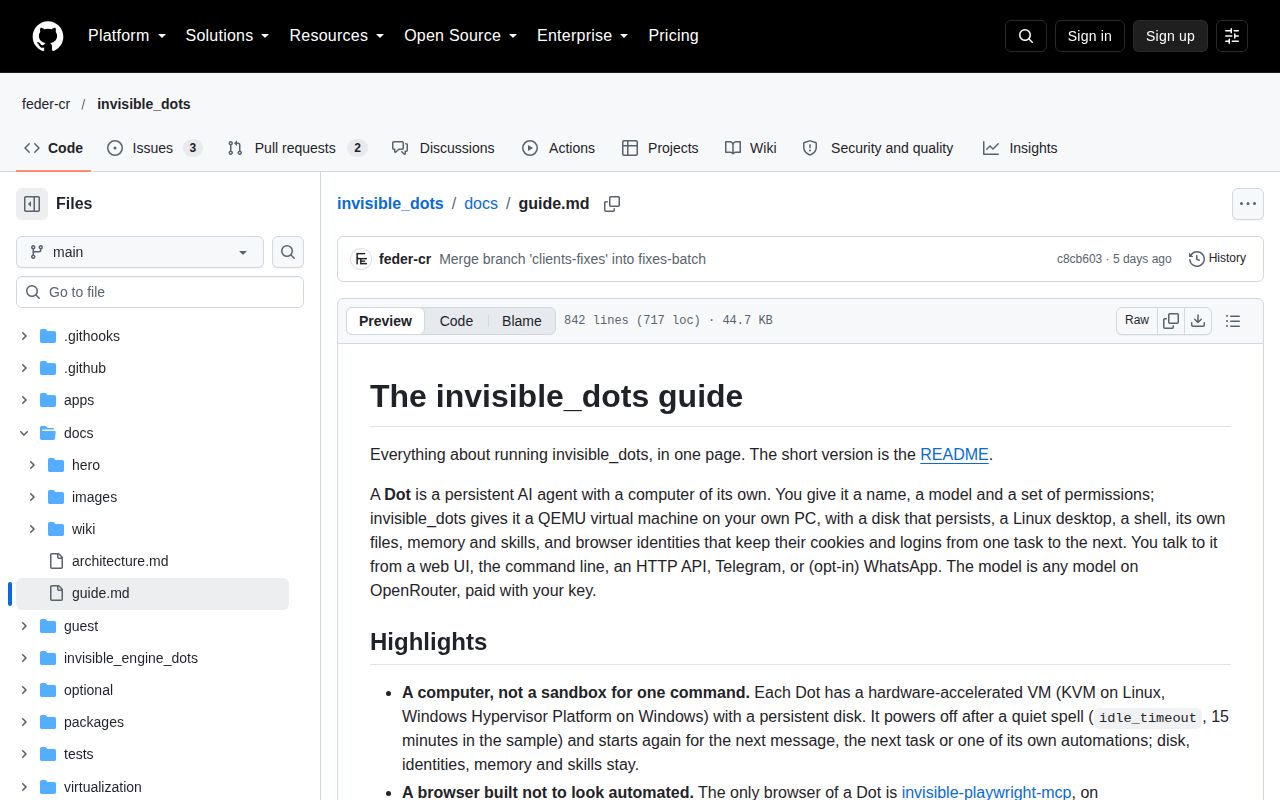
The old Jobs_Applier_AI_Agent_AIHawk address redirects to feder-cr/invisible_dots. Its README describes an agent with a persistent Linux computer, rather than a dedicated job application workflow. You can ask it to collect invoices, keep a browser login, or repeat a task later. Anyone arriving for the old job-search product should check that change before following a tutorial. The README at our measured commit already describes invisible_dots.
That wider remit shows in the checkout: our lab recorded 1,181 files, roughly 139,722 source lines, and 20.5 MB before installation. A Dot combines a desktop and shell with browser identities and stored notes. Its files survive between tasks. This makes sense for work that depends on remembering an account and returning to it, provided you want to operate the computer that does the work.
What happened when we ran it
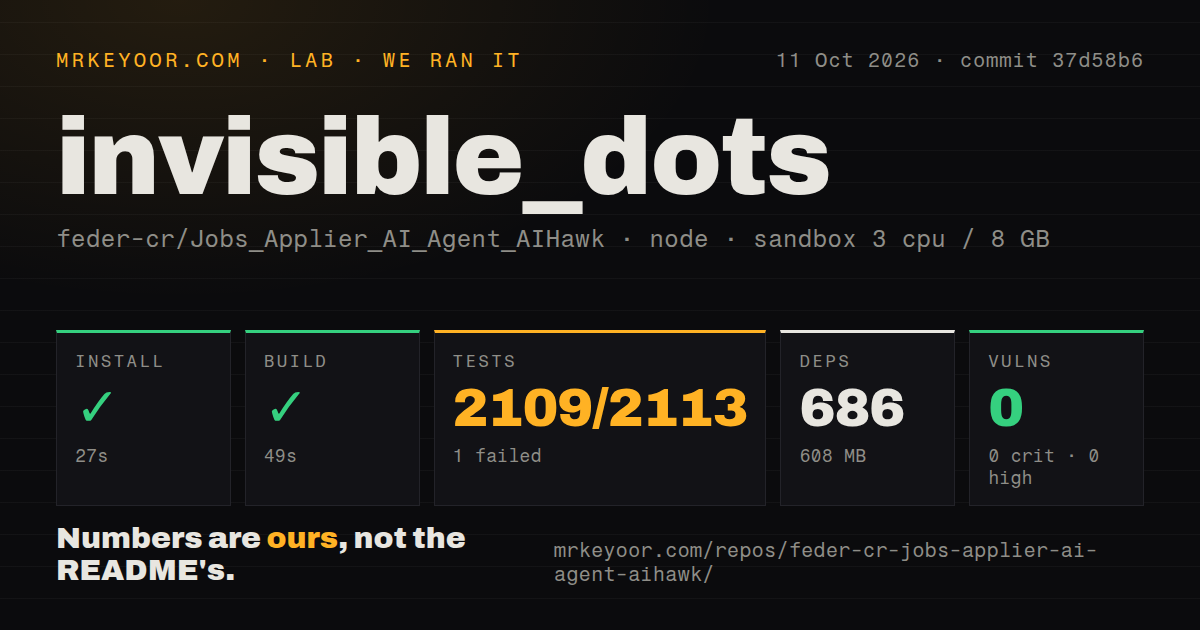
Our sandbox installed commit 37d58b6 in 27 seconds, adding 686 npm packages and occupying 608 MB on disk. The build succeeded in 49 seconds. Our measurement setup on October 11, 2026, was an unprivileged Debian container using lab-node:22, with 3 CPUs, 8 GB of RAM, and no secrets. These are repository checks, with no evidence here of a completed browser task or working virtual machine.
The test step failed with exit code 1 after 162 seconds. Vitest reported 2,109 passed, 1 failed, and 3 skipped out of 2,113. The supplied tail locates the failure in apps/cli/test/secret-input.test.ts; it does not include the assertion or exception that failed. The excerpt does not identify the cause or show what behavior differed from the assertion. The suite did not pass, even though most cases did.
Npm audit reported 0 known vulnerabilities. Our scan also found 3 CI workflow files, a tests directory, and monorepo workspaces, with no Dockerfile. Those findings support further investigation, not a security guarantee. The supplied measurements cover an earlier commit than today's source, so neither the passing build nor the failed test should be presented as a fresh result for the latest revision.
A working checkout still needs a virtual machine
The current requirements specify Node 24 or newer, Go, and hardware virtualization on x86-64 Linux or Windows. Our lab-node:22 result does not establish supported operation on that older Node environment. The setup command configures QEMU and its accelerator, then prepares guest images. Linux may require KVM group membership; Windows may require a restart. macOS is explicitly unsupported.
The 608 MB we measured covers the installed repository environment; it gives you no budget for a Dot's guest images and persistent disk. You also need an OpenRouter key, a model choice, and permissions for the work you intend to delegate. The guide documents a data-directory restriction to plain ASCII without commas. That can matter before your first task if your account name contains accented characters. Use the supplied doctor checks before treating the host as ready.
Default permissions allow commands and browsing
The approval rules allow commands, file operations, and ordinary browser actions inside a Dot by default. Creating automations asks first, as does deleting a browser identity. You can change permissions to ask or deny. That control is useful, but the defaults suit someone comfortable delegating computer access. Set the policy before signing the browser into an account whose mistakes would be expensive.
MCP connections extend that access to declared programs or remote servers, with approval controls and separately supplied secrets. The engine keeps notes and skills on disk for later tasks. Self-hosting still sends conversations, tool results, and material the Dot reads to OpenRouter, according to the privacy section. Keeping a VM locally therefore does not meet a requirement that all processing stay offline. The host's encrypted secrets also depend on protecting the directory containing their master key.
Proxy startup has an open corrective pull request
Pull request 1456, open when checked, describes guest services starting before the VM proxy configuration on later boots. Its proposed change moves service startup behind that configuration. This concerns the current Dot guest, rather than an older job application component. Someone requiring every connection to use a proxy should inspect that change's status before trusting the documented routing behavior. An open proposal is no proof that a fix shipped.
The headline claim about resisting bot detection needs similar care. The guide explicitly says a site can still refuse a Dot and refers readers to the browser project's own evidence. Our 2,113-case test summary measures neither acceptance by websites nor success at account workflows. Persistent Firefox identities are useful for repeat visits, but they don't promise that your target site will accept the session or permit the activity.
October maintenance does not remove the alpha limits
GitHub recorded a push on October 16, 2026, and listed 5 open issues and PRs. Recent merged work addresses engine behavior and MCP integration; the proxy-startup proposal shows ongoing review. The latest release is a golden guest image, rather than a conventional application release. The guide still calls the product alpha and lists backups, quotas, and organizational roles as outside this version. Active maintenance and those omissions can both be true.
Choose nanobot for a personal agent centered on tools and messaging, or Browser Use when you need a browser agent inside your application. I'd try invisible_dots for a bounded recurring task that benefits from its own persistent desktop. Our 49-second build makes the code approachable; the failed suite and documented operating limits argue for supervising the first useful workflow before handing it an account you depend on.