A shared assistant still needs deployment checks
nanobot brings browser, terminal and chat access to a self-hosted Python agent. The decision is whether those interfaces and scheduled workflows justify operating its gateway and model configuration. Our recorded run supplies useful setup evidence, but it does not establish a working end-to-end assistant.
The current README describes file and shell tools, web access, MCP integrations, memory, subagents and automations. These are project-documented capabilities. We did not exercise them in a measured workload.
What our September 30 run established
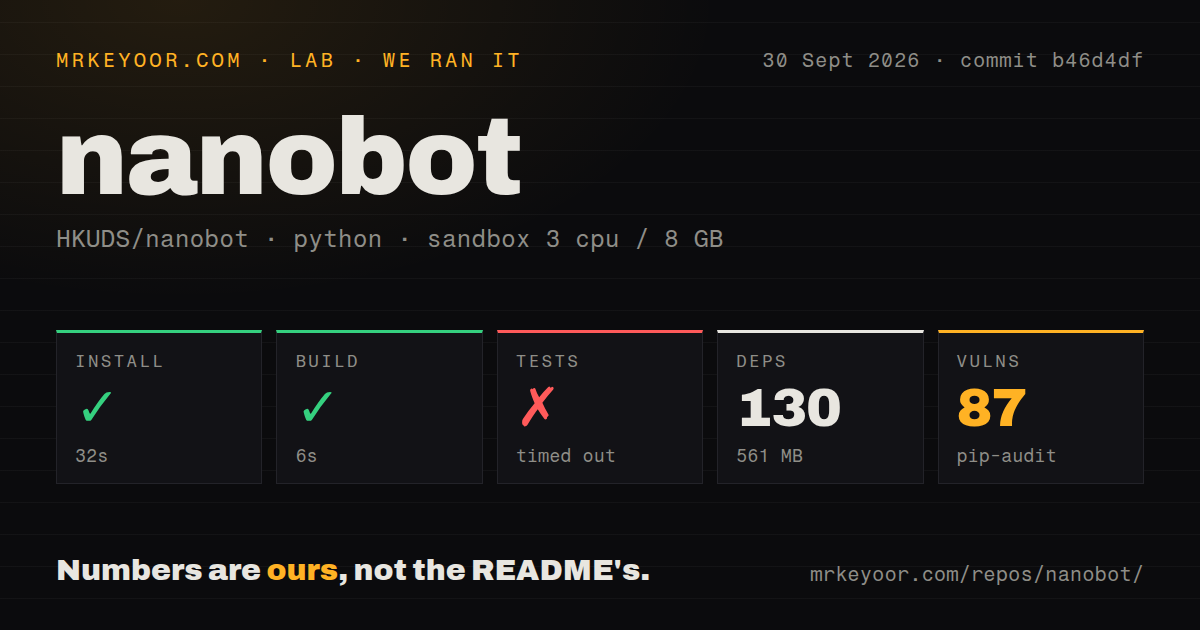
Our stored run began at 2026-09-30T03:25:14.685Z on commit b46d4dfd7d0a84e38177f2fed0395a05ece81f59. The recorded sandbox configuration was 3 CPUs, 8 GB of RAM and image ghcr.io/astral-sh/uv:python3.12-bookworm. The install output identifies Python 3.12.12.
The harness marked installation successful in 32 seconds and the build successful in 6 seconds. It recorded 130 dependencies and 561 MB of installation space. The checkout measurement was 1,616 files, approximately 437,647 source lines and 20.1 MB, with two CI workflows, a Dockerfile, Compose configuration and a tests directory. These repository measurements do not measure the central agent loop or runtime reliability.
The retained installation tail contains only the environment identification, and the build tail is empty. Exact commands and a separate dependency-download breakdown are absent. There is no installed-binary check, interface launch, provider response or measured agent workload. Installation-step completion therefore cannot establish that the CLI was installed and usable.
The 561 MB figure describes this recorded environment. It is neither a minimum deployment requirement nor a measurement of memory consumption. The README's description of a small, readable core concerns architecture; it does not promise a particular full-environment footprint.
Tests showed failures before the timeout
The test command ran for 900 seconds and exited 124 when the harness stopped it. The retained output includes F markers around 27-29%, skip markers at several points and progress through 66%. Failure markers were present before the timeout.
There is no final test summary or traceback identifying the failing cases. The progress percentage is not a passing-test percentage. We cannot report exhaustive unique pass, failure or skip counts, determine why execution timed out, or attribute the failures to product code rather than environment or configuration. This run supplies neither a green suite nor proof that the assistant is broken.
The audit needs triage, with coverage still unknown
pip-audit recorded 87 advisories associated with two packages in our September 30 environment. The supplied record does not identify the advisories, their severity, fixes or reachable runtime paths. It also does not establish how many packages were scanned. The 130-dependency count must not be used as that denominator.
Treat this as an unresolved dependency-audit result for a specific dated environment. Before granting credentials or enabling tools, obtain the detailed findings for the environment you intend to run and assess the affected packages. The record supports no claim of 87 exploitable nanobot flaws, and it supplies no current clean bill of health.
Choose the installation track deliberately
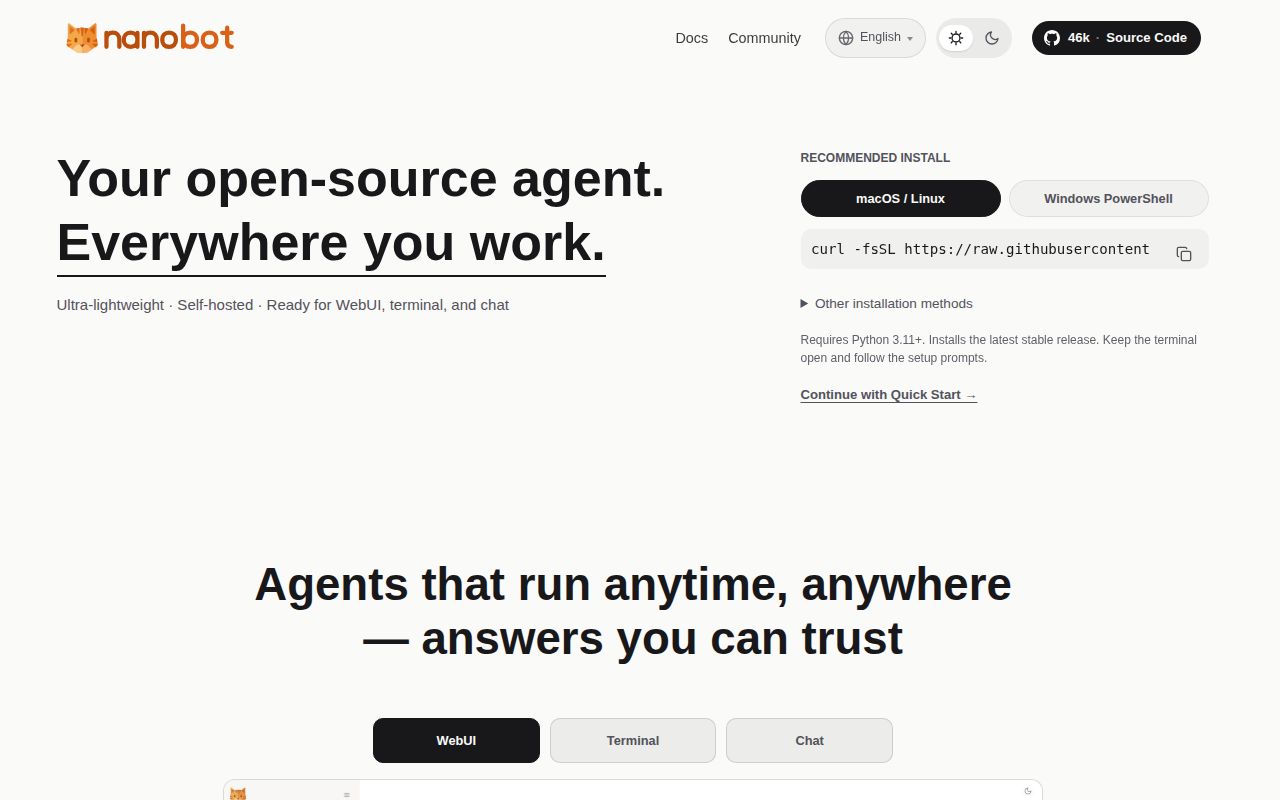
The current README distinguishes stable packages from current source. It requires Python 3.11 or newer and a supported model provider or local server; nanobot does not supply a model account. Stable packages include the browser UI, and supported wheels bundle the terminal UI. Source development additionally requires Git and Bun.
The documented local browser address is 127.0.0.1:8765. Configure a provider and model, then check a reply before attempting a file task in a practice workspace. Those are recommended next checks, not outcomes observed in our run.
Gateway lifetime depends on installation and launch method. The current official installer can keep the gateway running after interactive clients close. Other paths can explicitly use nanobot gateway --background; crash recovery and startup after reboot require operating-system supervision. Avoid applying the older release's client-lifetime rule to every current installation.
The current README also makes an important isolation limit explicit: topics and project folders do not create separate long-term memory. One instance shares its agent profile, memory and skills across projects. It recommends separate instances when client data or preferences must remain isolated.
Version 0.3.5 and current source need separate reading
The project records v0.3.5 as released on September 15, 2026. Its release notes describe a terminal workbench sharing the gateway and saved WebSocket conversations with the browser. They also require configuration, workspace and session backups before upgrading, and warn against old and new versions writing the same workspace concurrently.
Those notes document session-storage migration and changes to email verification, health responses, concurrency and timeout settings. They are reasons to read the upgrade instructions for the version you actually deploy. Our measured commit is a later source checkout, not an evaluation of the v0.3.5 release artifact, and the current README explicitly describes current source.
Issue 5977 reported retired OpenAI models appearing in the picker on September 29, 2026. The supplied issue extract shows it closed as completed through PR 5979 on October 16, 2026. It should not be presented as an open defect. Closure alone does not establish which installed release contains the change or verify a particular provider configuration.
Which route fits the job?
OpenClaw is another personal-assistant option. Its README lists messaging integrations and native apps for macOS, iOS, Android, Windows and Linux. Consider it when those device interfaces matter; this review contains no comparative operating test or footprint measurement.
LangGraph is a different kind of choice: low-level infrastructure for long-running, stateful workflows and agents. Consider it when building an application rather than selecting a ready personal-assistant runtime. It is not a like-for-like deployment CLI alternative.
How to read the scores
These are editorial evidence ratings, not benchmarks. The rubric is: 1 means little usable support in the supplied evidence; 2 means material unresolved limits; 3 means a documented or partially observed basis with substantial verification remaining; 4 means detailed support with clearly bounded gaps; 5 requires broad corroboration and completed relevant checks. Unknown adoption, compatibility or reliability earns no assumed credit. Each score applies only to its named dimension.
nanobot merits a controlled trial when its documented interfaces match your workflow and you can own the setup. Start by checking the installed binary, one model reply and one restricted file task. Then investigate test failures and dependency advisories before treating the instance as ready for unattended work.