FastVideo turns video acceleration into a whole engineering stack
FastVideo's README puts inference and post-training in the same Python project. It can load supported video models, run full or LoRA fine-tuning, apply distillation methods, and split work across GPUs. Dreamverse adds a server and web interface for streamed generation and editing. This is useful machinery for a model team. A creator looking for a finished desktop editor will meet an engineering framework first.
That scope is visible in the checkout. At commit e90be59, we counted 12,431 files, roughly 1,577,655 lines of source, and 556.8 MB before installation. Training code, inference pipelines, model registrations, attention kernels, examples, and applications share the repository. A team supporting several model families may value the common base. A one-model service inherits far more code than it is likely to touch.
What happened when we ran it
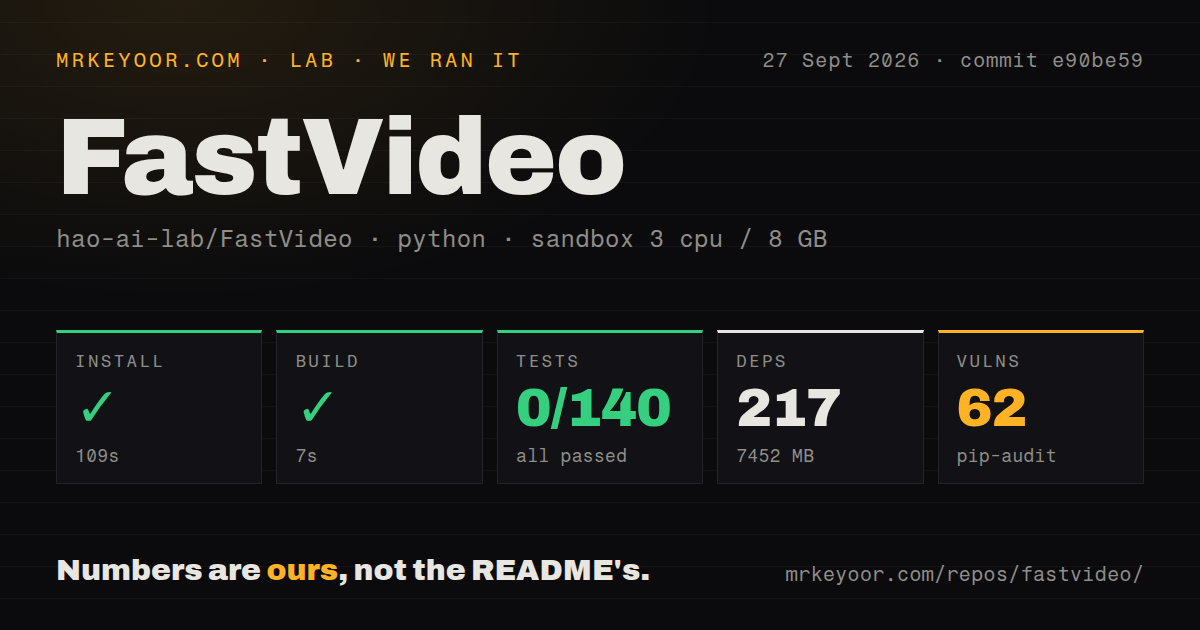
Our sandbox installed commit e90be59 in 109 seconds. It pulled 217 packages and occupied 7,452 MB, then the build completed in 7 seconds. The container had 3 CPUs, 8 GB of RAM, Python 3.12 on Debian, no secrets, and no elevated privileges. Those results cover repository setup only. We did not generate video or measure output quality, inference speed, or GPU memory.
Pytest failed with exit code 3 after 29 seconds. It reported 0 passed, 0 failed, and 140 collection or setup errors out of 140. The end of the log shows an argument parser calling parse_args(), rejecting its input, and raising SystemExit: 2. That is all the supplied tail establishes. It does not identify which dependency, file, or test configuration caused collection to collapse.
Pip-audit found 62 known vulnerabilities in the installed environment. The measured repository had 15 CI workflow files and a tests directory, but no Dockerfile. Upstream automation plainly exists. Our broad command still failed before running one test, so a team evaluating FastVideo should identify the intended test targets and review the 62 audit findings against the code paths it will ship.
The quick start needs a supported accelerator
The shortest NVIDIA install selects a PyTorch build for CUDA 12.6 or 13.0. The hardware guide requires at least 1 compatible NVIDIA GPU, and the README's first generation example also tells you to install the VSA kernels. No hosted inference key appears in that path, but model weights still have to be downloaded and stored. A 7,452 MB Python environment is therefore the floor we measured, not the complete deployment size.
Training raises the bar. The GPU guide specifies 2 cards with 40 GB each for LoRA, or 30 GB each when CPU offload is enabled. Full fine-tuning and distillation recommend multiple high-memory GPUs such as H100s. Open issue #1755 adds a warning for smaller hosts: the reporter's 1.3B quick-start model exhausted 16 GB of system RAM while a worker process started, even with a T4 available.
Apple Silicon has a separate MLX route for macOS 14 or newer, Python 3.12, and ffmpeg. The guide lists 16 GB unified memory for FastMetal 1.3B and 5B models, 36 GB for the 14B option, and an M4 Max with 36 GB for validated FastH3 runs. It also tells users to avoid the older PyTorch MPS example. These are model-specific paths, not one portable install command.
Attention backends remain a model-by-model decision
FastVideo supports a long list of model families, yet support is conditional on the chosen model, hardware, and optimization. The compatibility matrix points to registrations in fastvideo/registry.py as the source for accepted model IDs. Some rows have runnable examples while others do not. Stable Audio is even registered under a generic video workload option, with a note explaining that it generates audio. Reading the matrix is part of setup.
Open issue #1254 shows why. Its reporter selected SageAttention, then saw model layers fall back to FlashAttention or Torch SDPA because those implementations declared different supported backends. The issue remained open after a September 24 update. FastVideo's breadth is genuine, but an environment variable alone does not make every backend interchangeable across every model. Verify the logs and generated media for the exact pairing you intend to operate.
An October 4 push matters more than the June release tag
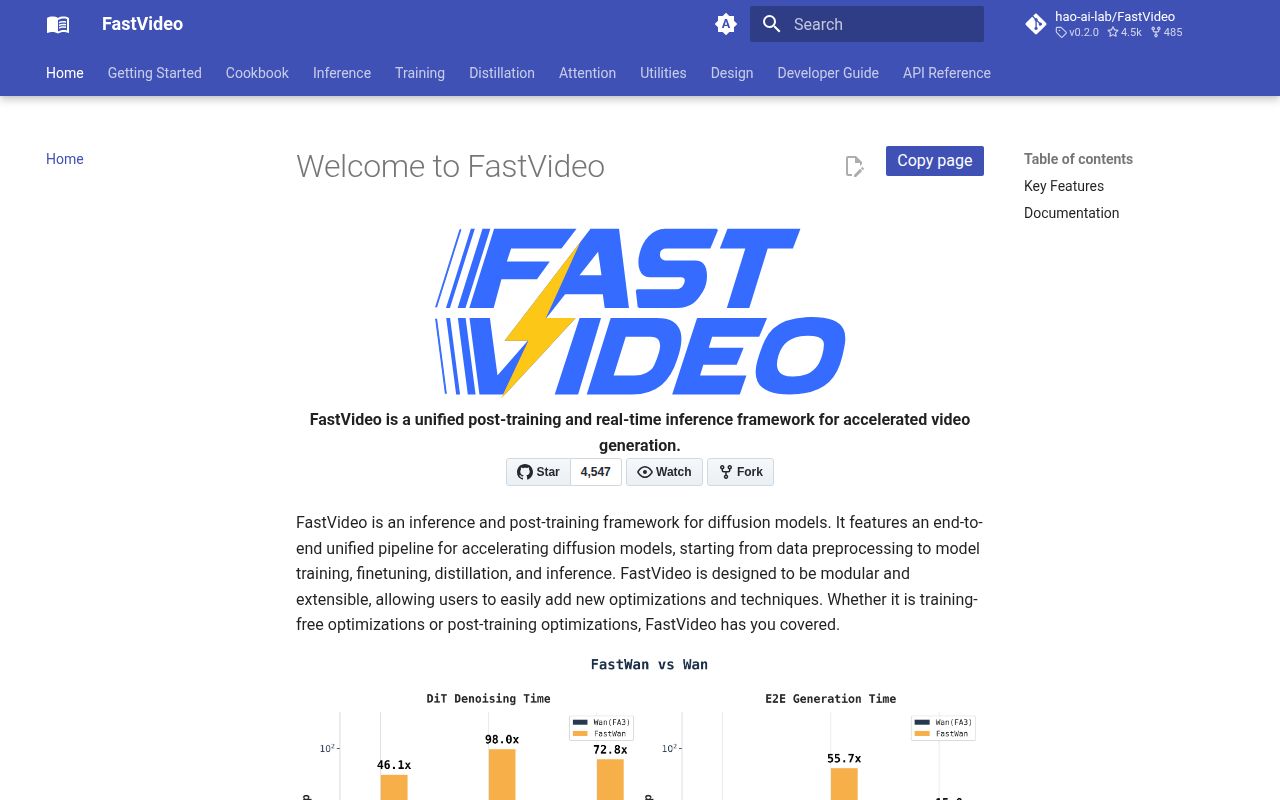
GitHub reported 4,547 stars and 190 open issues and pull requests on October 5, 2026. Listing those items separately produced 49 issues and 141 pull requests. The repository's last push was October 4, so the large queue sits beside visible current work. Issue activity also continued into October, including an Apple MPS transport report and an RTX 5080 kernel compilation report.
The latest tagged release was v0.2.0, published June 4, 2026. Main has moved substantially since then, and the 15 workflow files in our measured checkout fit a project testing many GPU paths. The tradeoff is revision choice: a tag is easier to pin, while a newer commit may contain hardware fixes absent from that release. Our e90be59 result shows that a successful 7-second build is not enough evidence for a releasable installation.
Diffusers is simpler when one pipeline is enough
Diffusers covers many image, video, and audio pipelines without asking you to adopt FastVideo's entire training system. ComfyUI is a better match for people who want to assemble a generation workflow visually. Open-Sora keeps research closer to its own video stack. Each gives up some of FastVideo's shared acceleration work, which is a fair exchange when you cannot name the distillation or distributed feature you need.
FastVideo is worth a controlled trial for a GPU team working across several video models. Pin the code and model revision, choose one documented backend, and reproduce the relevant upstream test route before judging generated output. Our run ended with 140 collection errors and 62 audit findings despite a successful install and build. If those costs do not buy a specific training or inference capability, the 7,452 MB environment is dead weight.