FastGPT puts five product jobs in one console
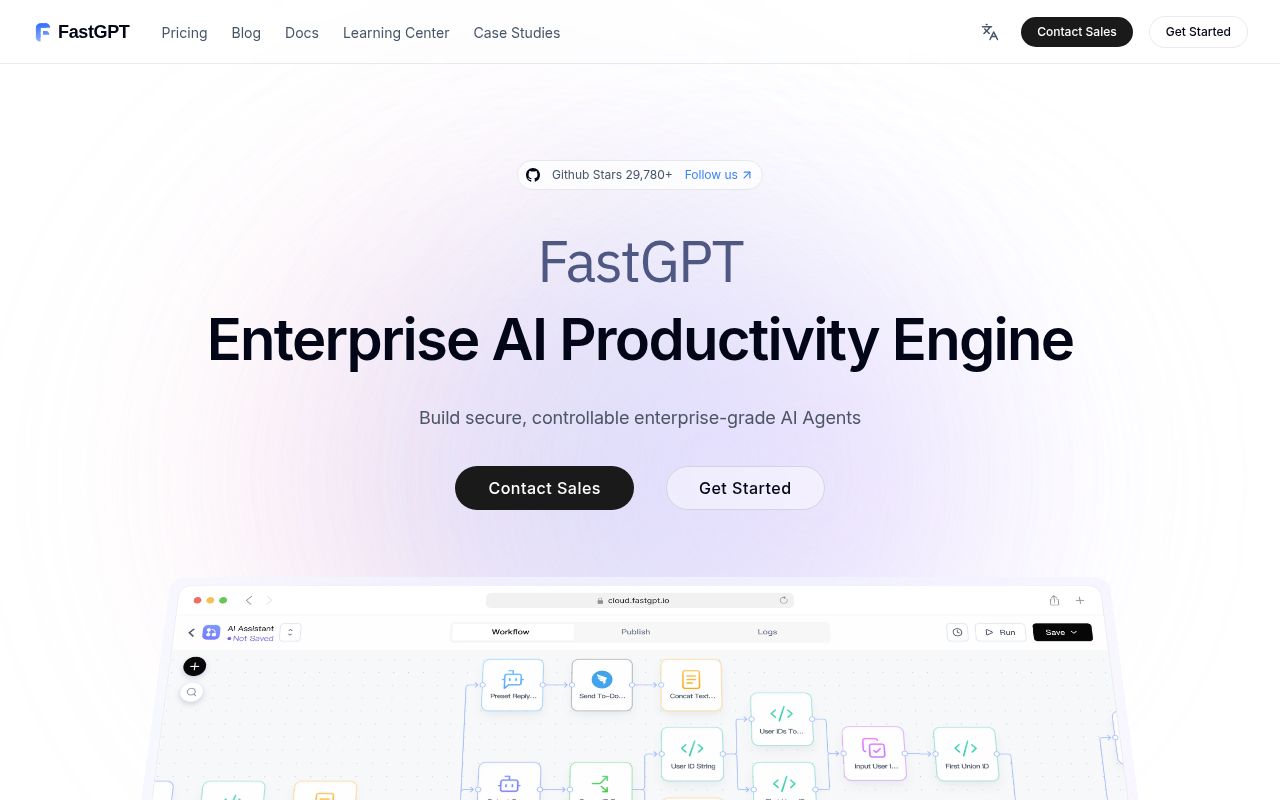
FastGPT combines agent building, document retrieval, model access, workflow execution, and chat operations in one web product. The visual editor can mix dialogue workflows, plugin workflows, basic RPA nodes, user interaction, and bidirectional MCP. Its knowledge bases accept text, office files, spreadsheets, URLs, and manual entries, then add chunk editing, hybrid retrieval, reranking, and API access. That scope can replace several internal tools for a team shipping retrieval-backed assistants.
The main README is Chinese, with an English version linked beside Indonesian, Thai, Vietnamese, and Japanese translations. English deployment pages cover Docker, storage, environment variables, and vector-database choices. Current v4.17.1 release notes and much of the active issue discussion remain Chinese. An English-only operator can get started, but should check whether the material needed for upgrades and incident work is available to the people on call.
A 2,480 MB install comes before models or runtime data
commit a19745d was already a large working tree: 6,818 files, about 767,208 source lines, and 194.1 MB checked out. Our scan found 21 CI workflow files, a tests directory, and monorepo workspaces. It found no Dockerfile, while the repository does include Compose templates and deployment configuration. This is an application platform with several deployable parts, so a contributor is entering a codebase rather than adding one small package.
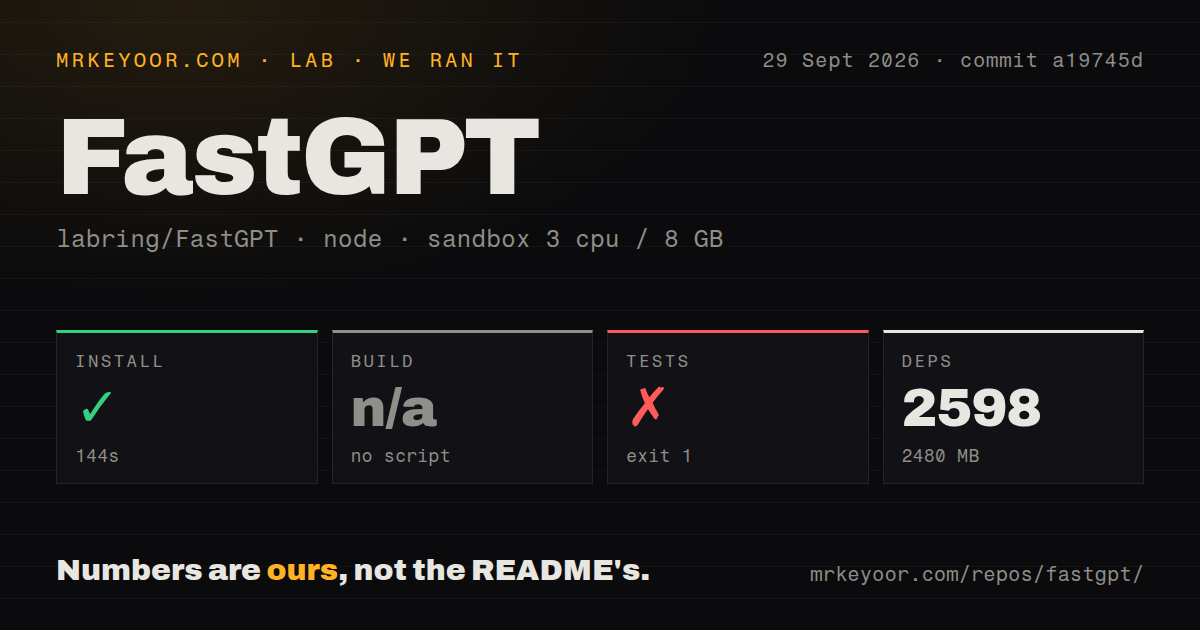
Our pnpm install fetched 2,598 packages in 144 seconds and left 2,480 MB on disk. Those figures exclude container images, model weights, uploaded documents, vector indexes, MongoDB records, MinIO objects, and sandbox images. A laptop can absorb the source install, but production capacity has to cover the data plane as well. The official Docker guide separates recommendations by vector store and dataset size, which is a more honest planning aid than the short README command.
What happened when we ran it
Our sandbox cloned commit a19745d and installed it successfully on 3 CPUs with 8 GB of RAM, Node 22, no secrets, and no elevated privileges. Installation took 144 seconds. The repository did not expose a build script or target for the harness, so we skipped the build. Skipping means there is no build result to praise or criticize.
The test step ran for 40 seconds and exited with code 1. FastGPT's test script invoked node ./scripts/test/run.mjs, after which Turborepo reported: No package found with name '@fastgpt/admin' in workspace. Pnpm then returned an ELIFECYCLE failure. The log does not say whether that package was renamed, removed, private, or accidentally left in the filter, so assigning a cause beyond the missing workspace name would be guesswork.
That failure also means our run produced no test count. It did not show an application assertion failure or a database connection error, and we will not turn the 21 workflow files into evidence that the code passes. The finding is narrower: the repository's own test entry point did not reach a suite at the measured commit. A team adopting FastGPT should reproduce that command against its chosen tag and decide whether a red contributor baseline is acceptable.
Port 3000 sits in front of several stateful services
The README's quick start downloads configuration, runs docker compose up -d, and opens FastGPT on port 3000. It documents root and 1234 as the initial credentials, which must be changed before network exposure. The Compose template also carries placeholder keys and tokens. Treat the generated file as a starting point to review, not a production secret-management plan.
The deployment architecture uses MongoDB for application data and a separate vector store such as PostgreSQL, Milvus, OceanBase, or SeekDB. Redis, MinIO, AI Proxy, plugin execution, code sandboxing, and the agent sandbox add their own state, credentials, health checks, and network paths. Model providers bring more keys. FastGPT saves integration work inside the product, while the operator still owns backup, monitoring, patching, outbound access, and restore tests for the pieces underneath it.
The license rules out an unapproved competing SaaS
FastGPT's license starts with Apache 2.0 and adds two business conditions. Commercial backend use and enterprise delivery are allowed, but operating a similar multi-tenant SaaS requires written authorization. The console logo and copyright information also cannot be removed or changed without commercial permission. Those terms deserve legal review early because they can settle the adoption question before a 2,598-package install matters.
Agent execution raises a separate boundary. Open issue 7345 asks for domain-based sandbox egress policy and inspection of tool output before it reaches users, model context, storage, or logs. The issue remains open and should not be read as a delivered feature. Teams with strict data-loss controls need external network policy, approved tool lists, output handling rules, and audit coverage until the controls they require are present and verified.
v4.17.1 and an October 1 push show active maintenance
GitHub showed 29,780 stars and 176 combined issues and pull requests on October 2, 2026. GitHub Search separated that total into 154 open issues and 22 open pull requests. The repository was pushed on October 1, one day after v4.17.1 shipped. That release added knowledge-base permission work, model health monitoring, MCP security fixes, and many workflow and document-processing corrections. The dates and queue both show an actively changing project.
FastGPT deserves a staged trial when one product can replace separate RAG, workflow, MCP, and chat consoles. The trial should include the exact release upgrade, old-dataset restore, sandbox network policy, and the repository test command that failed for us. If your team only needs a flow editor or a retrieval service, Flowise or RAGFlow asks you to operate a smaller slice. FastGPT pays off when you need most of its scope, not when the checklist merely looks impressive.