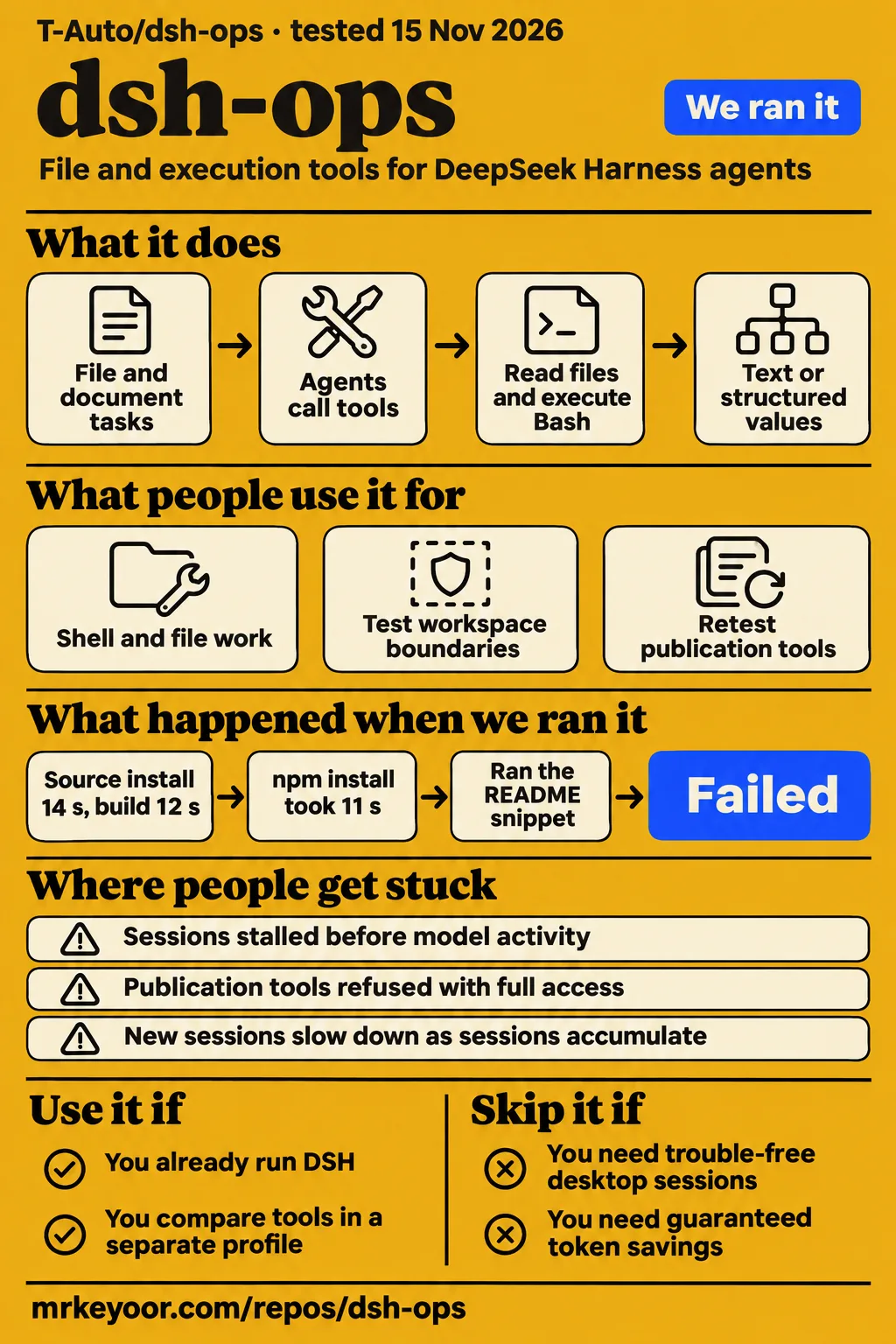
Short answer: the build passed, the test command failed
Our dsh-ops build succeeded in 12 seconds, but its test command exited 1 after 186 seconds. Use it if you already run DeepSeek Harness and want to evaluate its file tools against the stock tools in a separate profile. Skip it if your daily desktop sessions must work without investigating plugin permissions and version combinations. Those are practical adoption costs in the issue reports, even when the package builds successfully.
The decision turns on the combination you intend to run: plugin version, DSH host, preset and permission mode. The records contain successful shell work, desktop sessions that stopped progressing, and publication tools that worked for one reporter while another still received refusals. A marketplace badge cannot settle that choice. Neither can an old failure report, detached from its host version.
What people use dsh-ops for
T-Auto/dsh-ops supplies file and execution tools for DeepSeek Harness, and the recorded uses include both successful work and failed desktop sessions.
| Who used it | What they tried | Recorded outcome |
|---|---|---|
| GitHub reporter qldth. | Shell and file work in a Windows development session | The session included successful ops_bash calls and intermittent failures. The reporter later withdrew the initial plugin-only attribution when official tools also failed. Issue #129 |
| Fantasycvh, reporting AI-assisted tests reviewed by a human | Bash execution and workspace boundaries on Windows | Bash ran on that machine, and attempts to write outside the workspace created no files. Other machines in the thread behaved differently. Issue #41 |
| Lo4us and other desktop reporters | Multiple sessions with a large plugin and MCP configuration | Sessions stalled before model or tool activity; hot-disabling dsh-ops restored them. A headless comparison did not reproduce the freeze. Issue #359 |
| kaoet, the original publication-authorization reporter | Retesting publication tools with dsh-ops 0.5.4 and approval set to ask | Reported that publication tools worked with the default bundle configuration. Another participant still reported grant failures on 0.5.4. Issue #784 |
The Fantasycvh report is particularly useful for a Windows developer. The task was concrete: execute Bash, then try writing beyond the allowed workspace. On that machine the shell ran and the outside files were absent. That establishes a successful boundary check for that environment. The same discussion contains empty tool results and initialization failures elsewhere, so copying its configuration is a starting point for a local check, not a compatibility certificate.
What happened when we ran it
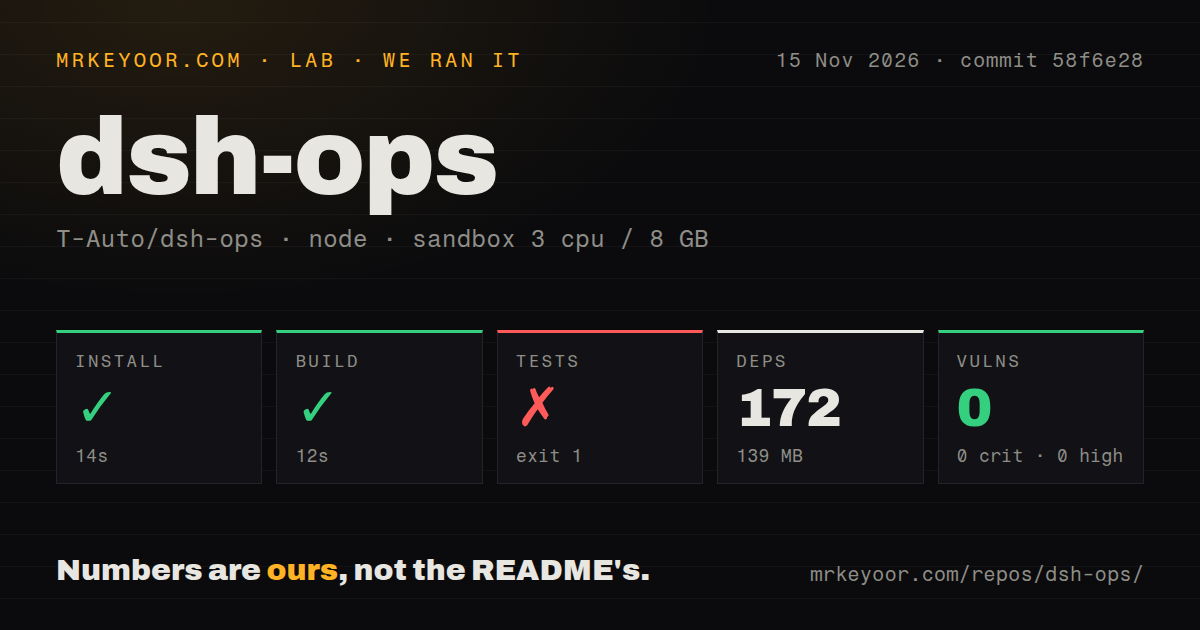
Our sandbox installed the source dependencies in 14 seconds and built dsh-ops in 12 seconds, but the test command failed after 186 seconds at commit 58f6e28 on 2026-11-15.
A separate quickstart attempt in the supplied hands-on records stopped because the README had no JavaScript/TypeScript code block to run. Its recorded task used the quickstart-lib recipe. That recipe could not produce an executable example from the README, so it supplied no completed DSH task to judge. The finding is a mismatch between the recipe and the available instructions, rather than a demonstrated failure of a DSH tool.
| Source-harness observation | Recorded result |
|---|---|
| Dependency installation | Succeeded in 14 seconds |
| Dependencies and disk footprint | 172 dependencies recorded; 139 MB on disk |
| Build | Succeeded in 12 seconds |
| Test command | Failed, exit 1, in 186 seconds |
| Test runner's final summary | 17 of 248 suites failed, 79 skipped; runner reported 171 seconds |
| npm audit | 0 known vulnerabilities reported across all listed severity levels |
| Sandbox configuration | 3 CPUs, 8 GB RAM, image label lab-node:22 |
The test tail ends with successful checks, including preserving a failing command's exit code, draining stdout and stderr together, falling back from an unusable cache and handling an unwritable ledger. Then comes the failing aggregate summary. These passing lines do not cancel the failures, and the tail does not identify the failing suites or their underlying exceptions. There is no basis here to blame Windows, Node, a missing package or the application itself. The outer duration and the test runner's duration cover different scopes.
The scan found four CI workflow files and a tests directory, and no Dockerfile. The audit result concerns known dependency advisories in that run. It says nothing about whether the plugin's authorization decisions are correct. For this adoption decision, a successful build and a failing test command belong beside each other.
Where people get stuck: session startup and publication grants
The clearest desktop reports describe sessions stuck before model activity and file tools refused despite full filesystem access.
| Symptom and source | What the record supports | Useful response |
|---|---|---|
| New sessions slow down as active sessions accumulate, #333 | Reporters on 0.4.0 and 0.4.1 traced repeated presentation assembly across active agents. Reports include disabling components, removing the bundle and rolling back. | Compare the affected profile with the bundle disabled; retain the exact host and plugin versions when reporting it. |
| Every session stays running without output, #359 | Hot-disabling the plugin restored desktop sessions. A contributor reports a tested shared-queue fix in #405 while explicitly separating it from reproduction of the original desktop freeze. | Treat the queue fix and full desktop acceptance as separate outcomes. |
| PUBLICATION_DENIED with full access, #784 | Publication authorization failed while some other tools worked. Later 0.5.4 reports disagree on usability, and one names PUBLICATION_GRANT_UNAVAILABLE. | Capture the refusal code, selected preset, approval mode and host version; full filesystem access alone is insufficient. |
| Shell consumers fail during plugin changes, #129 | The maintainer reports #154 merged into main to remove an active PowerShell-row update that rebuilt the shell consumer chain. GUI acceptance and host permission restoration had separate tracking. | Distinguish that merged trigger fix from broader permission recovery. |
Issue #129 shows why reading the replies changes the advice. The opening report contrasted failing OPS tools with working official PowerShell calls. Later evidence showed official tools failing too. The maintainer then identified a plugin mount/unmount trigger and changed how the active shell reference was handled. Reporting only the opening comparison would preserve a causal claim the reporter had already withdrawn.
Long Bash scripts have a different failure mode. The usage reference recommends passing a script file through script_path to reduce escaping inside tool-call JSON. It also states that this cannot repair JSON that already failed to parse. If a call is rejected before execution, changing the script's logic addresses the wrong stage. Usage reference.
More sessions and bigger trees need different evidence
Issue #333 ties session slowdown to repeated work over active agents, while #584 separates a filename-index library from a decision to enable indexing.
The session reports matter because developers often leave several conversations open while doing unrelated work. In #359, one contributor's headless comparison worked even though the desktop profile froze. That makes a single successful startup a poor substitute for the workload that triggered the report. Start several sessions and change the enabled tools if that is how you actually use DSH. The acceptance condition should include an unaffected session continuing to progress.
The indexing discussion is equally specific. Issue #584 says the earlier indexing proposal was rejected because building the index did not repay its cost under the bounded-scan workload. The later design proposes reusable library work and leaves enablement to subsequent integration evidence. Calling the tools Rust-powered explains an implementation choice. It does not answer whether an index helps your repository or whether the proposed integration shipped.
Security: full access does not grant every tool authority
The main-branch configuration reference keeps the credential fence enabled even in danger-full-access mode.
That fence covers sources and destinations, including copying, moving, writing and removal, despite the historical setting name denyCredentialReads. The component reference separately describes a trusted-operation boundary: read-only rejects replacement, including a dry run; workspace-write permits writes under the workspace and the session's private temporary directory. Those documented restrictions explain why changing a filesystem mode does not answer every authorization question. Configuration reference, component reference.
Bash and run_code still require operating-system confinement. A fixed file-operation worker and an arbitrary shell command have different security responsibilities. The Windows configuration reference says unsupported custom Bash returns EXECUTOR_UNAVAILABLE and rejects bypassing confinement as a repair. Keep that refusal intact while diagnosing the executor. Separately, if you enable panel capture, the documentation says reports can contain conversation and tool text and belong in the workspace's .dsh-ops/panel directory, which should be ignored in Git.
English docs exist, but the version labels need care
The default README is Chinese, and an English README and English configuration and component references are available.
Several detailed issue reports are in Chinese, including corrections to earlier Windows reproductions. An English-speaking operator can follow the documented configuration without translating the whole repository, but should read translated replies when diagnosing a matching failure. In #41, a correction changes which host reproduced the signal-pipe problem. Skipping that correction produces a materially different compatibility claim. Windows report.
The live English README also labels its branch a candidate while distinguishing @latest from the checkout. GitHub's latest release endpoint identifies v0.5.5, published on 2026-11-13, and the repository facts show a push on 2026-11-15. That is active development alongside active failure discussion. It is also a reason to record the artifact you use instead of assuming every main-branch instruction describes the published package. English README, release v0.5.5.
dsh-ops vs stock DSH tools and PTC mode
Stock DSH tools are the most direct baseline because they let you compare the same task without adding this plugin.
| Choice | Why consider it | What the comparison actually says |
|---|---|---|
| Stock DSH tools and Windows standard mode | Keep the host's existing tool surface when it already completes your work | The #333 reporters improved session behavior by removing or disabling OPS. This supports a baseline comparison, not a universal speed ranking. |
| Stock Linux PTC mode | Compare the host's programmatic tool path before adding OPS typed APIs | Listings repeat author token-saving benchmarks; the supplied pack contains no independent matched reproduction of those savings. |
| dsh-ops Native tools | Give the model compact, readable file results | The author says earlier shared tool design could burden Native mode. The 0.4.0 design separates Native and PTC output projections. |
| dsh-ops PTC typed APIs | Let tool-calling programs consume structured values | The author explains that structured results avoid scripts having to split text to recover data. This is a design rationale, not our token benchmark. |
Sources: session comparison, listing's benchmark claims, Native/PTC design.
Similarly named projects answer different questions. Elinpf/dsh-ops-plugins describes credential resolution and incident investigation. MiraculousGarfield/dsh-ops describes a maintenance toolbox, while f-infinite-z/dsh-plugin-ops describes checks before a broken profile boots. Their examples are not deployments of T-Auto's plugin. Choose one of those only if its stated job matches yours, rather than treating a search for dsh-ops as a list of interchangeable packages. Incident suite, maintenance toolbox, pre-boot checker.
What the other reviews get wrong
Several listings describe older capabilities and configuration as though they apply to the supplied main-branch documentation.
The dsh-plugin.org listing describes Windows x64 only and bundled PowerShell 7. The captured npm 0.4.4 metadata describes file and PTC tools for Linux x64 and macOS arm64/x64 too. The supplied main-branch configuration reference says OPS does not bundle or override host PowerShell. These are corrections with version boundaries, not evidence that every advertised platform passes runtime acceptance. Listing, captured package metadata, configuration.
The dsh.plus listing presents FastCtx background job tools. The main-branch component reference says that component was removed and retained legacy rows publish nothing. Likewise, old shellPolicy and deniedHostTools examples are absent from the current consumer interface. A saved row that still loads is not proof that it still exposes tools. Older listing, components.
The dsh.so compatibility explanation and its runtime result also need separating. Its reported 0.4.4 activation on DSH 0.2.2-rc.1 is an observed smoke result. The captured npm artifact nevertheless declares engines.dsh as >=0.2.0-rc.2 <0.2.2-0. A successful boot does not rewrite a declared range. The useful fact is that the declaration and observation disagree. Runtime record, artifact declaration.
Questions people ask
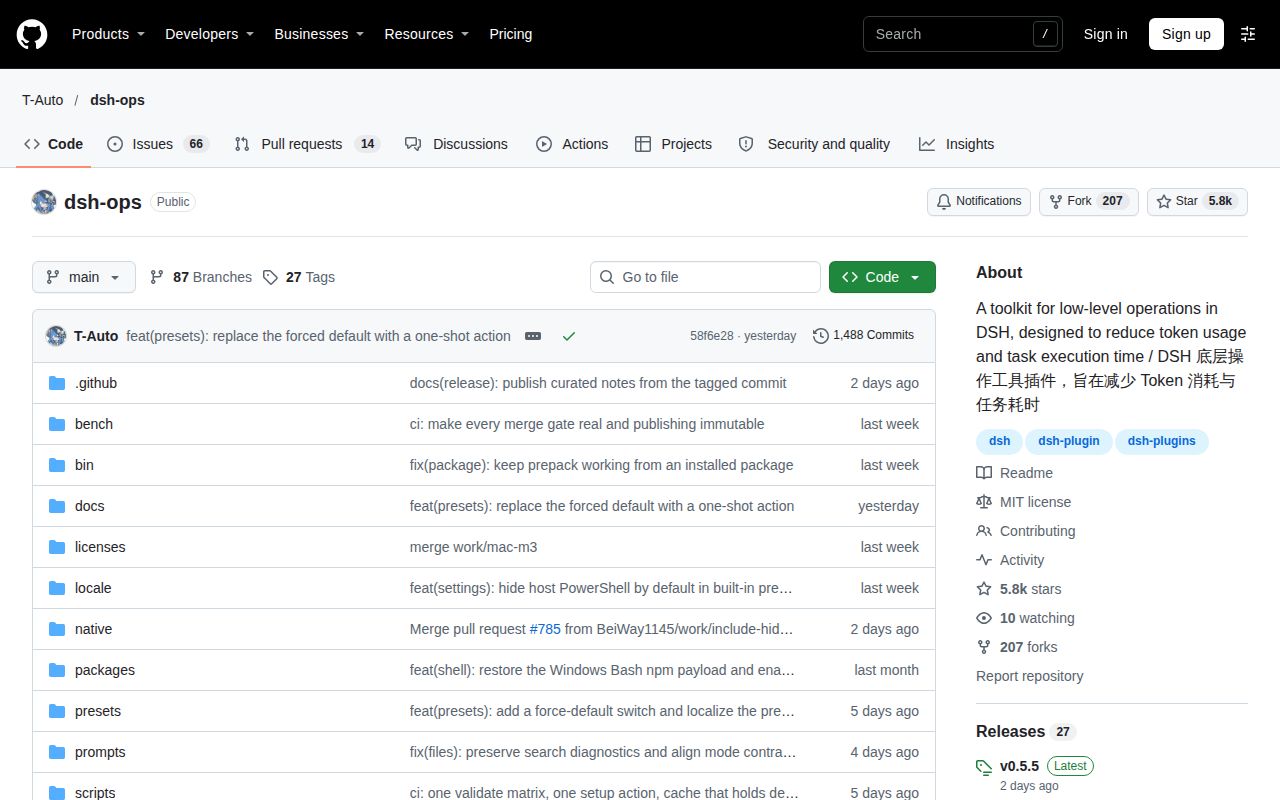
T-Auto/dsh-ops is a DeepSeek Harness plugin for file and execution tools, and its GitHub repository is T-Auto/dsh-ops.
What is dsh-ops, and where is the T-Auto/dsh-ops GitHub repository?
T-Auto/dsh-ops adds bounded file and document tools to DeepSeek Harness. Native mode returns compact text, while PTC receives structured values. The T-Auto/dsh-ops GitHub repository is the project reviewed here. The incident suite and recovery projects with similar names have different owners and purposes. English README.
Does dsh-ops actually save tokens, or can enabling it make a task more expensive?
The author of #261 says the earlier shared Native/PTC design sometimes made Native mode worse. The redesign separates the outputs. That is a concrete reason the answer depends on your selected mode and workload. Bilibili's Chinese-language search results include Larry-E's skeptical review titles alongside positive coverage, but titles supply no matched token measurements. Design discussion, Bilibili results.
Does dsh-ops help more with medium and long tasks than with short tasks?
The supplied Bilibili results raise task-length questions without providing controlled short-versus-long results. A recommendation to use OPS specifically for longer work would outrun that evidence. Compare completed tasks at the lengths you use and count retries as part of their cost. Bilibili search evidence.
How much do model choice and the same tool workflow change token use and task completion rates?
X user xiaomovps asks how changing the model changes search quality, token use and completion with the same tools. The post describes a comparison the writer wants to make, rather than completed results. Keep the model fixed when isolating the plugin's effect, then compare models separately. X discussion.
Can an agent build and test dsh-ops on a clean machine without human help?
The setup video titled "dsh-ops tested" describes an agent recovering from errors and ending with a working source build and native worker. Its transcript describes replacing an outdated Node runtime. That is the video's attributed outcome; our dated source harness ends with a failing test command. Recorded setup video.
Why does installing dsh-ops fail with a minimumReleaseAge violation for another package?
Discussion #9342 reports whole-lockfile age checks rejecting an already-recorded dsh-context entry during a dsh-ops installation. The reporter says setting minimum-release-age to zero made the command succeed. That bypasses the age policy. The thread also corrects the logging complaint: CLI execution inherits terminal output, whereas service execution captures it. Host installation discussion.
Why does creating a new DSH session get slower as more sessions remain active?
Issue #333 reports discovery repeatedly assembling presentation across active agents in dsh-ops 0.4.0 and 0.4.1. The supplied discussion records work on incremental checks and users disabling or removing the bundle. This is a version-specific report with a concrete mechanism, rather than a general cost of opening any DSH session. Issue #333.
Why do all sessions show running without output after enabling dsh-ops?
Lo4us reports desktop sessions stopping before model or tool activity with dsh-ops 0.4.1 enabled. Disabling it restored progress. The thread distinguishes that desktop observation from a shared-queue failure class with a tested fix in #405. Diagnose the point where progress stops before changing model credentials or assuming the model is slow. Issue #359.
Does the session-slowdown fix also cover the module-level shared queue?
The #359 contributors treat repeated probes and the shared queue as separate problems. A later contributor reports a tested queue fix in #405 and explicitly avoids calling it reproduction of the original multi-plugin desktop freeze. Closing the slowdown thread alone therefore cannot settle the shared-queue question. Queue discussion.
Why do publication tools return PUBLICATION_DENIED even with full access?
Issue #784 reports missing publication authorization despite full filesystem access. On 0.5.4, ZxyCc588688 reports PUBLICATION_GRANT_UNAVAILABLE, while kaoet reports working publication tools with approval set to ask. Those reports identify different outcomes on different configurations, rather than an instruction to grant unrestricted access. Publication reports.
Why is there no approval prompt or option when publication authorization is unavailable?
Reporter heyewong describes silent publication refusals without an approval notification or option in #784. The thread records that usability complaint but supplies no universal prompt-enabling remedy. Preserve the refusal and configuration details in a bug report instead of repeatedly issuing the same denied write. Approval complaint.
Why does bundled Bash fail in workspace-write mode while full access works?
Issue #41 contains different Windows outcomes and corrects an initial host-version attribution. Fantasycvh later reports successful restricted Bash on the target host, while another machine returns empty tool results. The discussion was split into narrower reports and dispositions. Its closed label is not a universal resolution of restricted Windows execution. Restricted Bash discussion.
What we have not tested yet
Our run establishes source-step outcomes at 58f6e28, not successful daily use inside a supported DSH desktop session.
We have not reproduced advertised token-saving percentages, compared models, or measured savings across task lengths and presets. The Bilibili titles and X posts show interest and conflicting expectations, not controlled results. The supplied SourceForge extract has no user review text from which to infer satisfaction or successful deployments.
The test tail does not expose why the failing suites failed. Actual Node and operating-system versions require raw toolchain logs; lab-node:22 is only the recorded image label. The quickstart-lib attempt supplies no completed plugin task and has installation figures that conflict with the authoritative source-harness block, so this review uses only that block's installation, build, test and dependency figures. There are no known-answer task results or screenshots in this pack.
We have not reproduced the original large desktop freeze, evaluated current Windows confinement on our own machine, tested every publication-authorization path, or audited credential fencing. The captured 0.4.4 registry response is historical evidence despite its /latest URL. Main-branch documentation and the live release endpoint are separate snapshots. An indexing design issue is not a shipped performance result.
Before adding OPS to the profile you depend on, record its artifact version and your DSH version, then complete a representative read, search, edit and shell task in a separate profile. Keep the stock-tool result alongside it. A cheaper completed task is the result worth adopting.