The desktop shell keeps Harness at the center
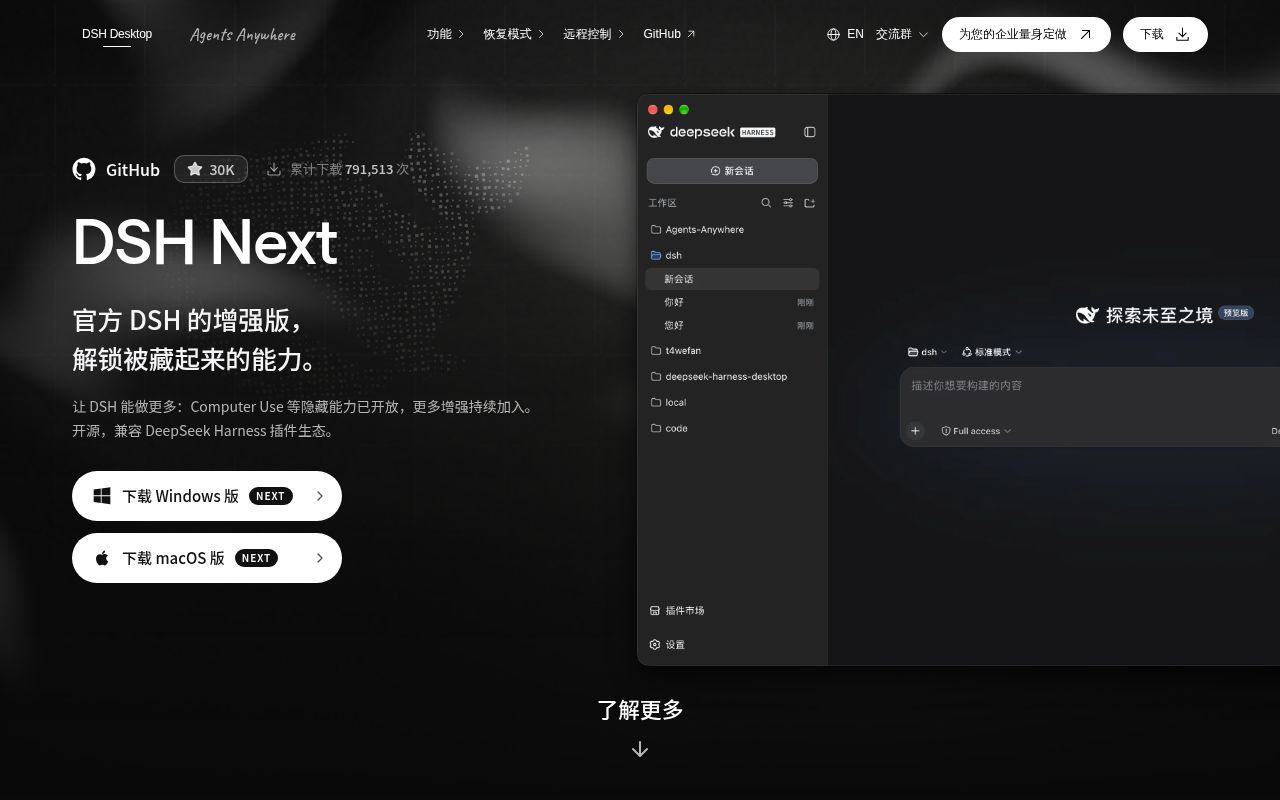
At commit 838ba60, DSH Desktop wrapped a pinned DeepSeek Harness checkout in an Electron application. Harness still owns the agent, model, tools, sessions, and Web UI. The desktop code adds the window, tray, terminal, updater, recovery flow, and work profiles through the same plugin system available to extensions. That boundary makes sense if Harness is already the runtime you want. It also means this project is a distribution and operating layer, not a separate agent model.
The main README is Chinese, with a substantial English README and translated user, FAQ, architecture, privacy, and plugin guides. Its identity warning is unusually direct: DSH Desktop is community maintained and has no official DeepSeek team participation. GitHub showed 30,030 stars on October 7, 2026, but that number does not turn community support into vendor support.
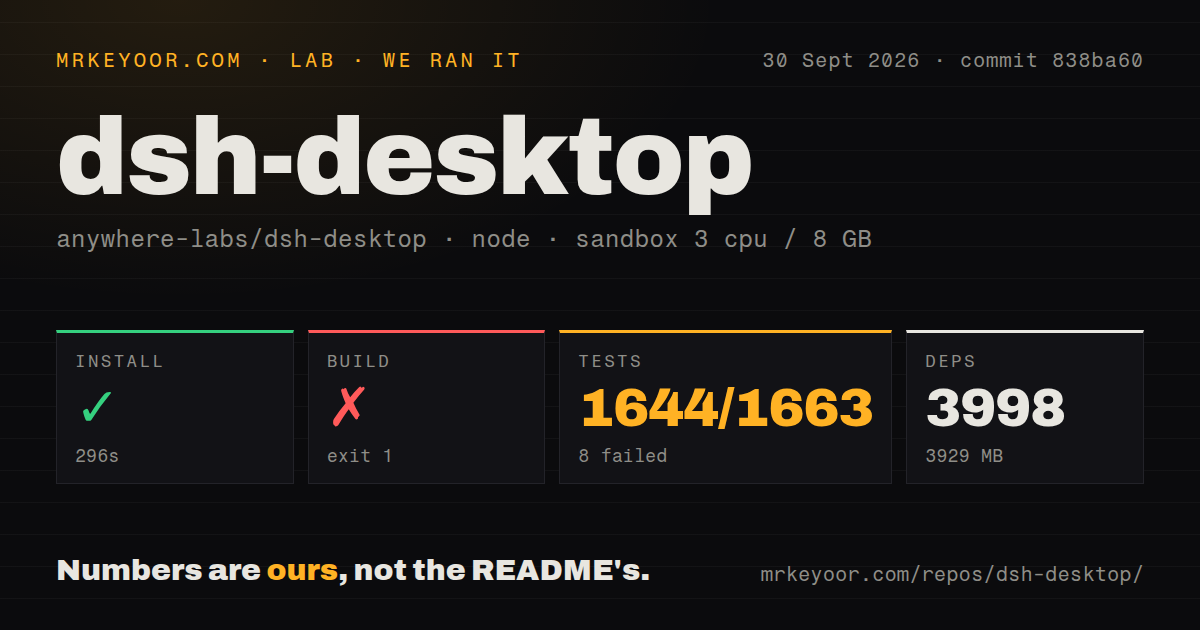
Installers spare users a 3,929 MB source environment
The stable documentation lists 2 installer targets: Windows x64 and macOS Universal. Those packages include Electron, Node.js, pnpm, and pinned DSH dependencies, so a user does not need to alter the system PATH or install a JavaScript toolchain. The application prepares a profile, starts the local Host, and opens the official Web surface. Closing the window normally leaves it in the tray.
Source contributors face a different product. Our installed dependency tree occupied 3,929 MB after 3,998 packages arrived. The outer repository uses Yarn while the pinned Harness workspace uses pnpm, and the checkout contained 15,575 files across roughly 1,355,535 source lines. That is closer to maintaining a packaged platform than tweaking a small Electron launcher.
What happened when we ran it
Our sandbox installed commit 838ba60 in 296 seconds on 3 CPUs with 8 GB of RAM. The fresh unprivileged Debian container used Node 22 and had no secrets. Installation succeeded. The repository itself occupied 151.9 MB before dependencies, and our scan found a monorepo with 1 CI workflow, no Dockerfile, and no conventional tests directory.
The build failed after 11 seconds. Its market-preparation script reported that a market dependency install returned exit 1, restored the manifests and lockfile, and instructed us to rerun yarn install. The log tail does not identify why that nested install failed, so blaming a missing Debian package or a repository defect would be guesswork. The useful finding is narrower: the documented source tree did not build cleanly in our fresh container after its successful install.
Tests failed after 182 seconds. Vitest reported 1,644 passed, 8 failed, and 11 skipped out of 1,663 tests. Seven files failed. The tail named profile checkpoint, recovery plugin uninstall, host process integration, and agent error logging among them, with timeouts of 120,000, 60,000, and 5,000 milliseconds. It does not establish one shared cause.
LAN access can hand another device control of the computer
The Web service listens on 127.0.0.1 by default. That is the right starting point for an agent with command and filesystem tools. Browser mode does not widen the listener. LAN access is a separate switch, and the README warns that it has no authentication. A person on the same network can open DSH, create sessions, and potentially operate the host computer. Keep that option off outside a fully trusted network.
Local storage also needs a precise reading. Sessions, settings, and workspaces stay on the device by default, but configured model providers, MCP services, and plugins receive whatever their requests require. The privacy guide says credentials can live in environment files or an unencrypted YAML file. Plugins run with the user's permissions, and a marketplace listing is not a security review.
Next adds Linux packages while sharing profile data
Release v2.0.17-next, published September 29, ships a Windows installer, a universal macOS DMG, and 3 Linux x64 formats: AppImage, Debian package, and tarball. It fixed AppImage restart flows and session-log exports. The release also says Next remains experimental and bundles DeepSeek Harness v0.2.0-rc.2, so Linux availability comes with a different stability promise from the stable desktop path.
Next uses the same ~/.dsh home by default. Its profiles do not isolate sessions, accounts, or credentials stored there. An absolute DSH_DESKTOP_NEXT_HOME can separate DSH data, though the release notes say it does not isolate the default Agents Anywhere sign-in and device binding. Back up the home before changing channels, and check every plugin after a core upgrade because incompatible declarations may be skipped.
Current maintenance is busy, and the issue queue is large
The repository was pushed on October 3, 2026. On October 7, GitHub search counted 265 open issues and 79 open pull requests. Recent reports covered memory growth, startup timeouts, proxy behavior, MCP OAuth, Windows shell handling, and Linux packaging. That is evidence of active use and active maintenance. It is also a lot of moving surface for a project created in August 2026.
Choose DSH Desktop because you want Harness and its plugin model in a native application. The binary route removes most setup friction, while profiles and recovery controls help when an extension misbehaves. Our source run tells maintainers something less comfortable: budget for a large checkout, a 296-second install, and independent build and test checks before shipping your own package.