dot2api installed in 16 seconds and built in 1 second in our sandbox, but its test command exited 1 with 65 passes and two collection/setup errors. Consider it for trusted personal text automation when the worker must be your Dot. Its documented replies arrive together, and model-style tool calling is unavailable. Those behaviors make it a poor fit for coding-agent backends and chat interfaces that need tokens as they arrive. Project behavior.
The deployment decision starts with the assistant you intend to call. dot2api gives existing clients a familiar request format while putting a personal Dot behind the endpoint. The caller submits a request, the gateway stores it, and the Dot supplies the answer. That division explains why queue subscriptions, task deadlines and caller permissions matter as much as SDK configuration when choosing and operating this gateway.
What you can do with dot2api
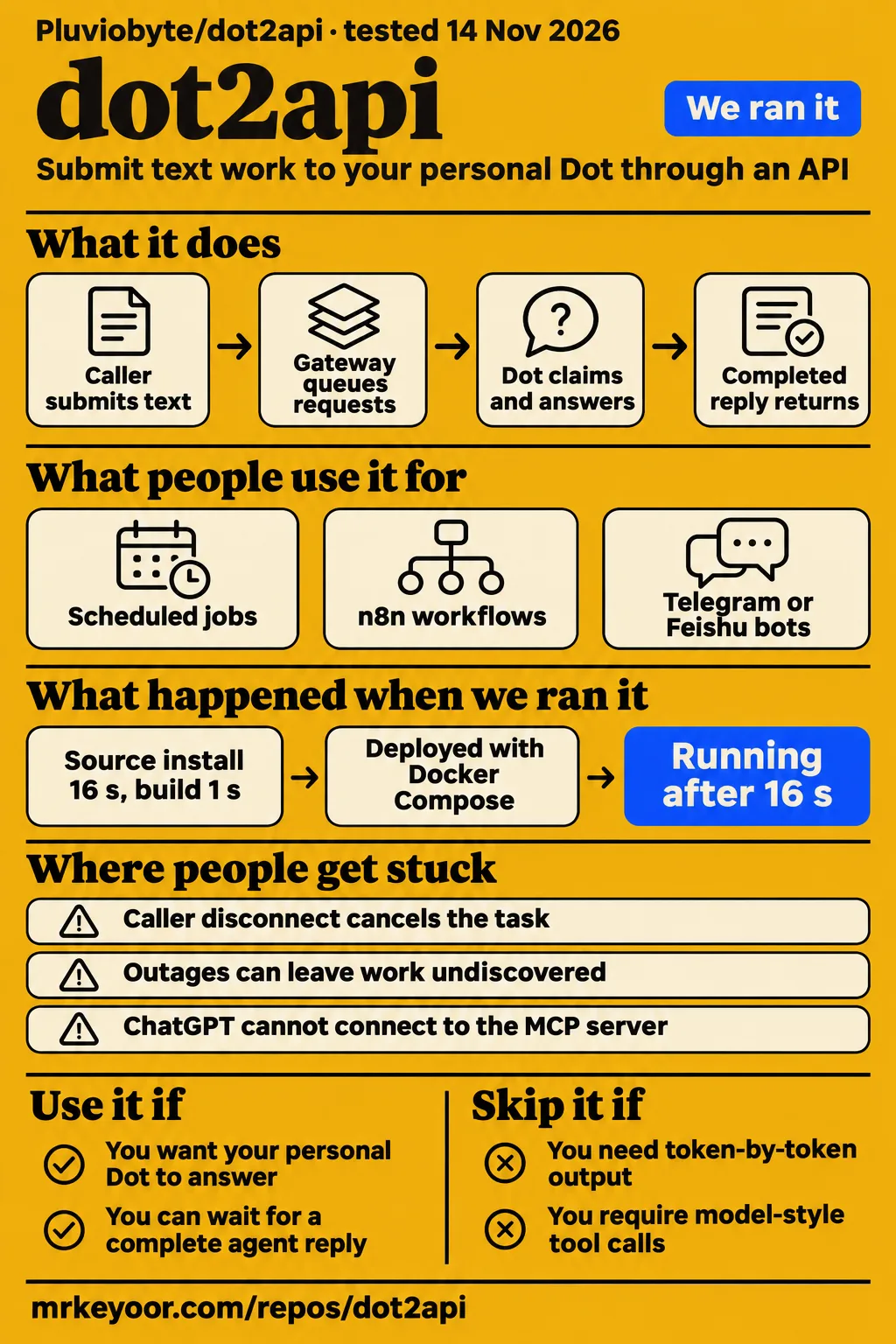
dot2api exposes one Dot through OpenAI Chat Completions and Anthropic Messages request formats, using MCP Events and a task queue. Its README says the gateway never calls a model itself. A caller submits text, the Dot claims the request over MCP, and its completed reply returns through the compatible endpoint. The project overview describes compatibility in request shape rather than normal model-endpoint behavior.
Scheduled text work fits that design when the caller can wait for an agent's complete answer. The project also documents asynchronous task submission and result retrieval. For an integration already organized around job IDs, those interfaces provide a way to submit work and retrieve its result later. Keeping a task ID is useful when the application's interaction lasts longer than a synchronous HTTP request.
The documented content rules are specific: images and tool-result blocks return 400, sampling parameters and max_tokens are ignored, and token usage is reported as zero. SSE sends keep-alives while the Dot works, followed by the complete reply in one content delta. Compare the API reference with the behavior your client expects before changing its base URL, especially if the client relies on tools or incremental output.
What people use dot2api for
Project author Pluvio9yte reports creating dot2api to expose a personal Dot through OpenAI- and Claude-compatible endpoints. The launch post proposes scheduled jobs, n8n workflows, Telegram or Feishu bots, and delegation from another agent. These are the author's suggested applications; the reported accomplishment is building the gateway that provides the API entry point. They describe where the gateway could sit in an application.
A useful first integration would send a text task with an answer the operator can check, retain its task ID, and follow it through queued, running and completed states. This follows the upstream connection guide's check of the complete request loop. The guide distinguishes receipt of a wakeup from completion of a task and directs operators to examine the task state and returned answer. Connection walkthrough.
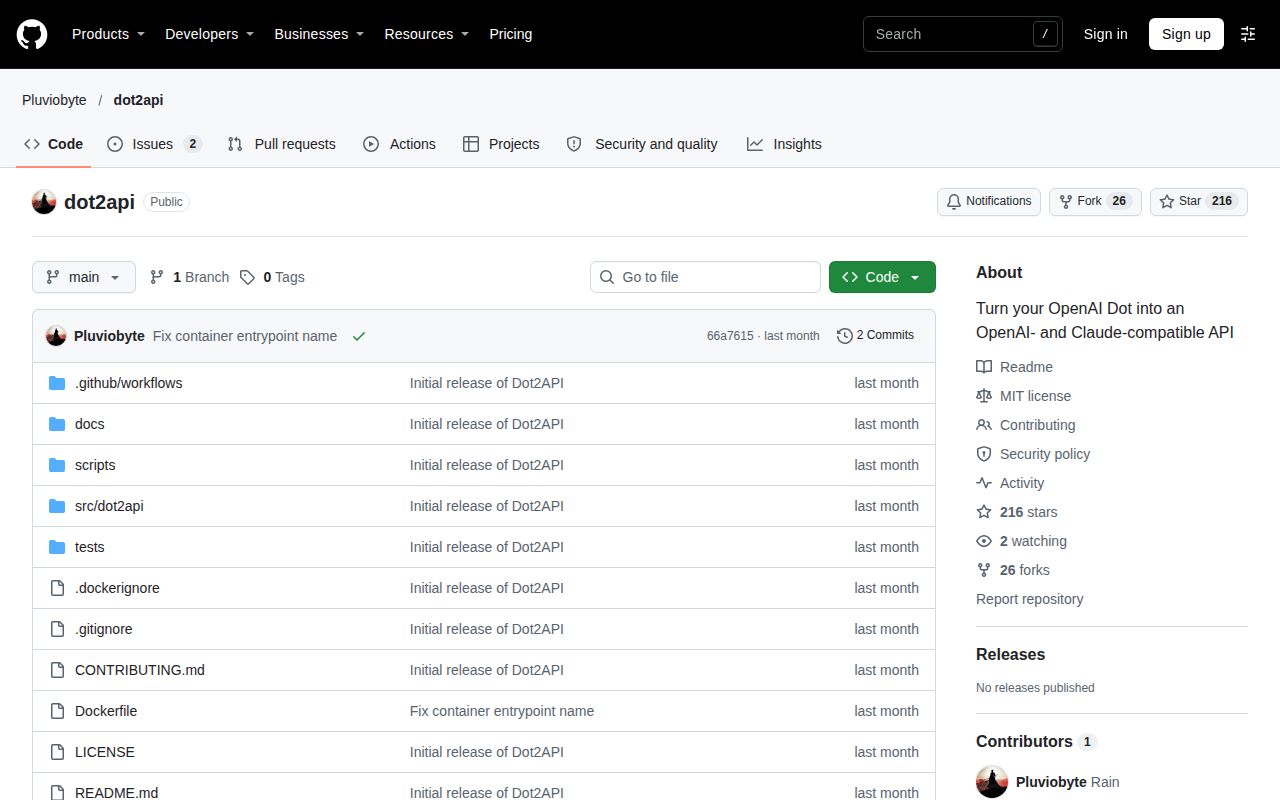
Issue #2 requests a WeCom adapter for submitting work in direct or group chats and receiving the answer in the original conversation. The requester proposes an optional component around the existing asynchronous task API, keeping the gateway's task core general. That places the requested integration outside the gateway's basic request-and-result exchange. The detailed requirements appear in the troubleshooting section below. WeCom adapter request.
What happened when we ran it
Our November 14, 2026 Compose run deployed commit 66a761505ff7 with every port bound to 127.0.0.1, then stopped at a missing recipe adapter. The deployment record identifies the commit and network binding, while the recipe failure identifies the stopping point. These records describe a deployment attempt separately from the source installation, build and test checks below.
| Hands-on stage | Recorded outcome | Meaning |
|---|---|---|
| Compose deployment | Successful in 16 seconds | Deployment-step timing, separate from source installation |
| ollama-connect | Reported ok | Harness step label |
| model-pull | Digest verification and a 4.7 GB pull at 122 MB/s appear in the truncated extract, alongside 0s entries | Model-download output recorded by the harness |
| Healthy step | Reported ok in 418.5 seconds | Readiness-step timing |
| Generic recipe | FAILED: no runnable adapter yet for recipe generic | Recipe execution stopped |
| Memory at idle | Container and total both recorded 0 MiB | Recorded memory reading |
| Memory after the questions | Container and total both recorded 0 MiB | Recorded memory reading under that harness label |
| Teardown | Reported ok | Cleanup step completed |
The stage records are deployment, ollama-connect, model pull, healthy, recipe failure, idle memory, later memory and teardown. The Ollama-related names are harness labels; upstream describes a gateway whose worker is a Dot. The 16-second deployment stage and 418.5-second healthy stage are separate recorded steps.
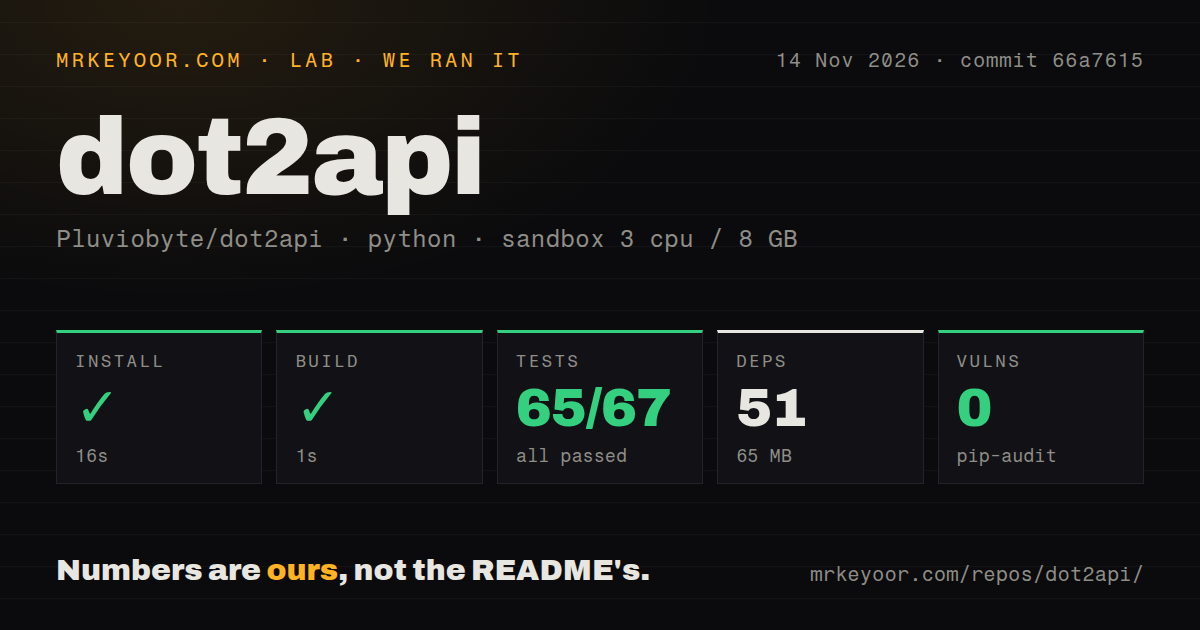
Our source-harness run used commit 66a7615 on November 14, 2026. Its recorded sandbox configuration was 3 CPUs, 8 GB RAM and image ghcr.io/astral-sh/uv:python3.12-bookworm. We measured installation, build and test-command durations separately from the Compose readiness step. That separation keeps the one-second build result distinct from the 418.5-second healthy step and from the generic recipe's missing-adapter failure.
| Source-harness check | Our recorded result |
|---|---|
| Installation | Succeeded in 16 seconds; 51 dependencies; 65 MB on disk |
| Build | Succeeded in 1 second |
| Test command | Failed, exit 1, in 8 seconds |
| Pytest summary | 65 passed, zero failed assertions, two collection/setup errors of 67 |
| Dependency audit | pip-audit reported zero known vulnerabilities |
| Repository scan | 39 files, about 3,058 source lines, 0.4 MB checkout |
| Development signals | One CI workflow file, Dockerfile, Compose file and tests directory |
The test log names tests/test_compat.py and tests/test_http.py. Both errors say Starlette's test client requires the httpx2 package and print pip install httpx2. The outer test step took 8 seconds; pytest's own summary says 65 passed, 2 errors in 5.07s. The recorded failure is a test command ending with two collection/setup errors and zero failed assertions, rather than a failing gateway-response assertion.
Where people get stuck
A server-side 504 leaves the task queued until its deadline, while a caller disconnect cancels it. The API reference distinguishes these outcomes and includes a task ID in the timeout error. The connection guide directs operators to inspect subscriptions and deliveries for queued work. A running task has already been claimed, so it calls for a different investigation into completion or lease expiry.
| Symptom or request | Evidence | Useful response | Status in the supplied records |
|---|---|---|---|
| ChatGPT cannot connect to the MCP server | Issue #1 asks whether a non-443 port works | Inspect the public HTTPS endpoint and connector separately from callback destinations | Open, zero comments |
| A wakeup has no task data | Connection guide documents payload-free wakeups | Tell the Dot to list queued tasks whenever it wakes | Documented workaround |
| Work is missed after an outage | Subscriptions have no historical replay | Scan the queue after reconnecting and renew subscriptions before expiry | Documented operating requirement |
| Server returns 504 | API reference includes a task ID after the completion timeout | Retain that ID and retrieve the task later, or submit asynchronously | Documented recovery path |
| Caller disconnects first | API reference says the task is cancelled | Set client and proxy deadlines deliberately | Different behavior from a server-side 504 |
| WeCom bot requested | Issue #2 proposes an optional adapter | Build around asynchronous task submission and result retrieval | Open request, zero comments |
Issue #1 reports that ChatGPT cannot connect and asks about a non-443 port. The documented port-443 rule applies to event callback destinations. A Dot reaching the MCP endpoint and the gateway delivering an event to a callback are different directions of communication. The issue's question concerns the first connection, while the callback rule describes the destination used for event delivery.
The requester in issue #2 proposes two-way WeCom messaging, conversation isolation, message-ID deduplication and trusted-user restrictions. The adapter would acknowledge receipt quickly, submit an asynchronous task, and return its result to the original sender or group. The request also covers failures, timeouts and reply-window restrictions. It says an ordinary group webhook's one-way push cannot cover this interaction, making the proposal a concrete checklist for the surrounding bot integration.
One process and an expiring subscription shape daily operation
Upstream documents one service process per database on a local persistent filesystem, and subscriptions lasting at most 24 hours unless renewed. The deployment guide specifies the storage model, while the connection guide expects renewal before refreshBefore. An operator therefore maintains both the persistent queue and the subscription that wakes its worker, alongside the HTTPS endpoint and credentials used to connect them.
Queue age is a practical signal because incoming requests wait when callers submit faster than the Dot answers. Upstream recommends monitoring readiness, disk usage, dead deliveries, queue age and lease failures. It supplies status and audit commands, while assigning metrics collection and storage retention to external procedures. Those operating tasks belong alongside HTTPS configuration and backups when estimating the work required to maintain the service.
The standing instructions tell the Dot to list queued tasks because wakeups can arrive without event data. After an outage, the connection guide calls for a queue check because historical events are not replayed. Leases protect gateway state rather than undoing actions: the architecture evidence says executors must make external effects independently idempotent. A task that sends a message or changes another system needs its own duplicate protection.
API keys carry the Dot's connected-app risk
Anyone holding an API key can prompt a Dot that may have access to connected apps. The README warning says to issue keys only to callers trusted as much as the owner. The connection guide's instruction template distinguishes API callers from the owner and tells the Dot to answer as text without using connected apps or making changes on their behalf.
Caller keys and the restricted Dot token have separate roles. The calling application keeps its caller credential, while the connector receives the Dot token. When a connector cannot send an authorization header, an explicitly enabled capability URL places the token in the endpoint path. The deployment guide requires redaction of those paths in proxies, monitoring, traces and error reporting. The API also rejects browser-origin requests.
Backups need the database and its original encryption key. Upstream says a replacement key cannot decrypt existing callback secrets. Its restoration procedure warns that restored state may replay events already delivered, requiring consumers to deduplicate them. Preserving the key and handling repeated events are part of restoration, alongside stopping the service, restoring files with appropriate permissions, checking readiness and renewing expired subscriptions or credentials. Backup and restoration instructions.
English documentation covers setup and recovery
The repository has an English README, a Simplified Chinese counterpart and dedicated connection, API, deployment and architecture guides. The documentation index gives English readers routes into the worker loop, request behavior and recovery procedures. The two supplied GitHub issues are written in Chinese and describe a connection complaint and a requested WeCom integration, respectively, rather than replacing the project's English operating documentation.
Those documents serve different purposes. The README explains the gateway and its compatibility rules; the connection guide supplies standing instructions for the Dot; the API reference defines timeout and disconnect behavior; and the deployment guide describes backups and operations. Reading them together resolves questions that the short description leaves open, particularly how queued work resumes after an outage and which secrets a restored installation needs.
dot2api vs model gateways, workflow builders and terrahour
Choose dot2api when the worker must be your personal Dot; choose a model gateway when the requirement is access to model providers. Workflow orchestration is another decision: an application may need scheduling, conversation routing or other steps around the gateway request. The alternatives below address those different jobs. The choice follows the application's worker and workflow requirements rather than a numerical ranking of projects with different purposes.
| Comparison people encounter | Why consider dot2api | Why choose another route |
|---|---|---|
| Web-interface reverse-engineering 2API gateways | Upstream says dot2api uses public MCP and never handles OpenAI account credentials | Choose the interface and worker required by the application |
| A model endpoint for coding agents or live chat | A personal Dot performs queued text work | Model-style tool calls and token-by-token output require another backend |
| terrahour | An automated comparison places the projects together | That page declares no winner and supplies opinion labels rather than a workflow choice |
| LiteLLM | dot2api routes work to a personal Dot | LiteLLM provides model-provider access through an SDK or proxy |
| n8n | dot2api supplies the Dot-facing gateway | n8n provides a visual workflow canvas with custom code and self-hosted or cloud operation |
LiteLLM provides an SDK or proxy for calling model providers through a unified interface. Its README describes direct Python integration and a centralized gateway. n8n combines a visual workflow canvas with custom code and self-hosted or cloud operation. Its README describes a fair-code workflow platform. n8n addresses orchestration, while LiteLLM addresses provider access. The supplied terrahour comparison calls its verdict an opinion and declares neither project a winner.
What the other reviews get wrong
Pluvio9yte's launch post calls dot2api completely safe and ban-proof, while the README warns about API-key access to a Dot's connected apps. The launch post supplies the absolute claim; the project warning gives readers a concrete reason to restrict callers. Public MCP use explains the integration mechanism, but connected-app permissions still affect what a caller can ask the Dot to do.
The guide on 高效码农 explains the gateway and its automation fit. Its durable-queue discussion benefits from the operating details in upstream's documentation: subscription renewal, queue reconciliation after outages, preservation of the original encryption key, and independent duplicate protection for external effects. These details turn a broad reliability description into procedures an operator can use. Editorial guide, architecture evidence, deployment and recovery.
Trendshift records 141 additional stars and 26 additional forks across its October 6 to November 14, 2026 window, with zero merged pull requests recorded in that period. Those figures describe attention and repository activity. The supplied GitHub metadata records a last push on October 6, 2026. These dated observations concern repository activity, separately from the source-harness results and the author's proposed automation use cases. Trendshift snapshot.
Questions people ask
Use dot2api for trusted text jobs that must reach your personal Dot; choose another backend when clients require token streaming or model-style tool calls. The gateway queues each request and returns the Dot's completed answer through a compatible endpoint. Operating it requires a public HTTPS connection, separate caller and worker credentials, and a subscription that wakes the Dot. The questions below cover that setup and the requested WeCom integration.
How can I use Dot outside its own interface through an API?
dot2api accepts text through Chat Completions and Anthropic Messages endpoints and returns the Dot's completed response. The documented setup uses a caller credential, a public HTTPS MCP connector authenticated with the Dot token, and a subscription to the queue. Standing instructions tell the Dot to list, claim and complete work. The README also lists asynchronous submission and result retrieval for applications organized around task IDs.
Could dot2api include a lightweight WeCom bot adapter or integration example?
Issue #2 requests an optional two-way WeCom adapter using the asynchronous task API; the captured request is open with zero comments. Its proposed scope connects chat messages to gateway tasks and returns the completed answer to the originating conversation. The detailed integration checklist is in the troubleshooting section above. This is a contributor's feature request, distinct from the gateway's documented task endpoints. WeCom request.
What problem does dot2api solve?
dot2api lets an existing API client submit text work to a personal Dot through familiar request formats. The gateway stores each request as a task and uses MCP Events to wake the worker. The Dot then claims and answers it over MCP. This provides an API entry point for the personal assistant described by the project overview, with the gateway handling the request exchange.
How does dot2api work under the hood?
Each compatible request becomes a persisted task, and an event wakes the Dot to claim and complete it. The documented worker loop retains a lease token for completion, while the response layer returns the result in the caller's dialect. SQLite persists the task state. The architecture extract describes the atomic claim, attempt counter and lease credential that control which worker can renew, release or complete a task.
How do I connect my Dot to dot2api?
Expose the MCP endpoint over public HTTPS and authenticate the connector with the Dot token. Ask the Dot to watch task.available on the configured queue, then give it instructions to list, claim and complete tasks. The connection guide supplies that sequence. The transport contract says ordinary MCP tool clients need polling unless they also implement Events, so tool support alone supplies a different interaction pattern.
What we have not tested yet
The supplied hands-on run contains no completed Dot task, checked answer, latency distribution or sustained-load result. Its missing recipe adapter stopped task execution, and its zero-memory readings cannot size a deployment. The Ollama-related steps do not demonstrate a working model integration. The pack contains no screenshot records or known-answer question records, so it supplies neither a visual walkthrough nor answer-quality measurements.
The source harness completed installation and build at commit 66a7615, but the test command ended with two collection/setup errors. No corrected dependency installation or rerun is supplied. The configured image label does not establish the actual Python runtime or operating-system version. The zero-vulnerability pip-audit result concerns its dependency audit rather than an application security review. The supplied metadata does not establish a latest release; its null value may reflect a failed lookup.
The evidence also leaves independent completed automations, a working WeCom adapter, connector behavior across hosts, repeated subscription renewal, outage recovery and backup restoration unassessed. Issue #1 contains no diagnosed cause or resolved fix. The two issue records do not establish overall support language or responsiveness. Ban immunity and an actual ban incident are both unsupported. The broader assistant-comparison questions lack primary feature comparisons, and rendered layout and resolved links were outside this text-and-evidence review.
The useful next run is a checkable text task through a real Dot, followed by result retrieval after a deliberate server-side timeout. A recovery exercise should then reconnect the worker, reconcile queued work and check duplicate handling for any external action. Those steps would address the gaps that matter to the deployment decision while keeping the existing installation, build and test results intact.