This is GitHub's production documentation, not a starter kit
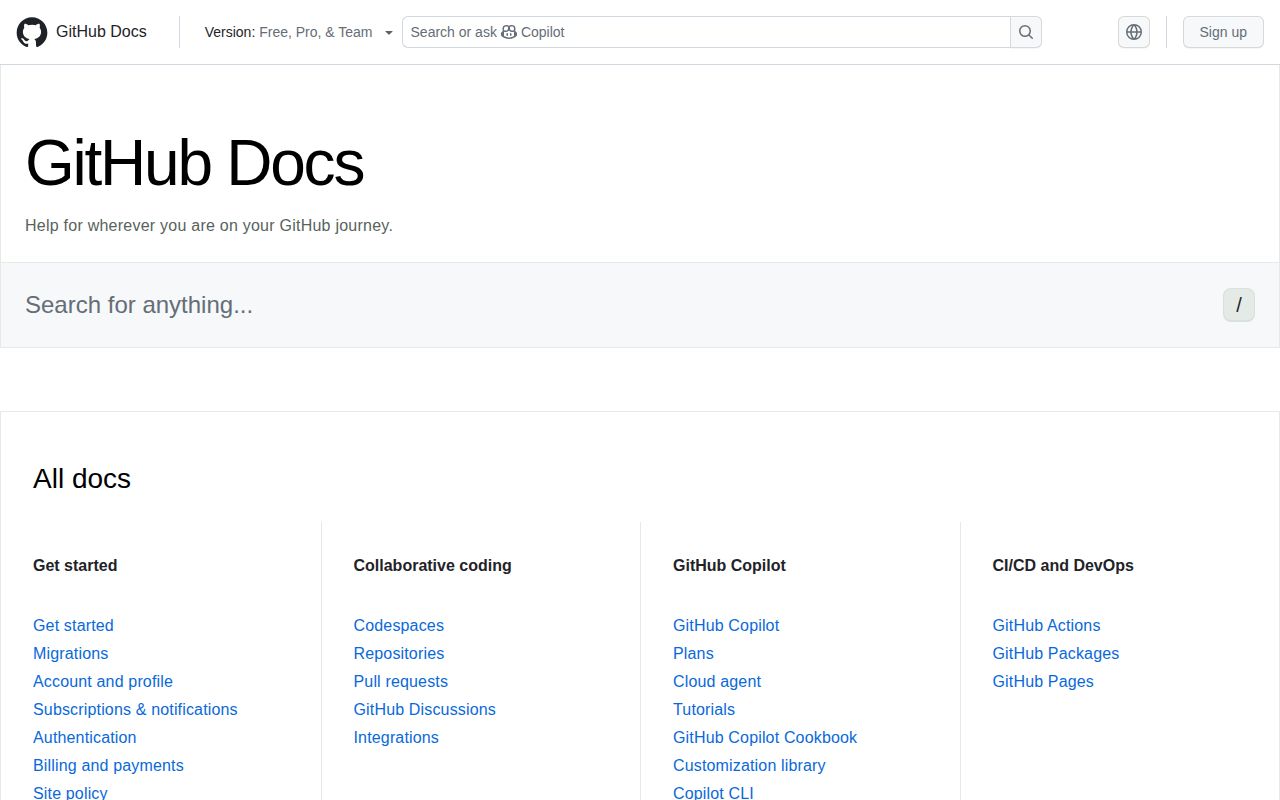
GitHub Docs contains the public material and application behind docs.github.com. Its Markdown content sits beside TypeScript rendering code, product data, link checkers, API generators, search tools, and publishing workflows. The repository is useful when you need to correct GitHub's instructions or understand how its documentation system works. It is a poor foundation for a new docs website because almost every convention is tied to GitHub products, GitHub Enterprise versions, and GitHub's editorial process.
Scale changes the nature of local work. The commit we tested contained 13,454 files and roughly 148,084 lines of source in a 688.3 MB checkout. The package scripts cover content linting, translations, REST and GraphQL reference generation, CodeQL data, link validation, search indexing, release banners, and more. A team copying this repository would inherit a large amount of machinery that describes GitHub's organization rather than its own documentation needs.
Public contributors can edit content, not the site machinery
The project uses 2 repositories in a synchronized arrangement. github/docs is public, while github/docs-internal handles GitHub employee contributions. The README says outside contributors may change Markdown under content and selected data such as reusable text. Infrastructure files, workflows, and site-building code are excluded from public modification. That is a clear security and ownership boundary, but it means an external developer cannot treat every visible problem as an open coding task.
The contribution guide narrows acceptable prose work too. Technical corrections, grammar fixes, expanded explanations with a compelling reason, and important missing content are welcome. Edits made only for tone, readability, or efficiency are not currently accepted. Contributors should begin with an issue when scope is uncertain, use the repository templates, and expect subject matter review for product claims. A small typo can be edited from the page, while larger work benefits from a fork or Codespace.
What happened when we ran it
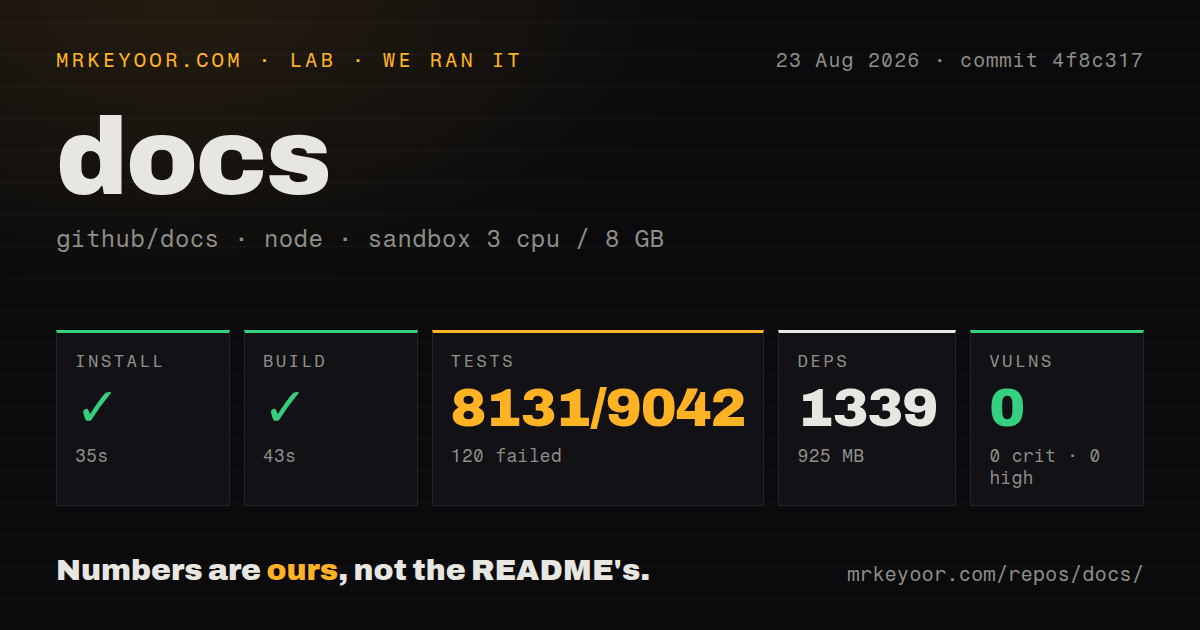
Our sandbox installed 1,339 npm packages in 35 seconds, leaving 925 MB of dependencies on disk. The production build succeeded in 43 seconds. npm audit reported 0 known vulnerabilities across critical, high, moderate, and low severities. The result shows that a clean Node 22 environment can compile the site without credentials, even though the repository itself is much larger than a typical documentation project.
The full Vitest command did not pass. It ran for 249 seconds and reported 8,131 passing tests, 120 failures, and 791 skips out of 9,042. The final summary counted 51 failed test files, 257 passed files, and 9 skipped files. It also recorded one error while src/codeql-cli/tests/test-circular-links.ts was running. The supplied log tail does not identify a single common cause for the 120 failed cases, so we cannot reduce this to one missing package or service.
Vitest then said closing timed out after 500 ms because something prevented its Vite server from exiting, although the tests closed successfully afterward. That message is separate from the failed assertions and does not explain them. For a prospective contributor, the practical conclusion is simple: our build was green, while the complete test command was not. Run the checks relevant to your content area and document any remaining full-suite failures in a pull request instead of claiming a clean local baseline.
The local footprint is about 1.6 GB before caches
The 688.3 MB checkout plus 925 MB dependency tree puts the basic working copy near 1.6 GB, before build output and tool caches. Installation itself was quick at 35 seconds in our container, but cloning, indexing, and editor search will feel different from a small Markdown site. The repository has 96 CI workflow files and no top-level directory literally named tests, even though Vitest discovers thousands of tests under feature directories. Layout signals matter more than a conventional folder name here.
Platform details also show the cost of the content tree. The Windows guide calls out CRLF-safe regular expressions, cross-platform path handling, limited Bash availability, and Git's 260-character filename limit. A Codespace can remove some machine-specific setup, but it does not simplify the repository's content model. Developers working locally should use the Node version declared by the project and resist running every specialized script unless their change needs it. Several scripts name Elasticsearch, translation sources, early-access content, or internal synchronization inputs.
The dual license separates code from published writing
Code is under MIT, while documentation and material in assets, content, and data use Creative Commons Attribution 4.0. That distinction matters if you want to borrow implementation ideas or republish prose. The repository's top-level GitHub metadata reports CC-BY-4.0, but the README explains the separate code license. Anyone reusing a piece should inspect which directory it comes from and preserve the required license and attribution rather than assuming one license covers all 13,454 files.
For a new documentation site, Docusaurus, Material for MkDocs, and Starlight start with reusable navigation, themes, and authoring conventions. GitHub Docs makes sense as a reference when your problem resembles GitHub's: many product versions, generated API references, reusable fragments, strict links, and a large editorial operation. Even then, study individual ideas instead of forking the whole application. The private and public repository sync alone reflects an organizational structure most teams do not have.
Daily pushes matter more than the 2023 release tag
GitHub showed a last push on August 25, 2026, 20,730 stars, and 110 open issues and pull requests. Recent activity included corrections for Actions syntax, billing behavior, Copilot configuration, and stale supply-chain documentation. The latest tagged release is v1.0.1 from February 2023, but that old tag is not evidence that the live documentation repository is abandoned. The push date and current issue and pull request traffic show ongoing work without a release-driven distribution model.
Use GitHub Docs when the intended output is a better page on docs.github.com. The 43-second build proves a local preview is attainable, while the 120 failing tests warn that reproducing GitHub's entire validation environment is a larger job. Keep contributions within the public content boundary, cite observable product behavior, and use a purpose-built docs framework if the real goal is publishing documentation for your own software.