DevSpace gives ChatGPT a shell on your machine
DevSpace turns a local project into an MCP workspace. Once connected, ChatGPT can read and edit files, search the checkout, run tests or builds, inspect Git, and show a review of its changes. The owner selects allowed roots during setup. A client opens one project within those roots and receives a workspace identifier for later tool calls. Managed Git worktrees can keep an agent's changes away from the active checkout.
The product also supports local coding agents without the ChatGPT server path. Release v1.0.8 added an on-demand daemon for subagents and native runtime support for Codex app-server, Claude Code, OpenCode, Pi, Cursor ACP, Copilot ACP, and Grok Build ACP. Sessions can survive CLI and MCP restarts, and the CLI can list targets, continue a previous agent, or return compact JSON. That is useful for people who already switch among several coding tools.
The allowed-root list does not contain shell commands
DevSpace's security guide is unusually direct: treat the service as remote access to the development machine. File tools validate that requested paths stay inside configured roots. The shell tool is different. Commands run locally and can do what the service's user account can do. Managed worktrees reduce accidental edits, but the guide says they are a workflow boundary rather than a security boundary.
That distinction should drive deployment. Run DevSpace under an account with no production credentials, keep allowed roots narrower than a home directory, and put identity controls in front of the tunnel. The documented OAuth flow requires owner approval, while host headers derive from the configured public URL. None of those controls makes an approved AI client's shell harmless. A prompt mistake or compromised client can reach whatever the operating-system account can reach.
What happened when we ran it
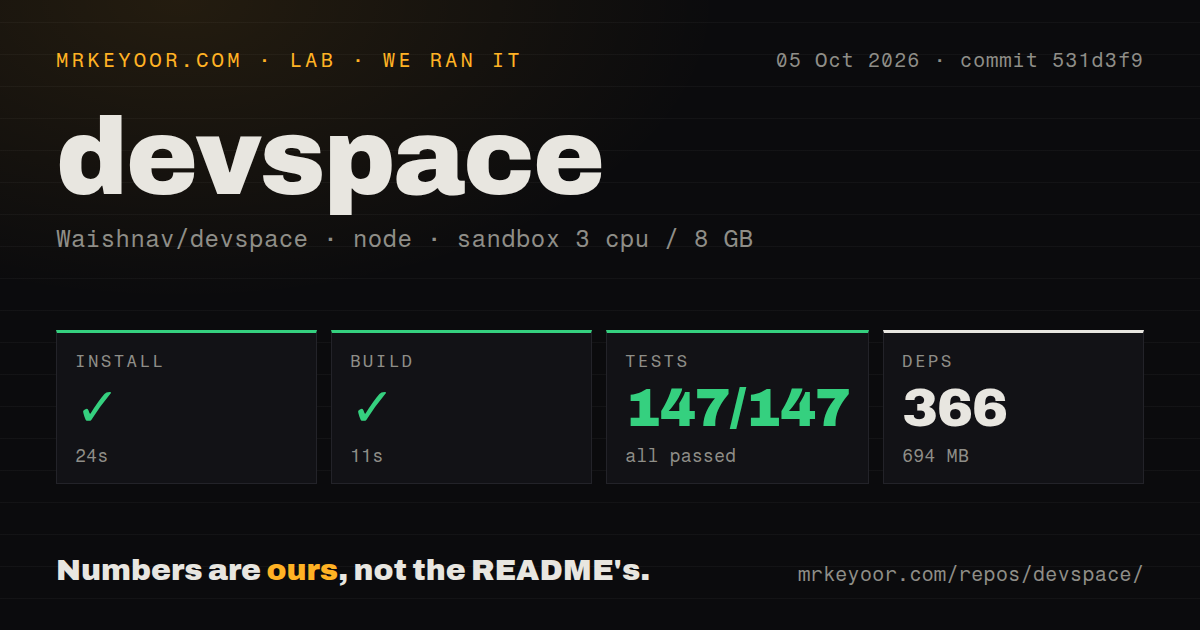
Our sandbox installed commit e4ef989 in 28 seconds, adding 281 npm packages and consuming 975 MB. The build succeeded in 11 seconds. Node's test runner then passed all 6 available tests in 95 seconds with 0 failures. The checkout contained 168 files, about 27,617 lines of source, and occupied 2.8 MB before dependencies.
Npm audit reported 14 known vulnerabilities: 6 high severity, 7 moderate, and 1 low, with none marked critical. Those findings apply to the dependency tree installed in our stated sandbox. They do not prove an exploit against the MCP endpoint, but they are enough to require advisory review before exposing the service through a public tunnel. Our scan found 1 CI workflow file, no Dockerfile, and no tests directory, although the available test command did execute 6 tests successfully.
ChatGPT setup adds a tunnel, OAuth, and one persistent secret
The CLI requires Node 22.19 or newer and below 27. devspace init asks whether the user wants ChatGPT, coding agents, or both. The ChatGPT route also asks for local project folders and a public HTTPS origin supplied by Cloudflare Tunnel, ngrok, Pinggy, Tailscale Funnel, or another reverse proxy. The origin is configured without /mcp; clients connect to the same origin with /mcp appended.
Owner approval uses a password generated during initialization and stored in ~/.devspace/auth.json. The security guide recommends another identity layer in front of a public tunnel and warns that the tunnel URL is not a secret. Logs include requests and tool calls by default, while shell command previews are off unless explicitly enabled. Keeping them off is sensible when commands may contain credentials. Native artifact download is opt-in and, in the current documentation, its secure publication path is Linux-only.
Windows works through Bash, not native PowerShell
Linux and macOS have direct support. Windows is supported through Git Bash, WSL, MSYS2, or Cygwin, with Git Bash described as the simplest native option. PowerShell-only and cmd.exe-only setups are not supported. The devspace doctor command checks the local runtime, and the troubleshooting guide covers native better-sqlite3 rebuilds, changed tunnel URLs, rejected OAuth redirect hosts, and lost workspace identifiers.
The 975 MB installed footprint is substantial for a 2.8 MB checkout. It is still manageable on a developer workstation, but global installation spreads that dependency tree into a privileged daily environment. Running through npx avoids a permanent global command, though it does not remove the code's authority once the server starts. Pin the package version and retest the connector after upgrades that change tool descriptions, session behavior, or provider runtimes.
Session cleanup has an open high-churn limit
Open issue 256 documents a production-equivalent v1.0.7-based run where ChatGPT reconnect churn outpaced the 24-hour idle cleanup. The reporter observed 3,904 current sessions, a peak of 4,134, and a physical footprint above 3.2 GB before restart. The report explicitly does not claim that retention causes every timeout, and it had not reproduced the same run on v1.0.8. Its narrower point is credible: an age limit is not a fixed capacity bound.
Issue 140 separately reports DevSpace disappearing after the first ChatGPT interaction in a conversation. That symptom may have another cause, so combining the two into one diagnosis would be careless. Together they make long-lived ChatGPT use worth testing with the exact host and tunnel you intend to run. For personal, supervised sessions, a restart and reconnect may be tolerable. A shared service needs memory monitoring and a defined recovery procedure.
August activity is fast, with 61 issues and PRs open
GitHub showed 4,272 stars, 61 combined issues and pull requests, and a last push on August 29, 2026. Release v1.0.8 arrived on August 25 with the new agent daemon, persisted provider sessions, and clearer diagnostics. Open discussion continued on August 30, including bounded multi-file reads and session retention. This is active development, not a quiet maintenance branch.
DevSpace makes sense when the desired interface is specifically ChatGPT and the operator understands that MCP approval grants meaningful local power. The passing 6-test run is a good baseline, while 14 dependency advisories and an unresolved high-churn memory report keep it out of unattended shared infrastructure for now. A dedicated low-privilege account is the minimum sensible boundary.