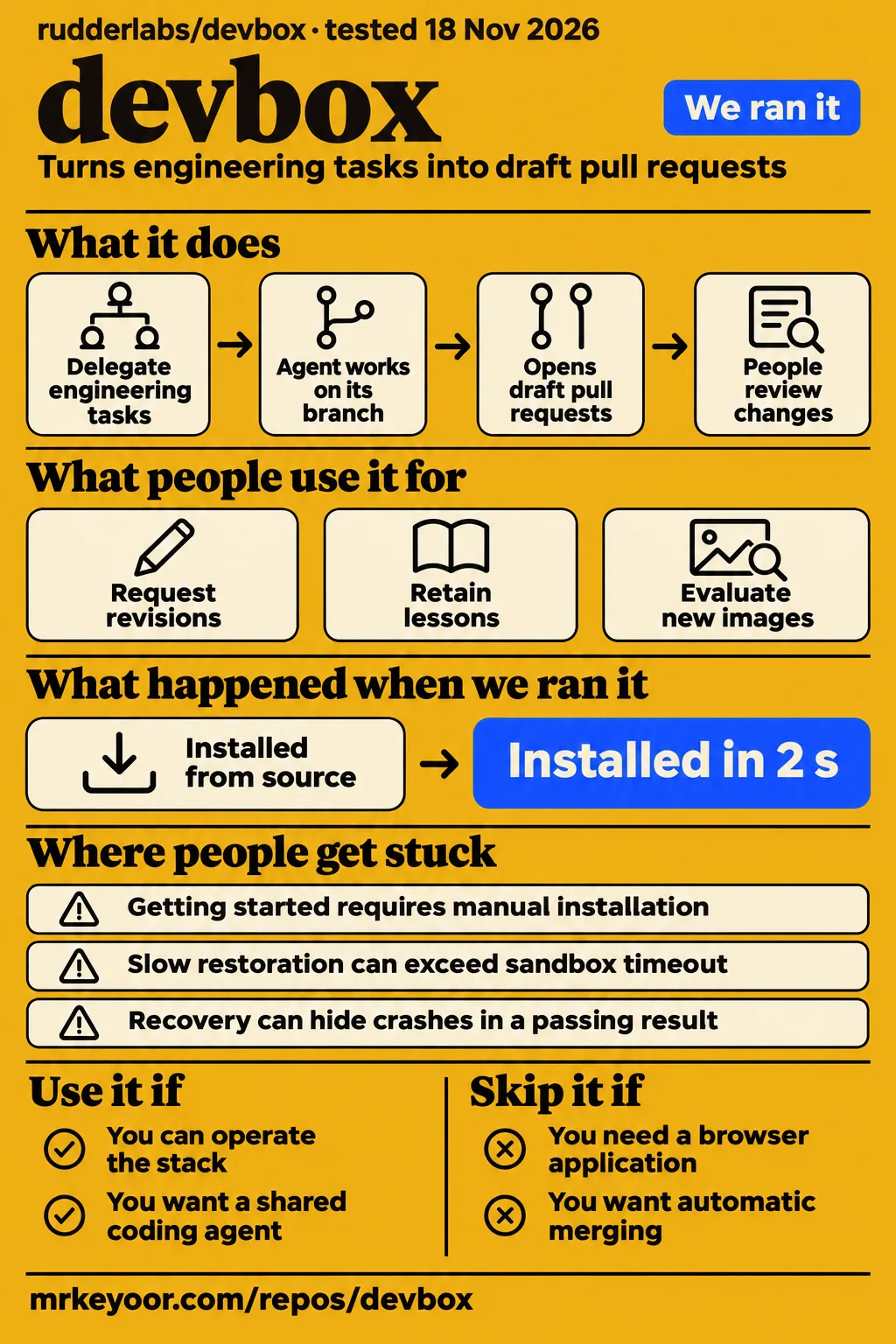
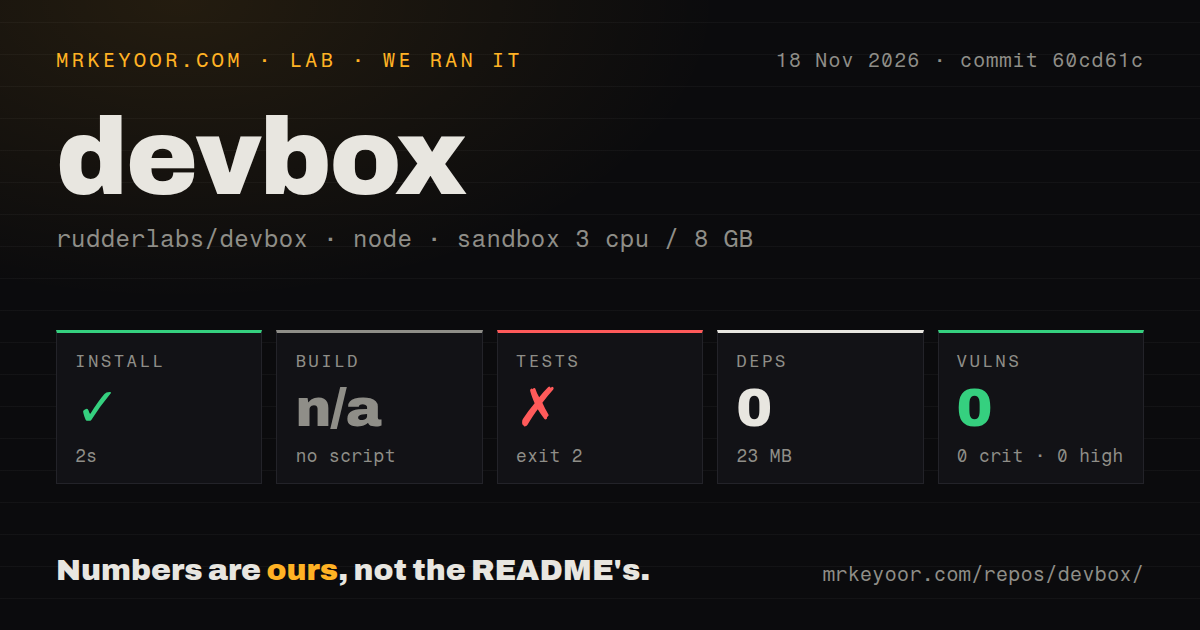
RudderStack DevBox turns delegated engineering tasks into draft pull requests on infrastructure you control. Use it if your team wants a shared coding agent and can own its deployment and review its output. Skip it if you want a browser login, automatic merging, or a development shell. Our npm install completed in 2 seconds, but the test command stopped at uv: not found. Our separate deployment attempt stopped at a Compose-file safety check.
What people use devbox for
RudderStack's team reports using DevBox to turn assigned work into draft PRs, revise those PRs, and preserve feedback for later tasks. These are accounts from the maker, with specific workflows worth examining before accepting the headline results. The use cases connect task delegation to the work that follows: reviewing changes, requesting revisions and deciding whether a lesson belongs in the repository.
| Who used it | Work they describe | Reported outcome |
|---|---|---|
| RudderStack's team, described by rudderstackdev on r/developersIndia | Delegate engineering work across repositories | The post reports six months of use and roughly one-third of PRs across 66 repositories. Maker's account |
| RudderStack's reviewers, described in the same thread | Mention the bot on a PR with requested changes | The running task adds commits to the same PR, then stores lessons in a separate knowledge commit. Feedback discussion |
| DevBox's author on r/LangChain | Run Deep Agents inside disposable sandboxes | The author describes persistent task volumes and resuming from a checkpoint after a pod dies. Architecture account |
| DevBox's development team, described by rudderstackdev | Compare new images against repeated golden tasks | The team manually compares outcomes, token usage, failures and evidence gaps. Evaluation discussion |
The feedback workflow is the most persuasive reason to consider it. A ticket produces a reviewable change, and your correction stays attached to that task. The README says the resulting knowledge lives in the repository, where a person can review it alongside code. That is a useful fit for teams whose conventions already live in AGENTS.md, CLAUDE.md, or .agents/knowledge/. It also gives the reviewer another artifact to inspect: an incorrect lesson can influence later work.
What happened when we ran it
Our November 18, 2026 sandbox run at commit 60cd61c completed npm installation in 2 seconds, then failed its test command in 1 second with exit 2. The configured sandbox had 3 CPUs, 8 GB RAM and image label lab-node:22. The release page identifies 60cd61c as the commit for v0.2.0.
| Recorded check | Result | What it tells you |
|---|---|---|
| npm install | Succeeded in 2 seconds; 0 dependencies recorded; 23 MB on disk | The recorded npm step completed |
| Build | Skipped: no build script or target | There is no successful build result to report |
| Tests | Failed, exit 2, in 1 second | The command stopped at the harness stage |
| npm audit | 0 known vulnerabilities in the recorded result | This is the npm audit result for this run |
| Repository scan | 753 files, approximately 138,089 source lines, 13.5 MB checked out | This describes the measured checkout |
| Structure signals | 8 CI workflow files; no Dockerfile or tests directory detected | These are scanner observations, rather than a complete inventory of nested components |
The test command entered harness and ran make test. Make invoked uv run python3 -m unittest discover -s tests -t . -p "test_*.py" -v. The shell returned /bin/sh: 1: uv: not found, followed by Make error 127. The outer command exited 2. Its later control-plane, CLI and chart checks were behind &&, so this failure stopped that command chain. The log identifies a missing executable at the harness stage.
The separate hands-on attempt failed its safety check because none of compose.yaml, compose.yml, docker-compose.yaml, or docker-compose.yml existed where the check looked. The error's phrase "unsafe repo" is the runner's classification under its Compose-file rule. The detailed record names that failed prerequisite as the stopping point.
That attempt contains conflicting records: its generic run label says it deployed with its own Docker Compose and bound every port to 127.0.0.1, while the detailed step records a safety failure. The detailed failure is the outcome used here. Teardown reports ok. Both the generic label and the failed step remain part of the record.
Where people get stuck: bootstrap and CI feedback
Issue #26 describes a manual bootstrap before quickstart, and issue #10 describes missed failure feedback from CI providers other than GitHub Actions. Both issues are open in the supplied records. They identify two separate operating jobs: preparing the host before startup and carrying a failed build back to the agent after it opens a PR.
| Report | Status in the evidence | Practical response |
|---|---|---|
| #26: one-line installer | Requested, still open | Install prerequisites and clone the repository before running quickstart |
| #10: other CI providers | Proposed check-run and commit-status support, still open | Paste the failed build into a PR comment mentioning DevBox |
| #11: Jira intake | Maintainer reports Jira Cloud shipped in v0.2.0; closed | Use bun run jira:setup |
| #9: ClickUp intake | Maintainer reports ClickUp shipped in v0.2.0; closed | Use bun run clickup:setup |
| #8: self-managed GitLab | Closed issue extract lacks a resolution comment; v0.2.0 release supplies implementation evidence | Follow the GitLab setup documentation rather than the old mirroring workaround |
For a team using another CI service with GitHub, the manual comment is consequential. Someone still has to notice the red build and deliver its contents to the agent. The discussion in #10 proposes accepting results from allowed reporter accounts, but that remains a proposal in this record. GitLab pipeline feedback is a separate integration documented in v0.2.0.
Installation needs Docker memory and model credentials
The README requires Bun 1.4.4 or newer, make, openssl, Docker with 8 GB allocated to it, and Compose 2.13 or newer. It also requires an OpenAI or Anthropic API key and, for GitHub use, a token or an authenticated gh session. Preparing those tools and credentials is part of the documented installation path, before asking the harness to work on a repository.
Follow the repository's manual quickstart: clone rudderlabs/devbox, choose repositories and a model in devbox.config.json, then run bun run quickstart. The current README says quickstart can ask for those choices when the configuration file is absent. Issue #26 asks for a one-line installer; its sample curl command is a proposal. The documented command to start the interactive setup is bun run quickstart.
The quickstart assumes macOS. Linux uses Secret Service through libsecret instead of macOS Keychain, and the README calls out Docker group membership. Task-source integrations need a public HTTPS webhook URL. The README warns that a free tunnel can receive a new address after restarting while Linear continues sending to the old address. It recommends a stable tunnel address and provides integration status commands.
Reported PR share comes from RudderStack's own use
RudderStack's launch post on X reports about 35% of its internal PRs and identifies DevBox as MIT licensed and runnable on your own machine or cloud. The r/developersIndia post describes roughly one-third across 66 repositories over six months. Those are maker-reported adoption results, attached to the team's own repositories and working practices. Launch post, team account
In the feedback discussion, rudderstackdev reports improvement from 79% to 91% over a month. The current README separately describes about an 80% merge rate. PR share, merge rate and the improvement chart are different statements from different source passages. The regional forum name, r/developersIndia, identifies where that discussion happened; it is not evidence of worldwide adoption or search demand. Feedback discussion, README
A human reviews the output, asks for changes and remains responsible for merging. The v0.2.0 release was published on November 12, 2026, and the sampled Jira and ClickUp threads contain maintainer closure notes naming that release. Those notes date the integration changes more precisely than the older issue bodies that describe manual ticket copying. Release, Jira closure, ClickUp closure
Recovery can hide crashes in a passing result
The author says DevBox's development evaluation required manually distinguishing clean passes from passes after recovery. A task that eventually finishes can otherwise look like one that never crashed. In the r/LangChain discussion, the author says automatic repeat runs and success-rate calculation were absent from that workflow. The team instead repeated golden tasks and compared individual reports. Evaluation account
For an image upgrade, that account suggests keeping a fixed set of representative tasks and recording the outcome, reviewer intervention, token usage and recovery history separately. A resumed run that delivers a useful patch has value, but it also involved a failure and recovery. Keeping those outcomes distinct makes the operating work visible to the person deciding whether to adopt the system.
The same author describes a cold start per task, with a fresh pod and a repository volume restored from a snapshot before fetching current code. They raised the sandbox creation timeout from 30 seconds to five minutes because restoration was slow. The five-minute figure is the configured creation timeout in the author's account; the described change gave restoration more time to finish.
Security routes credentials through a proxy
The README describes placeholder credentials inside the sandbox and iron-proxy inserting real credentials on outgoing requests. It also says GitHub writes are restricted to configured repositories, and PR comments are accepted only from trusted organizations and users, with the trust list empty by default. These are documented configuration boundaries that an operator can inspect. Project README
The README says model-relevant code goes to the configured LLM endpoint. Self-hosting describes where the harness runs, while the configured model endpoint receives the material needed for model requests. The README's statement that DevBox sends nothing to RudderStack concerns a different destination. An operator should identify the allowed repositories, trusted commenters and model endpoint when reviewing the deployment configuration.
Human ownership also appears explicitly in the README. DevBox works on its own branch, opens draft pull requests and leaves merging to you, with branch protection still applying. The knowledge commit belongs in that review alongside the implementation. It contains instructions and lessons that future tasks will read, so accepting it changes more than the current patch.
Devbox vs Jetify, Docker, mise and other agent harnesses
Jetify Devbox creates isolated development shells; RudderStack DevBox delegates engineering tasks and opens draft PRs. Decide which job you need before comparing features. The shared name brings together environment managers, cloud workstations and coding agents in the supplied search material. Identifying the repository owner makes the comparison useful before considering any individual feature.
| Search or alternative | What the evidence describes | Which decision it helps answer |
|---|---|---|
| RudderStack DevBox vs Jetify Devbox | Jetify defines packages for an isolated development environment | Choose Jetify when reproducing a project shell is the job. Jetify repository |
| Devbox vs Docker or devcontainer | An r/Nix commenter prefers a devcontainer matching the production Docker image and colleagues' existing tools | This is an environment-management choice discussed about Jetify. Community comparison |
| Devbox vs nix or nix shell | r/Nix commenters describe moving from Jetify's wrapper to direct Nix or flakes | Consider how much Nix configuration you want to own. Nix discussion |
| Devbox vs mise | mise describes dev tools, environment variables and tasks in one CLI | Consider mise for local tool and task management. mise README |
| langgraph-harness | Its author reports using local Qwen models; its README describes a self-hosted GitLab coding-agent platform | Compare it when GitLab work-item and merge-request workflows drive the choice. Author's account, langgraph-harness repository |
| Devbox vs sandbox | DevBox's author chose to put the full agent inside a sandbox | Compare architectural boundaries, persistent checkpoints and per-task cold starts. Architecture discussion |
| Devbox vs Windows 365 | The supplied article compares Microsoft Dev Box with Windows 365 | It concerns cloud workstations. Microsoft product comparison |
Which Devbox other reviews cover
The supplied iTechGuides and MobilesTalk reviews describe a development environment manager, a separate product from rudderlabs/devbox. Their descriptions concern Nix-based project shells and environment configuration. RudderStack's README instead describes delegated engineering work, draft pull requests and follow-up commits. The difference identifies which product a reader is considering; it does not show that either review misdescribes its own subject.
iTechGuides describes Nix-based project shells. MobilesTalk lists monthly tiers for a Nix environment manager. The separate devbox.gg site describes its own delivery orchestrator and run allowances. RudderStack's README identifies its code as MIT licensed. Keep those products and pricing references attached to their respective owners when comparing what it takes to operate each one.
What the other reviews get wrong
The v0.2.0 release documents Jira Cloud and ClickUp intake, so the older issue-body description of Linear and CLI/API as the only task sources is stale. That correction applies to the dated capability statement, rather than the unrelated environment-manager reviews. Maintainer closure notes also name v0.2.0 for both integrations. Jira closure, ClickUp closure, v0.2.0 release
The supplied GitLab issue and November 2 discussion are older evidence too. The v0.2.0 release explicitly describes GitLab cloning, branch pushes, draft merge requests and webhook follow-ups. That release supplies the implementation account missing from the closed issue extract. Its description replaces the old mirroring workaround when assessing the capabilities documented for v0.2.0.
Questions people ask
Clone rudderlabs/devbox and run bun run quickstart after installing the README's prerequisites; issue #26's one-line installer remains a request. Quickstart checks the configuration and required tools, then offers Docker Compose or a local kind cluster. The README also lets quickstart ask for repositories and a model when devbox.config.json is absent. README quickstart, installer request
Which Devbox does this review cover: RudderStack's harness, Jetify's environment manager, or Microsoft Dev Box?
RudderStack's harness is the subject here. The repository rudderlabs/devbox delegates coding tasks, while jetify-com/devbox creates isolated development shells. Microsoft's announcement describes cloud workstations. Identifying the owner alongside the product name keeps instructions and feature comparisons attached to the right software, especially when a search result uses the generic term devboxes. RudderStack README, Jetify repository, Microsoft announcement
How do I install rudderlabs/devbox, and is there a one-line installer?
Clone the repository and run bun run quickstart after preparing its prerequisites. Issue #26 requests a one-line installer and remains open in the supplied record. The README's manual path starts with cloning github.com/rudderlabs/devbox, then choosing repositories and a model or letting quickstart ask for them. Quickstart performs prerequisite checks and starts the selected stack. Installer issue, README quickstart
What prerequisites and Docker memory allocation does DevBox need?
The README specifies 8 GB for Docker, Compose 2.13 or newer, Bun 1.4.4 or newer, make, openssl and a model API key. GitHub operation also needs GitHub authentication. GitLab-only deployments use their own token requirements and need no GitHub token. The GitLab guide describes a group or project access token with the Developer role and the required API and repository scopes. README, GitLab documentation
How does DevBox's human feedback loop work?
The maker describes reviewers mentioning the bot on a PR, after which the same running task adds improvements as commits. Lessons go into repository knowledge files as a separate commit on that PR. A human still owns the PR. The account also says reviewers sometimes commit a trivial fix directly, while usually asking DevBox to make the change. Feedback account
Can I assign a Jira ticket to DevBox and receive progress and PR links there?
Yes, for Jira Cloud: the maintainer reports this intake shipped in v0.2.0. The README describes assignment to a service account, status changes, a draft PR link and comment replies. The release describes mentioning the bot in a comment to request changes. Setup uses bun run jira:setup, with the public webhook URL and a Jira administrator creating the webhook. Issue #11, v0.2.0 release, README
Can I delegate ClickUp tasks to DevBox?
Yes: the maintainer reports ClickUp intake shipped in v0.2.0, with bun run clickup:setup. The README describes assigning its bot, receiving the draft PR link in comments and using mentions for follow-ups. Setup creates the webhook through ClickUp's API at the deployment's public URL. The release also describes removing and re-adding the bot to start over. Issue #9, README, v0.2.0 release
Does DevBox support self-managed GitLab and merge request follow-ups?
Yes: v0.2.0 release notes document self-managed GitLab and gitlab.com, draft merge requests, bot mentions and failed-pipeline feedback. The GitLab guide describes replies in the note's thread and a deployment mixing repositories from both GitHub and GitLab. These release and documentation passages supply the current capability account alongside the older closed issue #8. v0.2.0 release, GitLab guide
Can DevBox automatically fix failed CI from providers other than GitHub Actions?
The supplied GitHub issue #10 still requests automatic feedback from other CI providers. Its workaround is a PR comment mentioning DevBox with the failure pasted in. The issue proposes handling failed check runs and commit statuses. GitLab's documented pipeline integration follows a separate path, where failed jobs' traces reach the running task through the GitLab integration. CI issue, GitLab guide
How does DevBox handle run-to-run variance and checkpoint recovery when measuring reliability?
Its author describes repeating golden tasks, comparing per-run reports and manually separating clean passes, recovered passes and failures. The discussion says a run that crashes, resumes and passes can look the same as a clean pass. Manual classification therefore formed part of the reported development evaluation, alongside reviewing token usage, failures and evidence gaps in individual reports. Evaluation discussion
How many repeated runs are enough to assess an agent's reliability?
The supplied discussion gives no settled sample size. Its author describes repeating the same tasks and comparing failures, token usage and evidence gaps, then asks how many runs others find sufficient. The useful procedure in that exchange is to retain individual outcomes and recovery history rather than collapse them immediately into one passing percentage. The author's illustrative tally remains an example. Author's reply
Does sandbox-as-tool shared state hold up with three or more subagents?
The DevBox author asks that question while describing the full-agent-in-sandbox choice. Their own architecture account puts the agent inside the sandbox and preserves task checkpoints on a volume outside the disposable pod. It describes replacing a dead pod and mounting the same volume to resume work. The question about shared state concerns the alternative architecture raised in that discussion. Architecture thread
How do local Qwen models perform in an engineering harness compared with hosted models?
The langgraph-harness author says a local Qwen model finds bugs in code written by hosted models. That is the author's reported experience with another harness. RudderStack's current README documents OpenAI and Anthropic APIs and conditions for a self-hosted Responses-compatible endpoint. The two passages describe model choices and one reported outcome, with different software and operating contexts. Model discussion, RudderStack README
What we have not tested yet
Our evidence stops before a completed deployment or a task-to-PR result, so code quality, elapsed task latency, model spend, operating memory and recovery reliability remain unassessed. The run supplies no completed checks of GitHub or GitLab webhook delivery, Jira or ClickUp intake, knowledge commits, concurrent tasks, Kubernetes deployment, or the credential proxy's resistance to attack. The npm audit's zero count covers its recorded result, not the security of the Python harness, Bun components, images or infrastructure. The image label alone cannot identify actual runtime or operating-system versions.
Supplied repository metadata records a last push on November 17, 2026; that timestamp alone does not establish maintenance quality. No independent adoption report in the supplied material validates the maker's PR-share or improvement figures. Their populations, evaluation periods and task selection are insufficiently reconciled to forecast another team's results. Self-hosting costs and total model spend are also missing. The five-minute creation timeout is not a measured startup duration. The supplied videos concern development environments or cloud workspaces and supply no RudderStack task-to-PR result.
The documented proxy design has no independent security test in this evidence. The generic deployment label conflicts with the detailed failed safety check and cannot support a completed deployment claim. The missing uv executable supplies no finding about generated-code quality. The shared-state question and local-Qwen anecdote supply no controlled comparison. Jira Server and Data Center are excluded by the release notes; the README limits a deployment to one ClickUp workspace. The GitLab guide lists batched reviews and approvals as signals among the features still absent.
The next useful check is one bounded task on the intended deployment, followed by a requested revision on the resulting PR. Record reviewer corrections, model usage and whether recovery occurred. That would exercise the loop described in the README and maker accounts: task intake, a reviewable patch, human feedback and a further commit on the same branch.