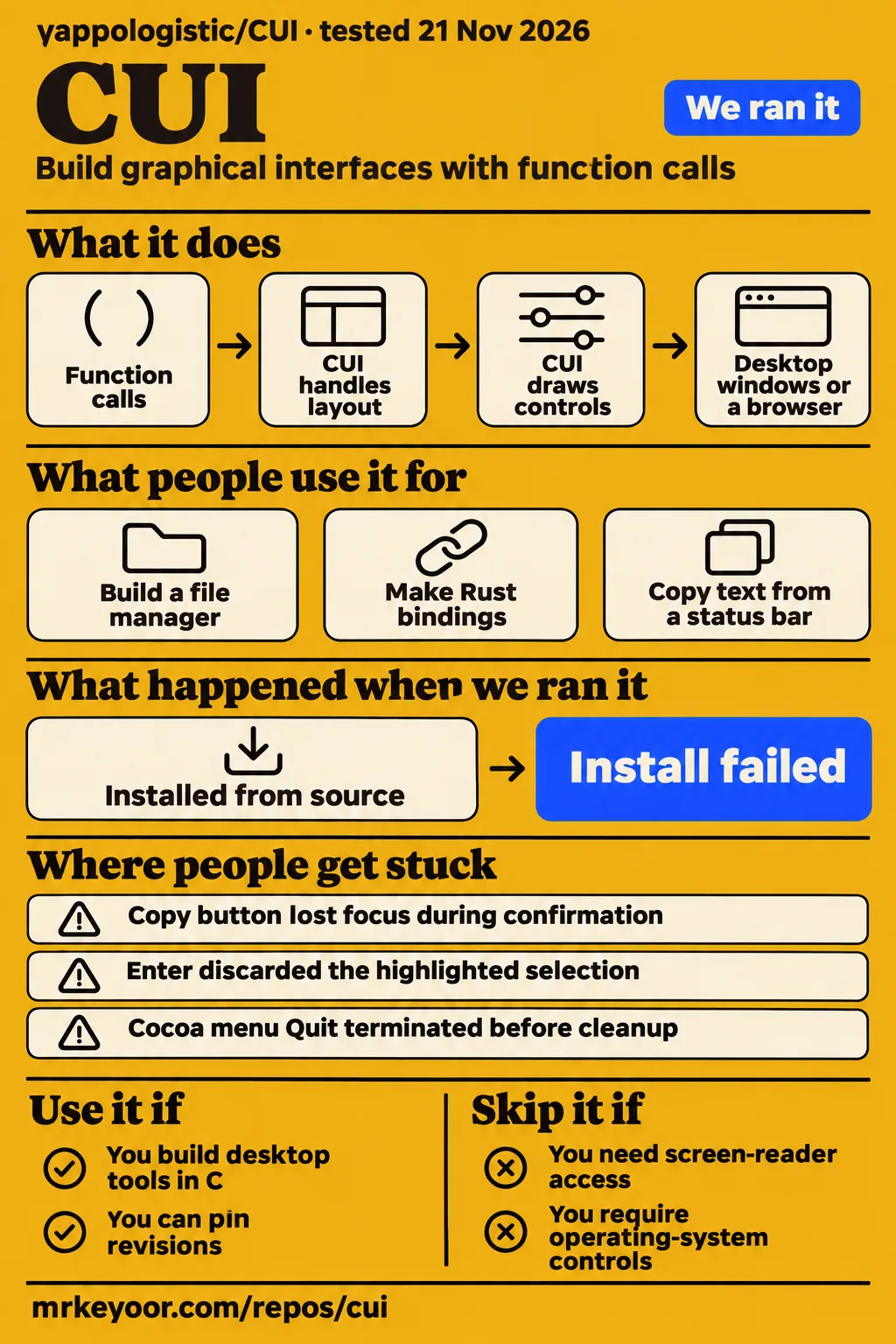
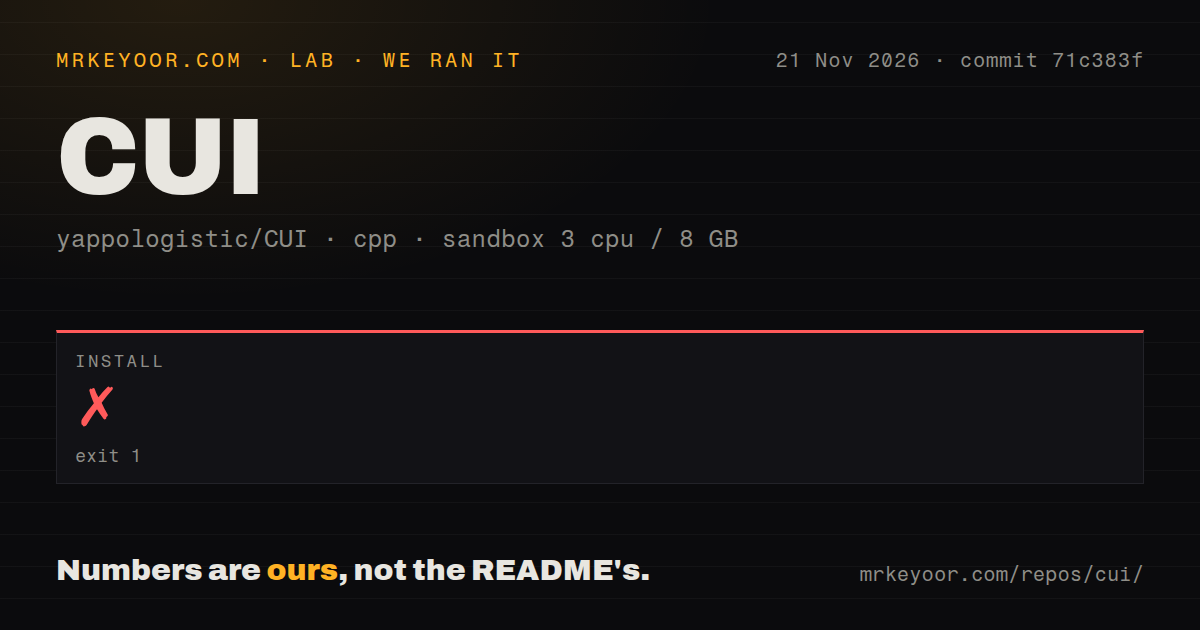
Our CUI install failed with exit 1 after 1 second. Use yappologistic/CUI for a desktop tool in C when self-drawn controls suit your application and you can track fixes by revision. Skip it when screen-reader access or complete keyboard operation is required: the CUI README explicitly describes those limitations.
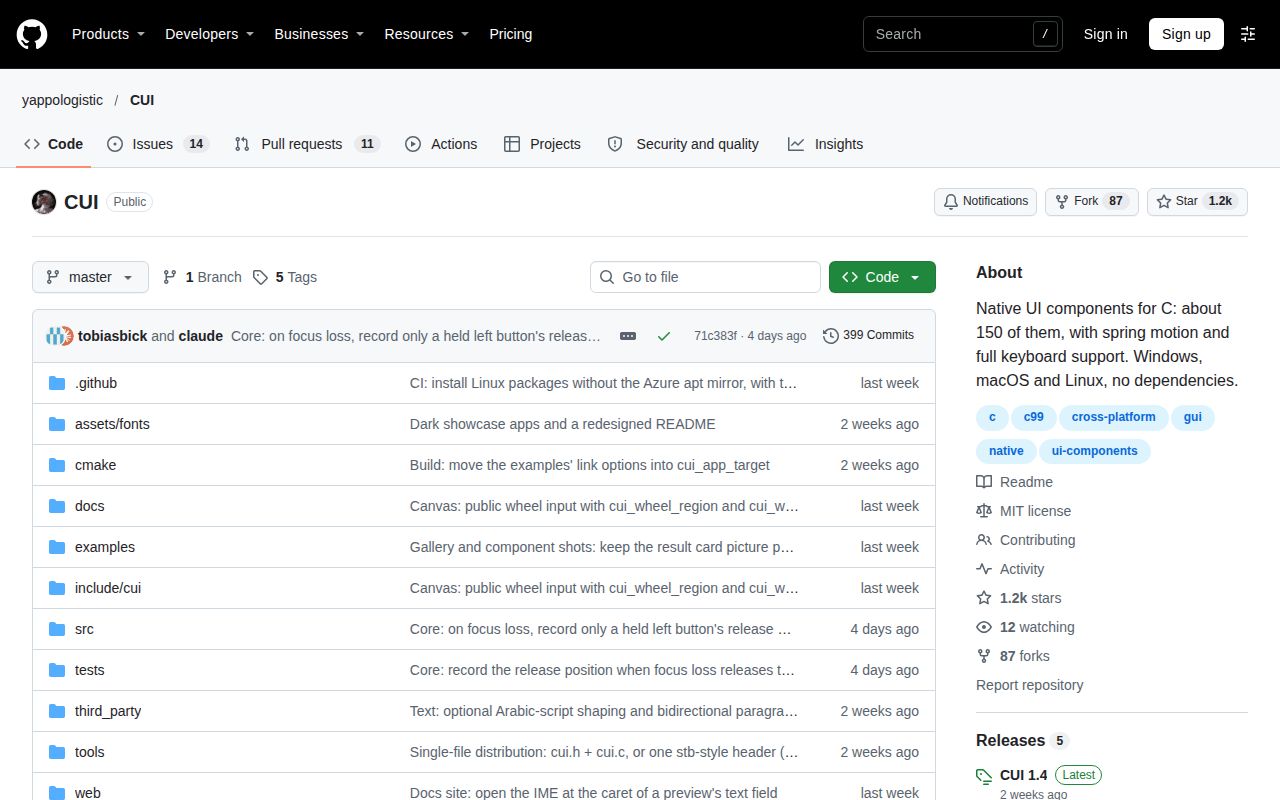
This CUI review concerns yappologistic's graphical interface library. The separate jessetane/cui repository describes “GUIs for the command line” and installs through npm. Its installation instructions concern different software. For yappologistic/CUI, the most useful application reports concern copying text, changing themes, keyboard activation and quitting cleanly, all ordinary requirements that depend on the revision being integrated.
CUI draws the controls instead of using system widgets
CUI draws its own buttons and menus instead of wrapping the operating system's controls. Its README describes an immediate-mode C99 library: application code describes the screen with function calls every frame, while CUI handles layout, input and drawing. Application variables hold the state. A button reports activation on the frame it happens, rather than requiring the application to maintain a separate persistent button object.
The README uses “native” to mean compiled code in a real window, without an interpreter or web view. It also says the application looks the same across systems rather than matching each system's controls. That distinction gives developers a concrete choice: CUI owns the appearance of the buttons and menus, while a toolkit based on platform controls follows a different visual model.
CUI includes an application window layer and also documents integration with an application's own window and renderer. Its examples include an issue tracker, notes application and dashboard. The README lists tables, editors, calendars and conversation components alongside basic controls. Those examples show the kinds of screens the project documents; their names should not be read as promises about services or application logic beyond the interface.
What people use CUI for
Developers report using CUI for a personal file manager, Rust bindings and a macOS application using ggml and Metal. The reports also describe theme selection and read-only scheduling controls, giving a prospective integrator specific behaviors to compare with their own requirements. Each outcome below belongs to its named reporter and revision rather than to our stopped installation.
| Who used it | What they did | Reported outcome |
|---|---|---|
| X user QDC98 | Built a personal file manager | Described a small personal file manager made with CUI. |
| X user IIInoki | Used an agent to make Rust bindings for CUI 1.4.0 | Reported apparent widget coverage and further work on custom rendering backend interfaces. |
| GitHub user marchildmann | Integrated a local model using ggml and Metal on macOS | Confirmed cleanup ran after the quit fix and the ggml abort disappeared. |
| GitHub user marchildmann | Built a Light/Dark/System theme selector | Confirmed manual choices persisted and System resumed following macOS. |
| GitHub user tobiasbick | Integrated read-only calendars, Gantt tasks and a query builder | Confirmed keyboard activation and preservation of caller-owned rules after fixes. |
The macOS integration makes the application lifecycle especially concrete. Returning from the interface loop allowed cleanup of the local model's resources, so a quit action involved more than making the window disappear. The Rust report answers a different question: its author described bindings for 1.4.0 while identifying custom rendering backend interfaces as further work. These are useful descriptions of integration activity with distinct outcomes.
What happened when we ran it
Our CUI install failed with exit 1 after 1 second. The November 21, 2026 sandbox measurement used commit 71c383f and stopped during CMake configuration. FindX11 reported Could NOT find X11 (missing: X11_X11_INCLUDE_PATH X11_X11_LIB). The log points to CMakeLists.txt:200 and ends with configuration incomplete, locating the failure before a working application could be assessed.
| Recorded item | Result |
|---|---|
| Sandbox | 3 CPUs, 8 GB RAM, image label lab-cpp:1 |
| Checkout | commit 71c383f, November 21, 2026 |
| Repository scan | 589 files, approximately 121,601 source lines, 45.9 MB checked out |
| Install | Failed, exit 1, 1 second |
| Failure | X11 include path and X11 library not found by CMake |
| Repository signals | Three CI workflow files, a tests directory, no Dockerfile |
The README's Linux requirements explicitly name X11 development headers, including libx11-dev. Our log names the missing include and library paths rather than a package transaction. The repository scan separately records files and workflow configuration. Keeping these observations separate preserves the difference between a checkout containing tests and an installation that reaches the point where those tests can run.
A separate attempt contains conflicting deployment entries. Its run summary says Docker Compose deployed the application with ports bound to localhost. The safety step failed because none of compose.yaml, compose.yml, docker-compose.yaml or docker-compose.yml existed. Its “unsafe repo” label describes the runner's Compose-file requirement, rather than a security finding about CUI. The teardown entry records “ok”.
Where people get stuck: fixes depend on the revision
CUI 1.4.0 includes fixes for the Windows header collision, copy-button focus and split-button keyboard selection, while later master confirmations cover other interactions. The 1.4.0 release notes name the first group directly. A release tag identifies one snapshot; master identifies a development branch. The distinction matters when translating an issue's successful follow-up into a dependency choice.
| Symptom | What the thread says changed | Confirmation boundary |
|---|---|---|
Windows SDK macro small breaks the single-file header |
Maintainer renamed colliding variables | Issue #17 reports confirmation with Microsoft's cl and clang and shipment in 1.4.0. |
| Copy button loses focus during its check mark | Button keeps a stable identity | Issue #23 records confirmation in 1.4.0 on Linux with headless software rendering. |
| Enter closes a split-button menu without selecting | Menu handles activation while open; path bar received a related fix | Issue #25 records split-button confirmation in 1.4.0 on Linux. |
| Right arrow skips intermediate toggles | Master fix 167f6e5 changes navigation | Issue #36 records integration confirmation at c8baf350 after a report against 1.4.0. |
| Read-only schedules lose activation; query builder changes rules | Master fixes restore activation and preserve caller data | Issue #75 records confirmation at 6e6b353 and a later pointer-case confirmation at a5c9ef5. |
The calendar thread contains two stages of correction. Keyboard activation and preservation of query rules were confirmed first. A remaining pointer gesture still needed a workaround: movement past the drag threshold and release could arrive in the same frame. The later confirmation says that gesture returned no activation and left the event unchanged, after which the reporter removed the remaining workaround.
Quitting on macOS and copying text need platform hooks
marchildmann reported that cleanup ran and the ggml abort disappeared after the macOS quit fix. In issue #29, the confirmation names master 7977728 and says Cmd-Q, Dock Quit and AppleScript quit returned from cui_app_run. Before the change, the Cocoa termination path exited from inside the loop, preventing application code after that call from performing cleanup.
The same reporter retained a separate AppleScript workaround. AppKit's termination path caused osascript to report “User canceled” with code -128 even though the application quit. Their fork registered an Apple-event quit handler that ended the loop and answered success. This distinguishes two concrete outcomes in one issue: returning control for resource cleanup and giving an automation caller a successful reply.
Clipboard integration has its own platform connection. In issue #32, the maintainer added setter and getter functions on master 2311801 and explained that both use platform clipboard hooks. Without a hook, setting does nothing and getting returns an empty string. marchildmann confirmed status-bar copying and described reading the clipboard afterward before displaying a copied notification.
Chinese text and keyboard access have different requirements
The README says CJK text works after adding a fallback font, and issue #15 records a recommendation to use cui_font_load_file with a CJK font followed by the requester's confirmation. That addresses character coverage. Font selection, text composition and keyboard reach are separate requirements, even when they affect the same text-entry screen.
The README says input methods compose in the system's window rather than inline, and identifies a caret-placement exception for the GLFW backend. It describes Arabic-script shaping and bidirectional text as an optional experimental feature for static text. It also states that there is no accessibility tree and lists controls that still require a pointer. These are explicit product boundaries rather than conclusions drawn from a focus regression.
CUI vs Dear ImGui and wxWidgets
Dear ImGui targets programmer tools, while wxWidgets uses native controls. Their own descriptions make the comparison useful without assigning a performance winner: Dear ImGui is designed for content creation, visualization and debugging inside rendering applications; wxWidgets describes a desktop application framework. CUI's self-drawn components and C interface give it a different starting point for the application developer.
| Project | Documented approach | Choose it when |
|---|---|---|
| yappologistic/CUI | Self-drawn components and an application window layer | C function calls and a consistent custom appearance fit the application. |
| Dear ImGui | C++ GUI library for content creation, visualization and debug tools | Developer tooling belongs inside an engine or graphics application. |
| wxWidgets | C++ framework for GUI applications using native controls | Host-platform controls and C++ fit the product. |
Dear ImGui's README also says full internationalization and accessibility features are unsupported. Its tooling focus therefore answers a different selection question from choosing a library for screen-reader access. wxWidgets changes the control model: its README explicitly describes native-looking desktop applications using native controls. Those source descriptions support a choice based on application structure and appearance rather than a numerical ranking.
Theme switching and sidebar selection have confirmed fixes
Master b699fac added runtime system-theme following, and master a2b83ec corrected stale navigation highlights. In issue #34, creation-time configuration could not provide a working Light/Dark/System switcher. The added cui_app_follow_system_theme call stops following before a manual choice and resumes following when System is selected. marchildmann confirmed that manual choices persisted and System applied the macOS setting again immediately.
The sidebar report in issue #35 concerned pages opened outside the navigation group, such as settings or search results. The old highlight stayed behind when no group item was selected. The maintainer's fix waited for two consecutive unselected frames, preserving the glide when clicking an item above the current selection. The reporter confirmed both clearing the stale highlight and retaining that transition.
Questions people ask
CUI can display Chinese after loading a suitable CJK font, according to the exchange in issue #15. The other questions below concern reported integration failures and their documented corrections. Release-specific answers name 1.4.0; later fixes name master commits, preserving the distinction between choosing a release and choosing a development revision.
Can CUI display Chinese, and how do I load a suitable font?
Use cui_font_load_file with a CJK font, as recommended in issue #15. The requester replied that it worked. The README likewise describes CJK support through a fallback font. This answer concerns the characters available to the renderer; the separate text section describes the README's composition behavior and script-support boundaries.
How do I fix a CUI amalgamation build that fails with Windows SDK headers?
Use a revision containing the identifier-renaming fix shipped in 1.4.0, as issue #17 and the release notes describe. The Windows SDK defines small as a macro, colliding with library variables. The thread records confirmation with Microsoft's cl and clang. This is a source-level header collision, separate from the missing X11 paths in our configuration log.
How can a running CUI application switch between Light, Dark and System themes?
Master b699fac added cui_app_follow_system_theme, according to issue #34. Stop following the operating system before setting a manual theme; start following to apply its theme again. The theme section above explains the reporter's confirmation. The original proposal concerned changing this behavior while the application ran, rather than choosing it only at application creation.
How do I copy or paste text from a CUI menu or status bar item?
Master 2311801 added clipboard setter and getter functions, as issue #32 records. Both route through platform hooks, including the getter intended for a Paste item. The reporter confirmed copying from a status-bar item and checking the result before showing feedback. The platform section above describes what happens when the backend has no clipboard hook.
Why does quitting a CUI macOS application skip cleanup or trigger a ggml abort?
The reported Cocoa termination path exited before returning from cui_app_run, according to issue #29. Master 7977728 changed that path to end the loop and wake the event wait. The reporter confirmed that cleanup ran and the ggml abort disappeared. The same thread separately discusses the AppleScript reply problem described in the platform section.
Why does AppleScript report User canceled when my CUI application actually quits?
The reporter attributed code -128 to NSTerminateCancel in AppKit's termination path in issue #29. Their fork answered the quit Apple event through a custom handler while ending the loop. That is a distinct workaround from the confirmed cleanup correction: an application can stop successfully while its automation caller receives an error reply.
Why does a CUI sidebar keep highlighting the page I left?
The navigation group retained its old highlight when none of its items were selected, as issue #35 reports. Master a2b83ec clears it after consecutive unselected frames. The theme and sidebar section explains why the maintainer used two frames: clearing after one frame interfered with the animated transition when clicking above the selected item.
Why does the CUI copy button lose keyboard focus during its confirmation?
The confirmation changed the button's identity, according to issue #23. Keeping that identity stable corrected the focus loss. The thread records confirmation in 1.4.0 on Linux with the headless software renderer, including another Enter producing a clipboard request. The revision table places that correction beside the other keyboard fixes shipped in the release.
Why does Enter close a CUI split-button menu without selecting the highlighted action?
The chevron's keyboard handling consumed the activation, as issue #25 describes. The fix allowed Enter to choose the highlighted action, and the path-bar overflow menu received a related correction. The split-button reproduction was confirmed in 1.4.0 on Linux. These are selection-return behaviors, separate from whether the menu merely opens or closes visually.
Why does Right-arrow skip intermediate items in a CUI toggle group?
The report against 1.4.0 in issue #36 describes one Right press jumping from the first to the last item in a four-toggle group. Master received fix 167f6e5, followed by integration confirmation at c8baf350. That later confirmation belongs to the development revision; the table therefore separates it from fixes documented as shipping in 1.4.0.
Can read-only CUI calendar events and Gantt tasks remain keyboard-activatable without changing their data?
The reporter confirmed that behavior after the master fixes at 6e6b353 in issue #75. The confirmation also covered preserving caller-owned query rules in read-only and disabled modes. A separate pointer gesture received a later correction and confirmation at a5c9ef5, completing the sequence described in the revision section rather than replacing the earlier keyboard result.
What we have not tested yet
Our install at 71c383f stopped at X11 configuration, leaving no completed build, test result or working interface assessment. The sandbox image label does not identify the actual compiler, runtime or operating-system version. The conflicting Compose entries also need reconciliation before supporting a deployment outcome, and that attempt includes no screenshots or known-answer application task.
We have not measured executable size, frame latency, application memory use, sustained large-data rendering or security properties. Project performance figures and the file-manager author's size claim are separate from our measurements. No comparative benchmark supports ranking CUI against Dear ImGui or wxWidgets for speed or size, and the stopped installation supplies no application reliability result.
The issue confirmations belong to their named revisions and environments. We have not rerun the macOS quit sequence, clipboard hooks, theme switching, Chinese font setup or keyboard regressions at 71c383f. Full Rust backend coverage and upstream inclusion of the AppleScript reply handler are unresolved here. The next useful run would record a configured desktop build's exact revision alongside keyboard activation, clipboard round trips, theme changes and cleanup after quitting.