CPAMP v1.12.5 manages CPA rather than replacing it
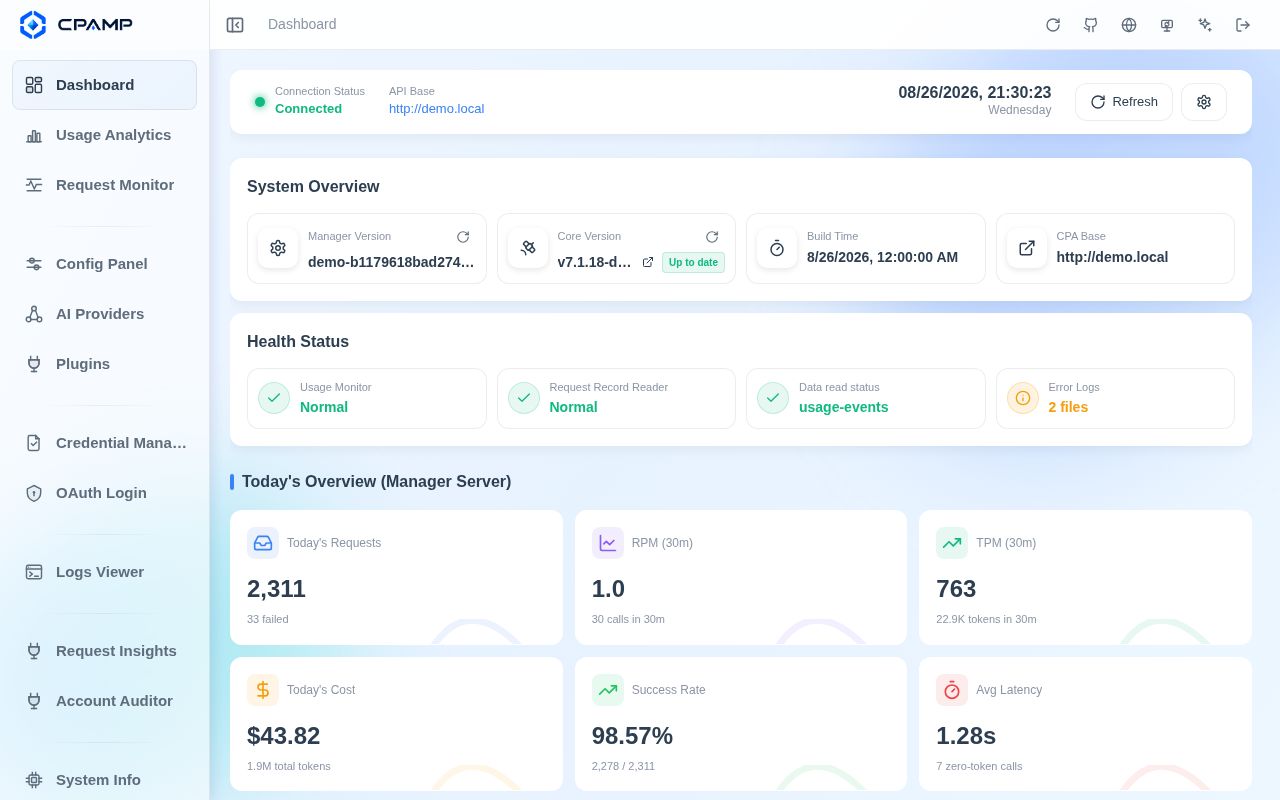
CPA Manager Plus, or CPAMP, sits beside CLIProxyAPI and turns its operational data into a management and observability system. It can configure providers, credentials, OAuth logins, API keys, model aliases, plugins, logs, and system settings. Full Mode also persists request history in SQLite, estimates cost, tracks quota windows, inspects account health, and queues account actions. The boundary is explicit: CPAMP does not forward model traffic. A functioning CPA gateway remains the component that receives model requests.
That distinction makes the purchase decision easier. Existing CPA operators can add a purpose-built control room without replacing their proxy. Everyone else would be adopting two coupled projects. CPAMP supports Gemini, Codex, Claude, Vertex, xAI, and OpenAI-compatible providers through CPA, yet its most distinctive work concerns the accounts and credential files behind that gateway. A team shopping for a general LLM proxy should compare LiteLLM before committing to the CPA pair.
Three deployment modes carry different operating costs
The README presents 3 choices. The official CLI Proxy API Management Center keeps the upstream interface. CPAMP Lightweight Panel replaces that browser UI on CPA's existing port 8317 without adding another service or database. Full Mode runs a Manager Server on port 18317 and supplies persistent monitoring, cost analytics, health inspections, and automation. Choosing Full Mode solely because it is the largest option creates storage and credential duties that the lightweight panel avoids.
The supplied Compose example runs CPA and CPAMP as separate containers with separate persistent volumes. CPAMP-only deployment is also one Docker command when CPA already exists. First setup asks for the CPA URL and CPA Management Key, while CPAMP has its own Admin Key retrieved from the Manager Server log. The documentation recommends CPA v7.1.39 or newer and requires at least v6.10.8 for the HTTP usage queue. Version compatibility can decide whether the monitoring page has data at all.
What happened when we ran it
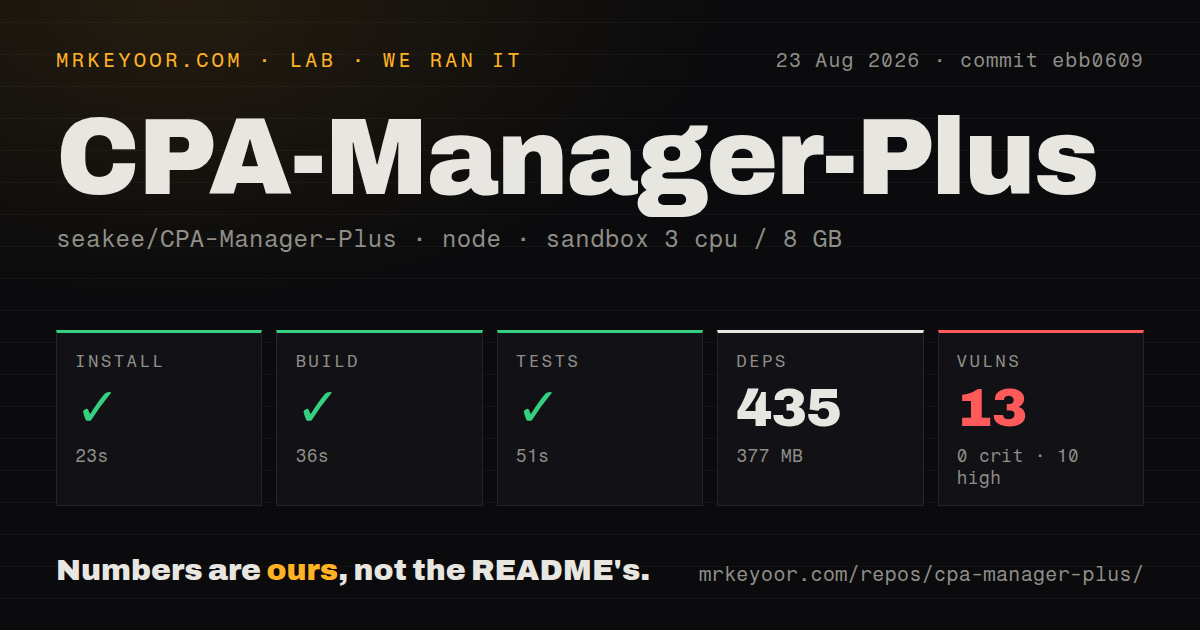
Our sandbox installed 435 npm packages in 23 seconds and used 377 MB on disk. The build completed successfully in 36 seconds, followed by a passing 51-second test step. The checkout at commit ebb0609 contained 1,257 files, about 355,588 source lines, and occupied 21.9 MB. We found 8 CI workflow files, a tests directory, and monorepo workspaces, with no Dockerfile detected by the source scan.
The dependency audit was the weak result. npm reported 13 known vulnerabilities: 10 high severity, 2 moderate, 1 low, and 0 critical. A clean build and passing tests do not answer whether those advisories are reachable in the deployed panel or tooling. Before exposing port 18317, inspect the package paths, available upgrades, and whether affected code ships in the final single-file web build. Our run establishes the counts only; it does not establish exploitability.
The project also contains a Go Manager Server. Its documented development checks include Go tests, race detection, and vetting in addition to the npm commands. Our standardized measurement reports the Node install, build, tests, and audit supplied above. It did not measure request throughput, database growth, provider accuracy, or OAuth reliability. Those outcomes depend on CPA traffic and configured accounts, so a realistic pilot should replay authorized traffic through a nonproduction gateway.
Local history improves diagnosis and expands the backup set
Full Mode stores request status, latency, tokens, cache details, traces, and redacted failure evidence. Views can break usage down by model, provider, account, credential, API key, project, channel, and time range. Model prices come first from models.dev, with LiteLLM and OpenRouter fallbacks plus local overrides. Those figures are estimates tied to price data and model naming, so finance teams should reconcile them with provider bills before treating the dashboard as accounting.
The privacy model is straightforward. CPAMP says it has no analytics SDK and needs no account registration. External calls are limited to the gateway and features an operator configures, such as OAuth, provider checks, plugin releases, or price synchronization. Management Keys are encrypted before SQLite storage. Recovery depends on keeping the database files and data.key together. A backup containing only SQLite can preserve request history while making the encrypted gateway credential unusable.
Retention deserves an explicit policy. Issue 622 asks for log archiving, cleanup, and compression, and issue 332 requests improvements to monitoring storage, querying, and history cleanup. These are requests rather than documented current features. A busy gateway should therefore measure database growth and decide how backups, filesystem capacity, and any external retention job will work before enabling indefinite request collection.
August releases show active maintenance around account identity
GitHub recorded 2,895 stars, 39 open issues and pull requests, and a last push on August 26, 2026. Release v1.12.5 was published the same day after 37 commits touching 81 files. Its main fixes concern stable Codex account identity, OAuth relogin synchronization, monitoring refresh consistency, and failure records that incorrectly included response headers. The combined open count includes pull requests, so it is evidence of workload rather than a bug total.
Recent issue discussion is similarly specific. Issue 615 reports inconsistent credential availability and quota display. Issue 315 asks to bind subscription accounts to selected API keys, while issue 584 requests filtering for selected failure classes such as HTTP 429. These reports show operators pushing beyond a read-only dashboard into routing and account policy. CPAMP is already useful for observing CPA. Buyers should confirm that the controls they need exist now rather than reading a feature request as a delivered capability.