Should you try CowAgent?
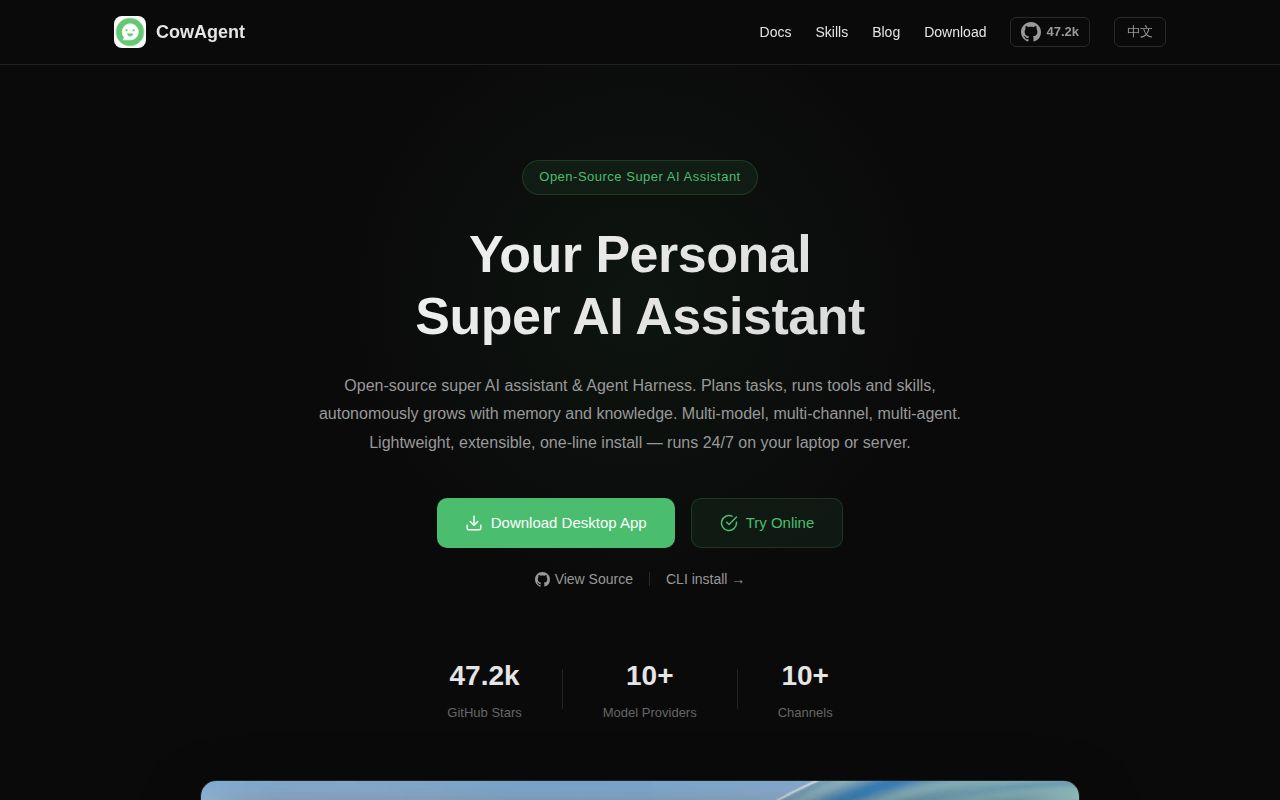
A restricted trial makes sense if you want a personal assistant connected to a local workspace and can investigate failures yourself. CowAgent combines local tools and long-term memory. Its README describes file access, terminal commands, browser automation, MCP integration, skills, a Markdown knowledge base and multi-agent teams. These are documented capabilities; the stored run did not evaluate their accuracy or usefulness during real tasks.
The README warns that the agent can access the local operating system and that agent mode consumes substantially more tokens than regular chat. Start with a dedicated account or container, a narrow workspace and provider spending controls. These are deployment recommendations, not controls validated by this run.
Permission modes need a separate review
In issue 3231, the reporter alleges an MCP configuration injection route affecting versions through 2.1.9: influenced tool calls could overwrite mcp.json and cause an attacker-controlled process to launch. This is the reporter's account, not a finding from the sandbox run.
On October 10, 2026, the maintainer reported a fix in c1c88fa for workspace-write mode. The maintainer says the change refuses writes to files that widen the agent's access, including mcp.json, across write and edit tools and specified shell operations. Full-access was intentionally unchanged. The maintainer recommends workspace-write or read-only for agents exposed to untrusted input and describes workspace-write shell checks as argument-level and best effort, not an OS sandbox.
The supplied evidence does not establish the fix's presence in tested commit c94f3bb or independently validate remediation. It also does not establish that 2.2.0 is vulnerable. For a trial, inspect the permission behavior of the exact checkout and use a container when you need a hard boundary. Do not treat a permission-mode label as proof that the process is isolated.
What the sandbox established
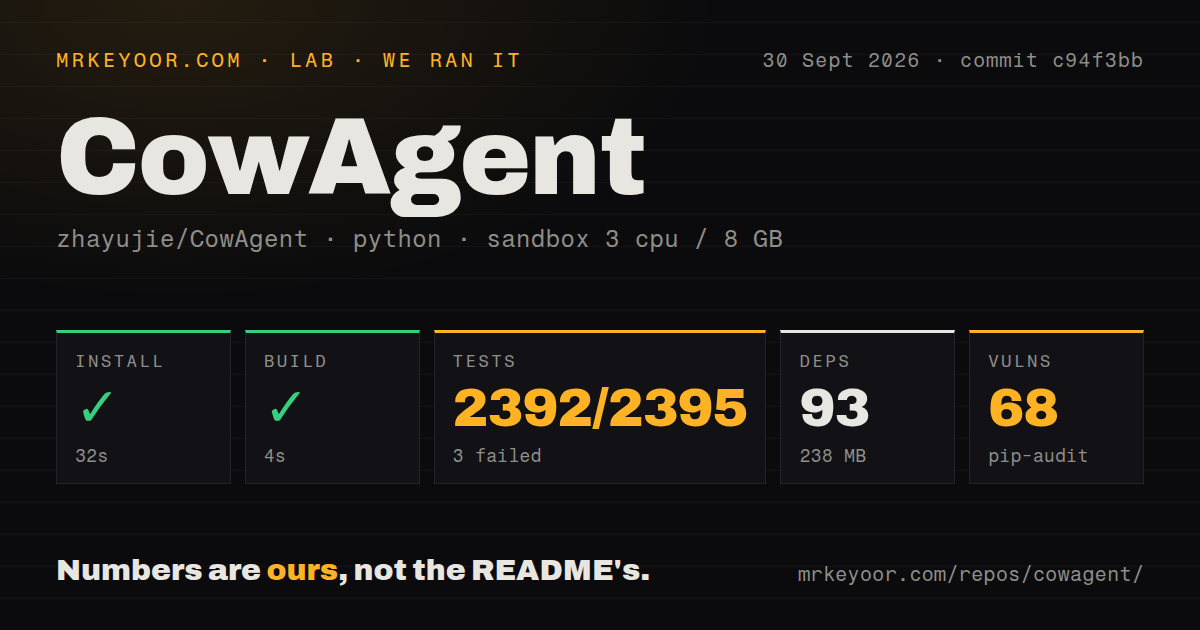
The run took place on September 30, 2026 at commit c94f3bb. The 2.2.0 release page identifies that commit. The findings below come from the stored measurement and retrieved log tail; no new execution or complete-log reconciliation was performed.
Our stored pytest parser summary records 2,392 passed, 3 failed and 9 skipped tests. Its stored total is 2,395. These parser summaries do not establish exhaustive, unique test coverage. The raw footer also reports 14 warnings and 55 passing subtests; the subtests should not be added to the stored total.
Installation exited with code 0 after 32 seconds, the recorded build step exited with code 0 after 4 seconds, and pytest exited with code 1 after 308 seconds without timing out. The pytest footer reports 297.66 seconds, a separate duration from the harness's command timing. The empty build tail limits what can be inferred from its successful exit.
The three named failures concern Chrome zombie-process detection, rebuilding a damaged SQLite FTS5 index and closing a subagent after it exceeds its budget. Their assertions include an unexpected live-process result, the unusual text 'ok' == 'ok', and a count of 2 where 0 was expected. The supplied tail does not establish the causes or whether the failures reproduce outside this sandbox.
The record does not demonstrate a live model conversation, browser task, channel connection, desktop installation or unattended deployment. The MrKeyoor testing methodology explains the distinction between command outcomes and product validation. Its current procedure does not establish which methodology revision governed this older run.
What the dependency audit means
Our stored pip-audit result records 68 advisories. This is a dependency-audit result, not proof of exploitable CowAgent vulnerabilities or a security assessment. The record does not include scannedPackages, so scan coverage is unknown; the packages field must not be interpreted as the number of packages scanned.
Before connecting sensitive files or credentials, obtain the advisory details for your intended environment and assess affected dependencies, possible upgrades and necessary restrictions. The supplied evidence does not establish advisory reachability or remediation status.
Setup beyond installation
The quick start describes a script that checks Python, installs dependencies and the Cow CLI, guides model and channel configuration, and starts the Web console. The documented console listens locally by default on port 9899. Remote access requires additional host, password and firewall configuration. Browser tool dependencies have a separate installation command.
The installation timing does not measure completion of that guided setup. Before expanding access, configure a model provider and verify one task that uses the tools you intend to enable.
The 2.2.0 release notes describe a capabilities center for tools, MCP and skills, per-agent data isolation, atomic configuration writes and request timeouts. Those are release claims, not independently validated outcomes from this run. The current README lists later releases; this review's measurements remain tied to c94f3bb.
Which alternative fits your job?
OpenClaw is another personal-assistant option with messaging channels and companion apps. Its README describes a local Gateway and device actions. Consider it when device and messaging integration are central to your evaluation. The README also says main-session tools run on the host unless sandboxing is configured. The supplied evidence contains no comparative measurements of safety, speed or ease of operation.
Dify combines visual workflows, RAG pipelines and agent capabilities for building LLM applications. Its README makes it a relevant starting point when your deliverable is an application or workflow. It also describes agents that run commands and handle files. These alternatives are platform choices, not required CowAgent companions.
What the ratings assess
Numerical ratings are editorial judgments on a five-point scale: 1 indicates substantial obstacles, 2 notable gaps, 3 usability with material work, 4 strong evidence with limited reservations, and 5 comprehensive evidence within the assessed dimension. They are not benchmark results.
Setup ease is 3: installation succeeded, while model configuration, channels and access restrictions still require unverified operator work. Maturity is 3 as a limited assessment of the recorded evaluation obstacles: pytest failed and the dependency advisories require investigation. It does not measure production reliability, security quality or successful remediation of issue 3231.
Documentation and community are unassessed. The supplied README, quick start and release notes contain setup and capability guidance, but their operational completeness was not tested. Support routes and credited contributions show ways to participate; they do not establish community responsiveness, sustained participation or adoption. Neither dimension has enough evidence here for a numerical rating.