One Gateway connects chats, tools, and companion devices
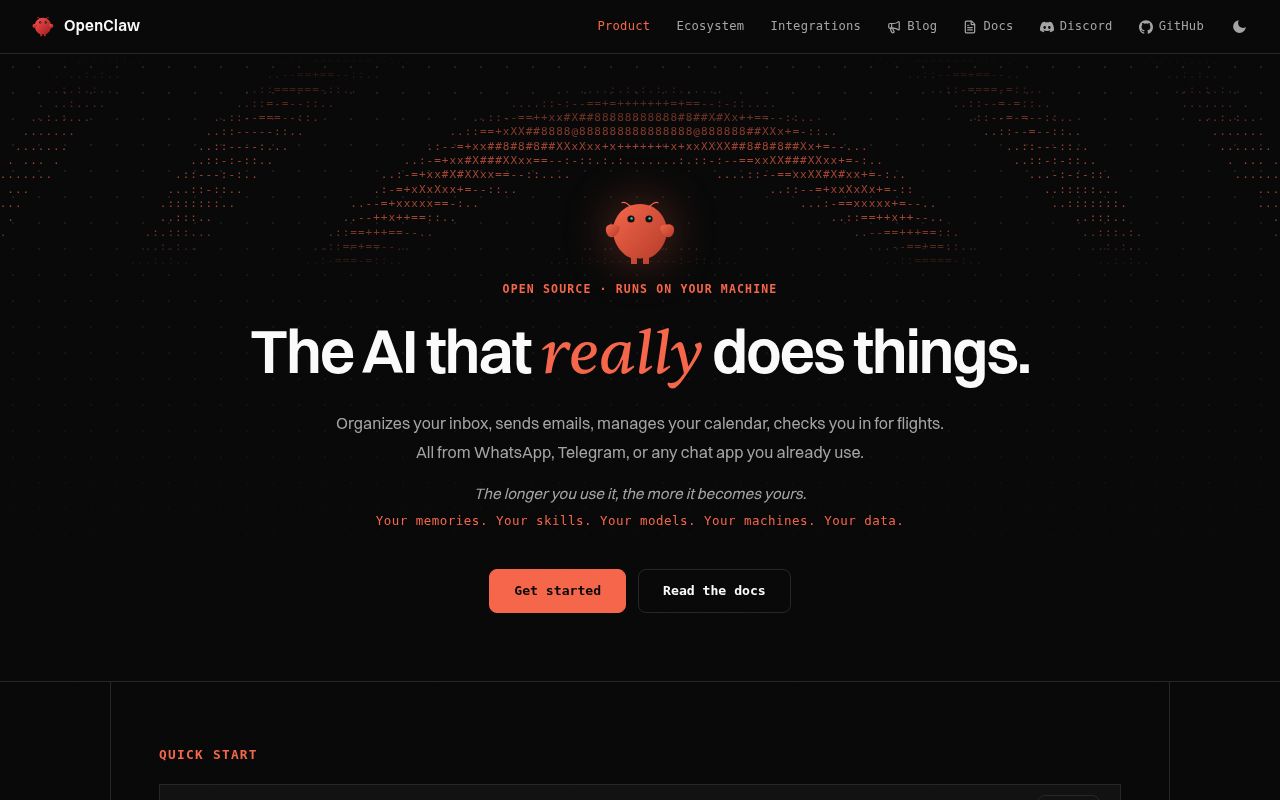
OpenClaw runs a long-lived Gateway that owns sessions, channel connections, tools, and events. The Control UI, command-line client, and terminal interface connect to it, while nodes on supported devices can add camera, screen, location, voice, or Canvas actions. Messaging adapters cover WhatsApp, Telegram, Slack, Discord, Google Chat, Signal, iMessage, and others. This is a personal control plane with many surfaces, not merely a browser around a language model.
The architecture makes continuity useful. One operator can reach the same assistant from a phone chat, inspect it from the web panel, and let it act on a paired device. It also concentrates authority. Exactly 1 Gateway controls a WhatsApp session on a host, and authenticated Gateway callers belong to the trusted-operator boundary. The system is easiest to reason about when the person sending instructions, the person who owns the machine, and the person who owns the model bill are the same.
The guided installer hides a large source tree
The packaged installer supports macOS, Linux, and Windows and can provision Node.js. Direct npm installation currently requires Node.js 22.22.3+, 24.15+, or 25.9+, followed by an onboarding wizard that verifies model access, creates a workspace, and configures the daemon. Source contributors need pnpm because the README explicitly rejects plain npm installation at the monorepo root.
Channel setup is the longer part. A working assistant needs at least one model provider and its credentials. WhatsApp, Telegram, Slack, Discord, Signal, and device nodes each bring separate authentication or pairing steps. Unknown direct-message senders are paired by default rather than silently trusted. Remote access uses the same Gateway authentication and should travel through a deliberate tunnel or private ingress, not an unauthenticated public socket.
What happened when we ran it
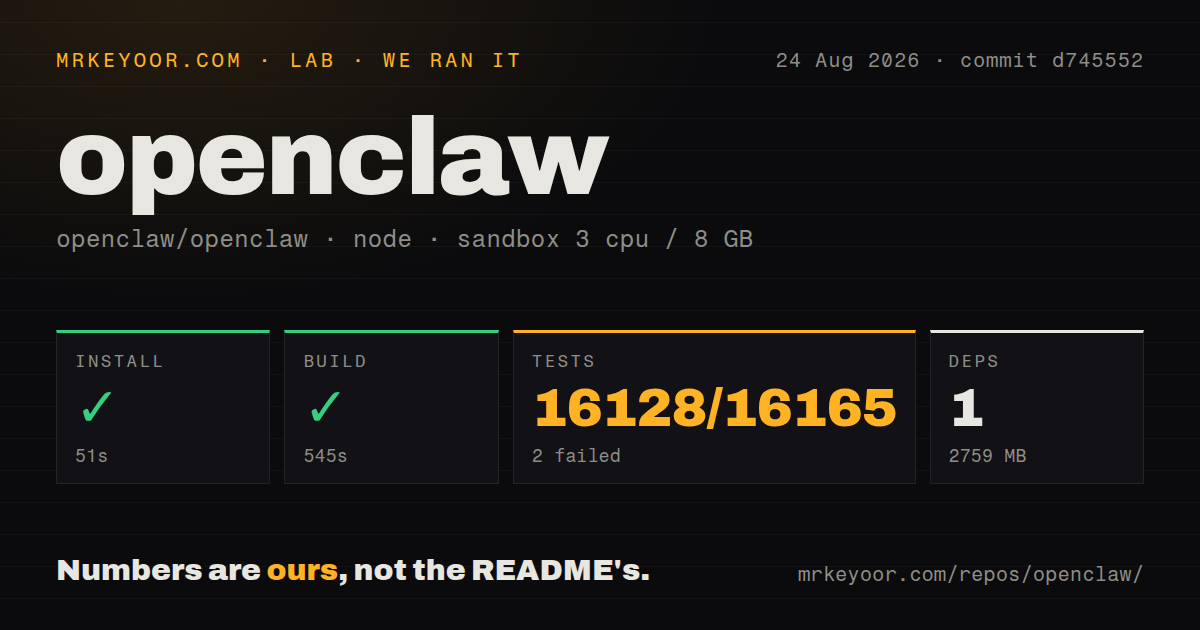
Our sandbox install completed in 51 seconds and used 2,759 MB on disk; the harness reported 1 package installed for the pnpm workspace. The build succeeded after 545 seconds. We measured commit d745552 in an unprivileged container with 3 CPUs and 8 GB of RAM. The 431.6 MB checkout contained 33,600 files, a Dockerfile, Compose configuration, workspaces, and 87 CI workflow files.
The test command did not finish within 900 seconds. Vitest reported 16,128 passed, 2 failed, and 35 skipped out of 16,165 before the timeout. The final log lines showed successful ClawHub skill-update cases, followed by notices that Vitest had produced no output for 30,000 and then 60,000 milliseconds. The tail does not identify the two failing test names or establish what kept the process alive.
A timeout is different from a clean pass and different from an ordinary assertion exit. The measured suite got through almost all reported cases, then stopped making visible progress before our cap. For contributors, that means full-suite feedback is expensive on a 3-CPU machine and the two failures still need inspection. For users installing the published package, it is mainly evidence that this is a large, active system whose source workflow deserves time and disk space.
Sandboxing is available and defaults to off
OpenClaw's security policy is unusually explicit: it serves one trusted operator and does not promise isolation among hostile users sharing a Gateway. Tools execute on the host for the main session unless sandboxing is configured. Session names and ownership help route context, but they are not authorization boundaries. A company can share an agent only when everyone belongs inside the same trust boundary and accepts the agent's tool authority.
Sandbox modes are off, non-main, and all, with off as the default. Docker, Podman, SSH, and OpenShell backends can isolate tool execution, while the Gateway and native plugins remain on the host. A Docker sandbox defaults to no network, a read-only root, and all Linux capabilities dropped. Those are sensible controls, but they apply only after the operator enables and maintains the sandbox path.
The safest first deployment enables sandboxing for all sessions, leaves workspace access read-only or absent, and grants tools one by one. Bind mounts expose host paths with the chosen read or write mode, so a broad mount can undo much of the isolation. OpenClaw blocks several sensitive system and credential roots by default. Operators should still keep Docker sockets, SSH keys, cloud credentials, and unrelated home directories outside the agent's filesystem view.
Plugins and MCP servers join the trusted computing base
Skills can guide behavior, while plugins add executable capability inside the Gateway process. The security policy says an installed plugin has the same trust level as local code on the Gateway host. Sandboxed sessions may use plugin-owned and MCP tools only when both ordinary tool policy and sandbox tool policy allow them, but the plugin process itself does not move into the tool sandbox. Review source, ownership, requested credentials, and update behavior before enabling one.
ClawHub makes extensions easier to find and update. It also expands the supply chain attached to an assistant that can read messages and operate tools. The final test output in our 900-second run was still exercising tracked ClawHub skill updates, including forced updates and provenance checks.
Current activity is much newer than the latest stable tag
GitHub showed 387,728 stars and 5,744 combined issues and pull requests. The repository was pushed on August 27, 2026, and new bug reports were active the same day. The latest-release endpoint returned v2026.7.1-2, published August 4, while the source package declared version 2026.8.1. Anyone diagnosing behavior should record whether it came from the published package, a release tag, or a moving main branch.
OpenClaw earns attention because the Gateway model turns a pile of chat adapters, tools, device nodes, and model providers into one assistant. The trade is responsibility. A single trusted operator gets considerable reach, but also owns pairing, credentials, updates, plugin review, remote exposure, and sandbox policy. If that sounds like operating a personal service rather than installing an app, the project is a good fit; if it sounds excessive, choose a narrower web or agent server.